
The 10 Best 240Hz Gaming Monitors for Fortnite in 2027
Your new 240Hz screen is wasted if Fortnite stalls at 140 fps. The best 240Hz gaming monitors for Fortnite in 2027, matched to your GPU, room and budget.

Affiliate Disclosure: As an Amazon Associate, we may earn a commission from qualifying purchases, and it never changes our picks.
Our picks at a glance

10.0/10Score

$584.00 $649.99 Save 10%
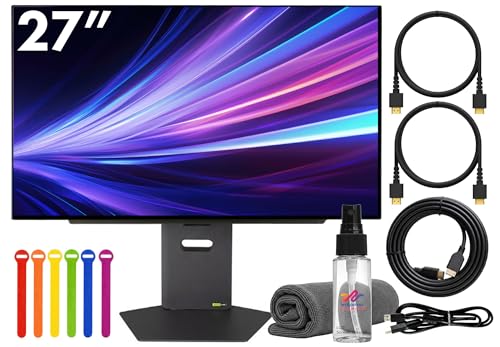
as of Nov 10, 2026, 11:15 UTC

9.9/10Score
$549.00 $759.00 Save 28%
as of Nov 10, 2026, 11:15 UTC
Limited time deal

9.9/10Score
$579.00 $629.99 Save 8%
as of Nov 10, 2026, 11:15 UTC

9.7/10Score
$759.99 $799.00 Save 5%
as of Nov 10, 2026, 11:15 UTC

9.6/10Score
$748.00 $899.99 Save 17%
as of Nov 10, 2026, 11:15 UTC
Limited time deal

9.6/10Score
$992.37
as of Nov 10, 2026, 11:15 UTC
9.4/10Score
$709.95
as of Nov 10, 2026, 11:15 UTC
8.7/10Score
$599.99 $699.99 Save 14%
as of Nov 10, 2026, 11:15 UTC
8.7/10Score
$319.99
as of Nov 10, 2026, 11:15 UTC

7.9/10Score
$169.99 $199.99 Save 15%
as of Nov 10, 2026, 11:15 UTC
Limited time deal
Product prices and availability are accurate as of the date/time indicated and are subject to change. Any price and availability information displayed on Amazon.com at the time of purchase will apply to the purchase of this product.
How we rank best 240Hz gaming monitors for Fortnite?
We put motion clarity and input lag first, because in a box fight the player who sees the edit first usually wins it. Value comes next, since a fast screen only pays off when your PC can feed it the frames. Picture and visibility follow, so enemies stand out in dark builds and across bright, busy maps. Design and build means a steady stand and burn-in protection, since Fortnite's HUD never moves. Last come esports features and ports: low-lag modes, a headphone jack and HDMI 2.1 for console nights.
 Motion Clarity and Input Lag35%
In Fortnite fights, clear motion and low lag decide whether you see and win a quick edit or build first.
 Value20%
Refresh only helps if your PC reaches those frame rates, so the price has to match your GPU.
Picture and Visibility15%
Picture and Visibility15%Brightness, contrast and color help you spot enemies in shadows and across bright, colorful maps.
 Design and Build15%
A stable, adjustable stand and burn-in protection matter for long daily sessions with a fixed HUD.
Esports Features and Ports15%
Esports Features and Ports15%Low-lag modes, a headphone jack, HDMI 2.1 for console nights and extra modes matter for competitive play.
Best 240Hz gaming monitors for Fortnite compared
Swipe sideways to see every spec.
| Product | Score | Size | Resolution | Refresh Rate | Panel |
|---|---|---|---|---|---|
| 10.0 | 26.7 inches viewable (27-inch class), flat | 2560 x 1440 (QHD), 111 PPI | 360Hz over DisplayPort, 144Hz over HDMI | QD-OLED, glossy, DisplayHDR True Black 400 | |
| 9.9 | 26.5 inches (sold as 27-inch class), 16:9 | 2560 x 1440 (QHD); accepts 4K at 120Hz | 360Hz; ELMB strobing up to 180Hz | QD-OLED, glossy, DisplayHDR 400 True Black | |
| 9.9 | 27 inches | 2560 x 1440 (QHD) | 360Hz | QD-OLED, semi-glossy, DisplayHDR True Black 400 | |
| 9.7 | 26.5-inch (27-inch class), flat | 2560 x 1440 (QHD) | 480Hz, FreeSync Premium and G-SYNC Compatible | WOLED (LG MLA+), matte anti-glare, DisplayHDR 400 True Black | |
| 9.6 | 26.5 inches (27-inch class), flat, 16:9 | 2560 x 1440 (QHD); 24.5-inch 1332p mode | 480Hz, 0.03ms GtG; G-Sync Compatible and FreeSync | WOLED with MLA+, semi-matte, DisplayHDR True Black 400 | |
| 9.6 | 32 inches (31.5-inch viewable) | 3840 x 2160 (4K UHD); 1920 x 1080 in dual mode | 240Hz at 4K, 480Hz at 1080p | WOLED with TrueBlack Glossy coating | |
| 9.4 | 27 in, flat | 2560 x 1440 (QHD) | 480Hz, G-Sync Compatible, FreeSync Premium Pro | WOLED with MLA+, matte coating, 0.03ms GtG | |
| 8.7 | 27 inches, 16:9 | 2560 x 1440 (QHD); 1280 x 720 in 1000Hz mode | 540Hz at QHD, 1000Hz at 720p (DFR dual mode) | IPS, edge-lit, DisplayHDR 600, about 90% DCI-P3 measured | |
| 8.7 | 27-inch flat | 2560 x 1440 (QHD) | 300Hz, Adaptive-Sync 48-300Hz, HDMI 2.1 VRR | Rapid VA, 1,152-zone Mini LED, DisplayHDR 1000, matte | |
| 7.9 | 27 inches, flat, 16:9 | 2560 x 1440 (QHD) | 240Hz over DisplayPort, 144Hz over HDMI; FreeSync Premium | IPS, edge-lit, DisplayHDR 400, no local dimming |
1. Alienware AW2725DF: Best Fortnite Gaming Monitor Overall
If you play Fortnite on a PC that clears 240 fps, this is where we'd spend the money. Monitors Unboxed measured about 0.3 ms pixel response and roughly 0.3 ms of processing delay, so frames land fast and clean. And at 360Hz, you keep headroom for the day a GPU upgrade lifts your frame rate.
Picture the last circle of a ranked Zero Build match, one opponent left and both of you boxed up. They swing out for a quick peek, and the frame stays sharp instead of trailing, while deep blacks pick them out against a dark interior. Day to day, the stand adjusts every way, the fan is near silent, and a DisplayPort cable comes with it. Dell's three-year burn-in cover applies to Dell-direct purchases, so check the seller's terms on Amazon.
Light is the real weakness. Facing a window, the glossy screen lifts blacks to a gray-purple, and owners on Dell's forum describe VRR flicker and white flashes in dark scenes, with one fixed by swapping in a certified DP cable. Our call: for a dim room and a strong PC, it's the one. Still saving for a first 240Hz screen? The Acer Nitro XV272U W2 (#10) costs far less.

Best for: PC Fortnite players whose GPU holds 240 to 360 fps at 1440p in competitive settings, in a dim or controlled-light room.

Skip it if: You're on a tight budget and just want your first 240Hz screen. The Acer Nitro XV272U W2 (#10) is the better pick.
Pros
- 360Hz OLED: near-instant response and very low lag
- Best factory sRGB mode Monitors Unboxed has measured
- Strong HDR with deep per-pixel blacks
- 3-year warranty that covers burn-in
- Fan is virtually silent in testing
Cons
- Glossy screen turns blacks gray-purple in bright rooms
- HDMI tops out at 144Hz, so consoles get 1440p 120Hz
- Burn-in risk with static desktop work
- Dimmer full-screen white than LCDs in SDR
- No USB-C video, KVM or speakers
Hands-on reviews behind this pick
- RTINGS
Show the verdict
One of the best gaming monitors available and outstanding among 27-inch models, with top-tier motion and picture quality for esports and immersive games alike; bright rooms are its weak spot.
- Monitors Unboxed
Show the verdict
A superb 1440p QD-OLED for fast multiplayer and HDR single-player games, with class-leading calibration, but burn-in risk, glossy coating and missing extras keep it from being flawless.
- RTINGS Home Theater
Show the verdict
For most gamers the answer is yes: crisp motion and vivid, realistic images make it truly high-end, though 4K fans and console players should look at the HDMI 2.1-equipped AW3225QF.
2. ASUS ROG Strix OLED XG27ACDNG: Best 360Hz Monitor for Fortnite on PC and PS5
Here's the 360Hz OLED to buy when Fortnite isn't only on your PC. Speed and input lag sit level with our top pick, but the port list is longer: two HDMI 2.1 inputs that take 4K 120Hz, 90W USB-C, a KVM and a three-port USB hub. Tom's Hardware found nothing to gain by recalibrating it.
Say your cousin comes over on Friday and wants to squad up on the PS5. You switch to the HDMI 2.1 input, turn on Fortnite's 120 FPS mode, and the console runs smoothly. On Saturday morning you flip back to the PC at 360Hz for solo ranked. A tripod mount on top takes a webcam or mic, and ASUS packs a DisplayPort cable and a zippered ROG pouch.
It has one known weak spot. Owners on the ROG forum keep reporting bright flicker in dark game scenes while VRR is active, and current firmware helps. Is it worth paying more than the Alienware? Only if you'll use the console inputs or the USB-C. For PC-only Fortnite, the Alienware AW2725DF (#1) does the same job.
Best for: Players who switch between PC Fortnite at 360Hz and Fortnite on a PS5 or Xbox at 120Hz.
Skip it if: Your Fortnite is PC-only and you'll never plug in a console or laptop. The Alienware AW2725DF (#1) is the better pick.
Pros
- Deep OLED blacks and vivid QD-OLED color
- 360Hz with extremely sharp motion and low input lag
- Factory calibrated, accurate without tweaking
- USB-C with 90W charging plus KVM switch
- Two HDMI 2.1 ports suit PS5 and Xbox
- 3-year warranty that covers burn-in
Cons
- Blacks look purple-gray in bright rooms
- Visible VRR flicker in dark scenes
- Large bright areas are much dimmer than highlights
- OLED burn-in risk for static desktop use
- Text not as crisp as an LCD at this pixel density
- No speakers
Hands-on reviews behind this pick
- Tom's Hardware
Show the verdict
A superb gaming monitor that also excels at work, with flawless out-of-box color and a gorgeous image; if the budget allows, nothing beats it at this size and resolution.
- RTINGS
Show the verdict
Remarkable for PC gaming: smooth and responsive at 360Hz with inky blacks and punchy highlights, though blacks turn purple in bright rooms and VRR flicker shows in dark scenes.
- Monitors Unboxed
Show the verdict
Another great 1440p 360Hz QD-OLED with no deal-breaking flaws and strong connectivity; it performs much like rival models, so the cheapest one in your region is the smart buy.
3. MSI MPG 271QRX QD-OLED: Best Fortnite OLED Monitor for Streamers
Think of this as our top pick's twin, kitted out for a busier desk. It uses the same Samsung 360Hz QD-OLED panel, so motion and lag match, and KitGuru called its motion clarity the best it had tested. MSI then adds a KVM, 90W USB-C and two HDMI 2.1 inputs, and cools it all without a fan.
That pays off the moment you go live. Your gaming PC runs Fortnite while a laptop runs OBS and chat. The KVM moves your keyboard and mouse to the laptop to answer a mod, and one USB-C cable keeps it topped up. A console fits on HDMI 2.1 at 120Hz with HDR, and burn-in is covered for three years.
Here's the thing, though: firmware matters. RTINGS notes an update fixed input lag at lower refresh rates, so update before you judge it. Text shows slight color fringing, SDR tops out around 250 nits, and the stand feels cheap for the class. If you stream or work here, it's our pick. If you only game, the Alienware AW2725DF (#1) has the sturdier stand.
Best for: Players who stream Fortnite or work on a laptop at the same desk and want one 360Hz OLED for everything.
Skip it if: You only game and never plug in a laptop. The Alienware AW2725DF (#1) is the better pick.
Pros
- 360Hz with near-instant response: superb motion clarity
- Deep per-pixel blacks and up to 1,000-nit HDR highlights
- Excellent calibration and a strong sRGB mode
- USB-C with 90W charging plus a KVM switch
- 3-year warranty that covers burn-in
- Fanless and silent
Cons
- Blacks look grayish in bright rooms with lights in front
- SDR brightness only about 250 nits
- OLED burn-in risk for static desktop work
- Some pink-green fringing on text
- Plasticky stand for the class
- Early firmware had input lag issues
Hands-on reviews behind this pick
 Expert Reviews
Show the verdict
An undoubtedly impressive monitor that is fast, sharp and colorful, with crisp text, rich connectivity and solid burn-in safeguards; its launch price was the one real sticking point.
- KitGuru
Show the verdict
A great screen, especially for competitive players, with the best motion clarity the reviewer has tested, a very wide gamut and accurate 1,000-nit HDR; only the pricing outside the US disappoints.
- Monitors Unboxed
Show the verdict
A great entry to high-end OLED gaming: faster, clearer for text and brighter in HDR than older 240Hz WOLEDs, well calibrated and feature-rich, though burn-in risk and bright-room blacks remain.
4. ASUS ROG Swift OLED PG27AQDP: Best 480Hz Monitor for Competitive Fortnite
Want the fastest 1440p OLED for Fortnite? Start here. At 480Hz with near-instant pixels, its motion is about as clear as 1440p OLED gets, and Monitors Unboxed clocked total input lag below 1.5 ms. Its MLA+ panel also gets bright in HDR without the dimming QD-OLEDs show.
So picture tournament practice in Performance mode with your PC holding 450 fps. Piece control and rapid edits look smoother than on a 240Hz screen, and the matte coating hides the glare from the window beside you. It runs fanless, and every port reaches 480Hz. A one-year owner on YouTube reports no burn-in after heavy daily use, though he questions whether 480Hz is needed.
That question is the honest catch. Without 300-plus fps, you won't feel the extra speed. The software is the other one: RTINGS and owners on the ROG forum report settings that switch themselves off. If your PC tops out near 300 fps, the Alienware AW2725DF (#1) is the better value.
Best for: Top-ranked PC players with a high-end CPU and GPU that push 400-plus fps in Fortnite's Performance mode.
Skip it if: Your PC can't push well past 300 fps. The Alienware AW2725DF (#1) is the better pick.
Pros
- 480Hz OLED motion clarity for fast shooters
- Elite input lag, under 1.5 ms total in testing
- Bright for an OLED, with no QD-OLED panel dimming
- Both HDMI 2.1 ports reach the full 480Hz
- Matte coating handles bright rooms well
- Fanless heatsink design, no fan noise
- 3-year warranty that covers burn-in
Cons
- Firmware bugs: settings that change or won't apply
- Hard to justify unless you play above 240 fps
- Matte finish looks less crisp than glossy OLEDs
- Smaller color volume than QD-OLED rivals
- Higher input lag at a fixed 60Hz
- Burn-in risk with long static desktop use
Hands-on reviews behind this pick
- RTINGS
Show the verdict
In pure gaming performance one of the best monitors you can buy, with 480Hz speed and MLA+ brightness, but its buggy firmware changes settings or ignores them, so a fix is worth waiting for.
- Monitors Unboxed
Show the verdict
The ultimate OLED for competitive players, with unbeatable motion clarity, elite input lag and strong HDR, but pricey and niche; 240Hz and 360Hz OLEDs give most buyers better value.
5. Sony INZONE M10S: Best Esports Monitor for Fortnite Tournaments
This one is built around how competitive players actually sit. Its 1440p 480Hz WOLED has very low lag, and The Display Guy measured about 23 ms of total system latency. But the reason to pick it is the 24.5-inch mode, which shrinks the image to tournament size at up to 480Hz.
So imagine turning that mode on before a Tuesday night scrim. The whole box fight sits in your eyeline like on a LAN monitor, with OLED clarity. The stand's small offset base leaves room for wide mouse swipes, and FPS Pro and Pro+ modes help you spot enemies. Sony has since raised its warranty to three years with burn-in cover.
Know what you're giving up, though. The DisplayPort 2.1 input is half bandwidth, so 480Hz still needs DSC. There's no USB-C, colors aren't accurate out of the box, and Sony advises turning VRR off if you see flicker. The newer 540Hz M10S II is out, but this model is still sold new. Don't need the 24.5-inch mode? The ASUS ROG Swift PG27AQDP (#4) adds a fully matte screen.
Best for: Competitive players used to 24-inch LAN screens who want the same feel with 480Hz OLED speed.
Skip it if: You don't care about a 24.5-inch mode and want a matte screen. The ASUS ROG Swift PG27AQDP (#4) is the better pick.
Pros
- 480Hz OLED gives class-leading motion clarity
- Extremely low system latency in testing
- Small, low stand leaves keyboard and mouse room
- Bright HDR highlights, over 1,200 nits measured
- 24.5-inch tournament mode and FPS Pro+
- Fewer bugs than a rival 480Hz panel per RTINGS
Cons
- DP 2.1 is half bandwidth, so 480Hz still needs DSC
- No USB-C or KVM switch
- Dim SDR at about 275 nits
- Colors not accurate out of the box
- No Auto HDR Tone Mapping on PS5
- Replaced by the faster M10S II
Hands-on reviews behind this pick
 Digital Trends
Show the verdict
A beautiful, thoughtfully designed 480Hz OLED with searing HDR brightness and unmatched motion clarity, held back by a high price and a one-year warranty at launch; a strong buy only on sale.
- RTINGS
Show the verdict
One of the best competitive gaming monitors available: a 1440p 480Hz WOLED with fewer bugs than ASUS's rival and FPS Pro+, but it costs more than 360Hz QD-OLEDs and only pays off for esports players.
- The Display Guy (YouTube)
Show the verdict
The fastest gaming display he has used, with near-blur-free motion and about 23 ms system latency, but HDR, color and the semi-matte coat are ordinary. Recommended for serious competitive players.
6. ASUS ROG Strix OLED XG32UCWMG: Best 4K 240Hz Monitor for Fortnite
This is the pick for one big OLED that handles Fortnite and everything else. Even at 4K and 240Hz it's quick: TFTCentral measured 0.47 ms average response and found lag very low. Monitors Unboxed rates it the best 32-inch 4K WOLED yet.
Say a Fortnite live event starts at 2 p.m. At 4K on 32 inches, the show fills your view with deep blacks and highlights near 1,300 nits. Ten minutes later, dual mode takes you to 1080p at 480Hz for ranked. A console runs at 4K 120Hz over HDMI 2.1, and a Neo Proximity Sensor blanks the panel during a snack break to help guard against burn-in.
Still, there are trade-offs. Point a lamp at it and you'll see the bulb mirrored back. The USB-C port charges at just 15W, VRR flicker appears as frame rates move, and 4K at 240 fps needs a top-end GPU. For a big-screen setup with a strong PC, we'd buy it. For pure 1440p ranked play, the Alienware AW2725DF (#1) costs far less.
Best for: Players with a top GPU who want a 32-inch 4K OLED for story games and a 480Hz mode for Fortnite.
Skip it if: You only play competitive Fortnite at 1440p. The Alienware AW2725DF (#1) is the better pick.
Pros
- Glossy WOLED: clear image, blacks stay deep in light
- 4K 240Hz plus 1080p 480Hz dual mode
- Near-instant response and low input lag
- Bright HDR highlights, close to 1,300 nits peak
- HDMI 2.1 for 4K 120Hz on PS5 and Xbox
- Neo Proximity Sensor and 3-year burn-in warranty
Cons
- Mirror-like reflections from bright direct lights
- VRR flicker with changing frame rates
- Only about 250 nits full-screen in SDR
- USB-C charges at just 15W
- Burn-in risk for static work
- HDR modes over-brighten mid-tones by default
Hands-on reviews behind this pick
- RTINGS
Show the verdict
Incredible for PC gaming and remarkable for consoles in 4K mode, with near-instant response, low lag and inky blacks in any room; VRR flicker and limited glare-fighting brightness hold it back.
- TFTCentral
Show the verdict
A great screen whose TrueBlack glossy coating gives a sharp, punchy image with better blacks, paired with strong 4K 240Hz gaming, very low lag and a full feature set; HDR accuracy could improve.
- Monitors Unboxed
Show the verdict
The best 32-inch 4K WOLED yet: the new glossy coating avoids QD-OLED's raised blacks, dual mode adds 480Hz, and the reviewer happily recommends it over most 32-inch 4K QD-OLEDs.
7. LG UltraGear 27GX790A-B: Best 480Hz Monitor for High-End Fortnite PCs
This is the 480Hz OLED for players with a monster PC and a headset habit. Engadget's reviewer, on an RTX 5090, could feel the step up from his 240Hz QD-OLED in Rocket League and Overwatch 2. And unlike the other 480Hz picks here, its DisplayPort 2.1 input carries full bandwidth, provided your GPU also has DP 2.1.
Picture a late-night duo session. Your headset plugs straight into the monitor's 4-pole jack, so you hear footsteps under your ramp while the push plays out at 480Hz. Its stand raises, tilts and swivels, and the box holds HDMI, DisplayPort and USB cables.
The catch is flicker. GamingTrend saw it in every Adaptive Sync mode it tried, and LG's own menu warns about it, so plan on VRR off and a high, steady frame rate. Text looks a little hazy next to an LCD, SDR color needs calibration, and current firmware matters for 60Hz lag. If flicker bothers you, the Sony INZONE M10S (#5) is the 480Hz pick we'd try first.
Best for: High-fps Fortnite players with a top GPU who want 480Hz and plug a headset straight into the monitor.
Skip it if: Flicker bothers you, or you want better SDR color. The Sony INZONE M10S (#5) is the better pick.
Pros
- 480Hz with extremely fast OLED response
- Feels noticeably more responsive in fast shooters
- Bright small HDR highlights (up to about 1,300 nits)
- DisplayPort 2.1 for full 480Hz bandwidth
- Two HDMI 2.1 ports for PS5 and Xbox
- Sturdy stand with height, tilt and swivel
Cons
- VRR flicker when Adaptive Sync is on
- Text less sharp than a 1440p LCD, slight fringing
- SDR colors inaccurate without calibration
- Higher input lag at 60Hz
- Costs more than 360Hz QD-OLEDs
- Needs a powerful GPU to use 480Hz
Hands-on reviews behind this pick
 Engadget
Show the verdict
A phenomenal OLED that proves 480Hz isn't just hype: you feel the speed in fast shooters, and it's still a great OLED, though it's pricey and most players are fine with 240Hz.
- RTINGS
Show the verdict
A top-tier esports monitor with 480Hz and extremely fast response, but it costs more than 360Hz QD-OLEDs, needs current firmware for 60Hz lag and lags them on SDR color and text.
- GamingTrend
Show the verdict
A strong, stunning and blazing-fast OLED for competitive players, held back by one major flaw: Adaptive Sync causes flicker, so it suits those happy to play with VRR switched off.
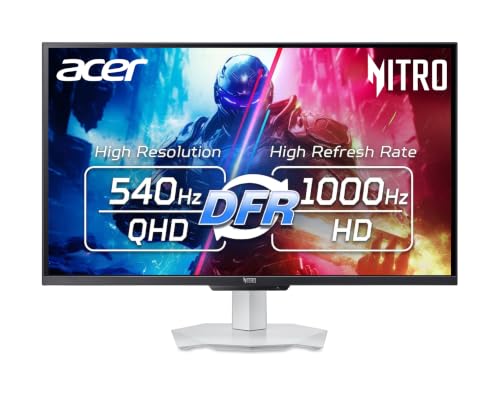
8. Acer Nitro XV273U F5: Best Burn-In-Free Fast Monitor for Fortnite
Love OLED speed but worry about burn-in? This is the answer. The Nitro XV273U F5 is a 1440p IPS at 540Hz, and Tom's Hardware, running it on an RTX 4090, found aiming felt OLED-like, with about 14 ms of input lag. Its overdrive and strobing are among the best available, with blur staying low down to about 300 fps.
Say you grind for eight hours every weekend with Fortnite's HUD in the same spot. An IPS panel can't burn in, so you never think about pixel refreshes. Contrast measured about 2,000:1, nearly double a typical IPS, so shadowy builds look less washed out. There's also a 1000Hz mode at 720p for very light games.
Now the downsides. HDR has no local dimming, so it adds nothing. There are no USB ports, no DisplayPort cable in the box, and switching refresh modes takes a trip to the System menu. It's also new, so owner reports haven't built up yet. Fine with OLED and play with the lights low? The Alienware AW2725DF (#1) has the better picture.
Best for: Players who leave Fortnite's HUD and a stats overlay up for hours and want top speed with zero burn-in risk.
Skip it if: Burn-in doesn't worry you and your room stays dark at night. The Alienware AW2725DF (#1) is the better pick.
Pros
- OLED-like smoothness and very low input lag at 540Hz
- Rare 1000Hz mode for esports at 720p
- Excellent overdrive and backlight strobe, no ghosting
- About 2,000:1 contrast, double typical IPS
- Accurate gamma and color, near reference after calibration
- Full-ergonomic stand and clean white styling
Cons
- 1000Hz mode drops to soft-looking 720p
- HDR adds no extra contrast (no local dimming)
- No USB ports
- Needs a top-end GPU to feed 540 or 1000 fps
- No DisplayPort cable in the box
Hands-on reviews behind this pick
- Tom's Hardware
Show the verdict
Gives an IPS panel the gaming feel and speed of an OLED, with superb contrast and a rare 1,000 Hz mode that will win over pro and enthusiast players despite the premium cost.
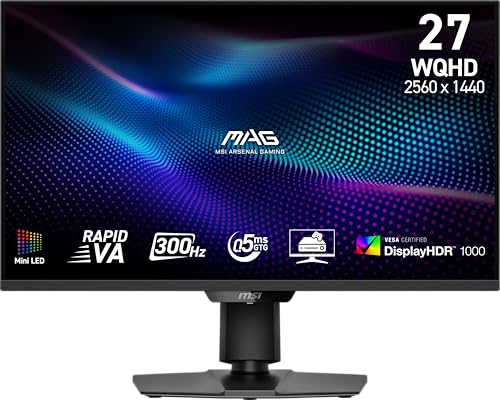
9. MSI MAG 274QPF X30MV: Best Mini LED 300Hz Monitor for Fortnite
Split your week between Fortnite and HDR story games? This is our value pick. It's a VA Mini LED at 1440p and 300Hz, with 1,152 dimming zones. In TFTCentral's measurements it topped 1,800 nits in bigger bright HDR scenes and about 600 in SDR, far brighter than any OLED here.
That brightness earns its keep in a sunlit room. Say your desk sits by a south-facing window on a Saturday afternoon. Fortnite's colors stay punchy instead of fading, and later a dark HDR game looks deep with little blooming. Two HDMI 2.1 ports take a console at 120Hz, and MSI lets you update firmware yourself. MSI packs a DisplayPort cable, so bring your own HDMI one.
Motion is where it gives ground. VA pixels smear in dark, fast scenes and don't fully settle at 300Hz. And owners in RTINGS' discussion thread say one firmware update changed local dimming for the worse, though feedback is still thin. Only care about Fortnite at 240 fps? The Acer Nitro XV272U W2 (#10) costs less.
Best for: Players who want one budget screen for Fortnite and HDR story games, on PC and console, in a bright room.
Skip it if: You only play Fortnite and want the cheapest 240Hz screen. The Acer Nitro XV272U W2 (#10) is the better pick.
Pros
- Deep blacks and 4,700:1 native contrast for an LCD
- 1,152-zone Mini LED with little blooming
- Very bright: about 600 nits SDR, 1,800 HDR
- 300Hz with low input lag
- HDMI 2.1 for 4K 120Hz consoles (downscaled)
- Accurate sRGB, DCI-P3 and Adobe RGB modes
- Flicker-free backlight, no burn-in risk
- Firmware updates over DisplayPort
Cons
- Black smearing in dark, fast scenes
- Pixels can't fully keep up with 300Hz
- Narrow VA viewing angles wash out off-axis
- No USB ports, KVM or speakers
- VRR flicker in dark content (RTINGS)
- Blue tint in dark HDR scenes
- Sluggish menu, no local dimming shortcut
Hands-on reviews behind this pick
- RTINGS
Show the verdict
An entry-level 1440p Mini LED that punches above its weight: deep blacks, effective dimming and real brightness for HDR, plus 300Hz and HDMI 2.1, held back by dark-scene smearing and VRR flicker.
- TFTCentral
Show the verdict
Far more versatile than typical LCDs: the VA panel gives better contrast and less blooming than IPS Mini LEDs, though response times can't keep up with 300Hz and viewing angles are narrower.
10. Acer Nitro XV272U W2: Best Cheap 240Hz Monitor for Fortnite
Saving up for your first 240Hz screen? This is the cheapest one we'd trust. The Nitro XV272U W2 pairs a 27-inch 1440p IPS panel with about 3 ms of input lag and roughly 400 nits of brightness. Monitornerds called it an excellent buy for esports on a budget.
So say your PC holds near 240 fps in Fortnite's Performance mode. Builds and edits feel much quicker than on a 144Hz screen, and 1440p shows more detail at range. The stand adjusts every way, with a little wobble. Acer includes both DisplayPort and HDMI cables, but use DisplayPort, since HDMI stops at 144Hz.
Here's the catch: it needs high frame rates. Overdrive can't change with FreeSync on, so Monitors Unboxed saw heavy ghosting at lower frame rates, and its review unit's backlight flickered. There's no sRGB mode either. If your PC stays near 240 fps, it's a smart first step. Want HDR that actually looks like HDR? The MSI MAG 274QPF X30MV (#9) is the step up.
Best for: Budget PC players whose system holds around 240 fps in Fortnite's Performance mode.
Skip it if: Story games in HDR matter to you as much as Fortnite. The MSI MAG 274QPF X30MV (#9) is the better pick.
Pros
- 1440p 240Hz at a low price
- About 3ms input lag at 240Hz
- Bright, wide-gamut IPS panel
- Height, tilt, swivel and pivot stand
Cons
- Overdrive locked with VRR; ghosting below 120Hz
- No sRGB mode; colors oversaturated
- QC reports of backlight flicker and bleed
Hands-on reviews behind this pick
- Monitornerds
Show the verdict
An excellent buy for esports-grade 1440p gaming on a budget: fast response, about 3ms of input lag and wide color, while a wobbly stand, weak contrast, poor HDR and few extras keep costs down.
- Monitors Unboxed
Show the verdict
A you-get-what-you-pay-for monitor: fine for competitive play kept near 240Hz, but locked overdrive, heavy ghosting at lower refresh, no sRGB mode and a flickering backlight unit make it hard to recommend.
Best 240Hz gaming monitors for Fortnite buying guide for 2027
How many fps do you need for a 240Hz monitor in Fortnite?
About 240, steadily. A 240Hz monitor only shows 240 new frames a second if your PC sends them, so a rig stuck at 140 fps gets little from the extra refresh. That's the easiest way to overspend on a monitor.
So check your frame rate first. On PC, Fortnite's Performance rendering mode trades visual detail for speed, and Setup.gg's testing saw it lift fps by 78% on a high-end PC, with low-end machines often doubling. If you already hold near 240 fps, the Acer Nitro XV272U W2 is enough. But if your fps swings from 120 to 240, pick an OLED like the Alienware AW2725DF or MSI MPG 271QRX instead, since the Acer ghosts at lower frame rates. On a tighter budget, see cheap gaming monitors under $200 for 1080p and 1440p screens that suit lighter GPUs.
Is a 240Hz, 360Hz or 480Hz monitor better for Fortnite?
Buy the refresh rate your PC can feed. If you hold around 240 fps, a good 240Hz screen gets you almost everything. Between 240 and 360 fps, a 360Hz OLED like the Alienware AW2725DF gives you headroom and the best speed per dollar on this list.
And 480Hz? It's real, but it's for players who push 400-plus fps in Performance mode with a top CPU and GPU. The ASUS ROG Swift PG27AQDP, Sony INZONE M10S and LG 27GX790A-B all run 480Hz, and reviewers say you feel the step more than see it. The Acer Nitro XV273U F5 goes to 540Hz on IPS. Most of us won't reach those frame rates in a crowded end zone, so a 360Hz OLED is the smarter buy. For picks beyond Fortnite, see our main gaming monitor guide.
Should you play Fortnite on a 1080p or 1440p monitor?
For most PC players, 1440p at 27 inches is the better buy. It shows more detail at range, which helps you spot a player on a distant ridge, and every pick on this list runs 1440p or higher.
But 1080p still has a place, because fewer pixels mean higher frame rates. That's why some picks here give you both. The ASUS ROG Strix XG32UCWMG switches from 4K at 240Hz to 1080p at 480Hz with one setting. The Sony INZONE M10S shrinks the picture to a 24.5-inch tournament size at up to 480Hz. And the Acer Nitro XV273U F5 drops to 720p at 1000Hz for very light games.
So if you're unsure, buy a 1440p screen and lower Fortnite's settings to hit your frame rate. You keep the sharper picture for everything else.
Is an OLED monitor good for competitive Fortnite?
Yes. OLED's near-instant pixels are why the top seven picks here look so clear in fast fights. The worry is burn-in, since Fortnite's HUD sits in the same place for hours.
So buy one with a warranty that covers it. The Alienware AW2725DF, ASUS XG27ACDNG, MSI MPG 271QRX, ASUS PG27AQDP, ASUS XG32UCWMG and Sony INZONE M10S all carry three-year cover that includes burn-in. On Amazon, check that the seller honors it, since Dell's cover applies to Dell-direct purchases.
OLED has two other quirks. Glossy QD-OLEDs lift blacks in bright rooms, so pick the matte PG27AQDP if sun hits your desk. And many OLEDs flicker with VRR in dark scenes. If you'd rather avoid all of it, the Acer Nitro XV273U F5 and MSI MAG 274QPF X30MV can't burn in.
Can consoles use a 240Hz monitor for Fortnite?
Yes, but a PS5 or Xbox Series X|S tops out at 120 FPS in Fortnite, so the extra refresh goes unused. Epic's help page explains the setup: on PS5 you turn on Performance Mode in Game Presets, and on Xbox you set the console to 120Hz before switching on the game's 120 FPS mode.
What matters for consoles is HDMI. The ASUS XG27ACDNG, MSI MPG 271QRX, ASUS XG32UCWMG and MSI MAG 274QPF X30MV have HDMI 2.1 that runs 120Hz with room to spare. The Alienware AW2725DF's HDMI stops at 144Hz, so a console gets 1440p 120Hz, and the Acer XV272U W2 has only HDMI 2.0. If you mostly play on a PlayStation, our picks of monitors set up for Fortnite on PS5 goes deeper.
Best 240Hz gaming monitors for Fortnite: frequently asked questions
What is the best 240Hz monitor for Fortnite?
For most PC players, the Alienware AW2725DF. Its 1440p 360Hz QD-OLED gives near-instant response and very low lag, so it clears 240Hz with room to grow. Splitting time with a PS5 or Xbox? The ASUS ROG Strix XG27ACDNG adds two HDMI 2.1 inputs. On a tight budget, the Acer Nitro XV272U W2 is the cheapest 240Hz screen we'd buy.
Is 240Hz worth it for Fortnite?
Yes, if your PC holds near 240 fps. Builds, edits and peeks look clearer and react faster than on a 144Hz screen. If your frame rate sits well below that, turn on Fortnite's Performance mode first. For a 240Hz screen that suits a budget PC holding high frame rates, buy the Acer Nitro XV272U W2.
Is 1080p or 1440p better for Fortnite?
For most PC players, 1440p at 27 inches, since it shows more detail at range and lower settings can still lift your fps. If you want both, the ASUS ROG Strix XG32UCWMG switches between 4K at 240Hz and 1080p at 480Hz. The Sony INZONE M10S adds a 24.5-inch mode for a tournament-size view.
Can PS5 or Xbox run Fortnite at 240Hz?
No. PS5 and Xbox Series X|S top out at 120 FPS in Fortnite, so a 240Hz monitor runs at 120Hz with them. What matters is HDMI 2.1. If you play on console and PC, buy the ASUS ROG Strix XG27ACDNG: two HDMI 2.1 ports for consoles and 360Hz for your PC.
Is OLED good for competitive Fortnite?
Yes. Near-instant pixels make OLED the clearest choice for fast fights. Buy one with burn-in warranty cover, like the Alienware AW2725DF or ASUS ROG Swift PG27AQDP. Worried about Fortnite's fixed HUD or a sunny room? The Acer Nitro XV273U F5 is a 540Hz IPS that can't burn in.