
The 10 Best 3D Scanners in 2027
A black car part shouldn't need a can of spray. We weighed accuracy, tricky surfaces and tracking to match the best 3D scanners of 2027 to your projects.

Affiliate Disclosure: As an Amazon Associate, we may earn a commission from qualifying purchases, and it never changes our picks.
Our picks at a glance

10.0/10Score

$879.00 $1,099.00 Save 20%
as of Nov 16, 2026, 23:17 UTC

9.9/10Score
$854.00 $899.00 Save 5%
as of Nov 16, 2026, 23:17 UTC
9.9/10Score
$823.65 $969.00 Save 15%
as of Nov 16, 2026, 23:17 UTC
9.4/10Score
$526.15 $619.00 Save 15%
as of Nov 16, 2026, 23:17 UTC

9.4/10Score
$1,979.10 $2,199.00 Save 10%
as of Nov 16, 2026, 23:17 UTC
9.3/10Score
$906.75 $1,209.00 Save 25%
as of Nov 16, 2026, 23:17 UTC

9.1/10Score
$411.75 $549.00 Save 25%
as of Nov 16, 2026, 23:17 UTC
8.5/10Score
$704.65 $829.00 Save 15%
as of Nov 16, 2026, 23:17 UTC

8.4/10Score
$399.00
as of Nov 16, 2026, 23:17 UTC

7.9/10Score
$359.00
as of Nov 16, 2026, 23:17 UTC
Product prices and availability are accurate as of the date/time indicated and are subject to change. Any price and availability information displayed on Amazon.com at the time of purchase will apply to the purchase of this product.
How we rank best 3D scanners for you?
We start with accuracy and detail, because a copied part only fits if the scan holds true geometry. Tricky surfaces and object range come next, since dark, shiny or car-size objects decide whether a scan takes minutes or an evening with spray and markers. Tracking and software follow, because lost tracking and crashing meshing eat whole afternoons. Design and build covers weight, cables and battery, which decide whether a scanner ever leaves the desk. Value checks that you aren't paying for precision you won't use. That puts the Creality Raptor first.
Accuracy and Detail30%
Fine, true geometry is what lets a scanned part fit when you print or machine the copy.
Tricky Surfaces and Object Range25%
Dark, shiny or large objects decide whether you scan in minutes or spend the evening with spray and markers.
Tracking and Software20%
Steady tracking and software that fuses and meshes without crashing save hours on every scan.
Design and Build15%
Weight, cables, wireless and battery decide whether it works around a car or only on a desk.
Value10%
Match the scanner to the objects you scan instead of paying for metrology you won't use.
Best 3D scanners compared
Swipe sideways to see every spec.
| Product | Score | Scanner Type | Accuracy | Scan Speed | Object Size |
|---|---|---|---|---|---|
| 10.0 | Handheld blue laser (7 lines) + NIR structured light | Up to 0.02 mm blue laser (0.05 mm NIR per 3DTechValley) | Up to 60 fps | 5 mm to 2 m | |
| 9.9 | Handheld hybrid: 17-line blue laser plus infrared | No figure published; 0.05mm laser resolution | Up to 90fps laser, 40fps IR; up to 4.8M points/s | From 10mm (laser) up to car-size in IR mode | |
| 9.9 | Handheld/desktop blue laser + near-IR structured light, 5 modes | Up to 0.03 mm (laser); volumetric 0.03 mm + 0.05 mm per m | Up to 105 fps laser (NVIDIA GPU); 20-30 fps structured light | Small to medium; 10 mm to 2 x 2 x 2 m scan volume | |
| 9.4 | Handheld/desktop infrared structured-light 3D scanner | Up to 0.08 mm single-frame, 0.04 mm precision | Up to 18 fps | 20 x 20 x 20 mm to 2 x 2 x 2 m | |
| 9.4 | Standalone handheld IR structured light + photogrammetry | Up to 0.04 mm single frame; 0.02 mm + 0.05 mm per m photogram. | Up to 20 fps | 10 mm to 4 x 4 x 4 m; 100-1000 mm working distance | |
| 9.3 | Handheld blue laser + blue structured light (desktop mode too) | Up to 0.02 mm single-frame; 0.02 mm + 0.04 mm/m volumetric | Up to 2M points/s laser, 7M points/s structured light | 10 mm to 1 m (small to medium parts) | |
| 9.1 | Handheld/desktop IR structured light + IR multi-line laser | Up to 0.05 mm; volumetric 0.05 mm + 0.1 mm per m (markers) | Up to 90 fps laser (GPU); 18 fps structured light | Small to medium; 20 mm to 2 x 2 x 2 m scan volume | |
| 8.5 | Handheld/desktop dual-camera blue structured light | Up to 0.05 mm accuracy, 0.02 mm precision (single frame) | Up to 16 fps | Small objects; from 10 mm, 120-250 mm working distance | |
| 8.4 | Handheld blue-light structured light, small-format | 0.01mm claimed; 0.05mm resolution | 10fps | 10-300mm typical objects | |
| 7.9 | Handheld infrared structured light with color camera | Up to 0.1 mm (0.16 mm point distance) | Up to 30 fps | 150 mm to 2 m; working distance 150-700 mm |
1. Creality CR-Scan Raptor: Best 3D Scanner Overall
If you copy real parts, this is the scanner we'd buy first, and the seven-line blue laser is why. With markers on, TimWelds checked an unsprayed 1-2-3 block right on 3 inches, then designed and printed a lathe chuck support straight from a scan, and it fit. Shiny black metal came through with little or no spray.
Say the clutch cover on your motorcycle cracks. You stick markers on, scan it in laser mode, and pull the mesh into CAD to print a replacement the same weekend. For bigger objects, NIR mode skips the markers, though its narrower view slows big flat panels. The case holds a calibration board and only a few markers, so buy extra.
But the software and drivers lag the hardware. Many Raptor owners on the Creality forum lost their depth and IR cameras after a January 2025 Windows update, until a software or firmware update fixed it. Some RTX 50-series owners also see laser scans stall after a few seconds. So would we buy it? For bench and garage work near an outlet, yes. Scanning a whole car? The Einstar 2 (#2) cuts the cord.
Best for: Makers and small shops copying metal, dark or detailed parts for CAD and 3D printing
Skip it if: You want to scan around a car without a cable or a power outlet. The Shining 3D Einstar 2 (#2) is the better pick.
Pros
- Blue laser mode gives very fine, accurate detail
- Scanned shiny and black metal with little or no spray
- NIR mode adds quick, marker-free scans and face modes
- One-click meshing works well
- Undo button rescues scans after tracking slips
Cons
- NIR tracking loses its place more than rivals
- Blue laser mode needs stick-on markers
- Tethered to a power supply and PC; cable is short
- Merging multiple scans is clumsy
- Driver and firmware hiccups after Windows updates
Hands-on reviews behind this pick
- TimWelds
Show the verdict
A useful tool if you put in time to learn it: blue-laser scans were next-level detailed and accurate enough to design a fitted part, while NIR tracking lost its place too often.
- Making for Motorsport
Show the verdict
Laser mode is next level, the most detailed and accurate scanner he had used; NIR is a handy all-rounder with a narrower view than the Otter, and the software is its weak spot.
- 3DTechValley
Show the verdict
A clear recommendation for makers and small workshops doing reverse engineering, with strong accuracy for the money, though it is not metrology-grade and the software has a learning curve.
2. Shining 3D Einstar 2: Best Wireless 3D Scanner for Car Projects
For car and motorcycle work, the Einstar 2 is the one we'd pick. It pairs a wide infrared mode for engine bays and panels with a 17-line blue laser for parts, and it all runs over Wi-Fi on a swappable battery. Making for Motorsport scanned a suspension upright, a greasy gearbox, a black plastic manifold and a whole Mini in IR with almost no tracking loss and no spray.
Now think about your project car with the hood up. You walk the engine bay with nothing trailing behind, swap the battery halfway, then switch to laser mode with markers for a bracket. Testers split on laser accuracy: one measured hundredths of a millimeter, another about 0.08 mm over 150 mm. That's ample for car work, but check tight fits with calipers.
But setup is the real catch. Several Mac owners on the Einstar forum could see the scanner's hotspot but couldn't connect wirelessly, and one fixed it with the included cable and a firmware update. Is it worth that fuss for garage work? We think so. For the finest detail on small parts at the bench, the Creality Raptor (#1) is our pick.
Best for: Car and motorcycle builders scanning engine bays, panels and parts without a cable
Skip it if: You mostly scan small parts at a bench next to your PC. The Creality CR-Scan Raptor (#1) is the better pick.
Pros
- Fast, very forgiving tracking in IR and laser modes
- Laser mode scans black and dark parts without spray
- Wireless with swappable batteries for cable-free work
- Strong cleanup, alignment and measuring tools
- Excellent hands-on accuracy in laser mode
Cons
- Laser mode needs sticky markers
- Wi-Fi setup trouble reported by owners
- Needs a powerful PC with a recent Nvidia GPU
- Early EXStar Hub versions were glitchy
- Less fine detail than single-line laser rivals
Hands-on reviews behind this pick
- Making for Motorsport (YouTube)
Show the verdict
Simple to use with excellent tracking and remarkable laser-mode accuracy, a scanner most home users won't outgrow, though launch software was glitchy before updates fixed most issues.
- Payo (YouTube)
Show the verdict
The fastest laser scanner he has tested and great value with built-in wireless, but auto-alignment and precision fell short for tight reverse engineering, and wireless broke multi-scan projects.
- MageGamers
Show the verdict
A practical, easy-to-set-up scanner whose marker-based laser mode tracked reliably with no spray needed, marred by thin instructions and an EXModel license the owner couldn't activate.
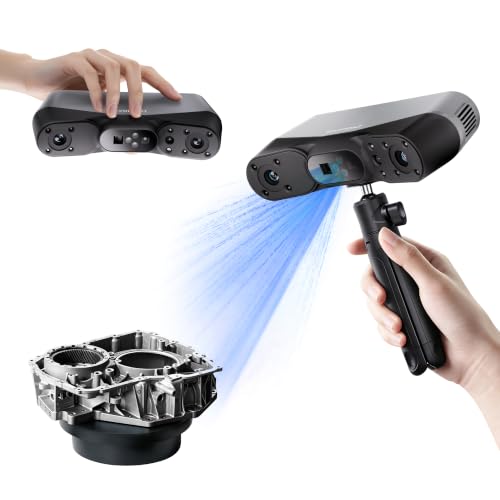
3. Revopoint POP 4: Best 3D Scanner for Dark and Shiny Parts
Black plastic is where most hobby scanners give up, and it's where the POP 4 earns its spot. Its 30-line blue laser mode, with markers in view, scanned dark foam, a black propeller and a shiny metal part without spray. Andy's Shed put its laser scans next to the far pricier Einstar Rockit and could barely tell them apart.
Take a glossy black car mirror housing. You stick markers around it, switch to laser mode and leave the spray can on the shelf. Then flip to near-IR for a friend's bust, and AI segmentation strips your hands out of the scan. Want cable-free scans? Get the Premium kit, since only it has the battery grip and outdoor filters.
But the no-spray promise has limits. Translucent wings and black eyes on a figure still needed powder, and merged scans can garble color. The laptop also stays nearby, even on Wi-Fi. Mac owners on the Revopoint forum mostly report smooth 50 to 60 fps, though some needed support to fix detection errors. Our verdict: if you copy dark parts and own a GPU PC, buy it. Without one, the POP 3 Plus (#4) needs no discrete GPU.
Best for: Makers who want one scanner for black plastic parts, people and props with a GPU-equipped PC
Skip it if: Your PC has no dedicated graphics card and you mostly scan figures. The Revopoint POP 3 Plus (#4) is the better pick.
Pros
- Blue laser modes scan dark, shiny parts without spray
- Five modes cover small parts, bodies and large panels
- AI segmentation removes background and hands automatically
- Wi-Fi scanning with battery grip frees you from the cable
- Outdoor filters made sunlit body-panel scans usable
- Laser scans rival a far pricier Einstar Rockit in tests
Cons
- Laser modes need markers and a strong GPU-equipped PC
- Still not standalone: a laptop must stay nearby
- Clear plastic and thin parts still need spray or fail
- Merged scans can garble color textures
- Hole filling on hair needs cleanup in other software
- Wi-Fi client mode and Mac connection quirks for some
Hands-on reviews behind this pick
- 3DWithUs
Show the verdict
A flexible, capable hybrid scanner that handled foot, color and dark-part tests well, though tiny thin parts stay hard and it still demands mode choice, prep, patience and cleanup.
- All About The Build
Show the verdict
On real engine, interior and body-panel parts its five modes solve the reflective, outdoor and lost-tracking problems of single-mode scanners, making it the most versatile they have used.
- My Tech Fun
Show the verdict
Likes it, above all the cable-free Wi-Fi scanning and face quality that beats his MIRACO, but it is less portable than a standalone unit and texture merging and hole filling need work.
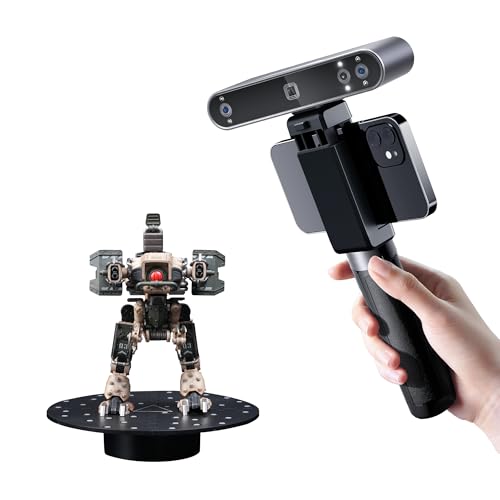
4. Revopoint POP 3 Plus: Best 3D Scanner for 3D Printing Hobbyists
If your scans end up in a slicer, start here. The POP 3 Plus gives detailed, printable meshes without asking for a gaming PC, and Revo Scan's One-click Edit does most of the cleanup. 3DWithUs captured the demo bust in a few minutes and got a printable mesh straight from that one tap.
Saturday afternoon is where it shines. A resin dragon figurine spins on the turntable, the scanner sits on its tripod, and the cleaned mesh reaches your slicer that evening. Zoom helps on small parts too: on a 3 mm miniature skull, it beat the POP 3 for crisp edges. The Standard kit includes a tripod, turntable, case and glass calibration board, though the turntable needs its own power cable.
Here's the catch. New owners on the Revopoint forum keep struggling with clear, shiny or symmetrical parts like hubcaps and worm gears, and the fix is spray, background markers and merged scans. Already own a POP 3? You don't need to upgrade. For figures and props, it's the one we'd order. On a tighter budget, the INSPIRE 2 (#7) adds a laser mode for dark parts.
Best for: 3D printing hobbyists scanning figures, props and faces at a sensible budget
Skip it if: You're on a tight budget and scan dark parts too. The Revopoint INSPIRE 2 (#7) is the better pick.
Pros
- Fine detail for its class, sharper than the POP 3
- Optical zoom captures small parts like coins
- Outstanding feature tracking, easy to resume scans
- Revo Scan One-click Edit makes printable meshes fast
- Full kit: tripod, turntable, case, glass calibration board
- Wireless scanning over Wi-Fi
- Exports STL, OBJ, 3MF and other common formats
Cons
- Color textures can look washed out from the flash
- Steep learning curve on complex or featureless parts
- Shiny, dark or clear objects need scanning spray
- Turntable needs its own power, adding cables
- Texturing big scans is slow on low-RAM computers
- Thin tutorials in the box
Hands-on reviews behind this pick
- 3DWithUs
Show the verdict
An impressive step forward and easy to recommend: fast, intuitive software, sturdy hardware and zoom that captured a coin's fine detail, held back mainly by muddy color textures.
- The Gadgeteer
Show the verdict
A fascinating, well-equipped kit for learning 3D scanning that produced a printable bust, but it takes practice: a complex shoe defeated many attempts, and the instructions need much more depth.
- Artisans of Vaul
Show the verdict
A definite yes for new buyers: he found few negatives, calling its tracking the best he has used and Revo Scan very easy, but POP 3 owners need not upgrade unless they need finer detail.
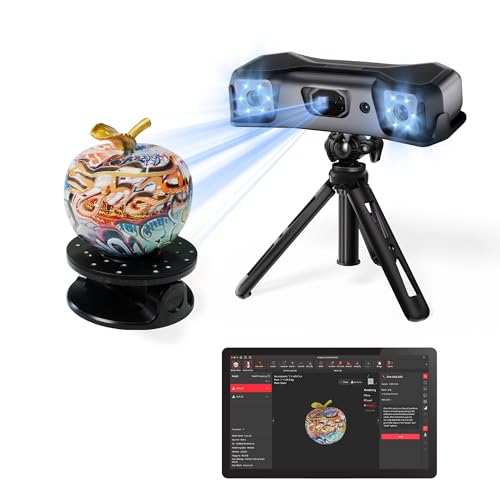
5. Revopoint MIRACO Plus: Best Standalone 3D Scanner Without a PC
Hate dragging a laptop around a car? The MIRACO Plus fixes that. It's a standalone scanner with its own screen, an 8-core chip, 32 GB of RAM and 256 GB of storage, so you scan, process and edit on the device and move projects to a PC only if you want. MediaWay got a clean 12 cm bust that even kept a small scrape.
Imagine a classic car's door card in a tight garage. You scan it with nothing but the scanner in your hands, watching the on-screen distance guide. MediaWay scanned a dash curve this way and built a phone mount that fit precisely. The box adds a metrology kit with a scale bar and coded targets for big objects, though photogrammetry mode takes practice.
The limits are real, though. It's infrared, so sunny driveways are out and shiny metal needs spray. Two owners on the Revopoint forum saw scans with hundreds of frames show only a handful after moving them to a PC, and support asked for project files. Worth it? Only if you really scan away from a desk. For cable-free car scans with a laser mode, the Einstar 2 (#2) is better value.
Best for: People scanning large objects or on location who don't want to carry a laptop
Skip it if: You want cable-free car scans with a laser mode for dark parts. The Shining 3D Einstar 2 (#2) is the better pick.
Pros
- Fully standalone: scan and process with no PC
- Handles tiny details up to car-sized objects
- Global Marker mode scanned a radiator in under a minute
- Photogrammetry kit included for large, accurate scans
- Easy touchscreen interface with distance guidance
- Scan-made car mount printed to a precise fit
Cons
- Infrared light fails outdoors in daylight
- Metal and reflective parts need scanning spray
- Heavy at 750 g for long handheld sessions
- Photogrammetry mode takes practice and prep
- Some owners report frames lost on project transfer
Hands-on reviews behind this pick
- 3DPrinting.com
Show the verdict
As easy and intuitive as the original MIRACO, with the metrology kit speeding up large-area capture; Global Marker mode impressed, though photogrammetry and shiny surfaces need practice and prep.
- MediaWay
Show the verdict
A user-friendly professional-grade scanner that covers tiny details to large projects with no PC; the scanned car-dash mount fit precisely, but it cannot work in daylight and metal needs spray.
6. Revopoint MetroX Pro: Best Blue Laser 3D Scanner for Small Parts
For small, precise parts, this is the detail specialist. The MetroX Pro combines 30 cross and 15 parallel blue laser lines with blue structured light, and Revopoint claims 0.02 mm single-frame accuracy. DaveRig Design scanned a snapped resin pan handle, test-printed it in PLA, and it fit like a glove before the final carbon-fiber nylon print.
Maybe the linkage bracket on your vintage carburetor is discontinued. You set it on the turntable with marker blocks, scan in laser mode, and model the replacement at your bench. Bigger jobs work too: Yorkshire Car Restoration scanned half a custom car front end with magnetic markers in about 20 to 30 minutes. Setup is simple, with a scanner, a power cable and a data cable.
But it asks a lot of your setup. Revopoint's minimum is 32 GB of RAM and an RTX 3060, and the proprietary cable carries 12V power, so it stays tethered. A cultural-heritage owner on the Revopoint forum keeps posting brushstroke and porcelain scans and is pleased with the detail. With an NVIDIA PC and parts to copy, we'd buy it. For one scanner that also covers bigger jobs, the Creality Raptor (#1) is the safer buy.
Best for: Engineers and car builders doing scan-to-CAD on small to medium parts
Skip it if: You also scan people or bigger objects, or your PC lacks an NVIDIA card. The Creality CR-Scan Raptor (#1) is the better pick.
Pros
- Blue laser mode captures fine detail for reverse engineering
- Handles many dark parts in laser modes without spray
- 30 cross lines make laser scanning faster than MetroX
- Revo Metro software found easy and plug-and-play
- Turntable and tripod kit for repeatable desktop scans
Cons
- Needs a strong PC with an NVIDIA GPU for laser modes
- Wired only, no battery or wireless scanning
- Laser mode needs markers on or around the part
- Chrome, glass and mirror finishes still need spray
- Not suited to scanning people's faces with blue lasers
- Proprietary cable, hard to replace if it fails
Hands-on reviews behind this pick
- DaveRig Design
Show the verdict
A plug-and-play reverse-engineering tool: laser mode captured a broken pan handle well enough to print a replacement that fit, but it is a parts scanner, not one for people.
- Yorkshire Car Restoration
Show the verdict
Their go-to scanner line gets better: simple setup, superb build and a clean car front-end scan in under half an hour, though the channel is sponsored by Revopoint.
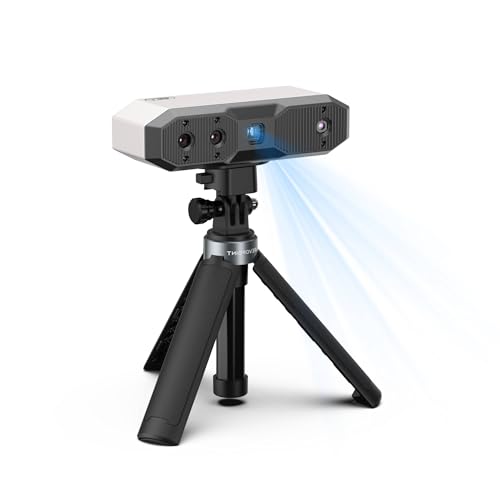
7. Revopoint INSPIRE 2: Best Budget Dual-Mode 3D Scanner
Want laser mode without a big budget? The INSPIRE 2 is the cheapest scanner here that has one. Its infrared multi-line laser handles dark parts that stump older budget scanners, while structured-light mode keeps finer detail on small objects. ruiraptor's 19.8 mm test cube came out the same size in the scan as under calipers.
Here's where it pays off. Your kid's black plastic toy-car body snaps its spoiler, so you scan it in laser mode with markers and print a new one. perspektive3D scanned van floor recesses with the mobile kit, and the printed inserts fit first try. That kit comes only with the Premium edition; the Standard box has the tripod, turntable, outdoor filters and 200 markers.
Expect a learning curve, though. Laser scans of black parts come out rougher, and laser mode needs a GPU-equipped PC. Owners on the Revopoint forum call it a good, affordable scanner for small and medium parts, but stress scanning several orientations and merging. As a first scanner, it's our budget pick. For the smoothest figure-to-print workflow, the POP 3 Plus (#4) is the step up.
Best for: Beginners and hobbyists who want laser mode for dark parts without a big budget
Skip it if: You scan figures for printing and never dark parts. The Revopoint POP 3 Plus (#4) is the better pick.
Pros
- Laser mode captures dark parts without spray
- Very light at 190 g for comfortable handheld scans
- Structured light keeps fine detail on small objects
- Color scanning, outdoor filters in the box
- Wireless phone scanning with the Premium mobile kit
- Test cube scan matched the caliper measurement
Cons
- Laser mode needs many markers and a PC
- Laser scans of black parts come out rough
- Can lose tracking on featureless surfaces
- Demanding PC requirements for laser mode
- Phone Wi-Fi drops the scanner on some setups
- Fine detail trails pricier MetroX-class scanners
Hands-on reviews behind this pick
- 3DPrinting.com
Show the verdict
Approved: the best scanner the reviewer has tried at its price, scanning a cat untethered and a model plane on the turntable, though laser mode leans on markers and handheld use can lose tracking.
- 3DWithUs
Show the verdict
A practical, approachable, very light scanner for beginners and hobbyists, precise in marker mode, but fine detail trails the MetroX and the workflow and phone mode take some learning.
- ruiraptor
Show the verdict
A real upgrade on the first INSPIRE: the laser mode is a game-changer for dark models and the resolution gain is worth it, though black parts scanned with the laser come out less smooth.
8. Revopoint MINI 2: Best 3D Scanner for Miniatures and Figures
Small, detailed objects are the MINI 2's whole job. It's a blue structured-light scanner built for things from 10 mm up, and Noizie Works found it captured a figure's face, cavities and holes that the Creality Ferret SE closed up. It also gave him a usable part in under two hours instead of more than five.
Put a 28mm tabletop miniature on the turntable. Stay near the sweet spot, about 180 mm away, and the face and weapon detail comes through cleanly enough to recast in resin. Setup is quick, and the box has a tripod, turntable, case, calibration board and markers. Printed copies measured within about 0.1 to 0.5 mm of the original, fine for figures but loose for tight-fitting parts.
Its limit, though, is scope. Owners swapping small-object tips on the Revopoint forum keep landing on the same fixes: MINI 2-sized markers, spray and staying in the right distance band. Dark mechanical parts are harder, and color scans are weak. For minis and figures, it's the one to get. For small household parts on a tighter budget, the 3DMakerpro Seal (#9) comes close.
Best for: Miniature, tabletop and figure makers who scan small, detailed objects
Skip it if: You copy small household parts on a tight budget. The 3DMakerpro Seal (#9) is the better pick.
Pros
- Very fine detail on small figures and parts
- Simple setup, scanning within about 10 minutes
- Revo Scan merges multi-angle scans well
- Works with PC, Mac, Android and iOS
- Hard case with turntable and useful accessories
- Kept holes and detail a Ferret SE missed in a test
Cons
- Glossy, dark or clear items need scanning spray
- Narrow working-distance sweet spot
- Poor color scans in one hands-on test
- Small objects only; no outdoor scanning
- Featureless parts lose tracking without markers
Hands-on reviews behind this pick
- 3DSourced
Show the verdict
One of the best consumer scanners for small objects: easy setup and an intuitive workflow give accurate, detailed scans with a little work, though color capture disappointed and it suits small items.
- The Gadgeteer
Show the verdict
Not as easy as hoped, with glossy surfaces causing artifacts and a narrow sweet spot, but after some reading and trial and error the reviewer was very pleased with the detail and printable copies.
- Noizie Works
Show the verdict
Clearly beat the Ferret SE on detail and usable features of a complex part in far less time, but caliper checks on the printed copy were up to half a millimeter off, so not for tight-fit parts.
9. 3DMakerpro Seal: Best Cheap 3D Scanner for Small Objects
On a tight budget, the Seal is the small-part scanner we'd pick. It's a tiny blue-light unit for objects from coin to shoebox size, and 3D Printing Industry measured about 0.02 mm error on a reference block in turntable mode. Paul's Garage found it captured a toy car and a cluttered miniature far more cleanly than the original Creality Ferret.
Say a clip on your dishwasher rack snaps. You set a good clip on the turntable, scan it, and print a spare instead of ordering a whole rack. That's the Seal's sweet spot. JMStudio is free and the first scan is easy, but check your listing, because the turntable, tripod and Smart Grip are sold separately or in bundles.
But technique matters more here than with most scanners. TechWalls scanned by hand with no turntable and got incomplete scans, and the iPhone app couldn't find the scanner through the Smart Grip. Dark and metal parts needed spray in most hands-on use too. Small parts on a turntable? Then it's a smart buy. For finer figure detail and phone apps, the Revopoint MINI 2 (#8) is the step up.
Best for: 3D-printing hobbyists copying small parts and figures on a budget
Skip it if: You scan miniatures and figures and want phone apps too. The Revopoint MINI 2 (#8) is the better pick.
Pros
- Very fine detail on small figures, minis and parts
- Pocket-sized, light and fanless
- Color texture capture built in
- Simple JMStudio setup with distance guide
- Hands-on accuracy tests landed close to the claim
Cons
- Shiny, black and clear surfaces usually need spray
- Auto-alignment often fails on symmetrical parts
- Small capture area, not for big objects or faces
- JMStudio lacks advanced cleanup and alignment tools
- Some testers hit tracking losses and software crashes
Hands-on reviews behind this pick
- 3D Printing Industry
Show the verdict
A user-friendly, accurate entry scanner that shines on small figurines and models, but dark, metal and symmetrical parts needed spray, manual alignment and patience with buggy JMStudio.
- Fabbaloo
Show the verdict
Terrific scans when operator and subject suit it, including the best figurine scan the tester had made, though JMStudio's hard-to-read interface and thin newbie guidance need work.
- TechWalls
Show the verdict
Impressive on paper but a mixed bag in use: phone setup was clumsy, handheld scans often came out incomplete, and auto and manual alignment let the tester down without a turntable.
10. Creality CR-Scan Ferret Pro: Best Portable 3D Scanner for Beginners
If you just want to try 3D scanning, the Ferret Pro is the low-risk start. It's a tiny infrared scanner that works wired to a PC or wirelessly to your phone through a Wi-Fi 6 bridge and a 5000mAh battery handle. Making Stuff scanned and printed a figurine, and black and metal objects came out well without spray.
Picture a cosplay helmet on a backyard table. You scan it with your phone and the battery handle, no laptop in sight. Just know phone scanning is slow: TechteamGB saw only 2 to 3 fps over the bridge, and his phone couldn't mesh a full engine bay, so he moved it to a PC. Wired to a laptop, it ran near 30 fps.
Precision, though, is the real gap. TechteamGB measured a 36 mm nut at 35.6 mm, and a small chess rook failed to scan at all. Many owners on the Creality forum could join the bridge's Wi-Fi while the app never saw the scanner, with fixes like airplane mode or a different cable. For props and a first taste of scanning, it's an easy yes. For dark parts and finer detail, the INSPIRE 2 (#7) is worth the step up.
Best for: Beginners and hobbyists scanning mid-size props and rough car-part references on a small budget
Skip it if: You want finer detail and a laser mode for dark parts. The Revopoint INSPIRE 2 (#7) is the better pick.
Pros
- Tiny 105 g scanner head, easy to carry
- Can scan with just a phone via the Wi-Fi bridge
- Full-color textured scans of bright objects
- Simple PC setup over USB
- Exports OBJ, PLY and STL for any slicer or CAD
Cons
- Loses tracking often; frequent backtracking
- Dark, shiny and clear objects can come out with holes
- Small objects lack detail or fail to scan
- Wi-Fi bridge connection problems are common
- Phone scanning drains battery; older phones can't process
- Measured accuracy falls short of 0.1 mm
Hands-on reviews behind this pick
- 3DWithUs
Show the verdict
Easy to set up and use handheld, with good-quality scans a first-timer could print; getting the distance right is fiddly, it needs good light, and dark areas leave gaps.
- Make Tech Easier
Show the verdict
A capable, affordable scanner that does well on small, bright objects, but tracking often gets lost, dark and clear items scan poorly and phone use is heavy work. Sponsored review.
- TechteamGB
Show the verdict
Impressed that a phone alone can scan an engine bay, let down as a precision tool: measured parts were off by up to half a millimeter and small objects would not scan.
Best 3D scanners buying guide for 2027
What accuracy do you need in a 3D scanner?
Match accuracy to what the scan is for. For figures, props and decor you'll print, about 0.1 mm is plenty, which is why the Ferret Pro and POP 3 Plus work well there. For parts that must fit, like a bracket or a clip, you want a laser mode that holds a few hundredths of a millimeter: the Creality Raptor, MetroX Pro, POP 4 or Einstar 2.
Treat the box figure as a best case. It's usually single-frame accuracy over a small area, and error grows with size, which is why Revopoint adds a per-meter term to its volumetric figures. Hands-on numbers tell the real story: TechteamGB measured the Ferret Pro up to about half a millimeter off, while the Seal came in near 0.02 mm on a reference block. Whatever you buy, check a critical dimension with calipers before the final print.
Should you buy a laser or a structured-light 3D scanner?
Buy laser if you scan dark, shiny or precise parts, and structured light if you scan figures, people and props. Laser lines read black plastic and metal that structured light struggles with, so the Raptor, POP 4, MetroX Pro and Einstar 2 skip most of the spray. The trade-off is markers: every laser mode on this list needs stick-on dots to track.
Structured light is quicker and markerless on textured objects, and it's the gentler choice for faces and figures, which is why the POP 3 Plus, MINI 2 and MIRACO Plus rely on it. Hybrids give you both. That's the case for our top pick, the Raptor, and for the budget INSPIRE 2, which adds an IR laser mode for dark parts. Planning to scan people? Skip the MetroX Pro, whose strong blue lasers aren't meant for faces.
Do 3D scanners need spray or markers for dark and shiny objects?
Often, yes, though less than they used to. Structured-light scanners like the POP 3 Plus, MINI 2, Seal and MIRACO Plus need a whitening spray on dark, shiny or clear surfaces, or they leave holes. Laser modes on the Raptor, POP 4, Einstar 2 and MetroX Pro scanned black and shiny parts with little or no spray in hands-on use.
But skipping spray isn't the same as skipping prep. Laser modes need markers in view, and clear plastic, translucent parts and mirror chrome still need spray on every scanner here. Featureless or symmetrical shapes, like a hubcap or a smooth panel, need markers too, so the scanner knows where it is. So budget for a pack of markers and a can of spray, whichever scanner you buy.
How powerful a computer does a 3D scanner need?
More than most people expect, especially for laser modes. The laser scanners here lean on a dedicated NVIDIA GPU: Revopoint lists 16 GB of RAM and an RTX 3060-class card for laser mode on the POP 4 and INSPIRE 2, and 32 GB plus an RTX 3060 for the MetroX Pro. Shining 3D recommends an RTX 3060 laptop GPU and 32 GB or more for the Einstar 2, and the Raptor shouldn't run on an integrated-graphics laptop.
On a basic laptop, look at the POP 3 Plus, which needs no discrete GPU, or the MINI 2 and Seal, which also run on a Mac. And if you'd rather skip the computer while scanning, the MIRACO Plus processes scans on the device. Texturing big scans eats RAM on any machine, so simplify the mesh first or move it to a stronger PC.
Can a phone replace a 3D scanner?
Not for parts that need to fit. Every pick here captures shape with its own cameras and projectors, and even the phone-friendly models use your phone as a screen and processor, not as the sensor.
The Ferret Pro gets closest to phone-only scanning: its Wi-Fi bridge and battery handle send scans straight to your phone, though it ran at only 2 to 3 fps that way, and a phone may struggle to mesh big scans. The POP 3 Plus and MINI 2 also work with iOS and Android apps.
And if what you need to copy is flat, a 3D scanner is the wrong tool. Our paper and photo scanner picks cover that, along with scanners built for paperwork and flatbed scanners for photo prints.
Best 3D scanners: frequently asked questions
What is the best 3D scanner?
For most makers, it's the Creality CR-Scan Raptor: its blue laser mode gives detail and accuracy good enough to design fitted parts, and a quick NIR mode handles bigger objects. Scanning cars without a cable? Get the Shining 3D Einstar 2. On a tight budget, the Revopoint INSPIRE 2 is the cheapest pick here with a laser mode.
What is the best 3D scanner for 3D printing?
For figures, props and faces, buy the Revopoint POP 3 Plus: One-click Edit turns a scan into a printable mesh fast, and optical zoom helps on small detail, with no gaming PC required. For miniatures, step up to the Revopoint MINI 2. For functional parts that must fit, the Creality Raptor is the better buy.
Are cheap 3D scanners worth it?
Yes, if you match them to the job. The Creality Ferret Pro handles bright, mid-size props and phone-only scanning, but measured up to about half a millimeter off and failed on small parts. The 3DMakerpro Seal is strong on small objects with a turntable. For one budget scanner that also handles dark parts, buy the Revopoint INSPIRE 2.
Do 3D scanners need scanning spray for dark or shiny objects?
Structured-light scanners usually do. Laser modes need much less: the Creality Raptor, Revopoint POP 4 and Shining 3D Einstar 2 scanned black and shiny parts with little or no spray, as long as markers were in view. Clear, translucent and mirror-chrome parts still need spray on any scanner. For dark car parts, the POP 4 is our pick.
Revopoint or Creality: which 3D scanner brand is better?
Neither wins outright, so pick the model. Creality's Raptor is our overall pick for detailed part scans, and its Ferret Pro is the cheapest way to start. Revopoint has the wider range: the POP 3 Plus for printing hobbyists, the POP 4 for dark parts, the MINI 2 for miniatures and the MIRACO Plus for scanning without a PC. Both brands' scanning software is free.