
The 10 Best Affordable Laptops in 2027
A 4GB, eMMC bargain laptop feels slow by spring. We weighed memory, battery, build and screens for the best affordable laptops of 2027, catches included.

Affiliate Disclosure: As an Amazon Associate, we may earn a commission from qualifying purchases, and it never changes our picks.
Our picks at a glance

10.0/10Score

$686.00
as of Nov 10, 2026, 11:15 UTC

9.7/10Score
$699.99
as of Nov 10, 2026, 11:15 UTC

9.7/10Score
$659.99
as of Nov 10, 2026, 11:15 UTC

9.6/10Score
$689.99
as of Nov 10, 2026, 11:15 UTC
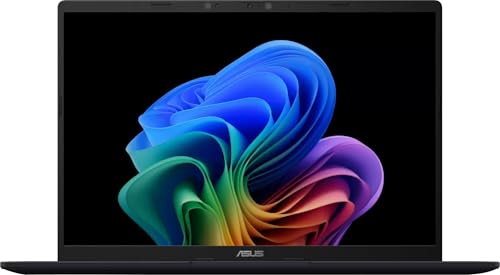
9.1/10Score
$639.99
as of Nov 10, 2026, 11:15 UTC

9.0/10Score
$597.86
as of Nov 10, 2026, 11:15 UTC

9.0/10Score
$829.99
as of Nov 10, 2026, 11:15 UTC

8.2/10Score
$523.99
as of Nov 10, 2026, 11:15 UTC

8.2/10Score
$485.00
as of Nov 10, 2026, 11:15 UTC

7.6/10Score
$529.99
as of Nov 10, 2026, 11:15 UTC
Product prices and availability are accurate as of the date/time indicated and are subject to change. Any price and availability information displayed on Amazon.com at the time of purchase will apply to the purchase of this product.
How we rank best affordable laptops for you?
We start with value for money, because on a tight budget every dollar should buy speed, memory or battery you'll actually feel. Speed and memory come next: too little RAM makes a laptop sluggish within a year, so we favor 16GB on Windows. Battery life follows, since a day at the library or on the couch shouldn't mean hunting for an outlet. Design and build decides whether the keyboard, hinge and ports still feel right in year three, and screen quality matters because so many budget panels are dim. That puts the MacBook Neo first, with the IdeaPad Slim 3x our Windows pick.
 Value for Money30%
On a tight budget every dollar has to buy speed, memory or battery you'll feel, not a logo or a spec you won't use.
 Speed and Memory25%
Cheap laptops with too little RAM slow to a crawl within a year; 16GB keeps tabs, calls and Office smooth.
 Battery Life20%
A laptop that lasts the whole day at the library or on the couch saves you hunting for an outlet.
 Design and Build15%
Keyboard feel, weight, ports and a sturdy hinge decide whether a budget laptop still feels fine years later.
 Screen Quality10%
Budget screens are often dim and dull, so a sharp, bright panel spares your eyes during long sessions.
Best affordable laptops compared
Swipe sideways to see every spec.
| Product | Score | Display | Processor | Graphics | Memory |
|---|---|---|---|---|---|
| 10.0 | 13-inch Liquid Retina IPS, 2408 x 1506, 60Hz, 500 nits | Apple A18 Pro, 6-core CPU | Integrated 5-core GPU | 8GB unified memory (not upgradable) | |
| 9.7 | 15.3in 1920x1200 IPS touch, 60Hz, 300 nits, anti-glare | Qualcomm Snapdragon X X1-26-100, 8 cores (Arm) | Integrated Qualcomm Adreno | 16GB LPDDR5X, soldered | |
| 9.7 | 14-inch 2560 x 1600 IPS touch, 60Hz, anti-glare | Qualcomm Snapdragon X Plus X1P-64-100 (10 cores) | Qualcomm Adreno (integrated) | 16GB LPDDR5X | |
| 9.6 | 16-inch IPS, 1920 x 1200 (16:10), 120Hz, touch | Qualcomm Snapdragon X (X1-26-100), 8 cores | Qualcomm Adreno integrated | 16GB LPDDR5X (soldered), 512GB SSD | |
| 9.1 | 14-inch 1920x1200 IPS, 60Hz, anti-glare | Qualcomm Snapdragon X X1-26-100, 8 cores | Qualcomm Adreno integrated | 16GB LPDDR5X, soldered | |
| 9.0 | 14-inch IPS, 1920 x 1200 (16:10), 60Hz, touch or non-touch | Intel Core Ultra 5 226V (8 cores, 40 TOPS NPU) | Intel Arc 130V integrated | 16GB LPDDR5X (soldered), 512GB SSD | |
| 9.0 | 14-inch 1920 x 1200 OLED, 60Hz, 300 nits (touch on this SKU) | Qualcomm Snapdragon X Plus X1P-42-100 (8 cores) | Qualcomm Adreno (integrated) | 16GB LPDDR5x | |
| 8.2 | 14-inch 1920 x 1200 IPS touch, 60Hz, 300 nits, glossy | Intel Core 3 N355 (8 cores, up to 3.9GHz) | Intel Graphics (integrated) | 8GB LPDDR5 (soldered) | |
| 8.2 | 15.3-inch IPS, 1920 x 1200 (16:10), non-touch | Intel Core i5-1334U (10 cores) | Intel integrated graphics | 8GB RAM, 256GB SSD (as PCMag tested) | |
| 7.6 | 15.6-inch 1920 x 1080 IPS, touch on refreshed units, about 250 nits | Intel Core i3-1305U (launch units: Core i3-1215U) | Integrated Intel UHD Graphics | 8GB LPDDR5X; 256GB NVMe SSD on the refreshed model |
1. Apple MacBook Neo 13 (A18 Pro, 2026): Best Affordable Laptop Overall
If you want one cheap laptop that still feels solid in four years, this is the one we'd pick. The aluminum shell, sharp 500-nit screen and silent, fanless chip feel like a much pricier machine, and Geekbench puts it at about M1 level, so everyday apps open fast.
Think about your teenager's first laptop. An essay in Pages, a FaceTime study group and a YouTube tutorial all run without a stutter, and Notebookcheck got about 13 hours of web and video use at moderate brightness. Is 8GB a problem? For that kind of work, no. The 20W charger in the box needs about two hours to fill it, and the 512GB model adds Touch ID along with double the storage.
The limits are real, though. Memory can't be upgraded, there's no keyboard backlight, and the second port is stuck at USB 2 speed. And owners stepping down from a MacBook Air on the MacRumors forums sent theirs back over a smaller, less crisp screen, so it suits first-time Mac buyers best. So would we buy it? For browsing, homework and streaming, yes. Need 16GB and a number pad? The IdeaPad Slim 3x (#2) is next.

Best for: Shoppers who want a laptop that feels premium for years and mostly browse, write and stream.

Skip it if: You want 16GB of memory, a bigger screen or a number pad. The Lenovo IdeaPad Slim 3x (#2) is the better pick.
Pros
- Premium aluminum build rare at this price
- Snappy for web, documents and light editing
- Single-core speed beats most Windows laptops
- Bright, accurate 500-nit sRGB screen
- Silent fanless design
- About 13 hours in Notebookcheck's battery tests
Cons
- No keyboard backlight
- 8GB RAM fills fast with many tabs or plugins
- One USB 3 port and one slow USB 2 port, no MagSafe
- Touch ID only on the 512GB model
- Slow charging, about 2 hours to full
- No True Tone; screen is more reflective than the Air
Hands-on reviews behind this pick
 Notebookcheck
Show the verdict
A surprisingly good laptop: premium chassis, sharp accurate screen, strong single-core speed and silence, let down most by the missing keyboard backlight, plus limited ports, RAM and slow charging.
- Marques Brownlee
Show the verdict
Better than expected and maybe Apple's most disruptive product in years: M1-class speed in the best-built laptop in its class, an easy pick for students and writers, weaker for editors and gamers.
- 6 Months Later
Show the verdict
Six months in, it handles writing, browsing, coding and even 4K editing with no performance issues, but slow ports, slow charging and 8GB limits make the Touch ID upgrade and an Air worth weighing.
2. Lenovo IdeaPad Slim 3x (15.3in, Snapdragon X): Best Affordable 15-Inch Laptop with 16GB
This is the value champion of the list. For very little money, the IdeaPad Slim 3x pairs 16GB with a 512GB SSD and an empty second SSD slot, so when the drive fills up you add one rather than replace the laptop.
Take tax season. You're keying receipts into a spreadsheet on the number pad, with your bank in one tab and a PDF in another, and nothing stutters. The battery keeps going too: 16h 29m in Tom's Guide's run and about 15 hours at Expert Reviews. It stays cool and quiet, weighs about 3.4 lb and charges from the 65W USB-C adapter in the box. HDMI, two USB-A, an SD reader and Wi-Fi 7 cover the rest.
But the 300-nit screen is dim with weak color, and the speakers are quiet. The Snapdragon chip can't run some games, Adobe apps or specialist software, so check your list first. Backlit keys depend on the configuration, too. Our gut call? For home and office work, it's the Windows laptop we'd buy. Prefer something smaller to carry? Look at the Asus Vivobook 14 (#5).
Best for: Home and office users who want a big screen, 16GB and all-day battery for the least money.
Skip it if: You want a smaller laptop that's easier to carry. The Asus Vivobook 14 (#5) is the better pick.
Pros
- Over 16 hours in Tom's Guide's battery test
- 16GB RAM and a spare SSD slot at a budget price
- Comfortable keyboard with a number pad
- Runs cool and quiet
- Wi-Fi 7, HDMI, two USB-A and a full SD slot
- Light for a 15-inch laptop at about 3.4-3.5 lb
Cons
- Dim screen with poor color coverage
- Weak graphics; not for gaming or heavy editing
- Some apps and games don't run on Arm chips
- Quiet speakers
- Slow 5Gbps ports, no USB4 or Thunderbolt
- RAM can't be upgraded
Hands-on reviews behind this pick
 Expert Reviews
Show the verdict
Stonking value that gets surprisingly close to a half-price MacBook Air, with decent battery life and a solid build, though the IPS screen is best avoided, ports are slow and the keyboard is bouncy.
- Notebookcheck
Show the verdict
A good deal with compromises: strong CPU speed for the money, very long battery life, Wi-Fi 7 and a cool, quiet chassis, but the cheap display, weak GPU and poor touchpad hold it back.
- Tom's Guide
Show the verdict
A remarkably cheap laptop with good everyday speed, a comfy keyboard and battery life that outlasts pricier models, let down by a dim screen, quiet speakers, poor gaming and Arm app gaps.
3. Dell Inspiron 14 Plus 7441 (Snapdragon X Plus): Best Cheap Laptop for All-Day Battery
Battery is the reason to buy this Dell. It ran 18h 20m in Laptop Mag's test, one of the longest results here, and pairs that with 16GB, a 10-core Snapdragon X Plus and a sharp 2560 x 1600 touchscreen that measured 470 nits.
Think of a freelance day at the library. Word, Zoom and a browser full of research run without throttling, the underside stays cool, and the 1080p webcam with face login keeps calls looking clean. In heavier mixed use, Windows Central still got a full workday, just not two. You get two USB4 ports, one USB-A, microSD and a 65W charger in the box.
Now the catches. Dell has stopped selling the 7441, so Amazon listings come from third-party sellers whose warranty may differ from Dell's. There's no HDMI, colors look a bit washed out, and at 3.17 lb it's heavier than most 14-inch rivals. Update the BIOS to 2.1.1 or later, which removes a CPU cap under heavy loads. Worth hunting for a good seller? For battery above all, yes. Want a warranty straight from the maker? Grab the IdeaPad Slim 3x (#2).
Best for: Freelancers and home users who want 16GB and battery that lasts well past a workday.
Skip it if: You want a warranty straight from the maker and a number pad. The Lenovo IdeaPad Slim 3x (#2) is the better pick.
Pros
- Very long battery life in testing
- Bright, sharp 2560 x 1600 touch screen
- Fast everyday performance, stays cool and quiet
- Decent 1080p webcam with IR face login
- Comfortable, well-spaced keyboard
- Wi-Fi 7 and two USB4 ports
Cons
- Dull colors: about 69% DCI-P3 in testing
- Weak graphics, not for gaming
- Heavier and thicker than rivals at 3.17 lb
- No HDMI and only one USB-A port
- Average touchpad
- Some Windows apps still run in emulation
Hands-on reviews behind this pick
 Laptop Mag
Show the verdict
An Editor's Choice champ for affordability and battery life: strong Snapdragon X Plus speed, cool thermals and a good webcam, held back by a dull, low-gamut screen and weak graphics.
- Windows Central
Show the verdict
A very solid mid-range 14-inch laptop: the Snapdragon 7441 is smooth, cool and lasts a full day, but the design is boring and chunky and the screen is only average against stiff rivals.
4. Acer Aspire 16 AI (A16-11MT, Snapdragon X): Best Big-Screen Budget Laptop for Video Calls
Want a big screen and a camera that doesn't turn you into a blurry blob? This 16-inch Acer is the budget laptop we'd pick for that. The 1920 x 1200 touchscreen refreshes at a smooth 120Hz, and no budget rival in PCMag's comparison was brighter, and a 1440p webcam with face login is rare at this price.
Now set up the Sunday call with the grandkids. The sharp camera keeps you in focus, the big screen fits everyone in view, and PCMag reckons one charge could carry you through two workdays. It weighs just 3.4 lb, little for a 16-inch, and the ports are generous: USB4 twice, HDMI 2.1, a pair of USB-A and microSD. A 65W charger comes in the box.
The trade-offs? The bottom speakers sound hollow, so plug in headphones for movies. Some hands find the keys stiff, and you can't upgrade the memory or storage later. Older printers and niche Windows software may lack Arm drivers. Should you get it? For calls and big-screen browsing, yes. Need a spare SSD slot and a number pad instead? Go with the IdeaPad Slim 3x (#2).
Best for: Remote workers and retirees who want a big, bright screen and a sharp webcam for calls.
Skip it if: You want a spare SSD slot and a number pad for spreadsheets. The Lenovo IdeaPad Slim 3x (#2) is the better pick.
Pros
- Bright, colorful 120Hz screen for the price
- Very long battery life
- Rare 1440p webcam with face login
- Two USB4, HDMI 2.1, two USB-A and microSD
- Sturdy build with a metal lid, 3.4 lb
- Smooth, large touchpad
Cons
- Some Windows apps need emulation on Arm
- Weak graphics for games
- Keyboard feels stiff
- Bottom speakers sound hollow
- RAM and SSD are not upgradable
- microSD only, no full-size SD slot
Hands-on reviews behind this pick
- PCMag
Show the verdict
An unmatched budget big-screen laptop: a fast, bright 120Hz panel, silky touchpad, sturdy build and marathon battery, as long as you can live with Arm app gaps, stiff keys and weak speakers.
- Todd's Garage
Show the verdict
A buyer's first take: sleek aluminum build, crisp 120Hz touch screen and fast everyday response won him over despite early doubts about Snapdragon, with a microSD-only slot his main gripe.
5. Asus Vivobook 14 (Snapdragon X): Best Affordable 14-Inch Laptop for Office
Looking for 16GB in a laptop you can carry in one hand? The Vivobook 14 gives you that, plus a 512GB SSD and a backlit keyboard with a deep 1.7mm of travel, which keeps long typing sessions comfortable.
Run a side hustle after the kids are in bed? Invoices in Excel, Slack and two dozen Chrome tabs all stay smooth, and Digital Trends got about 11 hours of real work in Balanced mode. A full charge takes about an hour. A monitor plugs straight into HDMI 2.1, your mouse and backup drive fit the USB4 and USB-A ports, and face login with a privacy shutter is a nice touch at 3.28 lb.
What holds it back is the screen. It's dim and dull in a bright room, and the plastic lid and deck flex under pressure. The fans can get loud, and Digital Trends hit occasional Chrome crashes plus one update that left the screen blank until a forced restart. Is it for you? For Office and Google apps, yes. If an old printer or app needs an Intel chip, the Acer Aspire 14 AI (#6) is the safer buy.
Best for: Side-hustlers and parents who want a compact 16GB Windows laptop for Office and Google apps.
Skip it if: You rely on an older printer or Windows app without Arm support. The Acer Aspire 14 AI (#6) is the better pick.
Pros
- All-day battery from an efficient Arm chip
- 16GB RAM and Copilot+ AI features at a low price
- Comfortable backlit keyboard with 1.7mm travel
- Two USB4 ports, HDMI and two USB-A
- IR face unlock and webcam privacy shutter
- Matte screen cuts reflections
Cons
- Dim, dull screen with only 45% NTSC color
- Weak for gaming and heavy graphics
- Some apps and drivers still lack Arm versions
- Plastic lid and deck flex
- RAM is soldered at 16GB
- Fans can get loud
Hands-on reviews behind this pick
 Digital Trends
Show the verdict
A rewarding cheap Windows laptop for students and everyday work: long battery life, a keyboard the reviewer preferred to his MacBook Air and good ports, let down by a dim screen.
- WhatGear
Show the verdict
A sensible, efficient laptop for study and office work: comfortable keyboard, plenty of ports for extra monitors, long battery life and useful Copilot+ AI tools, but not a gaming machine.
6. Acer Aspire 14 AI (A14-52M, Core Ultra 5 226V): Best Budget Intel Laptop with 16GB RAM
Nervous about Arm chips? This is the safe choice. The Aspire 14 AI uses Intel's Core Ultra 5 226V, so the old office printer, the USB scanner and that one legacy work app install like they always have. You still get 16GB, a 512GB SSD and Copilot+ features.
Imagine setting up a home office on a Saturday. The printer plugs straight in, a monitor goes on HDMI, and two Thunderbolt 4 ports handle a dock. Battery is strong: PCMag's video rundown passed 17 hours, and SoulOfTech got roughly 11 hours of everyday use. It even handled 1080p edits in DaVinci Resolve and CS:GO above 60 fps. Face login and a backlit keyboard round it out.
Still, it's not a quiet laptop. The fan is audible even on light work, the speakers sound flat, and the backlight washes out the key legends. The screen is dim, covering about 45% of DCI-P3 in PCMag's measurements, and there's no SD or fingerprint reader. Our take? For a Windows laptop with no compatibility surprises, it's a smart buy. If everything you use works on Arm, the Asus Vivobook 14 (#5) has the nicer keyboard.
Best for: Buyers who need full x86 Windows compatibility on a budget, with plenty of ports.
Skip it if: All your apps run on Arm and you type a lot. The Asus Vivobook 14 (#5) is the better pick.
Pros
- Copilot+ AI features at a budget price
- 17-plus hours in PCMag's battery test
- Two Thunderbolt 4 ports plus HDMI and USB-A
- Backlit keyboard and IR face login
- 16GB RAM standard
- Capable office and light editing speed
Cons
- Dim screen with weak color coverage
- Speakers sound flat and thin
- Fan is audible and gets loud under load
- Key legends hard to read with backlight on
- Some chassis and keyboard flex
- No SD card reader or fingerprint reader
Hands-on reviews behind this pick
- PCMag
Show the verdict
A budget-friendly route into Copilot+ PCs with solid office speed, excellent battery life and plenty of ports, held back by a dim, washed-out screen and hard-to-read backlit keys.
- SoulOfTech
Show the verdict
About as good as value gets under four figures: smooth Core Ultra 5 speed, a bright matte screen, good battery and ports, with flat speakers, an audible fan and a so-so keyboard as trade-offs.
- The Wolf of Williamsburg
Show the verdict
Strong value with better ports than the Dell 14 and a decent matte screen, but the plastic build, imprecise trackpad, awful speakers and shorter battery make the Dell or Lenovo worth it on sale.
7. HP OmniBook 5 14 (Snapdragon X Plus): Best Affordable OLED Laptop for Streaming
An OLED screen at a budget price is the reason to buy this HP. Blacks look truly black and colors pop, covering about 138% of DCI-P3 in TechRadar's measurements, so movies and photos look far richer than on the dim panels elsewhere on this list.
It's a rainy Saturday in bed. A documentary plays on the OLED, you check your bank app, then queue another episode, and the charger stays on the dresser. TechRadar's unit ran 16h 2m, and half a charge takes about 30 minutes. It weighs just 2.84 lb, the keyboard is pleasant, and the 1080p webcam has face login and a privacy shutter.
But it isn't quick. The Snapdragon X Plus can feel sluggish when you jump between lots of apps, gaming is off the table, and the downward speakers sound muddy. And 300 nits is its limit, so a sunny window washes it out. Who should buy it? Anyone who puts the screen first. For more speed and a sharper display at the same size, pick the Dell Inspiron 14 Plus (#3).
Best for: Home users who stream a lot and want an OLED screen without premium money.
Skip it if: You want more speed and a sharper, brighter screen. The Dell Inspiron 14 Plus (#3) is the better pick.
Pros
- Outstanding battery life, 16 hours in testing
- Vivid OLED screen rare at this price
- Light at 2.84 lb
- Good, tactile keyboard
- 16GB RAM on every config
- 1080p IR webcam with privacy shutter
Cons
- Modest speed; can feel sluggish multitasking
- Poor gaming and graphics performance
- Weak, muddy speakers
- Only 300 nits, 60Hz, no HDR
- Plasticky deck with some flex
- Windows on Arm app and driver gaps
Hands-on reviews behind this pick
- TechRadar
Show the verdict
Phenomenal 16-hour battery and a vivid OLED make this light laptop a great pick for school and basic work; middling speed, poor gaming and so-so build are flaws that are easy to overlook.
- The Verge
Show the verdict
A likeable bargain with a lovely OLED, ridiculous battery life and a good keyboard, but sluggish multitasking, a ticking trackpad and muddy speakers mean it only makes sense when it's on deep sale.
- Lon.TV
Show the verdict
A strong value Snapdragon laptop: 16GB RAM as standard, a nice OLED, a comfortable keyboard and battery that matched his MacBook Air, but games run poorly and heavy editing tasks bog it down.
8. Lenovo Chromebook Plus 2-in-1 Gen 10 (14in): Best Cheap 2-in-1 Laptop for Kids
For a younger kid, this is the one we'd choose. The Chromebook Plus 2-in-1 has a sturdy aluminum body with a military-spec rating, a 360-degree hinge and a backlit keyboard that ranks with the best on Chromebooks, so it shrugs off family life.
Picture a snow day. Your 9-year-old folds it flat, traces a dinosaur with a USI pen on the responsive touchscreen, then flips it back to laptop mode for a typing game. ChromeOS updates itself, and a pair each of USB-A and USB-C plus HDMI and microSD mean no adapters. The 5MP webcam and fingerprint reader are rare at this price, and a year of Google AI Pro is included before it turns into a paid plan.
Battery is the weak spot, though. Expect 6.5 to 8.5 hours, short for a Chromebook, so keep the charger nearby. The glossy screen gets hard to see by a window, and 8GB with 128GB of storage leaves little headroom. It won't run Windows or Mac software, either. Right pick for you? For homework and drawing, yes. For a bigger screen and louder speakers, see the Acer Chromebook Plus 515 (#10).
Best for: Kids and families who want a laptop that's also a tablet for drawing and reading.
Skip it if: You want a bigger 15.6-inch screen and loud speakers for the kitchen. The Acer Chromebook Plus 515 (#10) is the better pick.
Pros
- Premium aluminum build with a sturdy 360 hinge
- Excellent backlit keyboard and smooth trackpad
- Huge port set: HDMI, USB-A, USB-C, microSD
- Responsive touch and USI pen input
- 5MP webcam and fingerprint reader
- Strong value for a Chromebook Plus
Cons
- Battery about 6.5-8.5 hours in testing
- Dim, glossy screen with flat color
- Mediocre speakers
- Only 8GB RAM and 128GB storage
- Has fans, unlike Arm Chromebooks
- Pen sold separately
Hands-on reviews behind this pick
- Tom's Guide
Show the verdict
A Chromebook that finally feels premium, pairing Lenovo's great keyboard and build with dependable speed and big value; only shorter battery life and a dim screen keep it from perfect.
- Chrome Unboxed
Show the verdict
Pretty great on its own, with top-tier build, keyboard, ports and a convertible design, but at full price the faster Arm-based Chromebook Plus rivals are better buys; easy to recommend on sale.
9. Acer Aspire Go 15 (AG15-51P, Core i5-1334U): Best Entry-Level Windows Laptop
Need a working Windows laptop by tomorrow on a hard limit? The Core i5 Aspire Go 15 is the entry-level pick here, with a tall 15.3-inch 16:10 screen and a 1080p webcam where most rivals settle for 720p.
Here's the scene. Your old laptop dies the night before a job application is due. This one gets you into Word and a browser fast, copes with moderate multitasking, and ran nearly 14 hours of video in PCMag's run. Both USB-C ports can charge it, and two USB-A plus HDMI handle a mouse, a USB stick and a monitor. The charger is in the box, while Microsoft 365 costs extra.
You'll feel the savings every time you type. The keys have little travel, nothing lights up, and the arrow row is squeezed. The screen is dim, 256GB fills up quickly, and the preloaded trials are worth deleting on day one. One more trap: the N355 version shares the name but is much slower and ships with 128GB of flash storage. Bottom line? On a strict budget, it does the job. If you can stretch, the Asus Vivobook 14 (#5) doubles the memory.
Best for: Shoppers replacing a dead laptop this week on a hard limit who need Windows.
Skip it if: You type for hours or keep lots of tabs open. The Asus Vivobook 14 (#5) is the better pick.
Pros
- Modern 16:10 1200p screen, rare at this price
- Core i5 beats bare-bones budget laptops in tests
- Close to 14 hours of video playback in testing
- Two USB-C, two USB-A and HDMI ports
- 1080p webcam instead of 720p
Cons
- Keyboard is shallow and not backlit
- Screen is dim with muted colors
- Small 256GB SSD
- No fingerprint reader or face login
- All-plastic build with some lid flex
- Preloaded game trials and junkware
Hands-on reviews behind this pick
- PCMag
Show the verdict
A step above bare-bones budget laptops: modern 16:10 screen, quicker Core i5 and long battery life make it a worthy Aspire 3 successor, though the keyboard and small SSD disappoint.
- PCMag
Show the verdict
The cheapest Aspire Go 15 looks and feels like pricier laptops, but its Core 3 N355, 128GB of flash storage and 8-hour battery make the Core i5 version the far better buy.
- Lon.TV
Show the verdict
A decent, plain budget laptop with domestic support: fine for Word, spreadsheets and browsing, with a pleasant 1080p screen, but weak speakers, a poor webcam and an always-on fan.
10. Acer Chromebook Plus 515 (CB515-2H/2HT): Best Budget 15-Inch Chromebook Laptop
If you mostly want email, streaming and Google Docs on a big screen, this Chromebook keeps life simple. ChromeOS updates itself, and the 15.6-inch body leaves room for a full-size keyboard plus a wide, smooth OceanGlass touchpad.
The speakers are the surprise. They fire upward and get loud and clear, so a pasta recipe can play on the counter while you stir and you won't miss a step. It handles 15-plus tabs and Chromebook Plus AI tools, and two USB-C, USB-A and HDMI cover the basics. Today's listings add touch, backlit keys and a 256GB SSD over the launch model.
The compromises are easy to list. The 1080p screen measured only about 250 to 270 nits with narrow color, so it looks flat by a window. Battery ran 8h 16m on Tom's Guide's web test but closer to five hours of video in other labs. At 3.7 lb, it rarely leaves the house. Who's it for? A shared family laptop on a budget. Want one that folds into a tablet? The Lenovo Chromebook Plus 2-in-1 (#8) is the pick.
Best for: Home users who want a big, simple, low-maintenance laptop for email, streaming and Docs.
Skip it if: You want a laptop that folds into a tablet for drawing. The Lenovo Chromebook Plus 2-in-1 (#8) is the better pick.
Pros
- Large, smooth and responsive OceanGlass touchpad
- Loud, clear upward-firing speakers for a Chromebook
- Comfortable full-size keyboard for long typing
- Sturdy chassis, MIL-STD 810H verified
- Fast enough for 15+ tabs and Chromebook Plus AI tools
- Two USB-C, USB-A and HDMI ports
Cons
- Dim screen with narrow color, about 250 to 270 nits
- Battery falls short of the 10-hour claim in video use
- 3.7 lb is heavy to carry all day
- Plain, plastic design
- Older units lack touch and a backlit keyboard
Hands-on reviews behind this pick
- Laptop Mag
Show the verdict
A steal for an AI-capable Chromebook: modest specs but strong everyday performance, a great keyboard and a sturdy, attractive build; the dim, flat screen and below-average battery are the trade-offs.
- Tom's Guide
Show the verdict
A sturdy, capable Chromebook that's great for writing, browsing and streaming, with surprisingly good speakers and useful AI tools, held back from greatness by a middling screen and battery.
- RTINGS
Show the verdict
Decent for school and business: sturdy for an all-plastic laptop, with a large responsive touchpad and great webcam, but the dim display, slightly mushy keys and short video battery hold it back.
Best affordable laptops buying guide for 2027
How much RAM and storage does an affordable laptop need?
Aim for 16GB of memory on a Windows laptop and a real SSD of at least 256GB. Windows, a browser full of tabs and a video call fill 8GB fast, and on the IdeaPad, Vivobook, Aspire 14 AI and Aspire 16 AI the memory is soldered, so you can't add more later. That's why every Windows pick here except the Aspire Go 15 comes with 16GB and 512GB.
But 8GB still works in two cases. The MacBook Neo handles browsing, documents and light editing on 8GB, and Neo owners on MacRumors say theirs keep up with plenty of apps open, though heavy tab loads push it onto the SSD. The Lenovo Chromebook Plus 2-in-1 also stays smooth with about 10 tabs on 8GB.
Storage matters as much. On Windows, treat 256GB as the floor, since apps, photos and updates add up. A Chromebook can get by on 128GB if your files live in Google Drive. And the IdeaPad Slim 3x has a spare SSD slot for later.
Should you buy a cheap Chromebook or a cheap Windows laptop?
Get a Chromebook if nearly everything you do happens in a browser, and Windows if you rely on desktop programs. ChromeOS updates itself, starts fast and rarely needs fixing, which makes the Lenovo Chromebook Plus 2-in-1 and the Acer Chromebook Plus 515 easy laptops for kids and for a shared family machine.
But a Chromebook can't run Windows or Mac software, so desktop Office, many printers' full tools and some school or work programs are out. If any of those matter, pick a Windows laptop such as the IdeaPad Slim 3x or the Acer Aspire Go 15.
School often decides this for you. Check what your class requires, then see our student laptops for every major, or the budget-friendly Acer picks for school if your family already likes Acer.
Are Snapdragon budget laptops good for everyday use?
Yes, for web, Office, email, streaming and video calls they're some of the best-value laptops you can buy, mainly because of battery life. The Snapdragon-powered Dell Inspiron 14 Plus ran 18h 20m in Laptop Mag's test, and the IdeaPad Slim 3x passed 16 hours in Tom's Guide's. They also run cool and quiet.
The catch is compatibility. These Arm chips run most popular apps, but some games, Adobe apps, specialist software and older printer or scanner drivers still don't work. Look up your must-have programs before you buy.
If anything on your list is old or niche, choose an Intel laptop instead. The Acer Aspire 14 AI gives you 16GB, Thunderbolt 4 and more than 17 hours of PCMag video playback with no Arm worries, and the Acer Aspire Go 15 is the entry-level Intel option.
What budget laptop traps should you avoid?
The biggest trap is a familiar name hiding weak parts. Skip any laptop with 4GB of memory, eMMC or 64GB storage, or a 1366 x 768 screen, because it will feel slow and look fuzzy from day one.
Next, read the model number, not just the name. The Acer Aspire Go 15 sells in a Core i5 version we like and a much slower N355 version with 128GB of flash storage. Screens are the other weak spot: many budget panels sit around 250 to 300 nits, fine indoors but washed out by a window. If brightness matters, the MacBook Neo (500 nits) and the Dell Inspiron 14 Plus (470 nits measured) are the ones to get, while the HP OmniBook 5's OLED wins on color but is happiest indoors.
Finally, watch the extras. The Inspiron 14 Plus now comes only from third-party sellers, the Chromebook Plus 2-in-1's pen is sold separately, and Microsoft 365 is a paid add-on for the IdeaPad, Aspire 14 AI and Aspire Go 15.
How long will a cheap laptop last before it feels slow?
A well-chosen one should feel fine for years, and the memory you buy today decides most of that. With 16GB, the IdeaPad Slim 3x, Asus Vivobook 14 or Acer Aspire 16 AI has room for heavier websites and apps as they grow. An 8GB Windows laptop like the Aspire Go 15 will feel tight sooner.
Build quality matters too. Sturdy hinges and good keyboards, like the MacBook Neo's aluminum shell or the Chromebook Plus 2-in-1's military-spec body, survive backpacks and kids better than flexy plastic. The Neo also holds up over time: after six months of daily writing, browsing and coding, it showed no performance issues in 6 Months Later's long-term video review.
And if you can spend more for a laptop that lasts even longer, see our full list of the best laptops, where the MacBook Air and Dell XPS models step in.
Best affordable laptops: frequently asked questions
What is the best affordable laptop?
The MacBook Neo is our top pick. It has an aluminum, fanless build, quick everyday speed and about 13 hours of battery in Notebookcheck's tests. On Windows, buy the Lenovo IdeaPad Slim 3x for 16GB, a number pad and over 16 hours of battery. For a kid who draws, get the Lenovo Chromebook Plus 2-in-1.
Is 8GB of RAM enough for a cheap laptop in 2027?
On a Mac or Chromebook, yes for light work: the MacBook Neo and Lenovo Chromebook Plus 2-in-1 handle browsing, documents and streaming on 8GB. On Windows, we'd get 16GB, because most budget models solder the memory, so you can't add more. The Lenovo IdeaPad Slim 3x and Asus Vivobook 14 both come with 16GB.
Is a Chromebook or a cheap Windows laptop better?
A Chromebook is better if you live in a browser and want something low-maintenance, like the Lenovo Chromebook Plus 2-in-1 or the Acer Chromebook Plus 515. A Windows laptop is better if you need desktop Office, printers or school and work software. Our Windows value pick is the Lenovo IdeaPad Slim 3x.
Is the MacBook Neo worth it over a cheap Windows laptop?
Yes, if build quality and a silent, quick laptop matter most and your work is browsing, writing and streaming. It looks and feels like a much more expensive laptop. But it has 8GB, no keyboard backlight and slow charging. If you want 16GB, a bigger screen and longer battery, buy the Lenovo IdeaPad Slim 3x instead.
What should I avoid when buying a budget laptop?
Avoid 4GB of memory, eMMC storage, a 128GB drive on Windows and 1366 x 768 screens. Read the model number too: the Acer Aspire Go 15 with a Core i5 is a good buy, while the N355 version is much slower. On Arm laptops, make sure your apps run. If you're unsure, the Intel-based Acer Aspire 14 AI is the safe pick.
