
The 9 Best ARC Soundbars for Monitors in 2027
Most monitors have no HDMI ARC, so the wrong bar stays silent. We compared 21 expert reviews to find the best ARC soundbars for monitors. Plug in right.

Affiliate Disclosure: As an Amazon Associate, we may earn a commission from qualifying purchases, and it never changes our picks.
Our picks at a glance

10.0/10Score
 View on Amazon
9.7/10Score
View on Amazon9.1/10Score
View on Amazon9.0/10Score
View on Amazon8.5/10Score
View on Amazon8.4/10Score
View on Amazon
8.4/10Score
$89.00 $149.99 Save 41%
as of Nov 23, 2026, 13:03 UTC
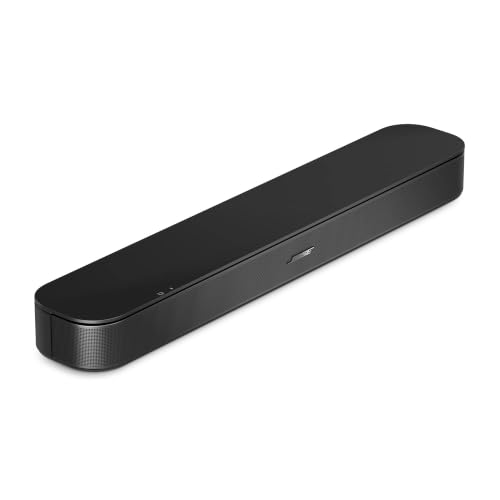
8.2/10Score
$254.99 $299.00 Save 15%
as of Nov 23, 2026, 13:02 UTC

8.2/10Score
$74.99 $119.99 Save 38%
as of Nov 23, 2026, 13:03 UTC
Black Friday Deal
Product prices and availability are accurate as of the date/time indicated and are subject to change. Any price and availability information displayed on Amazon.com at the time of purchase will apply to the purchase of this product.
How we rank best ARC soundbars for monitors?
Inputs and connections come first, because most monitors have no HDMI ARC, so a bar has to take USB-C, optical, aux or Bluetooth, and ARC only helps when your screen passes sound back. Sound at the desk is next: clear voices and real bass from a couple of feet away. Design and build checks that the bar fits under your monitor and the sub fits your desk. Value weighs what's in the box. Controls and software cover remotes, volume steps and apps. That puts the Creative Stage Pro first.
Inputs and Connections30%
Most monitors lack HDMI ARC, so USB-C, optical, aux and Bluetooth decide whether your PC and console can play through it.
Sound at the Desk25%
You sit a couple of feet away, so clear voices, sharp imaging and real bass matter more than room-filling volume.
Design and Build20%
The bar has to fit under your monitor and the sub on or under your desk without crowding the keyboard.
Value15%
A desk bar should beat your monitor's speakers without charging for features you'll never plug in.
Controls and Software10%
A remote, a volume knob and fine volume steps make late-night gaming and calls easier to manage.
Best ARC soundbars for monitors compared
Swipe sideways to see every spec.
| Product | Score | Channels | Subwoofer | Dolby Atmos | Inputs |
|---|---|---|---|---|---|
| 10.0 | 2.1, 80W RMS (160W peak); bar 21.7 in wide, 3.2 in tall | Wired sub on a tethered 2m cable, 16.5 in tall | No; Dolby Audio decoding plus SuperWide virtual widening | HDMI ARC (no eARC), optical, USB-C audio, 3.5mm aux | |
| 9.7 | 2.1, 90W RMS (180W peak); bar 23.6 in wide, 2.4 in tall | Wired slim 5.25-inch sub, 16.7 in tall | No; Dolby Audio decoding, 5.1 virtual surround | HDMI ARC, optical, USB-C audio, 3.5mm aux | |
| 9.1 | 2.0, 30W RMS (60W peak); 20.1 in wide, 3.25 in tall | None; rear port tube | No; SuperWide virtual widening | Optical, USB-C audio, 3.5mm aux; no HDMI ARC | |
| 9.0 | 2.1, 2 full-range drivers + 2 tweeters; 19.7 in wide, 3.3 in tall | Wired down-firing 5.5-inch sub, 9.5 in tall | No; THX Spatial Audio virtual surround on Windows | USB-C audio only; no HDMI, optical or aux | |
| 8.5 | 2.0, 2 full-range drivers + 2 radiators; 15.7 in long | None; passive radiators only | No | USB-C audio and power only; no HDMI, optical or aux | |
| 8.4 | 2.0, 12W RMS (24W peak); 16.1 in wide, 2.9 in tall | None; rear port tube | No; SuperWide virtual widening | USB-C audio and power, 3.5mm aux; no HDMI or optical | |
| 8.4 | 2.0, two 1.9-inch full-range drivers and a bass port | None included; pairs with Roku Wireless Bass | No; PCM only, no Dolby Digital or DTS | HDMI 2.0a ARC, optical, USB 2.0 | |
| 8.2 | 3.0: two angled full-range drivers and a center tweeter | None; bass boost on demand | No Atmos or virtual surround | HDMI ARC, optical, 3.5mm aux; no HDMI input | |
| 8.2 | 2.0, two full-range drivers, 40W total | None, and no option to add one | No; Dolby Digital and DTS Virtual:X only | HDMI ARC/eARC, optical, USB-A |
1. Creative Stage Pro: Best Soundbar for a Monitor Overall
This is the monitor soundbar we'd buy if you want one box for everything. It's the most flexible here: HDMI ARC for a TV-style display, USB-C for a PC, plus optical, aux and Bluetooth. Expert Reviews used it under a monitor with a desktop PC, and Near Field mode gave focused sound for games while the sub added defined bass.
Say your desk screen doubles as a small TV for a PS5. The PC plays over USB-C for calls and music, and the console's sound reaches the bar over HDMI ARC if the screen supports it, or over optical if it has that instead. Then flip to Far Field when friends watch from across the room.
The catch is volume control. On a PS5, Expert Reviews found even the lowest step too loud for evenings, and The Gadgeteer saw each Apple TV remote press jump three steps over ARC, which optical fixed. There's no HDMI cable in the box either. So would we buy it? For a mixed PC and console desk, yes. Want a headset jack and mics too? The Sound Blaster Katana V2X (#2) has both.
Best for: Desks where one screen handles a PC plus a console or TV box, and you want real bass from a sub.
Skip it if: You have no room for a 16.5-inch sub. The Sound Blaster GS5 (#3) is the better pick.
Pros
- Real sub adds punch a monitor or TV speaker can't
- HDMI ARC, optical, USB-C, aux and Bluetooth inputs
- Near Field mode suits a desk under a monitor
- Compact 21.7-inch bar fits under most monitors
Cons
- Lowest volume can be too loud on a PS5 (Expert Reviews)
- ARC volume can jump 3 steps per remote press
- No HDMI cable, no app, no Dolby Atmos
- Strains near maximum volume; tall wired sub
Hands-on reviews behind this pick
 Expert Reviews
Show the verdict
A capable plug-and-play 2.1 system whose SuperWide modes and punchy sub beat TV speakers, best on a desk; no Night mode, harsh music treble and loud PS5 output hold it back.
- Wccftech
Show the verdict
A desktop-first 2.1 bar that adds weight and clear dialogue over built-in speakers, with wide inputs, but its soundstage stays narrow and SuperWide is hit or miss.
- The Gadgeteer
Show the verdict
Simple to set up and surprisingly full with real bass, a great fit for an office, computer or den; HDMI ARC volume steps were the main annoyance, solved by switching to optical.
2. Creative Sound Blaster Katana V2X: Best Gaming Soundbar for a Monitor
For a gaming desk, this is the bar we'd pick. It has the fullest input set here for consoles and PCs: HDMI ARC, optical, USB-C and aux, plus a headset jack with Super X-Fi and built-in mics. The metal bar is only 2.4 inches tall, and GearUP found it loud and composed under his main screen.
Picture a late ranked match in a tactical shooter, where you need to hear which way the footsteps come from. Scout mode brings them forward, Battle mode adds impact, and when the house goes quiet you plug your headset into the bar. The slim sub tucks under the desk, and the box includes an optical cable, a USB-C cable and a wall-mount kit.
There are rough edges. It takes 7 to 8 seconds to wake, the app is clunky and can crash, and with effects on, music sounds slightly echoey. APH Networks also heard a cool, slightly hollow midrange. So would we buy it? For games first, yes. Want more natural music on a PC? The Razer Leviathan V2 (#4) sounds more balanced.
Best for: PC and console gamers who want HDMI ARC, a sub, mics and a headset output in one low bar.
Skip it if: Music matters as much as games. The Razer Leviathan V2 (#4) is the better pick.
Pros
- HDMI ARC, optical, USB-C and aux inputs
- Low 2.4-inch bar slides under a monitor
- Metal build, remote and deep app control
- Headset out with Super X-Fi, built-in mics
Cons
- Takes 7 to 8 seconds to wake from sleep
- Music can sound echoey with effects on
- Bluetooth 5.0, SBC only
- Wide 23.6-inch bar and a tall wired sub
Hands-on reviews behind this pick
- APH Networks
Show the verdict
A well-built, slim under-monitor 2.1 bar with a smaller sub, generous inputs including HDMI ARC, mics and a good remote; sound is reasonable and flat-ish but cool and not rich.
- GearUP with Aaron
Show the verdict
A top pick for a compact gaming soundbar: loud, composed and detailed, with rich inputs and a perfect fit under a monitor, held back by slow wake-up, a clunky app and echoey music.
3. Creative Sound Blaster GS5: Best Budget Monitor Soundbar with Optical
If your screen has optical out, or you just want a cheap bar with lots of inputs, start here. The GS5 takes optical, USB-C and aux, plus Bluetooth 5.3, and New Atlas found it clear and defined at normal levels, with SuperWide making it sound far bigger than a 20-inch bar.
Say you've built a small racing setup at your desk around a PS5. The console plays over USB-C, and a phone joins over aux or Bluetooth for podcasts between races. Gadget Pilipinas heard solid impact in racing and FPS games and clear dialogue in films. The physical volume knob means no hunting for the remote, and there's a headphone out on the bar.
There's no HDMI ARC, though, so it can't follow a TV remote, and it clips and turns tinny near the top of its volume range. The always-lit display and an IR remote that sometimes misses presses annoyed New Atlas too. So would we buy it? For a budget multi-source desk, yes. Want a sub and HDMI ARC? The Creative Stage Pro (#1) adds both.
Best for: Budget desks with a PC, console and phone to plug in, or a screen with optical out.
Skip it if: You want TV-remote control or a sub. The Creative Stage Pro (#1) is the better pick.
Pros
- Optical in lets a TV or monitor feed it
- USB-C audio from PC, PS5 and Switch
- SuperWide makes it sound bigger than it is
- Physical volume knob plus remote
Cons
- No HDMI ARC, so no TV-remote control via CEC
- Distorts near maximum volume
- Mode letters always lit on the front display
- App EQ only applies over the PC USB link
Hands-on reviews behind this pick
- New Atlas
Show the verdict
Sounds clear and pleasant at normal levels, with SuperWide making it far bigger, but it distorts near max, the always-on mode display and remote annoy, and there is no HDMI ARC.
- Gadget Pilipinas
Show the verdict
An easy recommendation for space-conscious buyers: compact, flexible wired and wireless inputs and balanced sound for games and movies, held back by limited stereo separation.
4. Razer Leviathan V2: Best PC Soundbar with a Subwoofer
For a PC desk where sound comes first, this is the bar we'd buy. PCMag found the down-firing sub rattles the desk without distortion at full volume, with balanced, detailed music and very good left-right imaging in Fortnite. The 19.7-inch bar sits neatly under a monitor, and the sub is a 9.5-inch-tall cube.
Picture an afternoon editing video with a playlist on, then a night of Fortnite. The highs stay crisp for both, and you can place a rival by sound. Synapse adds a 10-band EQ and THX Spatial Audio on Windows, and Bluetooth 5.2 covers a phone or a Switch.
But it's a computer speaker first. USB-C is the only wired input, so it can't take sound from a monitor's ARC port, optical or aux, and there's no remote. Hardware Canucks also saw the sub cut out on one Windows laptop with Synapse. So would we buy it? For a PC-only setup, yes. Need console or TV inputs? The Sound Blaster Katana V2X (#2) has them.
Best for: PC-only desks where you want the best music and game sound here, with a compact sub.
Skip it if: You need HDMI ARC, optical or aux for a console or TV. The Sound Blaster Katana V2X (#2) is the better pick.
Pros
- Crisp, balanced sound with real sub thump
- Very good stereo imaging for games
- Compact bar fits under a monitor
- 10-band EQ and THX Spatial Audio in Synapse
Cons
- USB-C only: no optical, aux or HDMI ARC
- No remote; settings need Synapse or apps
- Hardware Canucks hit USB and Synapse dropouts
- No headphone jack
Hands-on reviews behind this pick
- PCMag
Show the verdict
A welcome successor with crisper highs, fuller bass and fun RGB, great for desk gaming, but dropping the 3.5mm and optical inputs means it realistically only works with a PC.
- Hardware Canucks
Show the verdict
Sounds balanced, detailed and loud with a punchy sub, but USB-only inputs, no remote, two apps and software glitches that cut the sub make it hard to justify at its price.
5. Razer Leviathan V2 X: Best Single-Cable Monitor Soundbar
Here's the tidiest bar for a small desk. One USB-C cable carries power and sound from a PC, a laptop or even a monitor's USB-C port, so you don't need a power brick. At 15.7 inches long, COR Tech found it slightly narrower than a full-size keyboard.
Say you're a student with a laptop on a stand, a 24-inch monitor and no spare outlet. Plug in the Leviathan V2 X, and lectures and games get clearer, louder sound than laptop speakers from that one cable. Synapse adds a button to switch to a headset and lighting that turns off with the display.
The limits are inputs and bass. There's no HDMI ARC, optical or aux, so a TV or optical console is out, and bass is thin without a sub. The included cable is USB-C at both ends, so an older USB-A PC needs an adapter. So would we buy it? For a one-cable PC desk, yes. Want deeper bass? The Razer Leviathan V2 (#4) adds a sub.
Best for: Small PC and laptop desks where you want one USB-C cable and a tiny footprint.
Skip it if: You need a TV or console connection. The Sound Blaster GS5 (#3) is the better pick.
Pros
- One USB-C cable carries power and audio
- Small enough to sit between monitor and keyboard
- Clear gaming sound for the size
- Deep Chroma RGB and EQ via Synapse or app
Cons
- No HDMI ARC, optical or aux; not for a TV
- No sub, so bass is light
- Narrow soundstage; weaker for music
- USB-C to C cable only; USB-A PCs need an adapter
Hands-on reviews behind this pick
- Press Start
Show the verdict
A tidy budget PC bar: one USB-C cable for power and audio, handy Synapse extras and decent gaming clarity, though it lacks bass without a sub and is weaker for music.
- COR Tech with Andre
Show the verdict
A good, easy budget PC soundbar with big sound for its size and rich RGB, but no optical or aux for consoles or TVs, little natural bass and a narrow soundstage.
6. Creative Sound Blaster GS3: Best Cheap Soundbar for a Small Monitor
On a tight budget, this is the bar we'd put under a small monitor. It's 16.1 inches wide, runs on one USB-C cable, and adds an aux input, Bluetooth 5.4 and a headphone out. APH Networks found it louder than its size suggests, with clear mids.
Picture a work-from-home day full of video calls. Voices come through clearly, and when a call needs privacy, you plug headphones into the bar instead of reaching behind the PC. SuperWide helped The Gadgeteer hear footsteps in games, though it thinned out music.
But know the limits. Bass is light, the stage is narrow, and there's no HDMI ARC or optical, so it won't connect to a TV. The Gadgeteer also found it fell into static through a Dell dock until power-cycled, though it was fine plugged straight into the PC. So would we buy it? For a small, cheap desk upgrade, yes. Want more width and an optical input? The Sound Blaster GS5 (#3) is the step up.
Best for: Small monitors and home-office desks where you want clearer calls and videos for very little.
Skip it if: You want any real bass or a TV connection. The Creative Stage Pro (#1) is the better pick.
Pros
- Tiny 16-inch bar fits under small monitors
- Runs on one USB-C cable for power and audio
- Headphone out for quick switching
- Clear midrange for voices and calls
Cons
- No HDMI ARC or optical; not a TV soundbar
- Little bass, no sub-bass at all
- SuperWide can add distortion
- Static issue through a USB dock (The Gadgeteer)
Hands-on reviews behind this pick
- APH Networks
Show the verdict
Well built and louder than its size suggests with clear mids and sharp treble, but bass is hollow, the stage narrow and SuperWide adds distortion; a basic PC speaker upgrade.
- The Gadgeteer
Show the verdict
A great entry-level under-monitor bar with solid sound for its size, USB-C and Bluetooth plus headphone passthrough, though bass is light and it hissed on a docking station.
7. Roku Streambar SE: Best Streaming Soundbar for a Spare Monitor
Got a spare monitor with an HDMI input and no speakers? We think this is the neatest way to turn it into a small TV. The Streambar SE is a 4K HDR Roku streamer and a speaker in one box, so it sends the picture to the screen over HDMI and plays the sound itself.
Say an old 27-inch monitor sits on a workbench in the garage. Plug in the Streambar SE, join your Wi-Fi, and you've got streaming apps with Dialogue mode to keep voices clear over a running fan. Volume leveling helps too, and AirPlay or Spotify Connect handles music. PCMag and CNET both found it louder and clearer than TV speakers, strongest in the midrange.
The trade-offs are bass and formats. Bass is limited without Roku Wireless Bass, the two drivers sit too close for stereo width, and there's no Dolby audio or Dolby Vision. The remote has no voice button either. So would we buy it? For a spare screen, yes. Want a speaker for a PC instead? The Sound Blaster GS5 (#3) is built for one.
Best for: Spare monitors and small screens with HDMI that you want to use as a streaming TV.
Skip it if: The monitor is for a PC. The Sound Blaster GS5 (#3) is the better pick.
Pros
- Adds a full 4K HDR Roku streamer to any TV
- Loud, clear dialogue for its tiny size
- Very compact, fits small TVs and shelves
- AirPlay, Spotify Connect and Bluetooth
- Bluetooth headphone mode for quiet viewing
- HDMI and optical cables included
Cons
- Little bass without the extra-cost sub
- Almost no stereo width
- No Dolby Digital, DTS or Atmos
- Remote has no voice control
- No Dolby Vision streaming
- Can't add Roku rear speakers
Hands-on reviews behind this pick
- PCMag
Show the verdict
An affordable way to give a TV better audio plus streaming and AirPlay; it is too small for real bass or stereo width, so it suits older or smaller TVs rather than a cinema setup.
- CNET
Show the verdict
A solid upgrade over most TV speakers and good value: surprisingly loud with clear midrange dialogue, though bass and soundstage are limited and the bigger Streambar sounds better.
- RTINGS
Show the verdict
An enticing entry point with more wireless options than most budget bars and built-in streaming, but its 2.0 design lacks bass and treble sheen, compresses at max volume and skips Dolby formats.
8. Bose TV Speaker (2nd Gen): Best Dialogue Soundbar for a TV-Style Monitor
If your screen is more TV than PC, this is the dialogue bar we'd pick. It takes HDMI ARC, optical or a 3.5mm aux cable, which matters because plenty of monitors offer only a headphone jack. A dedicated center tweeter and Dialogue mode make voices easier to follow.
Picture a 32-inch smart monitor in a home office that plays the morning news before work. Run a 3.5mm cable from the monitor's headphone jack, or HDMI if it has ARC, and the anchors sound clear instead of tinny. Bluetooth handles a laptop or phone, with no app or account to set up. Over ARC with HDMI-CEC, the screen's remote controls power and volume.
It's not a gaming bar, though. There's no USB audio input, bass is modest, and auto-on was less reliable than on the first generation. The optical cable and wall bracket cost extra. So would we buy it? For a TV-style monitor, yes. Want a sub and USB-C for a PC too? The Creative Stage Pro (#1) does both.
Best for: Smart monitors and TV-style displays used mainly for shows, news and video, where clear voices matter.
Skip it if: You game on a PC and want USB audio. The Creative Stage Pro (#1) is the better pick.
Pros
- New center tweeter makes voices easier to follow
- Tiny 23.5-inch bar fits under small TVs
- One HDMI cable, included; TV remote runs it
- Bluetooth for phone music with no app or account
Cons
- No Atmos, surround or listed subwoofer option
- Bass is limited next to bar-and-sub systems
- Auto-on with the TV less reliable than the first gen
- Optical cable and wall bracket cost extra
Hands-on reviews behind this pick
- Technically Well
Show the verdict
A simple soundbar that clearly beats TV speakers, with standout voice enhancement and ample bass for most shows; nearly the same as the original, with slightly better separation but flakier auto-on.
9. Amazon Fire TV Soundbar: Best Compact HDMI ARC Soundbar for a Monitor
For a small display that does have HDMI ARC or optical, this is a fair budget bar. It's 24 inches wide, the HDMI cable and wall-mount kit come in the box, and Digital Trends found the bass decent for one speaker, with DTS Virtual:X widening the sound noticeably.
Say a 32-inch TV serves as the monitor for a Fire TV Stick in a craft room. Plug the bar into the screen's ARC port, and a Fire TV remote runs both. Bluetooth 5.2 handles a laptop if the screen lacks ARC, and FishBee found most people won't need more than half volume.
Know the limits before you buy. There's no aux input, no app and no Alexa, and despite the name it has no Fire TV software. You can't add Atmos or a sub, and PCMag found it distorted at max volume and barely beat a big TV's speakers. So would we buy it? For a small screen with ARC, yes. Want clearer voices and an aux input? The Bose TV Speaker (2nd Gen) (#8) is better.
Best for: Small TVs and displays with HDMI ARC or optical, especially with a Fire TV device.
Skip it if: Your monitor has only a headphone jack. The Bose TV Speaker (2nd Gen) (#8) is the better pick.
Pros
- Small 24-inch bar suits smaller TVs
- Simple HDMI ARC setup, cable included
- Decent bass for a single bar, per DT and FishBee
- DTS Virtual:X widens the sound noticeably
- Remote included, plus voice input prompts
- Wall mount kit in the box
Cons
- No Fire TV features, Alexa or app despite the name
- No Dolby Atmos and no subwoofer option
- PCMag heard little gain over TV speakers
- Distorts at max volume in PCMag's tests
- Midrange lacks detail
- Thin instructions, e.g. for USB playback
Hands-on reviews behind this pick
 Digital Trends
Show the verdict
As a budget bar it gets the job done, with decent bass for one speaker, easy HDMI setup and effective virtual surround, but a weak midrange and no Atmos keep it entry-level.
- PCMag
Show the verdict
Underpowered and disappointing: it has no Fire TV features, sounds narrow and bright, distorts when pushed, and in testing was barely better than the TV's own speakers.
- FishBee Productions
Show the verdict
A good entry-level soundbar with better sound than you'd expect and some real bass, easy Bluetooth and HDMI hookup, but confusingly named since it has no Fire TV software inside.
Best ARC soundbars for monitors buying guide for 2027
Do computer monitors have HDMI ARC for a soundbar?
Most don't. HDMI ARC is a TV feature that sends sound back down the HDMI cable to a soundbar, and it only helps when your screen supports it, as some smart monitors and small TVs used as monitors do. If yours does, the Creative Stage Pro, Sound Blaster Katana V2X, Bose TV Speaker (2nd Gen) and Amazon Fire TV Soundbar all take ARC.
If it doesn't, connect the source instead. A PC can play over USB-C into the Stage Pro, Katana V2X, Sound Blaster GS5, GS3 or either Razer. Optical works on the Stage Pro, Katana V2X, GS5, Bose and Fire TV bar. A monitor's headphone jack can feed the Stage Pro, Katana V2X, GS5, GS3 or Bose over aux, and Bluetooth works on every pick here.
Which connection is best for a PC soundbar?
USB-C, if your bar has it. It carries digital sound straight from the PC, and on the Razer Leviathan V2 X and Sound Blaster GS3 it carries power too, so one cable does everything. Bluetooth is handy for a phone, but New Atlas notes its lag is a reason to use a wired input for games.
Software can depend on the connection as well. The Sound Blaster GS5's app EQ only applies over the PC's USB link, and the Razer Leviathan V2's THX Spatial Audio needs Synapse on Windows. Docks are worth a test: The Gadgeteer heard the GS3 fall into static through a Dell dock, while it worked fine plugged straight into the PC.
Can you connect a PS5 or Nintendo Switch to a monitor soundbar?
Yes, with the right bar. The Sound Blaster GS5 lists PS5, PS4 and Switch support over USB, and Creative lists the Katana V2X as working with PS5, PS4, Xbox Series X and S, Switch, PC and Mac. The Creative Stage Pro expects the console to plug into the screen, with the bar on HDMI ARC, so it suits a TV-style display.
The Razers are mostly for PCs. Both pair with a Switch over Bluetooth, but neither has optical or HDMI ARC, so a console that needs those is out. One more tip: Expert Reviews found even the Stage Pro's lowest volume step too loud on a PS5 at night, so check the volume steps early if you play late.
How big a soundbar fits under a monitor?
Measure the gap under your screen and the desk width first. The smallest here are the Razer Leviathan V2 X at 15.7 inches long and the Sound Blaster GS3 at 16.1 inches wide and 2.9 inches tall. The Razer Leviathan V2 is 19.7 inches wide and 3.3 inches tall, the Sound Blaster GS5 is 20.1 inches wide and the Creative Stage Pro is 21.7 inches wide and 3.2 inches tall.
The Sound Blaster Katana V2X is the widest at 23.6 inches but the lowest at 2.4 inches, though GearUP found it sits too low to route a keyboard cable under it. Leave room for a sub too: the Leviathan V2's is a 9.5-inch-tall cube, while the Stage Pro's and Katana V2X's stand about 16.5 and 16.7 inches tall.
Do you need a subwoofer with a desk soundbar?
Only if you want real bass for games and films. The Creative Stage Pro, Sound Blaster Katana V2X and Razer Leviathan V2 all include a wired sub, and it's the biggest difference you'll hear. The GS3, GS5 and Leviathan V2 X sound clear for their size, but bass stays light.
And if the screen isn't really on a desk, a different kind of bar may suit you better. For a TV in a bedroom, see our small soundbars for a bedroom TV. For a big screen in the lounge, compare our living-room soundbars. And if you project onto a wall, we've picked soundbars that work with a projector.
Best ARC soundbars for monitors: frequently asked questions
What is the best soundbar for a monitor?
The Creative Stage Pro. It takes HDMI ARC, optical, USB-C, aux and Bluetooth, has a Near Field mode for desks and comes with a wired sub for real bass. For gaming with a headset and mics, get the Sound Blaster Katana V2X. For a PC-only desk, the Razer Leviathan V2 sounds best.
Do I need HDMI ARC for a monitor soundbar?
Only if your monitor supports it, and most don't. ARC helps when a smart monitor or small TV sends sound back to the bar. Otherwise, connect your PC over USB-C, use optical or a 3.5mm aux cable, or pair over Bluetooth. The Creative Stage Pro and Katana V2X take all of these.
Can I use a TV soundbar with a computer monitor?
Yes, if the bar has an input your monitor can feed. Many TV bars rely on HDMI ARC or optical, which most monitors lack. The Bose TV Speaker (2nd Gen) also takes a 3.5mm aux cable from a monitor's headphone jack, and most bars pair with a laptop over Bluetooth.
Which monitor soundbar works with a PS5?
The Sound Blaster GS5 connects to a PS5 over USB, and the Sound Blaster Katana V2X lists PS5 support along with Xbox and Switch. The Creative Stage Pro works when the PS5 plugs into an ARC-capable screen. The Razer Leviathan V2 and V2 X are PC-first and lack optical and ARC.
What is the best cheap soundbar for a monitor?
The Sound Blaster GS3 is the cheapest pick here, with one USB-C cable, aux, Bluetooth 5.4 and a headphone out in a 16.1-inch bar. If you can spend a little more, the Sound Blaster GS5 adds optical, more width and a volume knob. Neither has a sub, so bass is light.

