
The 10 Best 3D Printers for Home Use in 2027
A 14-hour print that dies at hour 12? We weighed reliability, noise, fumes and quality to find the best 3D printers for home use in 2027, catches included.

Affiliate Disclosure: As an Amazon Associate, we may earn a commission from qualifying purchases, and it never changes our picks.
Our picks at a glance
10.0/10Score

$399.00
as of Nov 10, 2026, 11:15 UTC
9.7/10Score
$799.00 $999.00 Save 20%
as of Nov 10, 2026, 11:15 UTC

9.4/10Score
$419.00
as of Nov 10, 2026, 11:15 UTC

9.3/10Score
$549.99 $649.99 Save 15%
as of Nov 10, 2026, 11:15 UTC

9.0/10Score
$249.00
as of Nov 10, 2026, 11:15 UTC

8.8/10Score
$369.00 $439.00 Save 16%
as of Nov 10, 2026, 11:15 UTC

8.7/10Score
$379.00
as of Nov 10, 2026, 11:15 UTC

8.5/10Score
$299.99 $359.99 Save 17%
as of Nov 10, 2026, 11:15 UTC

8.4/10Score
$519.99
as of Nov 10, 2026, 11:15 UTC
8.2/10Score
$439.99
as of Nov 10, 2026, 11:15 UTC
Product prices and availability are accurate as of the date/time indicated and are subject to change. Any price and availability information displayed on Amazon.com at the time of purchase will apply to the purchase of this product.
How we rank best 3D printers for home use?
We put reliable unattended prints first, because home jobs run overnight or while you're at work, and a print that fails halfway wastes a whole day. Quiet and fume control comes a close second, since the printer has to share a spare room, an apartment or a family study. Print quality follows, because a replacement clip has to fit the first time. Materials and multicolor decide whether you can print PETG hooks, ASA car parts or four-color gifts. Design and build comes last: the footprint, the frame and how easily a jam clears.
 Reliable Unattended Prints25%
Long prints run while you sleep or work, so a printer that finishes jobs without babysitting matters most at home.
Quiet and Fume Control25%
Quiet and Fume Control25%An enclosure, filtration and low noise decide whether it can live in a spare room, an apartment or near the family.
Print Quality20%
Print Quality20%Accurate replacement clips and clean decor or gifts only happen with consistent layers and good first layers.
Materials and Multicolor15%
Materials and Multicolor15%Color, PETG, ABS or resin options cover everything from fridge magnets to heat-tolerant car parts.
 Design and Build15%
Footprint, frame stiffness, filament path and how easy jams are to clear decide how it fits and lasts in a home.
Best 3D printers for home use compared
Swipe sideways to see every spec.
| Product | Score | Build Volume | Print Speed | Materials | Leveling |
|---|---|---|---|---|---|
| 10.0 | 256 x 256 x 256 mm | Up to 500 mm/s (250 mm/s recommended) | PLA, PETG, ABS, ASA, TPU, PC, PA, CF/GF blends | 121-point auto leveling, auto Z-offset | |
| 9.7 | 300 x 300 x 300 mm | Up to 600 mm/s, 20,000 mm/s2 acceleration | PLA, PETG, ABS, ASA, PET, CF blends; 300 C nozzle | Full-auto nozzle-tap leveling of the print area | |
| 9.4 | 256 x 256 x 256 mm | Up to 500 mm/s | PLA, PETG, TPU, PVA | Fully automatic, plus auto Z-offset | |
| 9.3 | 250 x 250 x 250 mm | Up to 600 mm/s (300 mm/s recommended) | PLA, PETG, ABS, ASA, TPU (direct feed), CF blends | LeviQ 3.0 auto leveling, auto Z-offset | |
| 9.0 | 180 x 180 x 180 mm | Up to 500 mm/s | PLA, PETG, TPU, PVA (no ABS or fiber-filled) | Fully automatic, plus auto Z-offset | |
| 8.8 | 220 x 220 x 250 mm, enclosed | Up to 600 mm/s | PLA, PETG, TPU, ABS, ASA, PC, PA and CF blends | Fully automatic, with input shaping calibration | |
| 8.7 | 220 x 220 x 220 mm | Up to 600 mm/s travel, 20,000 mm/s² acceleration | PLA, PETG, ABS, ASA; TPU and CF blends on 0.6/0.8 mm nozzles | Full-auto multi-point leveling | |
| 8.5 | 260 x 260 x 260 mm | Up to 600 mm/s (300 mm/s recommended) | PLA, PETG, TPU, PVA, PLA-CF, PETG-CF, ASA | LeviQ 3.0 auto leveling with auto Z-offset | |
| 8.4 | 211.68 x 118.37 x 220 mm | Up to 150 mm/h (fast mode) | Standard photopolymer resins (reviewed with Elegoo 8K resin) | Spring-post auto leveling; manual corner adjustment if needed | |
| 8.2 | 223 x 126 x 230 mm | Up to 150 mm/h in Dynax+ mode | 405 nm UV resin (standard, fast and castable) | Manual four-screw leveling with paper |
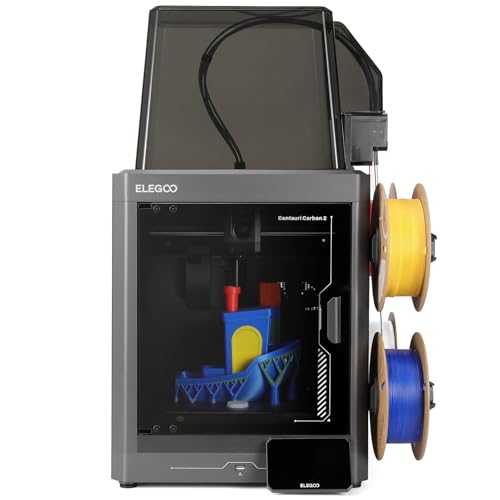
1. Elegoo Centauri Carbon 2 Combo: Best 3D Printer for Home Use Overall
Most homes should start here. You get an enclosed CoreXY frame, four-color printing built in and a 350 C hardened nozzle, so one machine covers gifts, PETG shelf brackets and ASA car parts. The color system is the real win. It ran a 40-hour multicolor job at PCMag with nobody touching it, and Aurora Tech counted just two false errors in more than 2,000 color changes.
So picture a cosplay helmet you start on Friday night. When a roll runs out on Saturday, spool backup feeds in the next one and the print carries on. An on-screen wizard gets you printing in 15 to 20 minutes, and Elegoo rates it under 45 dB. A purge chute comes in the box, but you'll need your own bin for the scraps.
But a jam is fiddly, because the PTFE tubes lock into the toolhead hub, and TPU needs a bypass. Software lags too: Linux owners on Elegoo's GitHub reported failed file sends and a camera feed that wouldn't load, and an April 2026 update improved sending. Is it the one we'd buy? Yes, for most homes. Only print PLA and want the simplest color setup? See the Bambu Lab A1 Combo (#3).

Best for: Households that want one enclosed printer for repairs, gifts and four-color decor, including tougher filaments like ASA.

Skip it if: You only print PLA and want the simplest color printer around. The Bambu Lab A1 Combo (#3) is the better pick.
Pros
- Enclosed four-color printing at a low price
- 350 C hardened nozzle handles engineering filaments
- Reliable color swaps over long multi-day prints
- Auto spool backup keeps prints going
- No cloud account required
Cons
- PTFE tubes nearly impossible to pull from the hub
- Spool holders fit some third-party spools poorly
- Slicer time and waste estimates run optimistic
- TPU needs a bypass part and Canvas unplugged
- No heated chamber
Hands-on reviews behind this pick
- PCMag
Show the verdict
PCMag finds the CC2 Combo a dependable enclosed four-color workhorse with excellent output and strong engineering-filament results, forgiving rough software, a basic camera and purge waste.
- Tom's Hardware
Show the verdict
Tom's Hardware calls the CC2 a delightful, budget-friendly CoreXY whose awkward-looking Canvas system works reliably, though spool holders, high-temp loading and a slick cold plate need work.
- Aurora Tech
Show the verdict
Aurora Tech names it the best-value enclosed multicolor printer: solid build, fast low-waste color swaps and great accuracy, with average speed, average surface finish and firmware quirks.
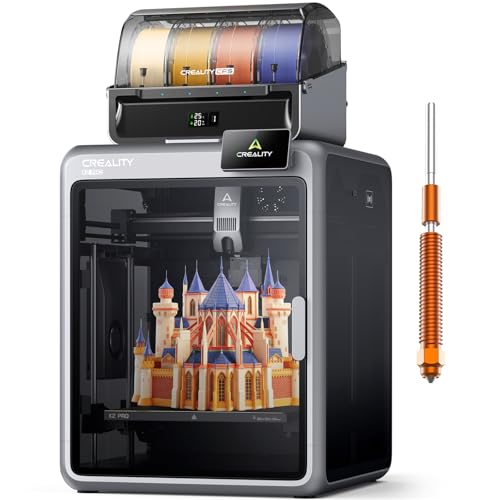
2. Creality K2 Pro Combo: Best Large 3D Printer for Advanced Home Use
Step up to this one when your projects outgrow a 256 mm bed. The K2 Pro gives you a 300 mm cube inside a die-cast frame with a glass door, and its chamber heats to 60 C. That heat is the reason to buy it, because ABS, ASA and PC come out glue-free with no warping, and first layers are among the best reviewers have seen.
Say you need an ASA clip for the roof rack, the kind of part that has to cope with a car baking in the sun. It arrives assembled, calibrates itself in about 15 to 20 minutes, and PCMag ran an 11-hour four-color print without trouble. You also get Ethernet and USB, so it works with no cloud account.
The catch is consistency. K2 Pro owners on Creality's forum are split: some report up to about 3,000 trouble-free hours, others recurring error codes, part swaps and slow support. TPU needs a spring mod, color swaps waste a lot of filament, and the fans get loud with the lid off. Worth the step up? For tough parts, yes. For mostly PLA and PETG, the Elegoo Centauri Carbon 2 Combo (#1) is easier.
Best for: Advanced home users printing big or heat-tolerant parts in ABS, ASA or PC, such as car and garage fixes.
Skip it if: You mostly print PLA and PETG and want fewer quirks. The Elegoo Centauri Carbon 2 Combo (#1) is the better pick.
Pros
- Reliable four-color printing through the CFS
- Heated chamber makes ABS, ASA and PC easy
- Excellent first layers and dimensional accuracy
- Sturdy die-cast metal frame with glass door
- Ships assembled; setup takes about 15-20 minutes
- Ethernet and offline USB printing, no cloud needed
Cons
- TPU prints poorly without a toolhead spring mod
- CFS has no dryer and cables force it on top
- High-flow hotend creates heavy purge waste
- Fans make it loud with the lid open
- Creality Print rearranges the familiar Orca layout
- Some owners report error codes and support delays
Hands-on reviews behind this pick
- PCMag
Show the verdict
PCMag calls the K2 Pro Creality's most mature flagship: near-appliance reliability, flawless multicolor and great first layers, held back by a laggy screen and confusing setup parts.
- Tom's Hardware
Show the verdict
Tom's Hardware finds it a polished send-and-forget CoreXY with excellent four-color prints and a heated chamber that makes PC easy, though TPU fails and purge waste runs high.
- Aurora Tech
Show the verdict
Aurora Tech rates it a strong-value, well-built enclosed multicolor printer whose CFS rivals Bambu for reliability, though it trims K2 Plus features and lacked auto belt tensioning.
3. Bambu Lab A1 Combo: Best Quiet 3D Printer for Multicolor Decor
If color decor is your thing, this is the easiest way to get it. The A1 Combo takes about 15 minutes to assemble, then checks its own leveling, Z-offset and vibration before every print. Quality at speed is excellent: CNET printed over 50 models that were almost all excellent, and Tom's Hardware found it quieter than the other fast printers it had run.
Picture a four-color clock face for the hallway, printing on your desk while you work through email. Silent Mode holds it under 48 dB, but color jobs are slow: one Tom's Hardware print took more than twice as long in three colors as in one. LAN mode lets you skip the cloud, and the MakerWorld library makes finding models easy.
The real costs are waste and wear. Every swap purges filament, and owners running several A1s report AMS lite slots that stop feeding after heavy use. Some owners also reported failed power boards that Bambu replaced, so register it for warranty. Our call? For PLA decor, it's an easy yes. For ABS or an enclosure, the Elegoo Centauri Carbon 2 Combo (#1) fits better.
Best for: Home hobbyists printing PLA decor, gifts and cosplay pieces in color, close to where they work.
Skip it if: You want ABS, ASA or a fully enclosed printer. The Elegoo Centauri Carbon 2 Combo (#1) is the better pick.
Pros
- Near plug-and-play setup and auto calibration
- Four-color printing with the included AMS lite
- Quiet enough to run next to a desk
- Excellent print quality at high speed
- Quick-swap nozzle and easy spare parts
Cons
- Open frame: no ABS or ASA
- Multicolor prints waste a lot of filament
- Purge flinger and AMS lite take up desk space
- Live-view camera has a very low frame rate
Hands-on reviews behind this pick
- CNET
Show the verdict
CNET calls the A1 Combo the best consumer 3D printer its reviewer has used, with flawless setup and superb prints, held back only by heavy color-change waste and an unreliable purge flinger.
- Tom's Hardware
Show the verdict
Tom's Hardware rates the A1 Combo a quiet, reliable, fast bed slinger and an easy entry to four-color printing for anyone who sticks to PLA and PETG, though the AMS lite eats desk space.
- Rad Dad's Print Lab
Show the verdict
After about 1,400 hours, this long-term owner says the A1 still prints great and almost never needs attention, making it a top beginner value in 2026 despite a weak camera and open frame.
4. Anycubic Kobra S1 Combo (ACE 2 Pro): Best Home 3D Printer with Filament Dryer
Live somewhere humid? Then look here first, because damp filament turns prints stringy and brittle. The Kobra S1's color unit dries your spools while it prints, and the current bundle ships the ACE 2 Pro, which raises drying to 65 C. And the printer itself is excellent: TechRadar ranked its single-color precision among the best it has seen and found it quieter than rival CoreXY printers.
Say it's August and you're printing PETG hooks for the shower caddy. Dry filament means clean, strong hooks rather than a stringy mess. It's enclosed, comes with a carbon filter, handles ABS and ASA, and Tom's Hardware ran hundreds of hours with very few failures.
But multicolor is its weak spot. Swaps are slow, and one dragon print at Tom's made 730 g of waste for a 312 g model, with no slicer readout of purge amounts. Leave room behind it for the rear chute. Expert reviews covered the earlier ACE Pro bundle, and the printer is unchanged. Is it right for you? If you print one or two colors in a damp house, yes. For regular four-color prints, the Elegoo Centauri Carbon 2 Combo (#1) is the stronger color printer.
Best for: Homes in humid climates printing PETG, ABS or ASA in one or two colors.
Skip it if: You print four colors often and hate waiting on swaps. The Elegoo Centauri Carbon 2 Combo (#1) is the better pick.
Pros
- Enclosed CoreXY with four-color system included
- Built-in filament dryer works while printing
- Excellent single-color print quality
- Quiet in operation
- Expandable to 16 colors
Cons
- Color swaps are slow, adding hours to big prints
- Heavy purge waste with little slicer control
- Toolhead is hard to access when clearing jams
- Waste chute at the back, needs wall clearance
- TPU cannot run through the color unit
Hands-on reviews behind this pick
- TechRadar
Show the verdict
TechRadar finds the Kobra S1 Combo an outstanding value multi-filament printer with some of the best single-material precision it has tested, though multi-color printing is relatively slow.
- Tom's Hardware
Show the verdict
Tom's Hardware calls the Kobra S1 a dependable, set-and-forget CoreXY with a handy heated ACE unit, held back by a slicer that hides and barely controls how much filament color changes waste.
- ModBot
Show the verdict
ModBot likes the solid hardware, consistent color swaps, great PLA prints and the heated ACE unit, but found PETG and ABS profiles undercooked, color swaps slow and the toolhead painful to unclog.
5. Bambu Lab A1 mini: Best Compact 3D Printer for Apartments
Short on space? The A1 mini is the one we'd squeeze onto a bookshelf. It comes almost fully assembled, levels and calibrates itself, and can be printing within 20 to 30 minutes of opening the box. It's accurate too: PCMag measured Benchy dimensions close to spec, and owners with 900-plus hours report steady quality with little tweaking.
So when a dishwasher rack clip snaps in your one-bedroom apartment, you find the part, hit print and get on with dinner while it runs quietly a few feet away. The small stuff: Wi-Fi is 2.4 GHz only, the 2.4-inch screen is tiny and the camera is weak. Spare parts are easy to order, though.
The limit is size. A 180 mm cube can't take a helmet or a big storage bin, and it sticks to PLA, PETG and TPU-class filaments. And since a June 2026 firmware, many A1 mini owners also report that the first print after a cold start asks them to confirm and purge filament, even with a spool loaded. Should you get it? For small fixes in a small home, absolutely. Outgrowing 180 mm or want color in the box? Move up to the Bambu Lab A1 Combo (#3).
Best for: Apartment dwellers with little space who print small fixes and gifts in PLA or PETG.
Skip it if: You want to print helmets, big bins or anything over 180 mm. The Bambu Lab A1 Combo (#3) is the better pick.
Pros
- Pre-assembled; first print in about 20 to 30 minutes
- Automatic leveling, Z-offset and flow calibration
- Excellent print quality and dimensional accuracy
- Quiet enough to run in an office
- Optional AMS lite adds 4-color printing
- Easy-to-order spare parts and quick-swap hot end
Cons
- Small 180 mm build volume
- No ABS, ASA or abrasive filaments on the stock setup
- Built-in camera is low quality and laggy
- Small 2.4-inch touchscreen
- Multicolor prints create lots of purge waste
- Wi-Fi works on 2.4GHz only
Hands-on reviews behind this pick
- PCMag
Show the verdict
An Editors' Choice budget printer nearly perfect for beginners: set up in under 20 minutes, first-rate benchmark prints and trouble-free running, held back only by its small bed and tiny screen.
- 3D Print Dood
Show the verdict
After nine months of regular use on a self-bought unit, the most reliable of his several printers: consistent quality with no tinkering and easy upkeep, let down by the bed size and camera.
- Rad Dad's Print Lab
Show the verdict
Still one of the best ways to start 3D printing after 900 hours: prints great, quiet, beginner-friendly automation and quick spare parts; the build volume and poor camera are what age it.
6. Creality K1C: Best Fast 3D Printer for Household Repairs
Speed is why the K1C is here. Tom's Hardware printed a speed Benchy in 13 minutes 53 seconds, its fastest at the time, and TechRadar's parts came out within 0.035 mm on average. That pairing matters for repairs, because a replacement part has to arrive quickly and actually fit.
Say the latch on your vacuum snaps on Thursday. Load PETG-CF, which the hardened nozzle handles, and the new latch is ready well before the weekend clean. The enclosure, carbon filter, AI camera and a nozzle-wiping brush all come in the box, and LAN printing works without Creality Cloud. Setup is quick: a few bed screws, the screen, spool holder and filter.
But it's loud, and quiet mode is much slower. The rear spool holder is awkward, the smooth plate needs glue stick, and owners on Creality's forum describe leveling-sensor errors that crashed the nozzle into the bed, fixed by reseating connectors or, for one owner, a replacement board. Tinkerers should know 2025 units drop root access. Our verdict: for fast, strong fixes, yes. For bigger parts and a heated chamber, the Creality K2 Pro Combo (#2) is the step up.
Best for: Household fixers who want strong replacement parts quickly, including carbon-fiber blends.
Skip it if: You need big parts or a heated chamber for ABS and ASA. The Creality K2 Pro Combo (#2) is the better pick.
Pros
- Very fast: 13:53 speed Benchy in Tom's Hardware's test
- Enclosed, solid CoreXY with a carbon filter
- Hardened unicorn nozzle handles carbon-fiber filament
- AI camera with timelapse included
- Auto leveling with a nozzle-wiping brush on the bed
- Accurate: 0.035 mm average XY error at TechRadar
Cons
- Awkward rear spool holder and reverse Bowden path
- Smooth PEI plate needs glue stick
- Loud hotend fan; quiet mode is much slower
- Proprietary nozzle and wiper-strip build plate
- Smaller bed than newer budget rivals
- 2025 revision removed root access to Klipper
Hands-on reviews behind this pick
- Tom's Hardware
Show the verdict
What the original K1 should have been: a fast, enclosed, open Klipper CoreXY with a better toolhead and standard AI camera, though the filament path is poor and the plate needs glue.
- TechRadar
Show the verdict
Comes close to ticking every box: build quality beyond its class, fast prints, an integrated AI camera and clog-free extruder for users from schools to enthusiasts, though speed costs some quality.
- Two Moose Design
Show the verdict
After about 100 hours it has been far better on first layers than his K1 Max and prints beautifully on stock Orca profiles; a top contender, with a slightly sloped bed and Creality QC risk.
7. Flashforge Adventurer 5M Pro: Best 3D Printer with HEPA Filter for Home
Shared homes are where this one earns its spot. The Adventurer 5M Pro packs HEPA and carbon filtration into a compact enclosure, and the lid and door can stay shut while it prints. That's the setup you want when the printer lives in a room people also use.
Picture ABS drawer pulls printing in the laundry room off the kitchen, where the family walks through all day. Lid closed and filters running, it's the filament printer here we'd trust most in a busy room. Nozzles swap without tools, and a scaled frog that took nearly 7 hours at Tom's Hardware finished in just over 4 with the 0.6 mm nozzle. It arrives nearly assembled and calibrates in about 10 minutes, with Wi-Fi, Ethernet and USB.
The trade-off is polish. Tom's saw leveling fail on the first run, the textured plate often needed glue, the camera is low resolution, and one reviewer found the runout sensor switched off by default, so turn it on. It's single color for good. Is it the one? For filtered ABS in a shared room, yes. If speed and carbon-fiber fixes matter more than filtration, the Creality K1C (#6) is quicker.
Best for: Shared homes that want filtered air when printing ABS or ASA in one color.
Skip it if: Speed and carbon-fiber fixes matter more than filtration. The Creality K1C (#6) is the better pick.
Pros
- Fast CoreXY printing in a compact enclosed body
- Tool-free quick-swap nozzles
- Lid and door can stay closed for PLA
- HEPA and carbon filtration included
- Handles PLA, PETG, ABS, ASA and CF blends
- Wi-Fi plus Ethernet
Cons
- Single color only; no multi-color upgrade
- Auto leveling failed on some attempts in testing
- Low-resolution camera
- No filament retraction in the change menu
- Filament runout sensor was off by default
- Firmware and software less polished than Bambu
Hands-on reviews behind this pick
- Tom's Hardware
Show the verdict
Impressive enclosed CoreXY hardware with lightning-fast speeds, held back at launch by thin slicer profiles, spotty auto leveling, a weak webcam and a TPU jam; a pick for tinkering prosumers.
- Daniel Crosslink
Show the verdict
After about 6 kg of filament, a genuinely good hardware deal that just works, fast and reliable with smart venting and easy nozzle swaps, clouded mainly by mediocre, closed firmware.
- FauxHammer
Show the verdict
A solid, compact CoreXY with print quality on par with far pricier machines and clever venting and nozzle swaps, let down at launch by weak software, cloud and app support from Flashforge.
8. Anycubic Kobra X: Best Budget Multicolor 3D Printer for Home
On a budget, this is how we'd get color. The Kobra X puts its four-color system on the printer itself, so there's no extra box beside it, and its cutter sits close to the nozzle. That design pays off. Tom's Hardware pitted it against a Bambu Lab A1, and a castle with 776 color swaps finished 10 hours sooner with 71 g less waste.
Picture a set of personalized four-color coasters for a friend's housewarming, printing on a small desk. It feeds PLA, PETG and even 85A or 95A TPU in color, takes odd-sized spools, and levels itself with clean first layers. Assembly is eight screws, with labeled cables and reminders to pull the shipping brackets.
But the spools sit open on top. Full rolls are awkward to load, and in a humid room you'll want a dry box or the ACE 2 Pro add-on. Clearing a jam inside the extruder is complicated, and it's too new to know how it holds up for years. Our take: on a tight budget, yes. For proven, quiet color, the Bambu Lab A1 Combo (#3) is the safer bet.
Best for: Home crafters who want color prints at a low price and have a small desk.
Skip it if: You want a proven, quieter color printer with a long track record. The Bambu Lab A1 Combo (#3) is the better pick.
Pros
- Four colors built in, no separate AMS box
- Much faster color swaps and less purge waste
- Feeds TPU and odd-sized spools in multicolor
- Reliable auto leveling and excellent first layers
- Uses any filament brand and spool size
- Expandable to 19 colors later
Cons
- Top-mounted spools are awkward to load when full
- Open spools have no drying without ACE 2 Pro
- Multicolor prints still waste filament
- Extruder is complex to take apart after a jam
- Camera angle is poor for time-lapses
Hands-on reviews behind this pick
- Tom's Hardware
Show the verdict
Tom's Hardware calls the Kobra X an excellent entry-level four-color printer whose toolhead color system swaps fast, handles TPU and wastes far less than rivals, making it an easy recommendation.
- FauxHammer
Show the verdict
FauxHammer calls the Kobra X the best medium-size bed slinger on the market for sensible features and value, with clever built-in four-color feeding, but warns long-term quality is still unproven.
- 3D Print Dood
Show the verdict
3D Print Dood calls it an excellent entry-level multicolor printer with top print quality and a space-saving spool design, but says purge waste on color changes is its one real problem.
9. Elegoo Saturn 4 Ultra 16K: Best Resin 3D Printer for Detailed Figures
Want detail that filament can't touch? Resin is the answer, and this is the resin printer we'd pick. PCMag dialed in exposure in a few test prints, then had zero failures across minis at 0.01 mm layers and a full-height Xenomorph, with test blocks within 0.06 mm.
The vat heater is the everyday win. Say you're printing a display figure in the garage in January: the heater preheats and mixes the resin, so the cold doesn't spoil the job. It runs a self-test on first boot, sends files over Wi-Fi and has a camera with time-lapse. The box has gloves, masks and tools but no resin, no carbon filter and no wash and cure station, so plan for those, plus isopropyl alcohol.
And this isn't a living-room printer. Resin needs ventilation, the stepped plate traps resin and drips, the heater is only on or off, and there's no phone app. One reviewer saw no detail gain over the 12K model, though the heater and reliability matter more anyway. Would we pick it? For figures in a vented space, yes. Want built-in odor filtering instead? The Creality HALOT-MAGE S 14K (#10) has it.
Best for: Home hobbyists printing detailed figures and minis in a ventilated garage or workshop.
Skip it if: You can't give it a garage and want odor control built in. The Creality HALOT-MAGE S 14K (#10) is the better pick.
Pros
- Superb detail for miniatures and figures
- Built-in vat heater preheats and mixes resin
- Tilting vat keeps prints fast and reliable
- Wi-Fi sending, camera and time-lapse built in
- Textured build plate grips first layers well
- Generous toolkit and spare screws included
Cons
- Vat heater is on or off, no temperature setting
- Stepped build plate traps resin and needs cleaning
- AI camera can't see failures under the resin
- No phone app for remote monitoring
- Screen swaps need a near-full teardown
Hands-on reviews behind this pick
- PCMag
Show the verdict
PCMag names it an Editors' Choice: detail and reliability feel above its class, the vat heater and simple software make it approachable, and it printed everything without a single failure in testing.
- FauxHammer
Show the verdict
FauxHammer calls it probably the best pick for hobbyists printing minis, praising the vat heater, but says the 16K screen gave no visible gain over 12K and needed extra exposure tuning to match it.
- Uncle Jessy
Show the verdict
In an Elegoo-sponsored video, Uncle Jessy calls it Elegoo's best resin printer, with crisp minis and busts and a vat heater that just works, though early Mac slicer support and the plate design lag.
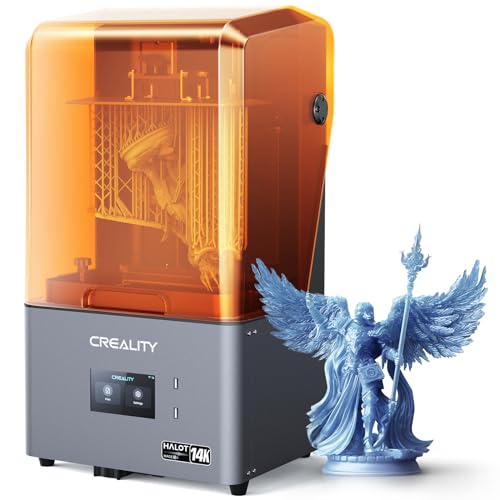
10. Creality HALOT-MAGE S 14K: Best Resin 3D Printer with Odor Filter
Odor is the biggest reason resin gets banished to the garage, and this printer tackles it. The HALOT-MAGE S 14K has a built-in carbon air filter and an exhaust port, so you can duct fumes outside. Its 14K screen gives crisp detail, and TechRadar ran it for weeks, getting through over 5 L of resin with very few failures.
Say you need tiny replacement knobs for a vintage radio. You run the exhaust hose out a window, print them in fine detail, and the one-hand flip lid is easy with gloves on. It arrives assembled and prints over USB, Wi-Fi or Ethernet. Resin, isopropyl alcohol and a wash-and-cure station are all extra.
The trade-offs are convenience. You level it once by hand with paper, there's no heater for cold rooms, and the fast mode gave about 30% faster layers in Aurora Tech's measurements, not 3 to 4 times. Some Mage owners on Creality's forum describe prints sticking to the film after months of use, which lightly sanding the plate fixed. Bottom line: for small, detailed parts near the house, yes. For a cold garage, the Elegoo Saturn 4 Ultra 16K (#9) has the heater.
Best for: Home makers of small, detailed parts who can vent fumes through the exhaust port.
Skip it if: You print in a cold garage and want a heated vat. The Elegoo Saturn 4 Ultra 16K (#9) is the better pick.
Pros
- 14K screen gives crisp, highly detailed prints
- Very reliable over weeks of use
- Built-in carbon air filter with exhaust port
- One-hand flip lid is easy with gloved hands
- Laser-carved plate grips and releases prints well
Cons
- No auto leveling; paper leveling required
- Dynax+ speed claims far exceed measured gains
- No resin heater for cold rooms
- Slow slicer export and network file transfer
- Resin pump and camera cost extra
Hands-on reviews behind this pick
- TechRadar
Show the verdict
TechRadar names it an Editor's Choice: a simple, robust resin printer with a 14K screen and reliability that are hard to match in its class, though auto-fill resin is an add-on.
- Aurora Tech
Show the verdict
Aurora Tech finds it solidly built with one of the highest resolutions among budget resin printers, but Dynax was only about 30% faster and it still lacks auto leveling.
- VogMan
Show the verdict
VogMan calls it an altogether superior printer to the Mage Pro: quieter, steadier filter and excellent 14K detail out of the box, though it lacks a heater and the Wi-Fi wouldn't connect.
Best 3D printers for home use buying guide for 2027
Should a home 3D printer be enclosed or open?
Enclosed, for most homes. A closed box keeps the heat steady for ABS and ASA, lets you add filtration, and keeps curious hands and pets away from a hot nozzle. The Elegoo Centauri Carbon 2 Combo, Creality K2 Pro Combo, Anycubic Kobra S1 Combo, Creality K1C and Flashforge Adventurer 5M Pro are all enclosed.
Open printers still make sense if you only print PLA and PETG. The Bambu Lab A1 Combo and A1 mini are quieter and easier than most, and the Anycubic Kobra X is the budget way into color. Just keep them where nobody will bump the moving bed. And if a child will be the one printing, see our guide to 3D printers a child can use safely.
How much ventilation does a 3D printer need at home?
It depends on the material. PLA and PETG are the easiest to live with, while ABS and ASA are better printed in an enclosure with a filter or in a room you can air out. Resin needs the most care, with fumes, gloves and a vented space.
So match the printer to the room. For ABS in a shared space, the Flashforge Adventurer 5M Pro has HEPA and carbon filtration, while the Creality K1C and the Anycubic Kobra S1 Combo each ship with a carbon filter. For resin, the Creality HALOT-MAGE S 14K adds a carbon filter and an exhaust port you can duct out a window. The Elegoo Saturn 4 Ultra 16K has no filter in the box, so it belongs in a garage or workshop with airflow.
How loud are home 3D printers, and where should you put one?
The quietest picks here can share a home office, but none are silent. Bambu Lab rates the A1 Combo's Silent Mode under 48 dB, and Elegoo says the Centauri Carbon 2 Combo prints under 45 dB. The A1 mini is calm enough for an office, and the Kobra S1 ran quieter than rival CoreXY printers in TechRadar's review.
Fast machines tend to be the loud ones. The Creality K1C's hotend fan is loud and its quiet mode is much slower, while the K2 Pro's fans get loud with the lid open. So for overnight prints near a bedroom, pick one of the quiet models for the spare room or office, and keep the louder ones in the garage or behind a closed door.
Which filaments do you need for household repairs?
PLA covers most gifts, decor and indoor fixes, and PETG is the tougher everyday choice for parts like shower hooks. For parts that sit near heat or sun, such as car clips, you want ASA or ABS, and that means an enclosed printer. Carbon-fiber blends make stiffer brackets and latches but need a hardened nozzle.
That's why the Elegoo Centauri Carbon 2 Combo leads for fixers: its 350 C hardened nozzle handles ASA, nylon and carbon-fiber blends. The Creality K1C prints PETG-CF quickly, and the K2 Pro's heated chamber makes ABS, ASA and PC easy. If PLA and PETG are enough, the Bambu Lab A1 mini or A1 Combo will do, and our list of cheaper 3D printers that still print well has more budget options.
Is a resin 3D printer a good idea at home?
Only if you want fine detail and have a ventilated space for it. Resin printers make crisper miniatures, figures and small parts than any filament printer on this list, but every print needs washing and curing, and you'll handle liquid resin with gloves on.
So think about where it will live. The Elegoo Saturn 4 Ultra 16K suits a garage or workshop, where its vat heater keeps cold resin printing well. The Creality HALOT-MAGE S 14K suits a room where you can run its exhaust hose out a window. Plan for resin, isopropyl alcohol, gloves and replacement release films. For household repairs and big parts, a filament printer like the Elegoo Centauri Carbon 2 Combo is the better tool.
How much space does a home 3D printer need?
More than the printer itself. Color systems, spool holders and purge chutes add width, and bed-slinger printers like the Bambu Lab A1 Combo need room for the bed to slide back and forth. The Anycubic Kobra S1 Combo's waste chute sits at the back, so it needs wall clearance, and the Centauri Carbon 2 Combo gets wide with its spools mounted.
Tight on room? The Bambu Lab A1 mini fits a bookshelf, the Flashforge Adventurer 5M Pro is a compact enclosed box, and the Anycubic Kobra X keeps its colors on top instead of in a separate unit. Measure your shelf before you buy. And if you were really after a paper printer for forms and homework, see our top printer recommendations.
Best 3D printers for home use: frequently asked questions
What is the best 3D printer for home use?
The Elegoo Centauri Carbon 2 Combo suits most homes. It's enclosed, prints in four colors, has a 350 C hardened nozzle and reliable color swaps on long prints, with no cloud account needed. In a small apartment, get the Bambu Lab A1 mini. For big, heat-tolerant parts, get the Creality K2 Pro Combo, and for detailed figures, the Elegoo Saturn 4 Ultra 16K.
Is it safe to have a 3D printer in your house?
Yes, with a sensible setup. An enclosed printer covers the hot parts, ABS and ASA are best printed with filtration, and resin belongs in a vented space. The Flashforge Adventurer 5M Pro adds HEPA and carbon filters, and the Elegoo Centauri Carbon 2 Combo includes runout, clog and power-loss sensors. Whatever you buy, register it for warranty.
How loud is a 3D printer at home?
Quiet models can share a home office, while fast ones get loud. Bambu Lab rates the A1 Combo's Silent Mode under 48 dB, and Elegoo says the Centauri Carbon 2 Combo prints under 45 dB. The Creality K1C's hotend fan is loud. For a spare room near a bedroom, get the Centauri Carbon 2 Combo or the Bambu Lab A1 mini.
Do you need ventilation for a 3D printer at home?
For ABS, ASA and resin, yes. PLA is the easiest material to live with. The Flashforge Adventurer 5M Pro filters with HEPA and carbon, so it suits a shared room. For resin, the Creality HALOT-MAGE S 14K has a carbon filter and an exhaust port to vent outside, while the Elegoo Saturn 4 Ultra 16K belongs in a ventilated garage.
Is a 3D printer worth it for household use?
Yes, if you fix, organize or make things often. A printer turns a snapped clip, latch or hook into a quick reprint instead of a hunt for a spare part. The Bambu Lab A1 mini is the low-risk start for small fixes, and the Elegoo Centauri Carbon 2 Combo is the better buy if you also want tough materials and color.