The 6 Best Computer Monitors under $100 in 2027
Cheap no longer means a dim 60Hz panel. We compared 16 expert reviews of the best computer monitors under $100 for homework, work and games. Pick yours.

Affiliate Disclosure: As an Amazon Associate, we may earn a commission from qualifying purchases, and it never changes our picks.
Our picks at a glance
9.8/10Score

$84.99 $99.99 Save 15%
as of Nov 25, 2026, 10:47 UTC

9.8/10Score
$84.99
as of Nov 25, 2026, 10:32 UTC

9.1/10Score
$89.99 $99.99 Save 10%
as of Nov 25, 2026, 10:32 UTC

8.8/10Score
$64.99 $94.99 Save 32%
as of Nov 25, 2026, 10:47 UTC
Black Friday Deal

8.5/10Score
$74.97 $82.97 Save 10%
as of Nov 25, 2026, 10:46 UTC

8.0/10Score
$89.00 $109.00 Save 18%
as of Nov 25, 2026, 10:47 UTC
Black Friday Deal
Product prices and availability are accurate as of the date/time indicated and are subject to change. Any price and availability information displayed on Amazon.com at the time of purchase will apply to the purchase of this product.
How we rank best computer monitors under $100 for you?
Picture quality leads, because text, color and contrast are what you look at every day, and cheap panels vary a lot. Value comes next: under a hard cap, every feature has to earn its place. Design and build weigh nearly as much, since stands, ports and speakers decide whether a screen fits your desk, your old PC or your bag. Smooth motion rounds it out, because 100Hz to 220Hz makes scrolling and games feel fluid, as long as your computer or console can keep up.
Picture Quality30%
Sharpness, color and contrast are the difference you notice every hour, and budget panels vary widely.
Value25%
Under a strict cap, the best pick is the one that gives the most where it counts for the least.
Design and Build25%
Ports, speakers, the stand and VESA holes decide whether it works with your PC, console and desk.
Smooth Motion20%
A faster refresh rate makes scrolling and games feel fluid, if your computer or console can feed it.
Best computer monitors under $100 compared
Swipe sideways to see every spec.
| Product | Score | Size | Resolution | Refresh Rate | Panel |
|---|---|---|---|---|---|
| 9.8 | 23.8 inches | 1920 x 1080 (Full HD) | 120Hz | IPS, 99% sRGB, 250 nits | |
| 9.8 | 24.5 inches, flat | 1920 x 1080 (Full HD) | 220Hz on HDMI and DisplayPort; 120Hz on PS5 and Xbox | IPS, matte, DisplayHDR 400, no local dimming | |
| 9.1 | 27 inches | 1920 x 1080 (Full HD) | 100Hz with Adaptive-Sync | VA, 4000:1 rated contrast, 250 nits | |
| 8.8 | 15.6 inches, 1.72 lb | 1920 x 1080 (Full HD), 16:9 | 60Hz with Adaptive-Sync (48-60Hz) | IPS, anti-glare, 250 nits rated, 1000:1 | |
| 8.5 | 23.8 inches | 1920 x 1080 (Full HD) | Up to 100Hz on current model; older units ran 75Hz | VA, matte anti-glare | |
| 8.0 | 15.6 inches, 1.72 lb (1.9 lb with stand) | 1920 x 1080 (Full HD) | 60Hz | IPS, matte anti-glare, 250 nits rated |
1. LG 24U411A-B: Best Computer Monitor under $100 Overall
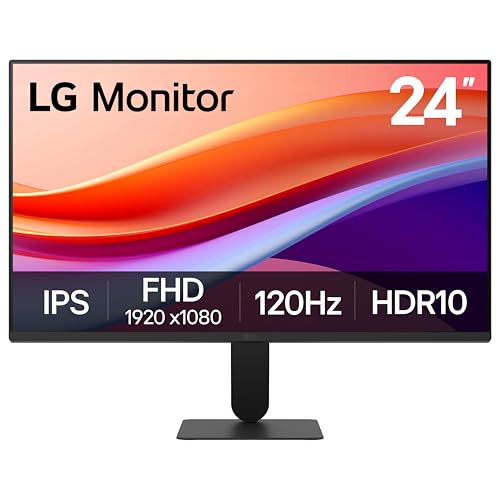
This is the monitor we'd buy for most desks on a tight budget. It's a 24-inch 1080p IPS screen, so text is sharp at this size, and Linus Tech Tips' lab measured 99% sRGB with a delta E near 3.5. That means photos and video look natural without any fiddling. At 120Hz with almost no processing lag, it also feels quick under a mouse.
Say it's the family computer in the kitchen corner. Someone looks up a recipe before dinner, then the kids do homework after, and the occasional game runs smoothly too. HDMI 2.0 and VGA cover new and old PCs, and an HDMI cable is in the box.
But it isn't bright. At about 250 nits it's fine in a normal room and weak beside a sunny window, and the HDR10 label adds nothing. The stand only tilts, and LG covers it for one year. So would we buy it? Yes, for nearly any home or school desk. If you want a bigger screen for movies, the Philips 271V8LB (#3) is the better pick.
Best for: Families, students and home workers who want one accurate, smooth screen for everything
Skip it if: You want a 27-inch screen for movies. The Philips 271V8LB (#3) is the better pick.
Pros
- Smooth 120Hz on an IPS panel
- 99% sRGB, about 3.5 delta E in LTT's test
- Near-zero processing lag per LTT
- HDMI 2.0 and an HDMI cable in the box
- Blur reduction mode roughly halves blur
Cons
- HDR10 badge is meaningless at this brightness
- Dim near a sunny window
- Tilt-only stand
- External power brick
- Only one-year warranty
Hands-on reviews behind this pick
 SlashGear
Show the verdict
An IT veteran who tested it after a friend bought one recommends it for office work and light gaming: solid IPS basics, 99% sRGB and 120Hz, with only 250 nits, one HDMI and a tilt-only stand.
- Linus Tech Tips
Show the verdict
The budget LG that could: 120Hz IPS, surprisingly accurate SDR color and almost no lag make it all most budget gamers need, but it is dim and its HDR10 claim is not worth anything.
- URTechDotCa
Show the verdict
Picked over a similarly cheap Acer because of HDMI 2.0, higher rated contrast and no reliance on strobing for its speed claim; the tilt-only stand and bulky power adapter are the trade-offs.
2. BenQ MOBIUZ EX251: Best Gaming Computer Monitor under $100
If games are the main job, this is the cheap screen to get. Chimolog measured about 3.7ms average response at 220Hz with little overshoot, plus about 2.8ms of input lag, so fast shooters feel tight. It runs 220Hz over HDMI and DisplayPort, so either cable works.
Picture a teen with a modest gaming desktop that already pushes past 200 frames per second in esports titles. On an old 60Hz screen, most of those frames go to waste. Here, flicks and tracking look clean. The EX251 also has 2.5W speakers, a headphone jack and two USB-A ports, and the power supply is built in.
But contrast is weak, at about 852:1, so dark maps look washed out, and color is narrower than rivals. The stand only tilts, and PS5 owners get 120Hz HDR but no VRR. So would we buy it? For a budget gaming PC, yes. If you mostly do schoolwork and want truer color, the LG 24U411A-B (#1) is the better pick.
Best for: Budget PC gamers who want high refresh and low lag, plus console play
Skip it if: You mostly work, watch video or do homework. The LG 24U411A-B (#1) is the better pick.
Pros
- 220Hz with about 2.8ms input lag
- Fast IPS response with little overshoot
- 1080p 120Hz HDR on PS5 and Xbox
- No flicker at any brightness
Cons
- Tilt-only stand
- Weak contrast and black lift
- No VRR on PS5; thin speakers
Hands-on reviews behind this pick
- Chimolog
Show the verdict
A decent 220Hz monitor with quick IPS response and very low input lag, but weak contrast, a narrow gamut, no PS5 VRR and a tilt-only stand mean its Japanese launch price buys mostly the MOBIUZ name.
- Sameer Mitha
Show the verdict
An easy recommendation for console players on a tight budget: natural, accurate-looking colors, simple HDR and SDR presets and quick response on PS5 and Xbox, though the stand only tilts and the speakers are basic.
3. Philips 271V8LB: Best 27-Inch Computer Monitor under $100
Want a bigger screen more than sharper text? This is the one. The Philips 271V8LB gives you 27 inches of VA panel with about 3,300:1 contrast in both PCMag's and Monitornerds' measurements, roughly three times a typical IPS screen. Color is close to full sRGB, so it looks good straight out of the box.
Say it's Sunday evening and you're sorting the household budget. The spreadsheet sits on the left, the bank statement on the right, and both are big enough to read without zooming. The 100Hz refresh with Adaptive-Sync also smooths scrolling and casual games. The power supply is built in, so there's no brick on the floor.
The trade-off is sharpness. At 27 inches, 1080p works out to about 82 pixels per inch, so small fonts look soft up close. Inputs are just HDMI 1.4 and VGA, and the stand only tilts and sits low. So would we buy it? For documents and movies, yes. If you want sharper text on a smaller screen, the LG 24U411A-B (#1) is the better pick.
Best for: Home users who want a big screen for documents, spreadsheets and movies
Skip it if: You read small text all day. The LG 24U411A-B (#1) is sharper and the better pick.
Pros
- Very high contrast for a budget panel
- Near-full sRGB coverage (about 98%)
- Big 27-inch screen at an entry price
- 100Hz with Adaptive-Sync for casual games
- Four-year warranty per PCMag
- Built-in power supply, no external brick
Cons
- Only 82 ppi: 1080p looks soft at 27 inches
- Tilt-only stand that sits low
- Just HDMI and VGA, no DisplayPort or USB-C
- No built-in speakers
- Tiny OSD buttons, no joystick
- VA smearing in fast scenes
Hands-on reviews behind this pick
- PCMag
Show the verdict
A dirt-cheap 27-inch screen whose VA panel delivers excellent contrast and near-full sRGB; resolution, stand, ports and controls are basic, but its picture beats pricier rivals.
- Monitornerds
Show the verdict
A strong budget pick for students and everyday use: 100Hz, easy setup and decent color, as long as you accept slow VA response, few inputs, limited features and a tilt-only stand.
- TheElectronMan
Show the verdict
An owner who bought it for a radio-hobby PC and wall-mounted it: no dead pixels, a bright clear picture and Philips' warranty support make it an easy recommendation for the money.
4. MSI Pro MP165 E6: Best Portable Computer Monitor under $100
If you need a screen you can carry, this is the one under the cap. The MSI Pro MP165 E6 is a 15.6-inch 1080p portable that weighs 1.72 lb and runs from one USB-C cable. It's also brighter than most cheap portables, at 328 to 343 nits in three reviewers' tests.
Picture a teacher who moves between classrooms. The MSI goes in a bag with its sleeve, and wherever she lands, the full-size HDMI port takes the room's PC and the USB-C port takes her laptop. The kickstand holds it steady, and a tripod socket and VESA holes mean it can sit on a stand at the front of the room. HDMI and USB-C cables come in the box.
The weak spot is color, at about 52 to 64% sRGB, so photos look flat. HDMI on its own needs a USB-C charger, which isn't included. So would we buy it? For a mobile second screen, yes. For a fixed desk, the LG 24U411A-B (#1) gives you a bigger, better picture. For more travel screens, see portable screens for laptops on the move.
Best for: Laptop users, teachers and travelers who need a light, bright second screen
Skip it if: The screen will stay on one desk. The LG 24U411A-B (#1) is the better pick.
Pros
- Very low price for a name-brand portable
- Measured 328 to 343 nits, above its rating
- Full-size HDMI plus two USB-C video inputs
- Kickstand, tripod socket and VESA mount
- HDMI, USB-C cables and a sleeve included
Cons
- Narrow color: about 52 to 64% sRGB in tests
- Clunky rocker OSD with few settings
- Weak 1W speakers
- No portrait use on the kickstand
- No power adapter for HDMI-only setups
Hands-on reviews behind this pick
- PCMag
Show the verdict
The best budget portable PCMag has tested: brighter than rated, a full-size HDMI port, a precise kickstand and all cables included. Its color coverage is limited, so keep it for office work.
- PCWorld
Show the verdict
A budget portable that stands out with tripod and VESA mounts, a velcro sleeve and bright output for the price; contrast is average, color is modest and menus are very limited.
- CNET
Show the verdict
A no-frills, bargain 15.6-inch second screen: thin, bright with strong anti-glare and solid build, but a very narrow color gamut makes everything look drab, so it suits email and reference work.
5. Sceptre E248W-19203R: Best Computer Monitor under $100 for Old PCs
This is the screen for a desk with older gear. The Sceptre E248W has two HDMI 2.0 ports and a VGA port, so you can keep two or three computers plugged in and switch inputs when you need them. Built-in speakers and audio in and out mean you won't need extra boxes for sound.
Say you run a small shop. The till runs on an old tower that only has VGA, and your laptop handles email and orders over HDMI. One Sceptre covers both, it draws only about 16 to 20W, and VESA holes let you mount it on a wall arm behind the counter. ServeTheHome bought the 2026 100Hz model for server work and found the base sturdier than older Sceptres.
It isn't a gaming or color screen, though. Linus Tech Tips measured a delta E around 8 and saw obvious smearing in fast games. The speakers are weak, and the stand only tilts. So would we buy it? For office, admin and old-PC duty, yes. For games, the BenQ MOBIUZ EX251 (#2) is the better pick.
Best for: Offices, shops and home labs connecting old PCs, laptops and servers
Skip it if: You play fast games. The BenQ MOBIUZ EX251 (#2) is the better pick.
Pros
- High VA contrast gives deep blacks for the money
- Two HDMI inputs plus VGA for older PCs and servers
- Built-in speakers and VESA mount
- Light, thin and easy to set up
- Flicker-free backlight with a blue light filter
Cons
- Visible smearing in fast games, worst in dark scenes
- Tilt-only stand
- Weak speakers
- Not color accurate out of the box
- No DisplayPort, so no VRR on Nvidia cards
Hands-on reviews behind this pick
- Linus Tech Tips
Show the verdict
Good enough for almost anything but competitive shooters: a punchy, cheap VA screen with real smearing, a basic stand and poor speakers, earning a plain 'should be fine' for value.
- ServeTheHome
Show the verdict
Not a nice panel and the speakers are poor, but as a plain screen with VGA and two HDMI inputs it just works, the thicker new base feels sturdier and the 2026 model looks promising so far.
6. ASUS ZenScreen MB169CK: Best Matte Travel Monitor under $100
This is the cheap portable to pick if glare bothers you more than brightness. The ZenScreen MB169CK has a matte finish that spreads out overhead lights, weighs 1.72 lb and slips into its padded sleeve. One USB-C cable from a laptop runs it.
Picture a consultant on a site visit. The client's meeting room has harsh ceiling lights, and you need your spreadsheet on one screen and the slide deck on the other. The matte ZenScreen keeps reflections down, the screw-in kickstand holds it up, and its two USB-C ports mean a second laptop or a phone can plug in too.
The catch is brightness. IT Pro measured 205 nits and ServeTheHome only 140, so it looks dim next to most laptops, and color is narrow. The plastic creaks, there are no speakers, and HDMI needs a USB-C charger you supply. So would we buy it? For indoor travel work, yes. If you want a brighter portable with full-size HDMI, the MSI Pro MP165 E6 (#4) is the better pick.
Best for: Travelers who work under office lights and want a light, matte second screen
Skip it if: You want the brightest cheap portable. The MSI Pro MP165 E6 (#4) is the better pick.
Pros
- Low price from a major brand
- Two USB-C inputs plus Mini HDMI
- Light at 1.72 lb, with a padded sleeve
- Single-cable USB-C setup
- Matte screen handles glare well
- Joystick OSD with handy quick menu
Cons
- Dim: 140 to 205 nits measured
- Narrow color, about 62-68% sRGB
- Creaky plastic build
- Kickstand can flop over in portrait
- No speakers, no power adapter in box
- Narrow viewing angles per IT Pro
Hands-on reviews behind this pick
- IT Pro
Show the verdict
A simple, affordable portable with sensible design, single-cable USB-C and handy mini-HDMI; dim, washed-out color and plasticky build are the trade-offs, but it is a good buy for the money.
- ServeTheHome
Show the verdict
Better ports and stand than older ZenScreens, with dual USB-C, mini HDMI and a tripod socket, but measured brightness and color are low, so treat it as a productivity screen, not a creator one.
Best computer monitors under $100 buying guide for 2027
What do you give up with a computer monitor under $100?
Mostly the stand, the ports and brightness, not the basic picture. Every desk pick here has a tilt-only stand, so plan on books or a VESA arm to bring it to eye level. None of them charges a laptop over USB-C, and most top out around 250 nits, which is fine indoors but weak by a sunny window. What you do get is surprisingly good: the LG 24U411A-B shows accurate color, and the Philips 271V8LB has deep VA contrast. If you can spend a little more for 1440p, a joystick menu or a better stand, look at a step-up list of screens under $150.
Is 24 or 27 inches better for a cheap 1080p monitor?
Pick 24 inches if you read a lot of text, and 27 inches if you want room for movies and side-by-side windows. At 24 inches, 1080p works out to about 92 pixels per inch, which keeps small text clean, so the LG 24U411A-B, BenQ MOBIUZ EX251 and Sceptre E248W look sharp at a normal distance. At 27 inches the same resolution drops to about 82 pixels per inch, so the Philips 271V8LB looks softer up close but gives you a much bigger picture. Sit a little farther back from a 27-inch screen and the softness mostly disappears.
IPS or VA: which panel is better in a monitor under $100?
IPS is better for color and fast motion, VA for contrast. The LG 24U411A-B and BenQ MOBIUZ EX251 use IPS panels, so colors look accurate and games stay clean, but blacks look gray at night. The Philips 271V8LB and Sceptre E248W use VA panels with around 3,000:1 contrast, so dark movies look deeper, but fast, dark scenes smear. If you mostly game or care about color, go IPS. If you mostly watch films in a dim room or work on documents, VA gives you more for the money.
What refresh rate should a budget computer monitor have?
At least 100Hz, because even cheap screens now go past 60Hz and the difference shows when you scroll. The Philips 271V8LB and Sceptre E248W run at 100Hz, the LG 24U411A-B at 120Hz, and the BenQ MOBIUZ EX251 at 220Hz for PC games. Higher refresh only helps if your PC can deliver the frames, so a 220Hz screen suits a gaming desktop more than an office laptop. Both portables, the MSI Pro MP165 E6 and ASUS ZenScreen MB169CK, stay at 60Hz, which is fine for documents.
Are cheap monitors easy on the eyes for long days?
Most are, as long as you look for a flicker-free backlight and set brightness to match the room. The LG 24U411A-B, Philips 271V8LB and Sceptre E248W all have flicker-free backlights and low blue light modes, and the BenQ MOBIUZ EX251 showed no flicker at any brightness. Height matters just as much: a tilt-only stand set too low makes you hunch, so raise it with a VESA arm or a riser. If long hours leave your eyes sore, see screens built for long, comfortable workdays, or our top monitors at every price for sharper options.
Best computer monitors under $100: frequently asked questions
What is the best computer monitor under $100?
The LG 24U411A-B is our pick for most people. Its 24-inch IPS screen shows accurate color, runs at 120Hz with almost no input lag, and includes an HDMI cable. For gaming, get the BenQ MOBIUZ EX251, and for a bigger 27-inch screen, the Philips 271V8LB.
Can you get a good gaming monitor for under $100?
Yes. The BenQ MOBIUZ EX251 runs at 220Hz with about 2.8ms of input lag and fast IPS response, and it takes a PS5 or Xbox at 1080p and 120Hz with HDR. Its weak spot is contrast, so dark scenes look gray.
Is a 27-inch 1080p monitor good for work?
It's good for big windows and movies but softer for small text. The Philips 271V8LB gives you lots of room and deep contrast, but 1080p works out to about 82 pixels per inch at that size. If you read fine print all day, the 24-inch LG 24U411A-B looks sharper.
Do monitors under $100 have speakers?
Some do. The BenQ MOBIUZ EX251 and Sceptre E248W have built-in speakers, though both sound thin. The LG 24U411A-B and Philips 271V8LB have none, and the portable MSI Pro MP165 E6 has small 1W speakers. Plan on headphones or desk speakers for good sound.
Will a cheap monitor work with my laptop?
Yes, every pick here takes a laptop over HDMI, and the LG 24U411A-B, Philips 271V8LB and Sceptre E248W also take VGA for older machines. If your laptop has USB-C with video, the MSI Pro MP165 E6 and ASUS ZenScreen MB169CK run from one cable. None of these charges a laptop.