The 10 Best Security Cameras under $50 in 2027
Solar power and 2K now fit this budget, but some brands charge to save a clip. The best security cameras under $50 for 2027, ranked on free recording.

Affiliate Disclosure: As an Amazon Associate, we may earn a commission from qualifying purchases, and it never changes our picks.
Our picks at a glance

10.0/10Score

Currently out of stock at Amazon.
View on Amazon
9.3/10Score
$36.99 $44.99 Save 18%
as of Nov 15, 2026, 23:31 UTC

9.3/10Score
$22.99 $29.99 Save 23%
as of Nov 15, 2026, 23:31 UTC
Early Black Friday Deal

9.1/10Score
$23.99 $29.99 Save 20%
as of Nov 15, 2026, 23:31 UTC

9.1/10Score
$44.99 $59.99 Save 25%
as of Nov 15, 2026, 23:31 UTC

8.7/10Score
$44.97
as of Nov 15, 2026, 23:31 UTC

8.2/10Score
$24.99
as of Nov 15, 2026, 23:31 UTC

7.9/10Score
$15.99 $39.99 Save 60%
as of Nov 15, 2026, 23:31 UTC
Limited time deal

7.6/10Score
$29.98
as of Nov 15, 2026, 23:31 UTC

7.2/10Score
$27.99 $79.99 Save 65%
as of Nov 15, 2026, 23:31 UTC
Limited time deal
Product prices and availability are accurate as of the date/time indicated and are subject to change. Any price and availability information displayed on Amazon.com at the time of purchase will apply to the purchase of this product.
How we rank best security cameras under $50 for you?
Free recording comes first, because under $50 a monthly plan can cost more than the camera within a year, so we favor microSD storage and person alerts that work without one. Next is picture and night vision: this is the price where 2K and color night video arrive, and they decide whether a clip shows a face. Smart alerts follow, since alerts that skip branches and pets are the ones you keep on. Then setup and placement: outdoor ratings, cable length, battery or solar. Last is design and build: a weather rating and solid mount get it through a porch winter. Our top pick is the Tapo C120.
Free Recording30%
Under $50 a monthly plan can cost more than the camera in a year, so free microSD recording and free AI alerts decide the real price.
Picture and Night Vision25%
This is the price where 2K and color night video arrive, and that decides whether a clip shows a face or a shape.
Smart Alerts20%
Person and vehicle alerts that skip branches and pets are what keep you checking the camera instead of muting it.
Setup and Placement15%
Outdoor ratings, cable length, battery or solar power decide whether the camera can go where you need it.
Design and Build10%
Weatherproofing, mounts and a privacy mode decide whether it survives a porch winter or blends into a shelf.
Best security cameras under $50 compared
Swipe sideways to see every spec.
| Product | Score | Resolution | Power | Storage | Subscription |
|---|---|---|---|---|---|
| 10.0 | 2K+ (2560x1440) at 20 fps, about 116-degree diagonal view | Wired USB-C, 9.8-ft cable and adapter; IP66 indoor/outdoor | microSD up to 512GB (not included); Tapo Care cloud optional | Not needed for AI alerts; Tapo Care adds cloud and rich alerts | |
| 9.3 | 2K (2560x1440) at 15 fps, 8x digital zoom | Wired, 10-ft plug-in cord; IP66 outdoor; Wi-Fi or Ethernet | microSD up to 256GB (not included); Tapo Care cloud optional | Not needed for recording or person alerts; Tapo Care optional | |
| 9.3 | 2K (2304x1296) at 15 fps, 360-degree pan, 114-degree tilt | Wired, plug-in power adapter; indoor use | microSD card (not included); Tapo Care cloud optional | Optional Tapo Care for cloud clips; local recording free | |
| 9.1 | 2K 3MP (2304 x 1296) at 15fps, 129-degree diagonal view | Wired, 9V DC power adapter (indoor use) | microSD up to 512GB (not included); Tapo Care cloud optional | None needed; Tapo Care adds cloud clips and snapshot alerts | |
| 9.1 | 1080p at 15 fps, 125-degree diagonal view | 6,400mAh battery plus included solar panel; IP65 | microSD up to 512GB (not included); Tapo Care cloud optional | Not needed for person, pet and vehicle alerts; cloud is paid | |
| 8.7 | 2.5K QHD (2560x1440), 115.8° diagonal view | Wired, 6-ft micro USB cable and indoor adapter | microSD up to 256GB (not included); cloud with Cam Plus | Cam Plus needed for AI smart alerts and cloud video clips | |
| 8.2 | 1080p Full HD (1920x1080), 117-degree diagonal view | Wired, plug-in DC power adapter; indoor use only | microSD up to 512GB (not included); Tapo Care cloud optional | Optional Tapo Care adds cloud clips; local recording is free | |
| 7.9 | 2K (2560 x 1440), 138-degree diagonal view | Plug-in, USB-C cable and indoor 5V adapter | Cloud with Blink plan, or USB drive via Sync Module (extra) | Blink plan needed for recorded clips and person alerts | |
| 7.6 | 1080p (1920x1080), 116 to 121-degree diagonal by version | Wired micro USB, 6-ft cable; outdoor adapter sold separately | microSD up to 256GB (not included); cloud with Cam Plus | Cam Plus needed for AI alerts and cloud clips | |
| 7.2 | 1080p at up to 30 fps, 143-degree diagonal view | Two AA lithium batteries, up to 2 years claimed; optional plug-in | Cloud with plan, or USB drive on Sync Module 2 (not Sync Module Core) | Needed for person detection, cloud clips and live-view recording |
1. TP-Link Tapo C120: Best Security Camera under $50 Overall
This is the camera we'd buy first under $50, because it gives away what most rivals charge for. Person, pet, vehicle and baby-cry alerts are free, clips save to a microSD card up to 512GB, and the 2K+ picture holds detail day and night. PCMag mounted one on a deck post and rated its color night video better than most outdoor cameras.
Here's how that plays out. It sits on the hallway shelf most of the year, then the holiday deliveries start. You pull it off its magnetic base, fix the metal plate by the front door, and the IP66 body shrugs off the weather. The 9.8-foot USB-C cable has to reach an outlet. The box has the adapter, plate and adhesive pad, but no card, and it's 2.4GHz Wi-Fi only with no HomeKit.
Software is where it slips. Owners on TP-Link's forum describe static or chirping audio after some firmware updates, mostly on outdoor units, and snapshot previews in alerts need Tapo Care. So would we buy it? Yes, if an outlet is close. If it isn't, the Tapo SolarCam C402 Kit (#5) runs on sunlight.
Best for: Anyone who wants one cheap camera that can move between a shelf and a porch, with free smart alerts and no monthly fee.
Skip it if: There's no outlet where the camera has to go. The Tapo SolarCam C402 Kit (#5) is the better pick.
Pros
- Sharp 2K video day and night
- IP66 rated for indoor or outdoor use
- Color night vision with spotlights
- Free person, pet and vehicle alerts
- Magnetic base mounts almost anywhere
Cons
- Needs a constant outlet outdoors
- No HomeKit support
- IFTTT didn't work in PCMag testing
- Snapshot alerts need Tapo Care
- Firmware updates have caused stream issues
Hands-on reviews behind this pick
- PCMag
Show the verdict
An Editors' Choice: a small, weatherproof camera with sharp 2K video, strong color night vision, smart alerts and spotlights usually found on far pricier models.
- PCWorld
Show the verdict
Full-featured and budget-priced: sharp 2K video, many detection options and flexible mounting all worked flawlessly, with only IFTTT and HomeKit missing.
- LifeHackster
Show the verdict
Picture is close to a pricier Wyze Cam v3 Pro, but free AI detection and no alert cooldown make the C120 the better buy for anyone who won't pay for a plan.
2. TP-Link Tapo C320WS: Best Outdoor Security Camera with No Fee
Got an outlet near the driveway? Then this is the outdoor camera to buy. The C320WS records 2K to a microSD card with no plan, sees in color after dark with a starlight sensor and spotlight, and adds a siren and tamper alarm. It connects over Wi-Fi or an Ethernet cable, which helps when the router is two rooms and a garage away.
Its best trick is line-crossing. Draw a line across the end of the drive, and the street traffic beyond it stops pinging your phone; you hear about whatever steps onto the property. Tuning matters, though. On a breezy evening Trusted Reviews saw person detection fire at nothing, while zones and boundary lines then worked faultlessly. The spotlight helps with faces, but it won't light a whole yard.
Power is the real job. The adapter is for indoors on a 10-foot cord, so plan a cable run or a hole in the wall; a weatherproof sheath for the joint is in the box. And more than one owner on TP-Link's forum reports it dropping offline until it's power cycled. No outlet outside? The Tapo SolarCam C402 Kit (#5) skips the cable.
Best for: Homeowners with an outdoor outlet who want 2K on the driveway or yard, smart line alerts and no monthly plan.
Skip it if: You can't run power to the spot. The Tapo SolarCam C402 Kit (#5) is the better pick.
Pros
- Sharp 2K video with color night vision
- Spotlight, siren and line-crossing alerts
- Free microSD recording, no plan needed
- Wi-Fi or Ethernet connection
Cons
- Needs an outlet and cable run outside
- Person detection gave false alerts in one test
- No HomeKit or IFTTT support
Hands-on reviews behind this pick
- PCMag
Show the verdict
A budget outdoor camera that records detailed 2K video, with color night vision, a spotlight and accurate alerts, though it works with fewer smart devices than rivals.
- Trusted Reviews
Show the verdict
Strong picture quality and great low-light video for an affordable outdoor camera with flexible motion zones, but its on-camera human detection was poor and installation is fiddly.
3. TP-Link Tapo C210: Best Pan-Tilt Security Camera for Pets
A dog or cat never stays in one corner, so give it a camera that turns. The C210 pans a full circle, tilts up and down, and tracks motion by itself. In PCMag's checks the movement was smooth and alerts came through instantly.
Say you're in line at the grocery store. You open the app just as the cat jumps from the windowsill to the kitchen counter, and the camera swings to keep her in frame, so you see exactly what she knocks over. Clips save free to a microSD card, live view plays on an Echo Show or a Google display, and privacy mode shuts it off while you're home. The box has the camera, adapter and a wall plate, and it's for indoors only.
Nights and reliability are the trade-offs. Night video is black and white, and TechGearLab found day colors flat. Owners on TP-Link's forum say C210s drop offline every few days, the light stuck on green, until they're power cycled. So buy it for one big, open room. For several small rooms, two Tapo C110s (#4) make more sense.
Best for: Pet owners who want one camera to watch a whole living room and keep up with the action.
Skip it if: You need several rooms covered, not one big one. The Tapo C110 (#4) is the better pick, one per room.
Pros
- Motorized pan and tilt covers a whole room
- Sharp 2K video for the price
- Motion tracking follows people
- Free local storage on microSD
- Works with Alexa and Google displays
Cons
- No color night vision
- No HomeKit or IFTTT support
- Colors look a bit flat and dark
- Motion zones less flexible than rivals
- Some owners report offline drops
Hands-on reviews behind this pick
- PCMag
Show the verdict
Easy to install and dependable in testing, with sharp 2K video and smooth pan and tilt, but thin smart home support and paywalled extras leave it just behind rivals.
- TechGearLab
Show the verdict
A cheap indoor pan-tilt camera with surprisingly clear, sharp images and good subject recognition, held back by flat colors, a dated app and bare-bones features.
- Box.co.uk
Show the verdict
Praised the full 360-degree pan, sharp footage and clear night mode; motion alerts were mostly reliable but sometimes slow, and the siren is fairly quiet.
4. TP-Link Tapo C110: Best 2K Indoor Security Camera for Renters
Renting? This is the camera that packs into a moving box with you. The C110 is a small plug-in cam that stands on a shelf or screws to a wall, records 2K through a 129-degree lens, and sends person and baby-cry alerts with no subscription. In SafeWise's checks it aced daytime video and came close at night.
Picture the first night in a new studio. Boxes everywhere, and the lease says no holes. You set the camera on the bookshelf, plug in the adapter, and the door and the couch are both in view before you leave. Clips save to a microSD card up to 512GB, Alexa or Google displays can pull up the feed, and a siren and strobe are built in.
Two things to know. At 15 fps, fast movement blurs, and the infrared can't be turned off, so keep it away from windows. And owners who feed it into an NVR say a firmware change added a long wait between motion clips. Is it worth it over the plain C100 (#7)? For the 2K detail, yes. Want one camera that follows a pet across a big room? The Tapo C210 (#3) turns to keep up.
Best for: Renters and anyone kitting out several rooms who wants free recording and person alerts in each one.
Skip it if: You want one camera that follows a pet across a big room. The Tapo C210 (#3) is the better pick.
Pros
- Sharp 2K video for very little money
- Free person and baby-cry detection
- microSD recording, no subscription needed
- Works with Alexa and Google Assistant
- RTSP and ONVIF for NVR use
- Siren and strobe alarm built in
Cons
- Indoor only, not weatherproof
- Motion blur on moving subjects
- Snapshot alerts and cloud need Tapo Care
- Lightweight stand can tip over
- Owners report long gaps between motion clips
Hands-on reviews behind this pick
- SafeWise
Show the verdict
The best budget pick of TP-Link's tested lineup: the most affordable 2K camera they have reviewed, acing daytime tests and nearly matching at night, with baby-cry detection, though motion blur hurts.
- Wanderer001 Reviews
Show the verdict
Plain looks, but crisp 2K video, very good night vision, free person detection, big microSD support and a strobe alarm make it a highly recommended first security camera for the money.
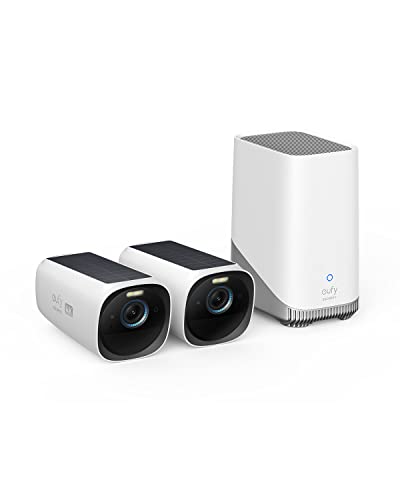
5. TP-Link Tapo SolarCam C402 Kit: Best Solar Security Camera for a Side Gate
No outlet anywhere near the side gate? This kit solves that without a single wire to the house. The camera runs on a 6,400mAh battery, and the solar panel in the box keeps it charged, either on the bracket or up to 13 feet away on the included cable. Person, pet and vehicle alerts are free, and clips save to a microSD card.
It's a Saturday-morning job. You screw the camera to the fence post by the side gate, angle the panel toward the afternoon sun, and pair it in the Tapo app. PCWorld found the panel kept the battery full in sunny weather, and in cloudy spells it drew down but kept running. Its person detection also filtered out branches, animals and cars, so the alerts you get are worth opening.
The trade-off is detail. It's 1080p, so a face at the far end of the yard is softer than on the Tapo C120 (#1), and PCMag found night colors a bit washed out. It's IP65 and 2.4GHz only, and a shady wall is a no. If Alexa runs your home, the Blink Outdoor 4 (#10) is the other no-wire pick here.
Best for: Renters and homeowners watching a gate, shed or fence in a sunny spot where no cable can reach.
Skip it if: Your camera spot sits in shade and you live on Alexa. The Blink Outdoor 4 (#10) is the better pick.
Pros
- Solar panel included in the box
- Free person, pet and vehicle alerts
- Color night vision with spotlights
- Works with Alexa, Google and IFTTT
Cons
- 1080p only, softer than 2K rivals
- Charging depends on steady sunlight
- 2.4GHz Wi-Fi only
Hands-on reviews behind this pick
- PCMag
Show the verdict
A strong value for solar-powered surveillance: sharp 1080p video, accurate quick alerts and an easy install, with a solar panel that keeps the battery topped up.
- PCWorld
Show the verdict
An affordable, low-maintenance solar outdoor camera with free smart detection and an easy app, though 1080p and its reliance on sunlight won't suit every home.
6. Wyze Cam v4: Best 2.5K Security Camera for a Porch
Want the most detail you can get at this price? The Wyze Cam v4 records 2.5K, the highest resolution on this list, through a 116-degree lens. It's IP65 for a covered porch, it has color night vision, and with a microSD card up to 256GB it records 24/7 with no plan.
That detail earns its keep after the fact. Something has been digging in the porch planter, so you scrub back through last night's footage, zoom in, and see it was the neighbor's dog, not a stray. Just don't expect miracles at range: in Android Police's review, faces held up to about 10 feet and went soft by 15 to 20. Setup over Bluetooth takes a few minutes, and the 6-foot micro USB cable comes with an indoor adapter.
Now the catch. On the free tier you get snapshot alerts with a 5-minute cooldown and no person or pet detection; that takes Cam Plus. And four owners in one Wyze forum thread say their v4s went offline, usually fixed by restarting the router. So is it worth picking over the C120? Only if picture beats free smart alerts for you. Otherwise, the Tapo C120 (#1) is the safer buy.
Best for: Buyers who care most about picture detail on a covered porch and don't mind a small plan for smart alerts.
Skip it if: You want person alerts without paying for a plan. The Tapo C120 (#1) is the better pick.
Pros
- Sharp 2.5K picture for a very cheap camera
- Good infrared and color night vision up close
- Records 24/7 to a microSD card with no plan
- Easy Bluetooth setup in a few minutes
- Weather resistant for porch or patio use
- Few false alerts once zones are set
Cons
- Person, pet and package alerts need Cam Plus
- Free plan: snapshots only and a 5-minute cooldown
- Wired only; included adapter is for indoors
- 2.4GHz Wi-Fi only, no Apple Home
- Faces get muddy beyond about 15 feet
- Some owners see cameras drop offline
Hands-on reviews behind this pick
- GearLab
Show the verdict
A top indoor and outdoor pick on a tight budget: sharp 2.5K day and night video, a simple app and useful detection zones, though wired power limits where it can go.
- Android Police
Show the verdict
Strong image quality for the money and free local recording make it a fine close-range outdoor camera, but Wyze's security record makes it a harder sell for indoor use.
- PCWorld
Show the verdict
A very cheap camera with crisp day and night images and easier setup; a great first camera or v3 upgrade, but only an evolutionary step over the v3 Pro, with smart alerts behind a plan.
7. TP-Link Tapo C100: Best Basic Security Camera for a Nursery
Just want to see the crib from the couch? Keep it simple. The C100 is a plain 1080p indoor camera, but its black-and-white night vision is sharp without blowing out stray light, and the infrared is invisible, so there's no red glow in a dark nursery.
It's 9 p.m., the news is on, and the baby went down an hour ago. You open the app and see a small sleeping shape, no tiptoeing to the door. Clips save free to a microSD card, privacy mode turns it off when you want, and the status light can be switched off. Android Police's tip: it leaves the box set to 720p, so bump it up to 1080p in setup.
But it is basic. There's no color night vision, no 2K and no weatherproofing, and it's 2.4GHz only. C100 owners with mesh Wi-Fi say their cameras drop offline after short spells, and turning off band steering is the usual suggestion. For sharper 2K in the same spot, step up to the Tapo C110 (#4). And if the budget is tighter still, we've picked even cheaper cameras under $25.
Best for: Parents and first-time buyers who want one simple indoor camera for a nursery or a pet, with no monthly fee.
Skip it if: You want sharper 2K detail in the room. The Tapo C110 (#4) is the better pick.
Pros
- Very low price for a wired 1080p indoor camera
- Free local recording to microSD, no plan required
- Sharp black-and-white night vision
- Quick, simple setup in the Tapo app
- Privacy mode and status-LED switch-off
Cons
- 1080p only, no 2K option
- No color night vision
- Indoor only, not weatherproof
- 2.4GHz Wi-Fi only
- Owners report cameras dropping offline
Hands-on reviews behind this pick
- Android Police
Show the verdict
A top budget pick: crisp video, good black-and-white night vision and a full app with no plan needed. Missing color night vision, 2K and any outdoor rating.
- TechieSetup
Show the verdict
Recommended as the best budget Wi-Fi camera they could find: tiny, easy app, good daylight detail for Full HD, with cheap optional cloud plans for AI detection.
8. Blink Mini 2K+: Best Mini Security Camera for Echo Show
Live in an Alexa house? This is the mini cam built for it. The Mini 2K+ records 2K through a 138-degree lens, and Trusted Reviews saw its HDR handle shade and sun in one frame. It runs off USB-C on a ball-joint mount, with a small spotlight for color at night.
Sunday evening, laundry piled on the couch. You say "Alexa, show the back door," and the Echo Show brings up the feed while you keep folding. With a plan, PCMag and Trusted Reviews both got quick, correct person and vehicle alerts, and the two-way audio is clear.
But the plan is the whole deal. Skip it and you get live view and basic motion alerts, with nothing saved unless you add a Sync Module and a USB drive. PCWorld's backyard unit also flooded the app with empty clips at its lowest sensitivity, and Google Home and Apple Home aren't supported. So buy it only with a Blink plan in mind. Want free recording in every room? Get the Tapo C110 (#4).
Best for: Alexa households who already pay for Blink, or will, and want the feed on an Echo Show.
Skip it if: You want clips saved without paying for a plan. The Tapo C110 (#4) is the better pick.
Pros
- Sharp, detailed 2K daytime video
- Tiny body with a flexible ball-joint mount
- Built-in spotlight for color night video
- Fast, accurate person and vehicle alerts (with plan)
- Works smoothly with Alexa and Echo Show
- Can go outdoors with the optional power adapter
Cons
- Little use without a subscription or Sync Module
- Infrared night video can look grainy at range
- Motion recording can be oversensitive
- 2.4GHz Wi-Fi only
- No Google Home or Apple Home support
- Outdoor power adapter costs extra
Hands-on reviews behind this pick
- PCMag
Show the verdict
A compact, affordable indoor camera with sharp 2K video, quick and correct alerts, accurate AI descriptions and seamless Alexa use; a solid value, though recorded video sits behind a plan.
- Trusted Reviews
Show the verdict
A solid, dinky camera for inside or out with crisp 2K video, strong HDR, a bright spotlight and reliable alerts; only a good pick if you are happy to pay for a subscription to unlock it.
- PCWorld
Show the verdict
Recommended as a cheap, compact step up from the Mini 2 with better image quality, but setup was fiddly, motion recording far too sensitive, IR night video mediocre and a plan nearly required.
9. Wyze Cam OG: Best Spotlight Security Camera for a Patio
For a patio or deck with an outlet nearby, the Cam OG is a tidy little cube that lights the scene up. It's 1080p and IP65, with a 40-lumen spotlight and a starlight sensor that keep night clips in color, plus a 90dB siren. It works with Alexa, Google Assistant and IFTTT, so it slots into routines that Alexa-only cameras can't join.
Midnight, and a crash outside: something has tipped over the patio chair. You open live view, which loads almost instantly, and the color picture shows what it was before you unlock the door. Worried about Wyze's security record? PCMag paused its Wyze ratings in 2024 and restored this one in May 2026.
The catch is Cam Plus. Without it there are no AI person or pet alerts, and without a microSD card you get only snapshots. The outdoor adapter costs extra. Owners on the Wyze forum report OG cams dropping offline several times a week, and others found it stops saving to the card about 30 minutes after the internet drops. So buy it for IFTTT routines and a bright patio. For free person alerts outdoors, the Tapo C320WS (#2) is the better buy.
Best for: Wyze and IFTTT users who want a patio camera with a spotlight near an outlet.
Skip it if: You want free person alerts outdoors. The Tapo C320WS (#2) is the better pick.
Pros
- Color night vision plus a built-in spotlight
- IP65 for indoor or outdoor use
- Broad Alexa, Google and IFTTT support
- Fast alerts and quick live view
- Picture-in-picture with a second OG cam
Cons
- 1080p only
- AI alerts and cloud clips need Cam Plus
- Outdoor power adapter costs extra
- No HomeKit support
- Owners report offline drops
Hands-on reviews behind this pick
- PCMag
Show the verdict
An Editors' Choice for affordable indoor/outdoor use: sharp 1080p, color night vision, a spotlight and broad integrations, with the outdoor adapter and some features extra.
- TechGearLab
Show the verdict
One of their top budget recommendations: strong all-round performance, excellent low-light color night vision and a simple app, though colors look a bit flat.
- DIY Reid
Show the verdict
A strong value outdoor-capable cam with a built-in spotlight and quick alerts, though without a subscription you only get event snapshots unless you add a microSD card.
10. Blink Outdoor 4: Best Wire-Free Security Camera for Alexa
The Blink Outdoor 4 is for the spot no cable can reach. It runs on two AA lithium batteries that Blink rates for up to 2 years on default settings, and a 143-degree lens covers a wide patch of yard. It's an Amazon camera, so live view opens on an Echo Show.
Think of the detached garage out back, full of bikes and tools, with its only outlet inside the house. The camera screws to the rear wall, the Sync Module hub plugs in back in the kitchen, and the side door is covered from then on. Daytime 1080p is clear up close, but PCMag found night video going soft around 20 feet, so don't count on a face from across the lawn.
Two costs hide here. Person detection and cloud clips need a Blink plan, and today's kits come with the Sync Module Core, which can't save to a USB drive; only Sync Module 2 can. Traffic eats batteries too: one owner with street-facing cameras swaps AAs about every three months. Not on Alexa, or want free alerts? The Tapo SolarCam C402 Kit (#5) is the better no-wire pick.
Best for: Alexa users who want a no-cable outdoor camera on a quiet side of the house.
Skip it if: You want free person alerts on a wire-free camera. The Tapo SolarCam C402 Kit (#5) is the better pick.
Pros
- Truly wire-free: runs on two AA lithium batteries
- Wide 143-degree view covers more of a yard
- Quick setup and a simple, uncluttered app
- Fast motion alerts and solid Alexa and Echo Show support
- Local USB storage possible with Sync Module 2
- Low running costs for a single-camera plan
Cons
- 1080p detail falls off fast at distance and at night
- Person detection and cloud clips need a subscription
- Battery life drops sharply in busy, high-traffic spots
- Needs a Sync Module hub plugged in indoors
- Only Alexa; no Google Home or HomeKit
- Grid-based motion zones are basic
Hands-on reviews behind this pick
- PCMag
Show the verdict
An easy, wire-free outdoor camera with long battery life, sharp-enough daytime 1080p, a wider view than before and reliable Alexa control; people alerts and cloud clips need a plan.
- Trusted Reviews
Show the verdict
Cheap, simple and long-lasting: video is good enough rather than sharp, settings are basic, and a subscription unlocks the useful person detection, but few wireless cameras cost less to run.
- TechGearLab
Show the verdict
Covers the basics with an easy app, but its blurry long-range and low-light video, weak motion detection past 10 feet and short tested battery life leave it behind cheaper rivals.
Best security cameras under $50 buying guide for 2027
Which security cameras under $50 record without a subscription?
Most of the Tapo cameras here do, and they give you free smart alerts too. The Tapo C120, C320WS, C110 and SolarCam C402 Kit save clips to a microSD card and send person alerts with no plan, and the C210 and C100 record free to a card as well. Tapo Care only adds cloud clips and snapshot previews.
Wyze sits in between. The Wyze Cam v4 and Cam OG record 24/7 to a card for free, but person and pet alerts need Cam Plus, and the free tier sends snapshots with a 5-minute cooldown. Blink is the strictest: the Mini 2K+ and Outdoor 4 save no clips without a Blink plan, unless you add a Sync Module 2 with a USB drive. One trap on every camera here: the microSD card or drive isn't in the box, so plan for one.
Can a security camera under $50 go outdoors?
Yes, and some of the best ones on this list are built for it. The Tapo C120 and C320WS are IP66, and the Wyze Cam v4, Wyze Cam OG and Tapo SolarCam C402 Kit are IP65, which covers rain on a porch or patio. The Blink Outdoor 4 is made to live outside on batteries.
The catch is power. Plug-in outdoor cameras need an outlet in reach, and some ship with indoor adapters: the C320WS uses an indoor adapter on a 10-foot cord, and both Wyze cameras need an outdoor adapter bought separately. The Tapo C210, C110 and C100 are indoor only, and the Blink Mini 2K+ needs Blink's weather-resistant adapter before it goes outside. For the driveway, we'd buy the C320WS; for a porch that doubles as an indoor spot, the C120.
Should a cheap security camera be wired, battery or solar?
Wired, if there's an outlet nearby, because a plug-in camera never needs charging and can record around the clock. That's why the Tapo C120 and C320WS sit near the top, and why the Wyze Cam v4 can record 24/7 to a card.
When there's no outlet, solar is the low-effort choice. The Tapo SolarCam C402 Kit includes its panel and kept charging in sunny weather, though it needs real sun on the panel. Battery-only cameras like the Blink Outdoor 4 go anywhere, but traffic decides how long the AAs last: a few months facing a busy street, far longer on a quiet side yard. Also, a Wi-Fi camera isn't the same as a wire-free one; most still plug in. If battery life is your main worry, see our picks of wire-free cameras with longer battery life.
Is 1080p, 2K or 2.5K better on a budget security camera?
2K is worth having outdoors, because that extra detail is what lets you pick out a face at the end of the front path. The Tapo C120 and C320WS record 2K with color night vision, and the Wyze Cam v4's 2.5K picture is the sharpest here, though even it kept faces clear only to about 10 feet in one review. Night vision matters as much as resolution, since the clips you'll need most are usually shot after dark.
Indoors, 1080p is often enough. The Tapo C100 shows a sleeping baby or a pet fine across a nursery, and the Tapo C110's 2K mainly helps across a bigger room. Watch frame rates too: at 15 fps, cameras like the C110 and C210 blur fast movement. Our pick for detail on a budget is still the C120, because it pairs 2K with free smart alerts.
Do budget security cameras work with Alexa and Google Home?
Most do, but check which one before you buy, because Blink only speaks Alexa. Every Tapo pick here works with Alexa and Google Assistant, so live view comes up on an Echo Show or a Google display; the C120 adds SmartThings and the C402 Kit adds IFTTT. Both Wyze cameras work with Alexa, Google Assistant and IFTTT.
The Blink Mini 2K+ and Outdoor 4 work with Alexa and IFTTT, with no Google Home support, which is fine in a house full of Echo speakers and screens. None of these cameras support Apple Home, so HomeKit households need to spend more. For that, and for bigger setups, see the best security cameras at every price.
Best security cameras under $50: frequently asked questions
What is the best security camera under $50?
For most people, the Tapo C120. It records sharp 2K+ video, has color night vision, works indoors or out with an IP66 body, and sends free person, pet and vehicle alerts to a microSD card with no plan. For a driveway, get the Tapo C320WS. With no outlet nearby, get the Tapo SolarCam C402 Kit.
Can you get a good outdoor security camera for under $50?
Yes. The Tapo C320WS is the one we'd buy for a driveway or yard: 2K, color night vision, a spotlight, a siren and free microSD recording, if you can run its power cable. The Tapo C120 handles a porch, the SolarCam C402 Kit covers spots with no outlet, and the Blink Outdoor 4 suits Alexa homes.
Do cheap security cameras need a subscription?
Not always. The Tapo cameras here record to a microSD card and send person alerts free, so the Tapo C120 needs no plan at all. Wyze cameras record free to a card but need Cam Plus for smart alerts. Blink cameras save no clips without a plan or a Sync Module 2 with a USB drive.
Is 2K worth it on a budget security camera?
Yes, especially outdoors, where it helps turn a shape into a face. The Tapo C120 is the 2K camera we'd buy, since it adds free smart alerts. The Wyze Cam v4's 2.5K is sharper still but needs Cam Plus for alerts. Indoors, the 1080p Tapo C100 is fine for a nursery.
Are there wireless security cameras under $50?
Yes, two here run with no power cable. The Tapo SolarCam C402 Kit is our pick: its solar panel is in the box and person alerts are free. The Blink Outdoor 4 runs on two AA lithium batteries and suits Alexa homes, but person alerts need a Blink plan. Most other Wi-Fi cameras still plug in.