
The 7 Best Smart Thermostats under $100 in 2027
That bargain thermostat can go dark on day one without a C-wire. The best smart thermostats under $100 for 2027, matched to your wiring and smart home app.

Affiliate Disclosure: As an Amazon Associate, we may earn a commission from qualifying purchases, and it never changes our picks.
Our picks at a glance
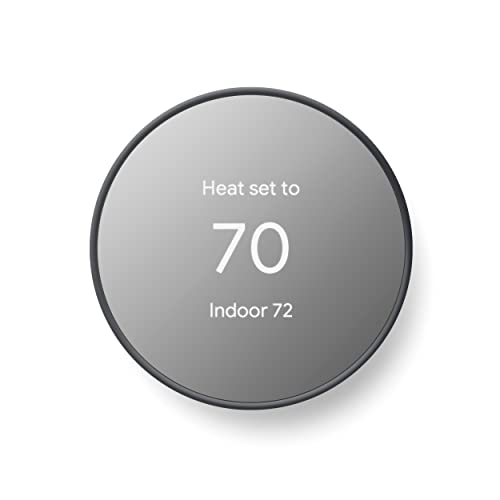
10.0/10Score

$121.50 $129.99 Save 7%
as of Nov 16, 2026, 23:17 UTC

9.7/10Score
$89.99 $129.99 Save 31%
as of Nov 16, 2026, 23:16 UTC

9.6/10Score
$60.55 $84.99 Save 29%
as of Nov 16, 2026, 23:16 UTC
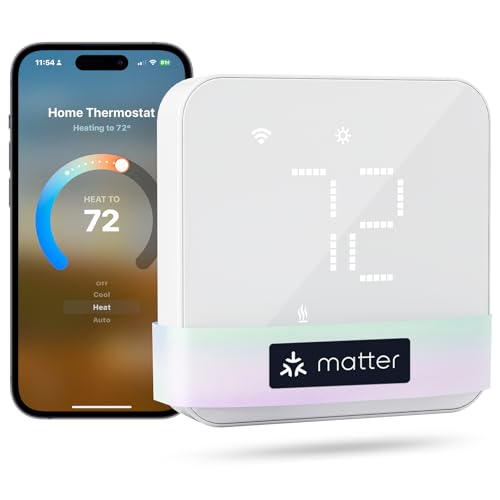
9.0/10Score
$58.49
as of Nov 16, 2026, 23:17 UTC

8.7/10Score
$64.50
as of Nov 16, 2026, 23:17 UTC
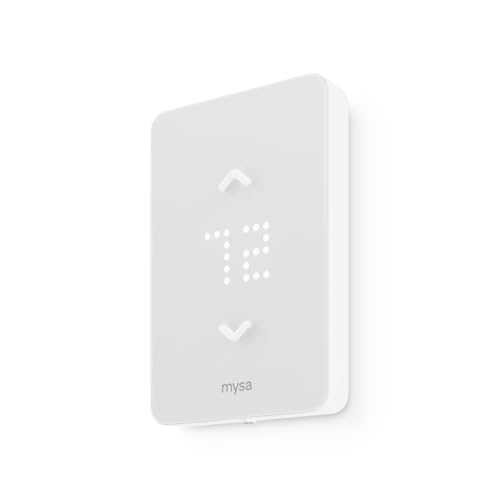
8.2/10Score
$99.00
as of Nov 16, 2026, 23:16 UTC

7.9/10Score
$56.99 $79.99 Save 29%
as of Nov 16, 2026, 23:17 UTC
Early Black Friday Deal
Product prices and availability are accurate as of the date/time indicated and are subject to change. Any price and availability information displayed on Amazon.com at the time of purchase will apply to the purchase of this product.
How we rank best smart thermostats under $100 for you?
Smart home compatibility comes first, because even a cheap thermostat has to show up in the Alexa, Google Home or Apple Home app you already use. Wiring and install is a close second: a missing C-wire or the wrong heating system can turn a bargain into an adapter purchase or an electrician's visit. Schedules and controls come next, since easy schedules and real buttons decide whether you actually save energy. Then design and build, because you'll pass it in the hallway every day. Value closes it out: every pick is inexpensive, so it's about what you get for the least.
Smart Home Compatibility30%
On a tight budget the thermostat still has to work with the Alexa, Google or Apple Home setup you already own.
Wiring and Install25%
A cheap thermostat stops being cheap if you also need a C-wire adapter or an electrician.
Schedules and Controls20%
Easy schedules and buttons at the wall decide whether you actually save energy or give up and leave it on hold.
Design and Build15%
Budget models range from mirrored glass to plain plastic, and you'll see it every time you walk down the hall.
Value10%
Every model here is inexpensive, so value is about which one gives you the most for the least.
Best smart thermostats under $100 compared
Swipe sideways to see every spec.
| Product | Score | C-Wire | Smart Home | Sensors | Display |
|---|---|---|---|---|---|
| 10.0 | Optional in most homes; may need C wire or power accessory | Google Home, Alexa; Matter certified | Built-in only; no remote room sensor support | 2.4-inch LCD behind mirror, side touch bar | |
| 9.7 | Not needed on most systems; heat-only and heat pumps need one | Alexa, Google Assistant, Apple HomeKit, SmartThings | Built-in temperature and humidity; no room sensor support | Backlit monochrome LCD with physical buttons | |
| 9.6 | Required (24 VAC); Honeywell offers a free C-wire adapter | Matter; Alexa, Google Assistant, Apple Home via Matter | Built-in temp and humidity; no room sensor support | Backlit monochrome LCD with six physical buttons | |
| 9.0 | Required; Meross C-wire adapter sold separately | Matter: Apple Home, Alexa, Google Home, SmartThings, Home Assistant | Temperature and humidity; optional Meross sensors via Meross hub | Glass touch panel with LED-style readout | |
| 8.7 | Not needed on most systems; heat-only and cool-only need one | Alexa, Google Assistant, SmartThings; no Apple HomeKit | Built-in temperature sensor; no room sensor support | Small LCD with touch buttons that dims when idle | |
| 8.2 | None: 120-240V line voltage, 16A max | Native HomeKit; Alexa and Google via Mysa cloud | Temperature only (+/-0.5F), no humidity sensor | LED display with physical up/down buttons | |
| 7.9 | Required; adapter bundle sold separately | Alexa only, in the Alexa app; no Google or Apple Home | Temp, humidity, light; Echo devices can act as room sensors | Backlit touch-button LED panel, no full screen |
1. Google Nest Thermostat: Best Cheap Smart Thermostat Overall
This is the one we'd put on most walls first. It runs standard 24V furnaces, ACs, boilers and heat pumps, usually without a C-wire, and the Google Home app talks you through each wire in about 20 minutes. Yes, it's a 2020 design, but Google still sells it, and it's Matter certified for Google and Alexa voice control.
So picture a snow day. The office closes at 10, and from the bus you start the heat so the living room is warm when you get in. An energy dashboard and HVAC alerts run in the background, and presence sensing handles away mode, though geofencing can be finicky. The box holds the display, base, screws and wire labels. A trim plate costs extra, so look for a paint outline once the old unit is off.
What it won't do is learn your week or read a remote sensor, and the right-side touch bar is easy to mis-tap, so most changes happen in the app. So would we buy it? For a simple one- or two-stage system, yes. If you'd rather set the schedule on real buttons, the Honeywell Home X2S (#3) does that.
Best for: First-time smart buyers on a gas furnace and central air, especially Google Home households
Skip it if: You want to set the whole schedule on buttons at the wall. The Honeywell Home X2S (#3) is the better pick.
Pros
- Low price for a name-brand smart thermostat
- Mirrored design looks far pricier than it is
- Matter certified, works with Google and Alexa
- Energy dashboard and HVAC problem alerts
- Usually installs without a C wire
Cons
- Doesn't learn a schedule on its own
- No support for remote room sensors
- Touch bar is on the right side only
- Touch bar can feel fiddly and imprecise
- Trim plate costs extra
Hands-on reviews behind this pick
 Digital Trends
Show the verdict
A gorgeous, minimalist set-and-forget thermostat that covers the essentials, guides installation well and flags HVAC issues, though the touch strip is less precise than a dial.
- CNET
Show the verdict
A strong recommendation and the reviewer's favorite affordable smart thermostat: slimmer, sharper design, solid scheduling and voice control, with a side touch bar lefties may find awkward.
- PCMag
Show the verdict
An Editors' Choice for affordable smart thermostats: attractive, easy to use and good at energy tips and HVAC alerts, but no touchscreen, finicky geofencing and no automatic scheduling.
2. Sensi Smart Thermostat (ST55): Best Smart Thermostat Without a C-Wire
No C-wire? Start here. The ST55 runs on two AA batteries plus a trickle of power from your heating wires, so most gas furnace and AC systems take it without new wiring. And it talks to Alexa, Google Assistant, Apple HomeKit and SmartThings, the widest spread on this list.
Say the first cold Sunday of October finally arrives. You unscrew the beige box in the hall and find four wires, none of them on C. The ST55 still goes up, with the app's step-by-step guide. You get up to eight schedule periods a day, geofencing, Early Start and a Schedule button on the unit. Batteries and wire labels are in the box.
Power stealing has limits, though. An owner running zoned boiler heat found app features such as the continuous backlight dropped out until a true C-wire went in. Heat-only and heat pump systems need one anyway. So would we buy it? On a furnace with AC and no C-wire, yes. Fitting a rental where three buttons are plenty? The Sensi Lite (#5) is the simpler pick.
Best for: Homes with two or four wires behind the old plate, and Apple Home users on a budget
Skip it if: You just want three simple controls for a rental or a relative. The Sensi Lite (#5) is the better pick.
Pros
- Works with Alexa, Google, HomeKit and SmartThings
- Usually installs without a C-wire
- Dedicated Schedule button and an easy app
- Runs like a normal thermostat if Wi-Fi drops
- Battery backup through power cuts
- Humidity control and maintenance reminders
Cons
- Plain, dated look with a small mono screen
- No room sensors or learning features
- Heat-only and heat pump systems still need a C-wire
- No IFTTT support
- Continuous backlight needs a C-wire
Hands-on reviews behind this pick
- PCMag
Show the verdict
A plain-looking but capable thermostat: easy to install and program, quick to respond, and it worked with Alexa, Siri and geofencing in testing. The Nest looks nicer and links to more devices.
- One Hour Smart Home
Show the verdict
A bare-bones smart thermostat that has been very reliable in his home. It usually skips the C-wire, the app is easy, and it keeps working as a normal thermostat when Wi-Fi drops out.
3. Honeywell Home X2S Smart Wi-Fi Thermostat: Best Smart Thermostat with Physical Buttons
Want smart control without giving up real buttons? The X2S is the one. It's Matter certified for Alexa, Google and Apple Home, it handles up to two heat and two cool stages or a heat pump with electric backup, and six buttons on a backlit screen set the week's schedule with no phone in hand.
That pays off when the internet doesn't. Your provider goes down for a whole cold Monday, and the 7 a.m. warm-up you keyed in at the wall still happens. Swapping out an older Honeywell? It clips onto the existing UWP plate in minutes, and gray and white base bars come in the box.
Setup is the rough edge. On the Home Assistant forum, early buyers learned Matter needed a Resideo account and app first, and some early-firmware units couldn't join Matter at all until they were replaced. Units on v2 firmware work. It also needs a C-wire and can't use room sensors. So would we buy it? With a C-wire, yes. Without one, the Sensi ST55 (#2) saves you the adapter.
Best for: Budget buyers with a C-wire who want buttons at the wall and any smart home app
Skip it if: There's no C-wire behind your old thermostat. The Sensi ST55 (#2) is the better pick.
Pros
- Very low price for a Matter thermostat
- Works with Alexa, Google and Apple Home
- Heat pump support with electric backup
- Clean, simple screen with physical buttons
- Scheduling works on the unit with no app
- Snaps onto existing Honeywell UWP wall plates
Cons
- No room or occupancy sensor support
- Needs a C-wire
- Matter setup still needs the First Alert app
- Confusing mix of Resideo apps at setup
- Plain design with thick bezels
Hands-on reviews behind this pick
- Reviewed
Show the verdict
A smart device at a smart price: broad ecosystem support, Matter that now works well and helpful support, held back by no room sensors, a confusing app setup and plain looks.
- Matter Alpha
Show the verdict
The most attractive, familiar thermostat the reviewer has owned and easy to install, but Matter needs the First Alert app first and setpoint changes failed in SmartThings at the time.
4. Meross Matter Smart Thermostat (MTS300): Best Cheap Matter Thermostat for Apple Home
Apple Home on the cheap is what the MTS300 does best. One MTS300 shows up in Apple Home, Google Home, Alexa and SmartThings side by side, with local control. It also runs heat pumps with aux heat, multi-stage furnaces, boilers and fan coils.
Here's how that plays out. You ask Siri to warm the bedroom at 10 p.m., and your partner turns it down from Google Home at 6 a.m., on the same thermostat with no hub. The kit is thoughtful too: push-in terminals, a mounting plate with a built-in level, wire labels and a trim plate. Residential Tech Today's unit read 2.6 degrees under the true temperature before calibration, and the offset moves only in whole degrees. On a heat pump, the aux wire lands on W rather than W2.
Power users should know the limits. Several Home Assistant owners report that Matter exposed only basic controls, with no fan or aux entity at the time, and first setup needs the Meross app. So would we buy it? For an Apple Home house with a C-wire, yes. Prefer buttons and a bigger brand? The Honeywell Home X2S (#3) fits.
Best for: Apple Home and mixed-phone households with a C-wire who want Matter for the least money
Skip it if: You'd rather have physical buttons and a bigger brand behind it. The Honeywell Home X2S (#3) is the better pick.
Pros
- Matter works with Apple, Google, Alexa and SmartThings
- Push-in wire terminals, level and trim plate included
- Instant sync between app and wall
- Follows its schedule even if Wi-Fi drops
- Filter, malfunction and runtime alerts
- Child lock and humidity readout
Cons
- Needs a C-wire or the extra adapter
- Must set up in the Meross app first
- Only basic controls exposed over Matter
- Read 2.6 degrees low in one review
- No learning or occupancy sensing
- Small screen and basic build quality
Hands-on reviews behind this pick
- Residential Tech Today
Show the verdict
A feature-rich, user-friendly Matter thermostat that rivals bigger brands. Install had small quirks and it read low until calibrated, but it ran in Apple Home, Alexa and Home Assistant at once.
- Oconee Smart Homes
Show the verdict
One of the easiest budget thermostats this installer has fitted. Build quality isn't luxury and setup must start in the Meross app, but Matter works and it gives most homeowners what they need.
5. Sensi Lite Smart Thermostat (ST25): Best Simple Smart Thermostat for Rentals
Simple is the point of the Lite. The wall gives you three controls, up, down and mode, and the display dims to an alarm-clock glow when nobody's touching it. The rest lives in an easy app: up to eight schedule periods a day, geofencing and Early Start. On most forced-air systems it skips the C-wire and runs on two AAA batteries.
That's why we like it for a duplex or a rental. Say a new tenant moves in during a January cold spell. From the app you cap the heat setting so the unit can't be cranked to 85 on the gas bill you pay, and keypad lockout covers the rest. The app's install videos help when you're fitting several units in one afternoon. Batteries and wire labels come in the box, but no wall plate.
Steam and boiler homes are the trap. A one-pipe steam owner on Heating Help was pointed to Sensi's footnote: heat-only systems need a C-wire. It also skips HomeKit and pushes utility rebate sign-ups in the app. So would we buy it? For a furnace-and-AC rental, yes. Want HomeKit and a Schedule button on the unit? The Sensi ST55 (#2) is the step up.
Best for: Landlords fitting several units, second homes and relatives on a forced-air system
Skip it if: You use Apple Home or want a Schedule button at the wall. The Sensi ST55 (#2) is the better pick.
Pros
- Usually installs without a C-wire
- Simple three-button control at the wall
- Easy app with guided install videos
- Works with Alexa, Google and SmartThings
- AC short-cycle protection setting
- Slim shape covers most old thermostat footprints
Cons
- Schedules can only be set in the app
- No Apple HomeKit or Matter
- Read about a degree off in Reviewed's lab test
- App pushes utility rebate sign-ups
- Screw terminals, no push-in connectors
- No learning, eco mode or room sensors
Hands-on reviews behind this pick
- Reviewed
Show the verdict
A simple, widely compatible entry model that's easy to set up and skips the C-wire, but the wall controls are basic, readings ran about a degree off, and the Nest Thermostat does more for most people.
- TechGearLab
Show the verdict
A basic smart thermostat that is very easy to install and schedule, with no confusing menus. It lacks learning and eco features, so it suits people who want simple app control rather than smarts.
- One Hour Smart Home
Show the verdict
After a week in his home it is a no-frills, low-power Wi-Fi thermostat with a very simple wall interface and a full app. It ran fine with the C-wire disconnected, which he calls its top selling point.
6. Mysa Smart Thermostat LITE for Electric Baseboard Heaters: Best Smart Thermostat for Baseboard Heaters
Baseboard heat is where the rest of this list stops. Those six are 24V thermostats, while the Mysa LITE is built for 120-240V baseboards, convectors, fan-forced and radiant ceiling heaters, rated to 16 amps. That's 1,900W at 120V or 3,800W at 240V, and the app checks your heater against it before you touch a wire.
So think of a lake cabin that sits empty Monday to Thursday. On Friday afternoon you warm the living room from the highway, and it's cozy by the time you unload the car. HomeKit works natively, Alexa and Google go through Mysa's cloud, and geofencing drops it to an away temperature. Each heater needs its own unit, and each comes with wire nuts and screws for a roughly 15-minute install.
The noise is the catch. Costco four-pack buyers on RedFlagDeals say it switches with relays that click every cycle. One condo owner sent four back, but people with five to eight in the house are content. So would we buy it? For a living room or cabin, yes. On a furnace or heat pump instead? The Honeywell Home X2S (#3) is your pick.
Best for: Apartments and cabins with electric baseboard heat, fitted one room at a time
Skip it if: Your home runs on a furnace, heat pump or central AC. The Honeywell Home X2S (#3) is the better pick.
Pros
- Works with HomeKit, Alexa and Google Home
- Geofencing and app schedules, no subscription
- App-guided wiring and setup
- 5-year warranty
Cons
- Relay switching clicks audibly when cycling
- No humidity sensor, Zones or energy history
- No Matter support
- Needs 2.4GHz Wi-Fi
Hands-on reviews behind this pick
- Kwame & Nana
Show the verdict
An owner who bought a Costco four-pack swaps old dial thermostats for the LITE and finds setup smooth if you follow the app guide, despite the app crashing once mid-install.
7. Amazon Smart Thermostat: Best Cheap Thermostat for Alexa Homes
Got an Echo in the kitchen and another in the bedroom? This thermostat was made for that house. It's built with Honeywell Home technology and lives entirely in the Alexa app, which walks you through the wiring in about 25 minutes. Compatible Echo speakers can stand in as room sensors, and TechGearLab's reference thermometer had it within 0.8 F.
Hunches is the reason to buy it. You leave for school drop-off, Alexa notices the house is empty, and it eases the heat back until you return. Night setbacks were reliable in The Verge's review, though away detection was less dependable and you can't pick which Echo devices feed Hunches.
The wall panel is the weak point. It's dim, the mode button cycles nine modes a guest won't follow, and you need a C-wire or the adapter bundle. And when Alexa voice commands broke for owners in August 2022, the buttons kept working until Amazon's fix arrived days later. So would we buy it? In an all-Echo home, yes. Anyone using Google or Apple too? The Honeywell Home X2S (#3) covers all three.
Best for: Echo households with a C-wire who want the heat to set itself back
Skip it if: Anyone in your home uses Google Home or Apple Home. The Honeywell Home X2S (#3) is the better pick.
Pros
- One of the cheapest big-brand smart thermostats
- Alexa Hunches adjusts for home, away and sleep
- Very easy guided install in the Alexa app
- Wall plate and screwdriver in the box
- Very accurate in TechGearLab's tests
- Echo speakers can now work as room sensors
Cons
- Works only with Alexa
- Needs a C-wire or an extra-cost adapter
- Dim display, hard to read at a glance
- Mode button cycles through nine confusing modes
- Scheduling only in the app
- No dedicated room sensors of its own
Hands-on reviews behind this pick
- The Verge
Show the verdict
Hard not to be impressed: Hunches learning works well for so little money and install is simple, though it is Alexa-only, multi-zone handling is weak and Hunches can't be tuned.
- TechGearLab
Show the verdict
An impressive value pick with a flawless DIY install, solid scheduling and top-tier accuracy, held back by clunky on-device controls, a frosty display and Alexa-only support.
Best smart thermostats under $100 buying guide for 2027
Do cheap smart thermostats need a C-wire?
Some do, so check before you order. The C-wire, or common wire, feeds a thermostat steady 24V power. Take your old thermostat off its base and see whether any wire sits on the terminal marked C.
If none does, the Google Nest Thermostat, Sensi ST55 and Sensi Lite usually run without it on a gas or electric furnace with AC. Boiler homes should be careful, because Sensi's footnote says heat-only systems need one. The Honeywell Home X2S, Meross MTS300 and Amazon Smart Thermostat all require a C-wire: Honeywell Home offers a free adapter, Meross sells its own, and Amazon offers a bundle with a Honeywell Home adapter. The Mysa LITE skips the question entirely, because it's a line-voltage thermostat.
Which budget smart thermostats work with Alexa, Google Home and Apple Home?
Two picks reach all three through Matter: the Honeywell Home X2S and the Meross MTS300. The Sensi ST55 gets there without Matter, through Alexa, Google Assistant, Apple HomeKit and SmartThings support.
The others choose sides. The Google Nest Thermostat covers Google Home and Alexa and is Matter certified. The Sensi Lite handles Alexa, Google and SmartThings, but not HomeKit. The Mysa LITE pairs natively with HomeKit and reaches Alexa and Google through its cloud. The Amazon Smart Thermostat only answers to Alexa.
Budget Matter has a catch. You still start in the maker's app (First Alert for the X2S, Meross for the MTS300), and Matter passes along the basics, such as mode and set point. That's plenty for daily use. Home Assistant tinkerers will see fewer controls than the maker's app offers.
Is a cheap smart thermostat better than a programmable one?
For most homes, yes, because a schedule you can change from your phone is one you'll actually keep up to date. You can delay the heat from work, ask a speaker for a warmer room and let geofencing turn things down when the last person leaves. Several picks here add filter reminders and HVAC alerts too.
Worried about Wi-Fi? Choose one that doesn't lean on it. The Honeywell Home X2S builds a full schedule from its buttons, and the Sensi ST55 and Meross MTS300 keep their schedules running offline. That suits a parent who will never open an app.
If no one in the house will use an app at all, a plain programmable model could be the better buy. Our guide to thermostats under $150, with or without Wi-Fi compares both kinds.
What smart thermostat works with electric baseboard heat?
Only the Mysa LITE on this list. Electric baseboards run on 120-240V line voltage, and the other six are 24V thermostats that can't switch that load. Honeywell states plainly that the X2S is not for electric baseboard heat.
Check three things before buying. Load: the Mysa LITE is rated to 16 amps, or 1,900W at 120V and 3,800W at 240V, and its app runs the check for you. Count: every heater with its own wall thermostat needs its own Mysa. Room: the relay clicks each cycle, so a light sleeper may want it out of the bedroom.
Got a furnace plus a few baseboards? Then you need both kinds: a low-voltage pick like the Google Nest Thermostat on the furnace and a Mysa LITE on each baseboard.
What do you give up with a smart thermostat under $100?
Mostly room sensors and true learning, and that's the fair trade at this price. The Google Nest Thermostat, Honeywell Home X2S and both Sensi models only read the temperature at the wall, so a stuffy upstairs or chilly back room stays that way. The Amazon Smart Thermostat partly works around it with Echo speakers as room sensors, and the Meross MTS300 takes optional sensors through a Meross hub.
None of them learn your week like pricier models, though Alexa Hunches comes closest. Screens are simpler too: small LCDs, LED readouts and buttons instead of a full touchscreen. And we'd skip the no-name Wi-Fi thermostats sold for less. With no expert reviews behind them, there's no telling how the app will hold up.
If uneven rooms are the real problem, look at premium smart thermostats with room sensors. To weigh every type and budget together, see our full thermostat rankings.
Best smart thermostats under $100: frequently asked questions
What is the best smart thermostat under $100?
For most homes, the Google Nest Thermostat. It usually goes in without a C-wire, works with Google Home and Alexa, is Matter certified and looks far more expensive than it is. No C-wire and an Apple home? Get the Sensi ST55. Want buttons and every ecosystem? The Honeywell Home X2S.
Are smart thermostats under $100 worth it?
Yes, if you'll use phone control, voice or geofencing to stop heating an empty house. What you give up is room sensors and learning, which matters most in homes with uneven rooms. On a single-zone furnace and AC, the Google Nest Thermostat or Honeywell Home X2S does what most people need.
Do cheap smart thermostats need a C-wire?
Some do. The Google Nest Thermostat, Sensi ST55 and Sensi Lite usually work without one on a furnace with AC, though the Sensi models need one on heat-only boilers. The Honeywell Home X2S, Meross MTS300 and Amazon Smart Thermostat need a C-wire or an adapter. If your wall has none, buy the Sensi ST55.
Is the Amazon Smart Thermostat worth it?
In an Alexa home, yes. Hunches moves between home, away and sleep for you, the Alexa app guides the install, and it read within 0.8 F of a reference thermometer. But it's Alexa-only and needs a C-wire, so homes that also use Google or Apple should buy the Honeywell Home X2S.
Nest Thermostat or Amazon Smart Thermostat: which is better?
For most homes, the Google Nest Thermostat. It usually skips the C-wire, works with Google and Alexa, is Matter certified and looks better on the wall. The Amazon Smart Thermostat wins in Echo households that already have a C-wire and want Hunches to handle setbacks.
