
The 10 Best Smart Thermostats for Home in 2027
Heating an empty house at noon? We weighed room sensors, auto-away and Apple, Alexa or Google fit to find the best smart thermostats for home in 2027.

Affiliate Disclosure: As an Amazon Associate, we may earn a commission from qualifying purchases, and it never changes our picks.
Our picks at a glance

10.0/10Score

$244.95 $259.99 Save 6%
as of Nov 15, 2026, 23:31 UTC

10.0/10Score
$229.99 $279.99 Save 18%
as of Nov 15, 2026, 23:31 UTC

9.4/10Score
$239.99
as of Nov 15, 2026, 23:31 UTC

9.4/10Score
$159.99
as of Nov 15, 2026, 23:31 UTC
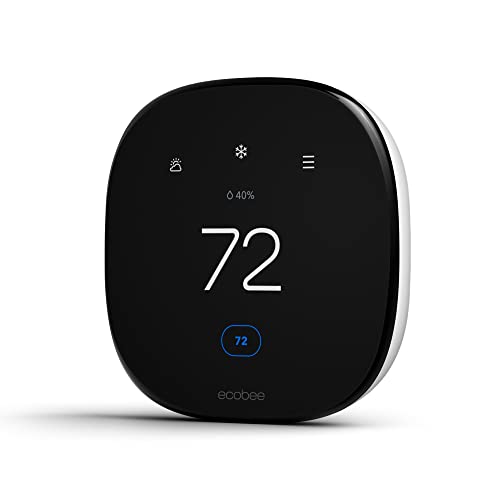
9.3/10Score
$194.06
as of Nov 15, 2026, 23:31 UTC

8.7/10Score
$139.00
as of Nov 15, 2026, 23:31 UTC
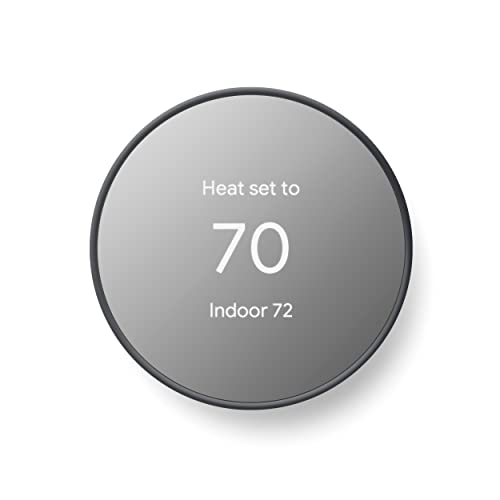
8.4/10Score
$119.00 $129.99 Save 8%
as of Nov 15, 2026, 23:31 UTC

8.4/10Score
$161.25 $189.00 Save 15%
as of Nov 15, 2026, 23:31 UTC

8.1/10Score
$59.49 $84.99 Save 30%
as of Nov 15, 2026, 23:31 UTC

7.8/10Score
$56.99 $79.99 Save 29%
as of Nov 15, 2026, 23:31 UTC
Early Black Friday Deal
Product prices and availability are accurate as of the date/time indicated and are subject to change. Any price and availability information displayed on Amazon.com at the time of purchase will apply to the purchase of this product.
How we rank best smart thermostats for home?
Whole-home comfort comes first, since the room you sleep or work in matters more than the wall the thermostat hangs on. Smart home fit is next: if it doesn't show up in Apple Home, Alexa or Google, your routines and voice commands can't reach it. Then automation and savings, because occupancy sensing, geofencing and energy reports trim the bill on busy weeks. Design and build covers a screen the whole family can read. Value checks that every sensor and extra earns its place. On those terms the ecobee Premium leads, and the Nest Learning is the one to beat if you never want to write a schedule.
Whole-Home Comfort30%
Room sensors and learning keep every room comfortable, not just the hallway where the thermostat hangs.
Smart Home Fit25%
It should appear natively in Apple Home, Alexa or Google so routines and voice control just work.
Automation and Savings20%
Occupancy, geofencing and energy reports are what cut the bill when you forget to set it back.
Design and Build15%
A screen you can read and a unit that looks good on the wall matter for a device you see every day.
Value10%
Smart thermostats run from budget to premium, so extras like sensors should be worth paying for.
Best smart thermostats for home compared
Swipe sideways to see every spec.
| Product | Score | C-Wire | Smart Home | Sensors | Display |
|---|---|---|---|---|---|
| 10.0 | Required; Power Extender Kit included | Apple Home, Alexa built in, Google Assistant, SmartThings | 1 SmartSensor included; up to 32 room sensors | 4-inch color touchscreen (540 x 540) | |
| 10.0 | Optional; C wire or Nest Power Connector needed in rare cases | Google Home; Matter for Apple Home, Alexa, SmartThings | 1 room sensor included; pairs up to 6 Nest Temperature Sensors | 2.7-inch round LCD, press-to-select ring, not a touchscreen | |
| 9.4 | Required; Honeywell offers a free C-wire adapter | Matter; Alexa, Google Assistant, Apple Home; Ring doorbell view | Temp, humidity, air quality, radar presence; room sensor optional | 5-inch color touchscreen with custom idle themes | |
| 9.4 | Required; Aqara C-Wire Adapter sold separately | Matter: Apple Home, Google, Alexa, SmartThings; Zigbee/Thread hub | Temperature, humidity, mmWave presence; optional Aqara room sensors | 4-inch color touchscreen (480 x 480) | |
| 9.3 | Needed, but Power Extender Kit in the box covers most homes | Apple Home, Alexa, Google Assistant, SmartThings, IFTTT | Temp, humidity, radar occupancy; SmartSensors sold separately | 4-inch 540 x 540 color touchscreen | |
| 8.7 | Required; Power Extender Kit sold separately | Apple Home, Alexa, Google Assistant | Optional ecobee SmartSensors, sold separately | 2.8-inch color touchscreen (320 x 240) | |
| 8.4 | Optional in most homes; may need C wire or power accessory | Google Home, Alexa; Matter certified | Built-in only; no remote room sensor support | 2.4-inch LCD behind mirror, side touch bar | |
| 8.4 | Required; C-wire kit sold separately | Alexa, Google Assistant, SmartThings; no Matter or HomeKit | Temp and humidity; up to 15 room sensors, outdoor sensor option | 4.3-inch color touchscreen | |
| 8.1 | Required (24 VAC); Honeywell offers a free C-wire adapter | Matter; Alexa, Google Assistant, Apple Home via Matter | Built-in temp and humidity; no room sensor support | Backlit monochrome LCD with six physical buttons | |
| 7.8 | Required; adapter bundle sold separately | Alexa only, in the Alexa app; no Google or Apple Home | Temp, humidity, light; Echo devices can act as room sensors | Backlit touch-button LED panel, no full screen |
2. Google Nest Learning Thermostat (4th gen, 2024): Best Learning Smart Thermostat
Here's the pick for anyone who never wants to open a scheduling screen. The 4th-gen Nest Learning Thermostat learns your routine and builds its own schedule, suggesting changes once your habits settle. Its radar notices an empty house, and the round display lights up while you're still about 11 feet away.
Say you're at the office Tuesday through Thursday and home on Mondays and Fridays. Once that pattern settles, Smart Schedule suggests setbacks for the office days, and presence sensing notices when you're home on the others. The bundle includes a Nest Temperature Sensor for a bedroom, and Matter brings it into Apple Home and Alexa, though those sensors don't show up in Apple's app. You likely won't need a C-wire, and Google backs it for two years.
Its one real letdown sits right on the front. Owner comments collected on OwnersReview most often mention a dim display with no brightness setting, plus automatic changes that surprise them. So would we buy it? If you want hands-off learning and a thermostat that looks good on show, yes. If you'd rather tap a screen and spread sensors around the house, go back to the ecobee Premium (#1).
Best for: People who forget to set back before work and want a good-looking thermostat that learns their routine.
Skip it if: You want a touchscreen and room sensors that show up in Apple Home. The ecobee Smart Thermostat Premium (#1) is the better pick.
Pros
- Learns your routine and builds its own schedule
- Remote temperature sensor included in the box
- Matter brings it into Apple Home, Alexa, SmartThings
- Large Farsight display reacts as you walk up
- Works with or without a C wire in most homes
Cons
- Costs more than rivals that also include a sensor
- Not a touchscreen; you press and turn the ring
- Tiny wire connectors on the new base
- Old Nest bases don't fit; full reinstall needed
- Screen can't be set brighter
Hands-on reviews behind this pick
- PCMag
Show the verdict
An excellent premium thermostat: sleek, easy to install, learns your schedule and adds Matter and a room sensor, though Ecobee's Premium offers more features for slightly less.
- WIRED
Show the verdict
Blends beauty with smarts better than any rival: quick setup, a helpful AI schedule and an included sensor. Pricey, so it makes most sense where the thermostat is on show.
- AppleInsider (YouTube)
Show the verdict
Matter finally makes a learning Nest work in Apple Home, and it looks and learns better than Ecobee, but setup was painful and Ecobee still wins on sensors and extras.
4. Aqara Smart Thermostat W200 (Thermostat Hub W200): Best Smart Thermostat for Apple Home
Apple Home households should start here. The W200 was the first thermostat to support Apple's Adaptive Temperature, which needs iOS 26 and an Apple home hub, and AppleInsider found it warmed the house before the family got home, something the reviewer's old ecobee couldn't do. It also replaces a separate hub as a Matter controller, Zigbee hub and Thread border router.
Say you come in after dark and step into the living room. The radar presence sensor tells Apple Home you're there, so the lamps come on while the heat comes up. Room comfort works through Aqara's own temperature and presence sensors only, and a C-wire is required, with Aqara's adapter sold separately.
So is it worth the trade-offs? For app-first homes, we think so. People who program at the wall have a point, though: the app never explains one common wiring fix, and schedules can't be set on the unit. If that's you, the Honeywell X8S (#3) lets you do far more on the screen. And heat pump owners on Aqara's forum report aux heat calling too early. With a heat pump and aux strips, buy the ecobee Enhanced (#5) instead.
Best for: Apple Home and Aqara households that want Adaptive Temperature and could use a Matter or Zigbee hub.
Skip it if: You run a heat pump with aux heat or want to program at the wall. The ecobee Smart Thermostat Enhanced (#5) is the better pick.
Pros
- First thermostat with Apple Adaptive Temperature
- Doubles as a Matter controller, Zigbee and Thread hub
- Built-in mmWave presence sensor for automations
- Color touchscreen doubles as a smart home panel
- Works with Apple, Google, Alexa, SmartThings, Home Assistant
- Trim plate included; no subscription for features
Cons
- Needs a C-wire or the extra-cost adapter
- Schedules and most settings need the Aqara app
- Aqara account needed to get the Matter pairing code
- Room sensors must be Aqara models
- Owners report heat pump aux heat staging quirks
- Black only (matte version sold separately)
Hands-on reviews behind this pick
- AppleInsider
Show the verdict
After two months on the wall, the reviewer calls it the thermostat Apple users should buy: easy to fit, a capable hub, and Adaptive Temperature made the house warmer on arrival.
- How-To Geek
Show the verdict
A clever hub-thermostat let down by basics: a wiring quirk the app didn't explain, an account to get Matter codes, and schedules and themes only in a confusing app. Worth it mainly as a hub.
- Shane Whatley
Show the verdict
After a month in place of his ecobee, he is keeping it: Adaptive Temperature, sensor data sources and doorbell snapshots win him over, though only one room sensor could drive it then.
5. Ecobee Smart Thermostat Enhanced: Best Mid-Range Smart Thermostat
For most smart homes, this is the sweet spot in ecobee's range. It keeps the Premium's 4-inch touchscreen and radar occupancy sensing, and it talks to Apple Home, Alexa, Google and SmartThings. Reviewed found it held temperature dead-on from 55 to 78 F against a calibrated thermometer, though TechGearLab saw up to 3.5 F of drift, so check its reading in your first week.
Say you turn the attic into a guest room next year. Put a SmartSensor up there when guests arrive, and the Enhanced counts that room too, not just the hallway. No C-wire? The extender kit in the box handles most of those walls, and reviewers were done in 15 to 45 minutes with the app's photo steps. Owners who moved from Nest on the MacRumors forums call it more customizable and stable.
So is the Premium worth stepping up to? Only if you want a sensor in the box, Alexa built in and air quality alerts. If that's you, go back to the Premium (#1).
Best for: Apple Home, Alexa or Google homes that want ecobee's screen and sensor support without the Premium extras.
Skip it if: You want a room sensor and built-in Alexa in the box. The ecobee Smart Thermostat Premium (#1) is the better pick.
Pros
- Power Extender Kit in the box for homes without a C-wire
- Works with Apple Home, Alexa, Google and SmartThings
- Clear, bright color touchscreen readable across a room
- Supports ecobee room sensors for hot and cold spots
- Guided app install with photos, done in under an hour
- Spot-on accuracy in Reviewed's calibrated tests
Cons
- No room sensor in the box
- No built-in Alexa or Siri speaker (Premium has it)
- Won't work on 2-wire heat-only systems
- Some security features need a subscription
- One lab measured readings off by up to 3.5 degrees F
Hands-on reviews behind this pick
- Reviewed
Show the verdict
A strong mid-grade smart thermostat: it held temperature dead-on against a calibrated thermometer, the app mirrors the screen, and sensors make it work for bigger homes.
- PCMag
Show the verdict
Sleek, easy to install and reliable in testing, with dual-band Wi-Fi and broad voice support, though the Premium model adds a sensor, built-in Alexa and air monitoring.
- TechGearLab
Show the verdict
Easy to install and simple to live with, with a clear app, but temperature readings drifted in testing and day-by-day scheduling felt clunky for what it costs.
6. ecobee Smart Thermostat Essential: Best Entry-Level Touchscreen Thermostat
If your house has a basic furnace and AC and a C-wire, the Essential gets you ecobee's app and Apple Home support without paying for radar or a speaker. It launched in 2025 to replace the Smart Thermostat Lite, and it still works with ecobee's SmartSensors, though not the first-gen Room Sensor.
Here's how it fits a normal evening: you tap Goodnight in Apple Home on the way upstairs, and the heat drops with the lights. The energy reports then show where your heating time goes. Install is guided in the app, but How-To Geek's wiring photo vanished mid-setup, so snap your own before you pull anything off the wall. There's no trim plate in the box.
Its limits are real. It runs up to two heating stages with one cooling, or the reverse, has six terminals and sits on 2.4GHz Wi-Fi only. So would we buy it? For a small home with simple HVAC, yes. If your wall has no C-wire, look at the Nest Thermostat (#7) instead.
Best for: Smaller homes with a C-wire and simple HVAC that want ecobee's app, a touchscreen and Apple Home.
Skip it if: There's no C-wire behind your old thermostat and you won't buy a kit. The Google Nest Thermostat (#7) is the better pick.
Pros
- Color touchscreen at an entry-level price
- Works with Apple Home, Alexa and Google
- Supports ecobee room sensors
- Clear energy usage reports
- Guided, interactive install in the app
- 3-year warranty
Cons
- C-wire adapter sold separately
- 2.4GHz Wi-Fi only
- Room sensors cost extra
- Fewer wire terminals; fits fewer HVAC systems
- Feels cheaper than Premium up close
Hands-on reviews behind this pick
- PCMag
Show the verdict
An Editors' Choice for affordable smart thermostats: installs in minutes, works with all three big platforms and adds a responsive touchscreen and sensor support the Nest lacks.
- How-To Geek
Show the verdict
Boring in the best way: an easy, basic smart thermostat with good HomeKit support for smaller homes and simple systems, though the step-up Enhanced is the better pick if budget allows.
7. Google Nest Thermostat: Best Affordable Smart Thermostat for Google
For a Google Home household on a smaller budget, this is the one to beat. It's a 2020 design that Google still sells, now Matter certified, and it usually installs without a C-wire. With the Google Home app walking you through each wire, reviewers finished in about 20 minutes.
Picture the family thermostat war: someone keeps nudging it up to 74. The Eco leaf on screen shows which settings save energy, and HVAC health alerts tell you when something in the furnace or AC looks off. You set schedules yourself in the app, and presence sensing handles away mode, though PCMag found geofencing can be finicky. Google covers it for only one year, and you'll pay extra for a trim plate.
But three limits stand out: no remote room sensors, no learning, and a touch bar on the right edge that's easy to mis-tap. For more low-cost options, see our guide to low-cost smart thermostats for smaller budgets. Prefer pressing buttons to swiping? The Honeywell X2S (#9) has six.
Best for: Google Home households in single-zone homes who want an easy, good-looking smart thermostat.
Skip it if: Someone in your house would rather press buttons than swipe a touch bar. The Honeywell X2S (#9) is the better pick.
Pros
- Low price for a name-brand smart thermostat
- Mirrored design looks far pricier than it is
- Matter certified, works with Google and Alexa
- Energy dashboard and HVAC problem alerts
- Usually installs without a C wire
Cons
- Doesn't learn a schedule on its own
- No support for remote room sensors
- Touch bar is on the right side only
- Touch bar can feel fiddly and imprecise
- Trim plate costs extra
Hands-on reviews behind this pick
 Digital Trends
Show the verdict
A gorgeous, minimalist set-and-forget thermostat that covers the essentials, guides installation well and flags HVAC issues, though the touch strip is less precise than a dial.
- CNET
Show the verdict
A strong recommendation and the reviewer's favorite affordable smart thermostat: slimmer, sharper design, solid scheduling and voice control, with a side touch bar lefties may find awkward.
- PCMag
Show the verdict
An Editors' Choice for affordable smart thermostats: attractive, easy to use and good at energy tips and HVAC alerts, but no touchscreen, finicky geofencing and no automatic scheduling.
8. Sensi Touch 2 Smart Thermostat (ST76): Best Simple Smart Thermostat with Sensors
If several people in your house adjust the thermostat, the Sensi Touch 2 is the friendliest screen here. The 4.3-inch color touchscreen is bright and responsive, and CNET's reviewer found it easier to learn than the others they tried. You can split each day of the week into as many as eight periods.
Say your bill jumps in August after a run of 95-degree afternoons. The usage report shows how long the AC ran, and maintenance reminders help keep the system in shape. Room sensors (up to 15) pair from the thermostat in seconds, and there's an outdoor sensor option for heat pump homes. You'll need a C-wire, and the wall plate is extra.
Automation is the weak spot: geofencing sets back only three degrees, and sensors can't be tied to schedule periods. Home Assistant owners also report pairing errors and the odd reset. So would we buy it? If your home runs on Alexa or Google and you want simple over clever, yes. In Apple Home, get the ecobee Enhanced (#5).
Best for: Alexa, Google or SmartThings homes that want simple controls, usage reports and room sensors later.
Skip it if: Your house runs on Apple Home or Matter devices. The ecobee Smart Thermostat Enhanced (#5) is the better pick.
Pros
- Bright, responsive color touchscreen
- Supports up to 15 room sensors
- Very easy to learn and to schedule
- Dual-band Wi-Fi
- Usage reports and maintenance reminders
- 3-year warranty
Cons
- No Apple HomeKit, Matter or IFTTT
- Room sensors and wall plate cost extra
- C-wire required, no adapter in the box
- Geofencing only sets back 3 degrees
- Sensors can't be tied to schedule periods
Hands-on reviews behind this pick
- PCMag
Show the verdict
PCMag rates the Touch 2 an excellent smart thermostat thanks to room sensor support, dual-band Wi-Fi and usage reports; it performed well, though it drops HomeKit and lacks Matter.
- CNET
Show the verdict
CNET finds the Touch 2 elegant and easier to learn than rivals, ideal if you just want to set the temperature, but says its limited smart automation makes it pricey next to ecobee.
- One Hour Smart Home
Show the verdict
One Hour Smart Home calls the Touch 2 a reliable, intuitive thermostat with a sharp, bright screen and simple app, and sees room sensor support as its main upgrade over older Sensi models.
9. Honeywell Home X2S Smart Wi-Fi Thermostat: Best Budget Matter Thermostat
On a tight budget but want every smart home platform? This is the cheapest mainstream Matter thermostat we'd buy. It works with Alexa, Google and Apple Home, runs a 5-1-1, 5-2 or 7-day schedule right on the unit and supports heat pumps with electric backup.
Saturday soccer shows what it does well: the last phone pulls out of the driveway, and geofencing sets the house to away. It works off phones, though, so it won't notice the dog. Install is quick, especially onto an existing Honeywell wall plate, and Honeywell offers a free adapter if you lack a C-wire. The backlit monochrome screen is plain but easy to read.
Early setup was rough. Home Assistant owners found the first batch couldn't join Matter at all; v2 firmware fixed basic control, but humidity still isn't shared. So would we buy it? For a one-zone home that wants every assistant, yes. No C-wire? The Nest Thermostat (#7) usually manages without.
Best for: Single-zone homes with a C-wire that want Matter and real buttons on a budget.
Skip it if: Your wall lacks a C-wire and fitting Honeywell's adapter sounds like a chore. The Google Nest Thermostat (#7) is the better pick.
Pros
- Very low price for a Matter thermostat
- Works with Alexa, Google and Apple Home
- Heat pump support with electric backup
- Clean, simple screen with physical buttons
- Scheduling works on the unit with no app
- Snaps onto existing Honeywell UWP wall plates
Cons
- No room or occupancy sensor support
- Needs a C-wire
- Matter setup still needs the First Alert app
- Confusing mix of Resideo apps at setup
- Plain design with thick bezels
Hands-on reviews behind this pick
- Reviewed
Show the verdict
A smart device at a smart price: broad ecosystem support, Matter that now works well and helpful support, held back by no room sensors, a confusing app setup and plain looks.
- Matter Alpha
Show the verdict
The most attractive, familiar thermostat the reviewer has owned and easy to install, but Matter needs the First Alert app first and setpoint changes failed in SmartThings at the time.
10. Amazon Smart Thermostat: Best Smart Thermostat for Alexa Routines
If Alexa already runs your lights and locks, this is the cheapest smart thermostat that plugs into all of it. Hunches adjusts for home, away and sleep, and Echo speakers around the house can now act as room sensors. In TechGearLab's checks it stayed within 0.8 F of a reference thermometer, so the number on screen is the number in the room.
Picture saying "Alexa, I'm home" at the front door: the porch light comes on and the heat climbs back up in one go. Setup is guided step by step in the Alexa app, and reviewers were done in about 25 minutes. You'll want a C-wire, though, or the bundle that includes an adapter. Hunches can guess wrong too: The Verge's unit decided the house woke at 4:31, thanks to an Echo Show.
It's Alexa only, and the dim panel pushes you to the app. Owners across several forum threads reported a 2022 voice command outage that Amazon fixed within days. For thermostats beyond smart models, see our top thermostat picks overall. Need Google or Apple too? Get the Honeywell X2S (#9).
Best for: Homes that already run lights, locks and routines through Alexa, with a C-wire at the wall.
Skip it if: Anyone in the house uses Google Home or Apple Home. The Honeywell X2S (#9) is the better pick.
Pros
- One of the cheapest big-brand smart thermostats
- Alexa Hunches adjusts for home, away and sleep
- Very easy guided install in the Alexa app
- Wall plate and screwdriver in the box
- Very accurate in TechGearLab's tests
- Echo speakers can now work as room sensors
Cons
- Works only with Alexa
- Needs a C-wire or an extra-cost adapter
- Dim display, hard to read at a glance
- Mode button cycles through nine confusing modes
- Scheduling only in the app
- No dedicated room sensors of its own
Hands-on reviews behind this pick
- The Verge
Show the verdict
Hard not to be impressed: Hunches learning works well for so little money and install is simple, though it is Alexa-only, multi-zone handling is weak and Hunches can't be tuned.
- TechGearLab
Show the verdict
An impressive value pick with a flawless DIY install, solid scheduling and top-tier accuracy, held back by clunky on-device controls, a frosty display and Alexa-only support.
Best smart thermostats for home buying guide for 2027
Is Nest or ecobee the better smart thermostat for a whole house?
For most whole-house setups, ecobee wins, because it's built around room sensors. The ecobee Premium (#1) ships with a SmartSensor, supports up to 32 and uses radar to find occupied rooms, so the bedroom you're in gets the heat. The Nest Learning Thermostat (#2) takes the other road: it learns your habits, writes its own schedule and spots an empty house, with one sensor in the bundle and room for six.
So pick by what bugs you. If a single room keeps complaining, get the ecobee Premium, or the Enhanced (#5) and add sensors later. If you keep heating an empty house because nobody sets it back, get the Nest Learning. On a smaller budget, the Nest Thermostat (#7) and ecobee Essential (#6) cover the basics, though only the Essential takes room sensors.
Which smart thermostats work with Apple Home and Matter?
Most of this list works with Apple Home, but in two different ways. The ecobee Premium, Enhanced and Essential connect to Apple Home natively. The Aqara W200 (#4), Honeywell X8S (#3), Honeywell X2S (#9) and Nest Learning Thermostat (#2) get there through Matter, a shared standard that also opens up Alexa, Google and SmartThings.
Matter has limits worth knowing. The Honeywells need the First Alert app and an account before you get a Matter code, the Aqara needs an Aqara account, and Matter often shares only basic controls, so air quality, humidity or Nest's room sensors may not show in Apple's app. The Sensi Touch 2 (#8) and the Amazon Smart Thermostat (#10) skip Apple Home entirely. For Apple's Adaptive Temperature, the W200 is the one to get.
Are smart thermostat room sensors worth it?
Yes, if any room in your house runs a few degrees off the hallway. The thermostat reads the air on its own wall, so a sensor in the nursery or home office points the heating and cooling at the room that matters. Without one, the hallway can feel fine while a back bedroom stays chilly at 3 a.m.
Some picks include one: the ecobee Premium and the Nest Learning bundle, plus the Honeywell X8S sensor bundle versions. The ecobee Enhanced and Essential, the Sensi Touch 2 (up to 15) and the Aqara W200 take sensors you buy later, and Amazon's thermostat can use Echo speakers. Two picks can't take sensors at all: the Nest Thermostat and Honeywell X2S. For more homes with this problem, see our picks of thermostats for uneven rooms and homes without a C-wire.
Does a smart thermostat need a C-wire?
Most do, so pop the cover off your old thermostat and look for a wire on the C terminal first. That common wire is what keeps the screen lit and the Wi-Fi connected all day. On this list, only the two Nests are built to skip it in most homes.
Everyone else needs a C-wire or an adapter, and who pays for that adapter varies. A Power Extender Kit comes with both the ecobee Premium and Enhanced. For the X8S and X2S, Honeywell sends an adapter free. For the ecobee Essential, Aqara W200, Sensi Touch 2 and Amazon Smart Thermostat, the adapter or kit costs extra. So if there's no C-wire behind your old thermostat, the Nest Learning (#2), Nest Thermostat (#7) or an ecobee with the kit in the box saves you a second purchase.
Does a smart thermostat work without Wi-Fi or internet?
Partly: when Wi-Fi drops, you lose the app, voice control and remote changes, so what counts is how much you can still do at the wall.
The Honeywell X2S (#9) is the safest bet here: six physical buttons and full scheduling on the unit, with no app needed. The ecobee Essential lets you set schedules on its screen, and on the ecobee Enhanced the touchscreen and app mirror each other. At the other end, the Amazon Smart Thermostat schedules only in the Alexa app, and the Aqara W200 keeps schedules and most settings in its app. If your Wi-Fi is shaky, favor a model you can run from the wall.
Do smart thermostats have monthly fees or subscriptions?
No: every smart thermostat on this list heats, cools, schedules and works with your voice assistant with no subscription. The costs to plan for are one-time extras instead: room sensors, a C-wire adapter on some models, a trim plate for the Nest Thermostat and a wall plate for the Sensi Touch 2.
The only optional plan is ecobee's Smart Security subscription, which turns the Premium or Enhanced into a home monitoring hub and adds smoke alarm detection on the Premium. You don't need it for anything thermostat related. And if your utility pays rebates on smart thermostats, check whether it asks for ENERGY STAR certification. The Honeywell X8S and X2S, the ecobee Enhanced and Essential and the Amazon Smart Thermostat all carry it, and Amazon emails rebate details after you buy.
Best smart thermostats for home: frequently asked questions
What is the best smart thermostat for home?
For most homes, it's the ecobee Smart Thermostat Premium. It includes a room sensor and a C-wire kit, works with Apple Home, Google and SmartThings, and has Alexa built in. If you'd rather it learn your routine, get the Nest Learning Thermostat (4th gen). On a budget, the Honeywell X2S brings Matter for much less.
Is Nest or ecobee better for a whole house?
Ecobee, if your problem is uneven rooms: the Premium ships with a sensor and supports up to 32. Nest, if your problem is forgetting to set back: the Nest Learning Thermostat builds its own schedule and spots an empty house. Both include a room sensor in their main bundles.
Which smart thermostats work with Apple HomeKit and Matter?
The ecobee Premium, Enhanced and Essential work with Apple Home natively. The Aqara W200, Honeywell X8S, Honeywell X2S and Nest Learning Thermostat join through Matter. For the most Apple features, including Adaptive Temperature, buy the Aqara W200. The Sensi Touch 2 and Amazon Smart Thermostat don't support Apple Home.
Are room sensors worth it?
Yes, if one room is always warmer or colder than the hallway. A sensor lets the thermostat heat or cool the room you're in. The ecobee Premium includes one and takes up to 32, and the Sensi Touch 2 supports up to 15. If you need sensors, rule out the Nest Thermostat and Honeywell X2S.
Do smart thermostats have monthly fees?
No. Every pick here works without a subscription. Ecobee offers an optional Smart Security plan for home monitoring and smoke alarm detection, but the thermostat features don't need it. Budget instead for one-time extras like room sensors or a C-wire adapter, which the ecobee Premium and Enhanced include in the box.