
The 10 Best Graphic Laptops in 2027
Your edit looks perfect on screen, then prints muddy. We matched the best graphic laptops of 2027 to your apps on GPU power, color accuracy and battery.

Affiliate Disclosure: As an Amazon Associate, we may earn a commission from qualifying purchases, and it never changes our picks.
Our picks at a glance

10.0/10Score

$2,749.99 $2,999.00 Save 8%
as of Nov 11, 2026, 11:42 UTC

9.4/10Score
$3,489.99
as of Nov 11, 2026, 11:42 UTC
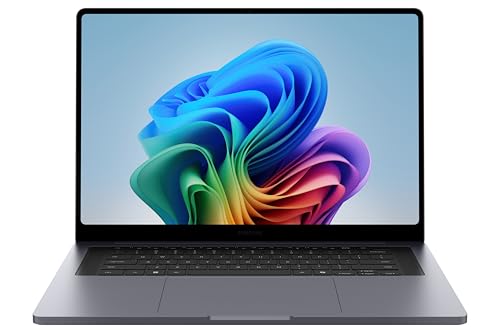
9.4/10Score
$3,512.39
as of Nov 11, 2026, 11:42 UTC

9.3/10Score
$1,299.99 $1,499.00 Save 13%
as of Nov 11, 2026, 11:42 UTC

9.0/10Score
$3,229.99
as of Nov 11, 2026, 11:42 UTC

8.8/10Score
$1,499.99
as of Nov 11, 2026, 11:42 UTC

8.7/10Score
$3,499.99
as of Nov 11, 2026, 11:42 UTC

8.5/10Score
$2,999.99
as of Nov 11, 2026, 11:42 UTC

7.3/10Score
$1,619.99
as of Nov 11, 2026, 11:42 UTC

7.0/10Score
$1,040.00
as of Nov 11, 2026, 11:42 UTC
Product prices and availability are accurate as of the date/time indicated and are subject to change. Any price and availability information displayed on Amazon.com at the time of purchase will apply to the purchase of this product.
How we rank best graphic laptops for you?
We rank on graphics power first, because Photoshop filters, video timelines and Blender renders all lean on the GPU. A color-accurate screen comes next, since colors that are off on your laptop end up off in print and on your client's screen. Then battery and portability, because a deadline often finds you on a train or at a client's office. Value checks you pay only for the power your apps use, and design and build covers ports, cooling and keyboard comfort over long sessions. That puts the MacBook Pro 16 first, with the Zephyrus G16 our RTX pick.
 Graphics Power30%
Photoshop filters, video timelines, Blender and After Effects all lean on the GPU, so it sets how fast your work moves.
 Color-Accurate Screen25%
If colors are off on your screen, they're off in print and on the client's screen too.
 Battery and Portability15%
Designers edit in studios, cafes and client meetings, so weight and unplugged runtime decide where you can work.
 Value15%
Creative laptops run from mid-range to very expensive, so you should pay only for the power your software uses.
 Design and Build15%
Ports for cards and monitors, cooling and keyboard comfort matter through long editing sessions.
Best graphic laptops compared
Swipe sideways to see every spec.
| Product | Score | Display | Processor | Graphics | Memory |
|---|---|---|---|---|---|
| 10.0 | 16.2-inch Liquid Retina XDR mini-LED, 3456 x 2234, 120Hz | Apple M5 Pro, 18-core CPU (6 super, 12 performance cores) | Integrated 20-core Apple GPU | 24GB unified memory (48GB or 64GB options) | |
| 9.4 | 16-inch 2560x1600 OLED, 240Hz, Pantone Validated | Intel Core Ultra 9 386H (16 cores) | Nvidia RTX 5070 Ti (12GB) or RTX 5080 (16GB) | 16, 32 or 64GB LPDDR5X-8533, soldered | |
| 9.4 | 16in 2880x1800 AMOLED touch, 30-120Hz, up to 1,000 nits HDR | Intel Core Ultra 7 356H (X7 358H, Ultra 9 386H options) | Nvidia RTX 5070 or RTX 5060 (Intel Arc on base model) | 32GB LPDDR5X, soldered (not upgradeable) | |
| 9.3 | 15.3-inch Liquid Retina IPS, 2880 x 1864, 60Hz, 500 nits | Apple M5, 10-core CPU | Integrated 10-core GPU | 16GB unified memory (up to 32GB) | |
| 9.0 | 13.3-inch 2880x1800 OLED touch, 60Hz, 100% DCI-P3 | AMD Ryzen AI Max+ 395, 16 cores/32 threads | AMD Radeon 8060S integrated, shared system memory | 64GB LPDDR5X, soldered (32GB and 128GB versions sold) | |
| 8.8 | 16-inch 2880 x 1800 OLED touch, 120Hz, 100% DCI-P3 | Intel Core Ultra X7 358H (up to Core Ultra X9 388H) | Integrated Intel Arc B390 | 16GB or 32GB LPDDR5X, soldered | |
| 8.7 | 16-inch 2560x1600 OLED, 240Hz, Calman Verified | Intel Core Ultra 9 386H (16 cores) | Nvidia RTX 5070 Ti, RTX 5080 or RTX 5090 | 32GB or 64GB LPDDR5X-9600, soldered | |
| 8.5 | Two 14-inch 2880x1800 OLED touchscreens, 144Hz | Intel Core Ultra X9 388H (or Ultra 9 386H, Ultra 7 355H) | Intel Arc B390 integrated on X9; lesser Arc on other chips | 16GB or 32GB LPDDR5X, soldered | |
| 7.3 | 15.6-inch 2560x1440 IPS-level, 165Hz, 100% DCI-P3 (typical) | Intel Core i7-14650HX (16 cores, 24 threads) | Nvidia RTX 5070, 8GB, up to 115W | 16GB DDR5 (2x8GB), 2 slots, up to 96GB | |
| 7.0 | 15.6-inch 1920 x 1080 IPS, 165Hz | Intel Core i5-13420H (Core i7-13620H option) | Nvidia GeForce RTX 5050 8GB (RTX 5060 option) | 16GB DDR4 with 512GB NVMe SSD |
1. Apple MacBook Pro 16 (M5 Pro): Best Graphic Laptop Overall
This is the laptop we'd buy first for serious creative work, and the screen is why. Tom's Guide measured a Delta-E of 0.19 on the 16.2-inch mini-LED, with over 1,000 nits in HDR, so the skin tones you grade are the ones your client sees. The 20-core GPU then holds full speed with no throttling, which keeps a long Lightroom export from crawling.
Picture a two-day product shoot at a client's warehouse. You offload each card through the built-in SD slot between setups and retouch on a folding table with no outlet nearby, since lab browsing runs 18.5 to 21 hours. Back at the studio, HDMI and three Thunderbolt 5 ports cover your monitor. Memory is soldered, so buy 48GB up front if you work in huge layered files.
The downsides are weight and a little noise. At 4.7 lb it's a desk-first machine for many, and several owners on the MacRumors forums hear faint coil whine under heavy GPU loads. Want touch? Apple's new tandem OLED MacBook Pro is a separate model. Is this the one for you? On a Mac, yes. Need Nvidia RTX for Blender? The Asus ROG Zephyrus G16 (#2) is your pick.

Best for: Designers, photographers and video editors who work in Mac apps and often edit away from a desk.

Skip it if: You need Nvidia CUDA or OptiX for Blender and other 3D work. The Asus ROG Zephyrus G16 (#2) is the better pick.
Pros
- Over 18 hours of web browsing in lab tests
- Bright, accurate mini-LED screen with strong HDR
- Full performance without throttling, quiet fans
- Full port set: HDMI, SD card, three Thunderbolt 5
- Excellent six-speaker sound and huge trackpad
- 1TB SSD as standard, very fast storage
Cons
- 4.7 lb: heavy to carry all day
- Display uses PWM flicker and slow pixel response
- Only a modest upgrade over the M4 Pro model
- Memory and storage are soldered, no upgrades later
- 140W charger falls short under full load
- Some units show faint coil whine under heavy GPU load
Hands-on reviews behind this pick
 Expert Reviews
Show the verdict
A magnificent workhorse: sturdy aluminium build, the best trackpad around, a fantastic display and battery life that is hard to beat, with enough power to stay fast for five or six years.
 Notebookcheck
Show the verdict
The M5 Pro is a perfect fit: full speed without throttling, quiet, very long runtimes and a brilliant screen, but it is costly to upgrade, the panel flickers via PWM and nothing can be serviced.
- Tom's Guide
Show the verdict
A seriously powerful 16-inch MacBook with a superb screen, generous ports and battery life far beyond a workday; only a small step over the M4 Pro, so it suits buyers on older Macs best.
2. Asus ROG Zephyrus G16 (2026): Best Portable RTX Graphic Laptop
If your work runs on Nvidia, this is the RTX laptop we'd carry. The RTX 5070 Ti or 5080 handles the CUDA and OptiX renders that Apple chips can't, yet the aluminum body weighs about 4.3 lb. And the 2.5K OLED is Pantone validated, with about 500 nits in SDR and a Delta-E of 1.5 in Notebookcheck's calibration check.
Say you're showing a client a Blender scene in their office over lunch. The screen shows them the colors you'll deliver. Battery covers a workday of email, layouts and light edits (12 to 14.5 hours in lab tests). But push the GPU unplugged and it fades fast: Tom's Guide got 55 minutes of gaming, so pack the 250W brick.
Labs differ on its color range, from 80% to 92% of DCI-P3, though all call it bright and vivid. The thin chassis also holds the RTX 5080 back, which makes the 5070 Ti build the smarter buy for most creators. RAM is soldered too, so get 32GB or more. Want the top RTX 5090 for heavy 3D? The Razer Blade 16 (#7) goes further. Living in Lightroom on Windows? The Galaxy Book6 Ultra (#3) lasts longer per charge.
Best for: Designers, 3D artists and video editors who need Nvidia CUDA or OptiX in a laptop they carry to clients.
Skip it if: You need the most video memory for heavy 3D scenes, up to an RTX 5090. Look at the Razer Blade 16 (#7).
Pros
- Bright, color-rich 240Hz OLED with Pantone validation
- Around 12-14 hours of web use in lab battery tests
- Thin, sturdy aluminum body at about 4.3 lb
- Some of the best speakers on a Windows laptop
- Keeps nearly full speed on battery power
- Two M.2 slots for adding storage
Cons
- RAM is soldered and can't be upgraded
- Heavy 250W brick with a proprietary plug
- Thinner chassis holds the RTX 5080 back
- Single-zone keyboard backlight; keyboard divides reviewers
- OLED uses PWM dimming at most brightness levels
- No Thunderbolt 5
Hands-on reviews behind this pick
- Notebookcheck
Show the verdict
A clear step up on last year: a brighter OLED, a more efficient chip, more GPU power and a strong keyboard, build and sound, though the RTX 5080 is held back and the cost is hard to swallow.
- Tom's Guide
Show the verdict
The 2026 model finally fixes battery life and hits harder in CPU and GPU work, with a sleek design and vivid screen, but the keyboard and heavy brick remain and it costs far too much.
- Jarrod'sTech
Show the verdict
His favorite portable 16-inch gets better battery, a brighter OLED and cooler running, but it costs a fortune, RAM is soldered, and the RTX 5070 Ti version is the smarter buy than the RTX 5080.
3. Samsung Galaxy Book6 Ultra (16in): Best Windows Graphic Laptop for Photo Editors
Here's the Windows laptop that comes closest to the MacBook Pro for photo work. The 16-inch AMOLED measured near-perfect color, with a Delta-E under 1 and about 1,150 nits in HDR, and the RTX 5070 speeds up GPU-heavy filters and exports. It does all that in a 4.2 lb metal body.
Battery is the surprise. Expert Reviews got 20 hours 52 minutes of video and PCMag nearly 30 hours, so you can cull and edit a whole wedding gallery on a long train ride with charge to spare. The SD slot takes your cards, and HDMI and USB-A save the dongles. One catch: the charger takes one of just two USB-C ports.
The weak points are the shallow keyboard and a 1080p webcam with no face login, which an early owner in Samsung's community calls a big letdown on a premium laptop. Memory tops out at 32GB, soldered. Our call? For Windows photo editing on the move, it's the one. On a Mac, the MacBook Pro 16 (#1) is brighter and has more ports.
Best for: Windows photographers and video editors who want an accurate OLED, RTX power and battery for long days away from a desk.
Skip it if: You edit in Mac apps or want more ports and a brighter screen. Go with the Apple MacBook Pro 16 (#1).
Pros
- Bright, color-accurate 16-inch AMOLED touchscreen
- RTX 5070 power in a slim 4.2 lb metal body
- Very long battery life for a laptop with an RTX GPU
- Excellent six-speaker sound
- Large, accurate haptic touchpad
- HDMI, USB-A and SD slot plus a spare SSD slot
Cons
- Costs as much as a MacBook Pro
- Shallow keyboard with little travel
- Mediocre 1080p webcam without face login
- RAM is soldered and tops out at 32GB
- Charger takes one of only two USB-C ports
- Low-frequency OLED flicker may bother some eyes
Hands-on reviews behind this pick
- Expert Reviews
Show the verdict
Few laptops do creative work, gaming and long battery life this well in one slim body, but the high price only makes sense if you really need all three; the keyboard is shallow and the webcam weak.
- Notebookcheck
Show the verdict
A very good multimedia laptop with an accurate OLED touchscreen, strong performance, great speakers and battery life that beats Windows rivals, held back by soldered RAM, PWM flicker and few ports.
- PCMag
Show the verdict
A luxurious MacBook Pro alternative for Windows users: a vivid AMOLED touchscreen, strong RTX 5070 power and nearly 30 hours in the lab battery test, though the shallow keyboard and price give pause.
4. Apple MacBook Air 15 (M5, 2026): Best Light Graphic Laptop for 2D Designers
Most 2D designers don't need a Pro, and this is why. The 10-core GPU in every 15-inch Air handles Figma, Illustrator and Photoshop layouts well, and the 15.3-inch screen covers about 97% of P3 at 538 nits. That's room for a full artboard in a 3.3 lb laptop with no fan at all.
Say you're laying out a brand deck at a coworking space. It's silent through the morning stand-up and still on battery at the afternoon review, with 17 hours 12 minutes in Notebookcheck's Wi-Fi test. MacRumors forum owners who traded down from a MacBook Pro report few regrets. Back at your desk, it drives two external monitors.
But it has limits. With no fan, long multi-core jobs drop about 10% after half an hour, the screen stays at 60Hz, and there's no SD slot for your cards. Memory is soldered, so 24GB is the safer buy for big Photoshop files. Editing video or 3D most days? The MacBook Pro 16 (#1) keeps full speed.
Best for: Graphic designers and illustrators who mostly work in 2D apps and want a light, silent laptop.
Skip it if: You export long video or render 3D every week. Step up to the Apple MacBook Pro 16 (#1).
Pros
- Big 15.3-inch screen in a 3.3 lb, 0.45-inch body
- 10-core GPU standard, faster than the base 13-inch
- Six speakers with force-cancelling woofers
- Long battery: 17h12m in Notebookcheck's Wi-Fi test
- Silent fanless design, no throttling in games
- Accurate screen with about 97% P3 color
Cons
- Still 60Hz with no 120Hz ProMotion
- Only two USB-C ports, both on the left
- Multi-core throttles in long heavy loads
- Tight on airplane trays and small tables
- RAM and SSD soldered, no later upgrades
Hands-on reviews behind this pick
- Notebookcheck
Show the verdict
Very powerful and very efficient, a perfect match for fanless cooling with nothing comparable on Windows; the base model is enough for most, but 60Hz, soldered parts and few ports remain.
- Adam Talks Tech
Show the verdict
A slim, light big-screen Air that handles everything from spreadsheets to video editing; a great buy for desk and multitasking use, though the 13-inch stays the travel pick.
- 6 Months Later
Show the verdict
After six months it is a fantastic, well-built laptop with all-day battery that edits 4K smoothly, but the 60Hz screen and two ports feel stingy and casual users may be better served by the Neo.
5. Asus ProArt PX13 (Ryzen AI Max+): Best Compact Graphic Laptop for Pen Work
This is a startling amount of creative power for a 13-inch laptop. The Ryzen AI Max+ 395 brings 16 cores, and its Radeon 8060S graphics land near a laptop RTX 4060, all in a 3 lb convertible. The 64GB of memory is shared with the GPU, which gives big files and 3D scenes room to breathe.
Picture a cafe table with room for one small machine. You flip the PX13 into tent mode and mask a portrait with the pen on its P3 OLED, then edit footage later. Kyle Erickson cut 10-bit 5.9K video in Resolve smoothly on one, though renders ran about 25% slower than an M4 Pro MacBook. The DialPad helps you scrub timelines, too.
The screen is the trade. It's 60Hz, glossy and under 400 nits in SDR, and you get microSD only. One review found the 32GB version limiting, so stick with 64GB. Is it worth it? If a pen is part of your work, yes. If you mostly type and click in 2D apps, the MacBook Air 15 (#4) costs far less.
Best for: Illustrators and editors who sketch or mask with a pen and want serious power in a small bag.
Skip it if: You mostly work in 2D apps and don't need a pen. The Apple MacBook Air 15 (#4) is the better pick.
Pros
- Desktop-class 16-core chip in a 3 lb 13-inch body
- Radeon 8060S iGPU near a laptop RTX 4060
- Large shared memory for big projects and local AI
- Color-accurate P3 OLED with pen support
- Long battery life for this much power
- Sturdy all-metal 360-degree convertible build
Cons
- Only 60Hz, and the glossy screen reflects
- SDR brightness under 400 nits
- RAM soldered; only one small M.2 2230 slot
- microSD reader only, no full-size SD
- Keyboard divides reviewers
- Bulky 200W charger
Hands-on reviews behind this pick
- Gadget Pilipinas
Show the verdict
An all-round portable creator laptop whose 2-in-1 design, accurate OLED and Max+ 395 power outweigh rough edges like a weak keyboard, a 60Hz screen and a microSD-only card slot.
- Crimson Tech
Show the verdict
A unique, very fast 13-inch laptop with great build, keyboard, speakers and battery, worth it for 3D, big creative files or local AI on the go, but pricey and limited by a 60Hz glossy screen.
6. Acer Swift 16 AI (SF16-71T, 2026): Best OLED Graphic Laptop Without an RTX Card
So what if you want a big OLED for photos but not RTX money? This is the laptop we'd point you to. The 16-inch 3K panel runs at 120Hz and covers full DCI-P3, and Just Josh saw no visible flicker. Its Arc B390 graphics scored more than twice a standard Core Ultra 7 laptop in Matthew Moniz's 3DMark Time Spy run, enough for Lightroom and light video.
Say you bring a portfolio of RAW edits to a weekend workshop. HDMI goes straight into the room's display, and two USB-A ports take a card reader without an adapter. Retail boxes add a sleeve and a stylus for the touchpad, and the chassis stays cool, with 12 to 16 hours of battery across reviews.
But the fans get loud in performance mode, the screen reflects, and the oversized touchpad can misread your palm. Avoid the cheaper Core Ultra 5 and 7 models, which lack the B390. Cut video most days? An M5 MacBook Air, like our #4 pick, is far quicker in Premiere Pro. Need an Nvidia card for 3D on a budget? The Acer Nitro V 15 (#10) has one.
Best for: Photo editors and design hobbyists who want a big, accurate OLED without paying for an RTX card.
Skip it if: You need an Nvidia GPU for 3D or CAD coursework on a tight budget. The Acer Nitro V 15 (#10) has one.
Pros
- Vivid 3K 120Hz OLED with full DCI-P3 coverage
- Arc B390 graphics handle light gaming and editing
- Strong sustained CPU speed with a cool chassis
- Two Thunderbolt 4, two USB-A, HDMI and microSD
- Light for a 16-inch laptop at about 3.4 lb
- Huge haptic touchpad doubles as a pen surface
Cons
- Glossy screen reflects in bright rooms
- Fans get loud under heavy load
- Big touchpad can cause palm-rejection slips
- Weak speakers and an average webcam
- RAM soldered; only SSD and battery are serviceable
- Preloaded trial apps and ads on a premium laptop
Hands-on reviews behind this pick
- Notebookcheck
Show the verdict
A powerful, cool-running daily companion: Panther Lake lifts performance well past the last model, the OLED is excellent and battery tops 16 hours, though the giant touchpad crowds typing.
- Tom's Hardware
Show the verdict
A polished premium 16-inch Windows ultrabook with a vivid OLED, great keyboard and quiet cooling; battery is good not great, and the touchpad stylus is more curiosity than real tool.
- Just Josh
Show the verdict
A lot of laptop for the money: thin, light, never warm, with a stunning OLED and the best CPU results of its Panther Lake peers, but fans are audible and palm rejection can misfire.
7. Razer Blade 16 (2026): Best Premium Graphic Laptop for 3D Artists
For 3D artists who need the biggest GPU in the slimmest body, this is the one. You can buy it up to an RTX 5090 with 24GB of video memory, the room large scenes need. In Hardware Canucks' runs, Lightroom ran about 26% faster and Resolve exports about 16% faster than on the 2025 model.
Picture previewing a heavy 3D scene for a motion-design client at their studio. The 240Hz OLED looks superb, the unibody looks the part, and back home one Thunderbolt 5 cable runs your monitor and dock. Tom's Hardware got 12 hours 46 minutes with the Nvidia GPU idle, but a long-term owner sees about 4 hours with it working.
The bigger worry is reliability. Owners on Razer's Insider forum report earlier Blades failing to sleep with the lid shut and getting hot in bags, and the same symptom shows up on the 2026 model. Multi-core speed trails too, with Blender and Houdini 8 to 13% slower than last year. Our verdict: buy it for the 5090, or not at all. For most creators, the Zephyrus G16 (#2) is the safer RTX pick.
Best for: 3D artists and motion designers who need a top RTX GPU, up to the RTX 5090, in a slim professional body.
Skip it if: You want a dependable RTX laptop without the sleep bugs. The Asus ROG Zephyrus G16 (#2) is the better pick.
Pros
- Nearly 13 hours in Tom's Hardware's battery test
- Gorgeous 240Hz OLED, 90% DCI-P3 measured
- Slim, rigid aluminum unibody that looks professional
- Thunderbolt 5 and Thunderbolt 4 plus a UHS-II SD reader
- Best-in-class per-key keyboard lighting
- Strong gaming and GPU performance for its thickness
Cons
- Multi-core CPU speed trails rivals and the 2025 model
- Very glossy screen picks up glare
- Fans get loud under heavy load
- RAM is soldered and can't be upgraded
- Sleep and idle power-draw problems reported
- No haptic trackpad at this level
Hands-on reviews behind this pick
- Tom's Hardware
Show the verdict
Keeps up with rival RTX laptops in games and blows them away on battery, with a gorgeous OLED and elegant build, but multi-threaded work lags and the as-tested build costs a fortune.
- Hardware Canucks
Show the verdict
A refresh that goes backwards: slower than the 2025 Blade in most games and many creative apps, hotter under CPU load, with an idle power bug; only the longer light-use battery life really improves.
- Jarrod'sTech
Show the verdict
Razer's best Blade 16 yet, with far better battery, a brighter OLED and great build, yet still hard to recommend: high cost, louder fans, soldered RAM and quirks make the Zephyrus G16 the safer pick.
8. Asus Zenbook Duo (2026): Best Dual-Screen Graphic Laptop for Editors
Two screens change how photo editing feels, and this laptop does it best. Both 14-inch 3K OLED touchscreens run at 144Hz and cover 99.5% of P3 with a Delta-E of 1.6. On the Core Ultra X9 model, Arc B390 graphics handle Lightroom and 4K edits.
So picture a client's small meeting table. Your photo fills the top screen, the sliders and the included stylus sit on the bottom one, and the keyboard rests in front. Fstoppers spent six months editing photos this way and saw 8 to 10 hours of mixed work per charge. Stacked is the layout that works, since side-by-side mode blocks ports and wobbles.
The catch is the keyboard. A Zenbook Duo owner on Microsoft's support forum reports it losing Bluetooth pairing after each dock and undock, and MrMobile hit drop-outs on his unit too. It's also heavier than a normal 14-inch and has no card reader. Worth it? Only if you'll use both screens. Want one screen and a pen in a smaller laptop? The ProArt PX13 (#5) fits better.
Best for: Photographers and layout designers who want the image and their editing panels on separate screens.
Skip it if: You'd rather have one screen and a pen in a smaller bag. The Asus ProArt PX13 (#5) fits that better.
Pros
- Two full 14-inch 144Hz OLED screens in one laptop
- Very long battery life on one screen
- Arc B390 graphics are strong for integrated
- Accurate, bright P3 OLED panels
- Thunderbolt 4 on both sides plus HDMI and USB-A
- Stylus and sleeve included in the US box
Cons
- Heavier and thicker than a normal 14-inch laptop
- Memory is soldered, no upgrades
- Glossy screens reflect, PWM flicker at most brightness
- Keyboard feels flat to some reviewers
- Some reports of keyboard Bluetooth drop-outs
- Average webcam
Hands-on reviews behind this pick
- Notebookcheck
Show the verdict
The best dual-screen laptop on sale and worth it, with few weak points: fast, accurate 144Hz OLEDs and long runtimes, as long as you need two screens and accept the extra bulk.
- PCWorld
Show the verdict
An almost perfect productivity laptop: two flexible OLED screens, Panther Lake speed and very long battery life, held back mainly by an average keyboard and some extra weight.
- Fstoppers
Show the verdict
After six months of photo editing, the two screens earned their place for photographers who want room for image and panels; anyone happy with one screen should buy a lighter Zenbook.
9. MSI Katana 15 HX (B14W): Best Budget Graphic Laptop with RTX
If you want Nvidia RTX power for creative hobbies on a budget, start here. The RTX 5070 and 16-core Core i7-14650HX cost far less than the thin creator laptops above, and RTINGS found the RTX 5070 model handles CPU-heavy work well. You also get two RAM slots that take up to 96GB.
Say you're rendering a YouTube intro in After Effects. You leave it running at your desk overnight, and when projects grow, you add RAM yourself after removing 13 screws. Ethernet and HDMI 2.1 plug into your desk setup, and the US QHD 165Hz panel covers wide color. Buy that version, because the FHD screen is dim at about 300 nits.
But this is a desk machine. It weighs 5.3 lb, the fans get loud, and battery lasts about an hour of heavy use, so the 240W charger goes everywhere. The 8GB of video memory also limits big 3D scenes, and screen verdicts range from sharp to dull. Should you get it? For a home studio, yes. Need any RTX card at the lowest cost for coursework? The Acer Nitro V 15 (#10) is cheaper.
Best for: Hobbyist creators who want an RTX GPU on a budget and do most of their work at a desk.
Skip it if: You need any Nvidia GPU for coursework on the smallest budget. Grab the Acer Nitro V 15 (#10) instead.
Pros
- Dedicated RTX GPU at a mid-range price
- Sharp 1440p 165Hz screen with wide color gamut
- RAM and SSD are user-replaceable
- Fast 14th-gen HX CPU for CPU-heavy tasks
- Comfortable, snappy keyboard with numpad
- Plenty of ports including Ethernet and HDMI 2.1
Cons
- Screen is dim; reviewers split on its quality
- Short battery life, about 1 hour gaming
- Only 8GB of video memory
- Heavy plastic chassis at about 5.3 lb
- Keyboard gets hot and fans are loud under load
- Only one M.2 slot; ports crowd the right side
Hands-on reviews behind this pick
- RTINGS
Show the verdict
Decent for gaming, with a sharp, colorful QHD 165Hz screen and easy RAM and SSD upgrades, but 8GB of VRAM caps texture quality, there is no VRR, and the keyboard gets hot while fans roar.
- GamesRadar+
Show the verdict
Excellent QHD performance and a sturdy, subtle build make it the best budget gaming rig the reviewer has tested, though the screen lacks punch next to pricier models and side ports get in the way.
- PC Gamer
Show the verdict
A solid, well-connected all-rounder that is just okay: a dull screen, a hot CPU that seems to hold the GPU back, and short battery life leave it hard to justify against Asus and Lenovo rivals.
10. Acer Nitro V 15 (2025, Core i5-13420H, RTX 5050): Best Cheap Graphic Laptop for 3D Students
Need an Nvidia GPU for 3D or CAD coursework on the smallest budget? This is the laptop we'd buy. The RTX 5050 and Core i5-13420H put an Nvidia RTX card within reach, and the 16GB of memory and 512GB SSD are a starting point you can grow, with two SSD slots and easy RAM upgrades.
Picture the night before a studio review in your architecture program. You're plugged in at a workstation in the studio, orbiting a building model on the 1080p 165Hz screen, with HDMI 2.1 feeding a bigger monitor. TechRadar's RTX 5060 unit got 6.5 hours of movie playback but well under two hours of gaming, so heavy work means the charger.
The honest catch is comfort. Fans are loud, heat builds near the space bar, and at 4.65 lb it's a load on a long walk across campus. The screen isn't made for color-critical work either, so keep it for modeling, not print. Want an RTX 5070 and RAM up to 96GB? The MSI Katana 15 HX (#9) is worth the step up. For cheaper everyday options, see laptops for students on a campus budget.
Best for: 3D, CAD and architecture students who need an Nvidia RTX GPU on the smallest budget.
Skip it if: You want an RTX 5070 and RAM you can upgrade to 96GB. Spend a little more on the MSI Katana 15 HX (#9).
Pros
- Solid 1080p gaming at high settings
- Fast 165Hz display
- Good ports: HDMI 2.1, Thunderbolt 4, Ethernet
- Easy RAM and SSD upgrades, two SSD slots
- Comfortable keyboard for typing
- Muted look that won't stand out in class
Cons
- Loud fans, even in light use on some units
- Gets hot around the space bar when gaming
- About 4.65 lb, heavy to carry around campus
- Webcam and speakers are weak
- Short battery when gaming
Hands-on reviews behind this pick
- TechRadar
Show the verdict
A capable 1080p gaming laptop with a surprisingly vibrant display; heat and some budget-grade materials hold it back, but it holds its own against strong budget rivals.
Best graphic laptops buying guide for 2027
Which laptop graphics does your creative software really use?
It depends on the app: 2D design barely needs a big GPU, while 3D rendering really does. Figma, Illustrator and Photoshop layout work run smoothly on integrated graphics, which is why the MacBook Air 15 handles brand and print design so well.
Photo and video editing sit in the middle. Photoshop filters, Lightroom exports and video timelines all lean on the GPU, so Apple's Pro chips, the Arc B390 in the Acer Swift 16 AI and Zenbook Duo, or an RTX card all help. For long video exports, the MacBook Pro 16 holds full speed without throttling.
3D is where Nvidia matters. Blender and other 3D tools that use CUDA or OptiX run best on RTX, so the Zephyrus G16, Razer Blade 16, Katana 15 HX and Nitro V 15 are the picks there. And if you mostly write, plan and answer email, our top laptop picks overall will cost you less.
Is an OLED or mini-LED laptop screen better for color-accurate design?
Both can be very accurate, so choose on brightness, flicker and where you work. Mini-LED, like the MacBook Pro 16's panel, gets very bright, with over 1,000 nits in HDR, and measured a Delta-E of 0.19. But it uses PWM flicker and has slow pixel response.
OLED gives deep blacks and wide color. The Galaxy Book6 Ultra measured a Delta-E under 1, and the Zenbook Duo and ProArt PX13 cover full P3. Several of these OLEDs use PWM dimming too, though Just Josh saw no visible flicker on the Swift 16 AI. Glossy panels like the Swift and the Blade 16 also reflect bright windows.
So what matters more than the panel type? Look for full or near-full DCI-P3, a factory calibration like the Zephyrus G16's Pantone validation, and enough brightness for your room. The ProArt PX13, under 400 nits, suits a studio more than a sunny cafe.
How much RAM does a graphic design laptop need?
Get 16GB for 2D design, and 32GB or more for heavy photo, video and 3D work. That matters more than ever, because almost every laptop here has soldered memory, so what you buy on day one is what you keep.
On a Mac, memory is shared with the GPU. The MacBook Air 15 starts at 16GB, and 24GB is the safer buy for big layered Photoshop files. The MacBook Pro 16 comes with 24GB, with 48GB or 64GB options for long video timelines. The ProArt PX13 shares 64GB with its graphics, and one review found the 32GB version limiting.
On Windows, the Galaxy Book6 Ultra stops at 32GB, while the Zephyrus G16 goes to 64GB. Only the Katana 15 HX and Nitro V 15 let you add RAM later, and the Katana takes up to 96GB. Video memory counts too: the Katana's 8GB limits big 3D scenes, while the Blade 16 offers up to 24GB.
Should a designer buy a Mac or a Windows laptop with an RTX GPU?
Buy a Mac if you work in 2D, photo or video apps and want long battery; buy Windows with RTX if you render 3D or need Nvidia tools. The MacBook Pro 16 lasted 18.5 to 21 hours of web browsing in lab tests and stays quiet under load, which no RTX laptop here matches once its GPU works.
But Nvidia still wins GPU-heavy jobs. RTX 5070 Windows laptops beat the M5 Pro there and in games, so 3D artists should look at the Zephyrus G16 first. The Galaxy Book6 Ultra lasts longest on battery of the RTX picks, and the Razer Blade 16 goes up to an RTX 5090.
Think about where you'll work, too. If your studio or company runs Windows and buys Dell, check Dell Pro and XPS laptops for the office before you pick. Either way, buy for the software you'll open every single day.
What screen size is best for a graphic design laptop?
For most designers, 16 inches is the sweet spot: room for a canvas and your panels without a separate monitor. The MacBook Pro 16, Zephyrus G16, Galaxy Book6 Ultra, Swift 16 AI and Blade 16 all sit there. Weight runs from about 3.4 lb on the Swift to 4.7 lb on the MacBook Pro.
Carry it all day? Go smaller. The ProArt PX13 packs its power into a 13.3-inch, 3 lb 2-in-1 built for pen work, and the 15.3-inch MacBook Air weighs 3.3 lb. Or get two screens: the Zenbook Duo stacks two 14-inch OLEDs, so your image and tools don't fight for space. Seen a 14-inch MacBook Pro recommended elsewhere? Apple moved the base 14-inch to a new M6 chip in November 2026, so check the chip name on any listing.
Working at a desk? Size matters less once you plug into a monitor. The Katana 15 HX and Nitro V 15 have HDMI 2.1, and the MacBook Air drives two external displays.
Best graphic laptops: frequently asked questions
What is the best graphic laptop?
For most creative work, it's the Apple MacBook Pro 16 with the M5 Pro: a 20-core GPU that holds full speed, an accurate mini-LED screen, SD and HDMI built in, and 18.5 to 21 hours of web browsing in lab tests. If your work needs Nvidia RTX for 3D, buy the Asus ROG Zephyrus G16 instead.
Do I need a dedicated graphics card for graphic design?
Not for 2D design. Figma, Illustrator and Photoshop layout work run well on the MacBook Air 15's 10-core integrated GPU. You need a dedicated Nvidia card for Blender and other 3D tools that use CUDA or OptiX. The Zephyrus G16 is our pick there, and the Acer Nitro V 15 is the cheapest RTX option on this list.
Mac or Windows for graphic design?
Mac, if you work in 2D, photo or video and want long battery: the MacBook Pro 16 is our top pick, and the MacBook Air 15 suits lighter design work. Windows with RTX, if you render 3D or need Nvidia tools, where the Zephyrus G16 leads. For Windows photo editors, the Galaxy Book6 Ultra is the one to buy.
How much RAM do I need for Photoshop and video editing?
16GB handles 2D design and lighter Photoshop work, but get 24GB to 32GB for big files and video, and more for long timelines. Memory is soldered on most picks, so buy enough up front. The MacBook Pro 16 starts at 24GB with 48GB and 64GB options, and the Katana 15 HX is the one you can upgrade to 96GB.
Can a gaming laptop be used for graphic design?
Yes, if its screen is accurate. The Asus ROG Zephyrus G16 is sold as a gaming laptop but has a Pantone-validated OLED and RTX power, which makes it our RTX pick for designers. Budget gaming laptops like the MSI Katana 15 HX bring RTX for 3D, but their screens are dimmer, so use them for rendering more than color work.


