
The 10 Best Thin and Light Gaming Laptops in 2027
A 250W charger can add over a pound to your bag. We compared 28 expert reviews of the best thin and light gaming laptops by weight and real fps. Go light.

Affiliate disclosure: As an Amazon Associate, TechFloe earns from qualifying purchases.
Our picks at a glance
Best Thin and Light Gaming Laptop Overall
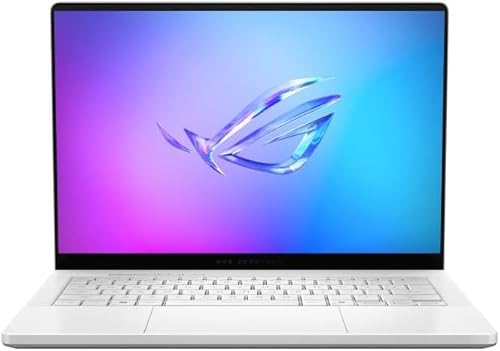
Asus ROG Zephyrus G14 (2025, RTX 5070 Ti)
Our top pick if the laptop rides in your bag every day. The G14 weighs about 3.5 lb, stays under 0.72 inch thick, and still runs an RTX 5070 Ti with 12GB of video memory and a 3K 120Hz OLED. Picture a three-hour train ride with a game on the tray table and charge to spare. The catch: RAM is soldered. Check the listing says RTX 5070 Ti and 32GB before you buy.
10.0/10Score

$2,999.99
as of Nov 28, 2026, 06:32 UTC
Best Thin 16-Inch Gaming Laptop
Asus ROG Zephyrus G16 (2026)
Our pick if you want a 16-inch screen without a heavy bag. The 2026 G16 weighs 4.3 lb, measures 0.59 to 0.70 inch thick, and this build runs an RTX 5080 beside a bright 240Hz OLED. Work a full day at a library on one charge, then game at home that evening. The catch: the 250W brick adds about 1.3 lb. This listing is the RTX 5080 with 32GB and 2TB, so check the GPU line.
9.9/10Score
$3,489.99
as of Nov 28, 2026, 06:16 UTC
Best Premium Thin Gaming Laptop for Work
Razer Blade 16 (2026)
Our pick if one laptop has to look sharp at work and still game at night. The Blade 16 is 0.59 inch at its thinnest, with a 240Hz OLED, Thunderbolt 5 and per-key RGB. Think of a sales trip: slides by day, a few matches in the hotel after. It weighs 4.71 lb, more than the G16, and sleep bugs are reported. This listing is the RTX 5070 Ti with 32GB and 1TB.
9.4/10Score
$3,499.99
as of Nov 28, 2026, 06:16 UTC
Best Light Gaming Laptop for USB-C Charging
HP OMEN Transcend 14 (2025, Core Ultra 9 285H, RTX 5070)
Our pick if you want to travel with one small charger. The Omen Transcend 14 weighs about 3.6 lb, and its 140W USB-C charger kept the battery from draining while gaming. Picture a weekend away with a slim brick in your bag and nothing else. The catch: the RTX 5070 runs at just 60 to 75W, so it trails thicker RTX 5070 laptops. This listing is a seller bundle with a USB port expander.
9.3/10Score
$2,849.00
as of Nov 28, 2026, 06:32 UTC
Best Gaming Tablet for Travel
Asus ROG Flow Z13 (2025, GZ302EA, Ryzen AI Max+ 395)
Our pick if you'd rather carry a tablet than a laptop. The Z13 weighs 2.65 lb, about 3.6 lb with its keyboard cover, and it games on AMD's built-in Radeon 8060S, not a separate graphics card. Notebookcheck saw 75.6 fps in Cyberpunk 2077 at 1080p Ultra. The catch: the 13.4-inch screen is small, and RTX laptops give more frames for the money. This listing is the 32GB, 1TB build.
9.0/10Score
$1,979.99 $2,399.99 Save 18%
as of Nov 28, 2026, 06:32 UTC
Best Full-Power Thin Gaming Laptop
Lenovo Legion 7i Gen 10 (16-inch, RTX 5070)
Our pick if you want a full-power RTX 5070 in a thin 16-inch. The Legion 7i is 0.63 to 0.70 inch thick and weighs about 4.4 lb, yet its GPU runs the full 115W. Cyberpunk topped 100 fps at 1080p ultra on this exact build. The catch: 8GB of video memory and average battery life. It keeps two RAM slots, so check you're getting the 32GB, 1TB OLED model.
8.7/10Score
$3,299.00
as of Nov 28, 2026, 06:32 UTC
Best Light 16-Inch Laptop for Long Battery
Gigabyte Aero X16 (2025, RTX 5070)
Our pick if battery life matters more than top frame rates. The Aero X16 weighs about 4.2 lb, is 0.78 inch thick, and lasted 8.5 to 9.2 hours of light use in three lab tests. Its small 150W charger keeps the bag light. The catch: the RTX 5070 is capped at 85W, close to RTX 4070 speed. This listing is the 16GB build; reviewers had 32GB, and RAM can be added later.
8.5/10Score
$1,518.00 $1,799.99 Save 16%
as of Nov 28, 2026, 06:32 UTC
Best Light Laptop for Students Who Game
Asus TUF Gaming A14 (2026, FA401EA, Ryzen AI Max+ 392)
Our pick if you need a light laptop for class that can also game. The TUF A14 weighs 3.26 lb and has no separate graphics card: it plays on AMD's built-in Radeon 8060S. Shadow of the Tomb Raider ran at 67 fps at 1080p Highest for Tom's Hardware, and battery lasted 9 to 13 hours in lab tests. The catch: RTX 5060 laptops game faster. It's sold in one 32GB, 1TB build.
8.5/10Score
$1,799.99 $2,199.99 Save 18%
as of Nov 28, 2026, 06:32 UTC
Best Compact RTX 5060 Gaming Laptop
Acer Predator Helios Neo 14 AI (PHN14-71, RTX 5060)
Our pick if you want a full 115W RTX 5060 in a 14.5-inch body with a matte screen. It weighs about 4.19 lb, and PCWorld's RTX 5060 unit ran Cyberpunk well above 60 fps. Gaming at a desk under a window? The matte finish cuts glare. The catch: battery ran only 3.5 to 5 hours in reviews, and the 230W brick is bulky. This listing is the Core Ultra 7, 16GB, matte IPS build.
7.6/10Score
$1,599.99
as of Nov 28, 2026, 06:32 UTC
Best Slim RTX 5070 Ti Gaming Laptop
Acer Predator Helios Neo 16S AI (PHN16S-71, RTX 5070 Ti)
Our pick if you want RTX 5070 Ti power and 12GB of video memory in a slim 16-inch. It's 0.74 to 0.78 inch thick, with a 240Hz OLED, two RAM slots and Thunderbolt 4. On this exact build, Cyberpunk ran just above 60 fps at 1600p ultra. The catch: about 4.85 lb and 4 to 5 hours of battery, so it lives near an outlet. Check the listing says 275HX and 32GB.
7.6/10Score
$2,599.99
as of Nov 28, 2026, 06:32 UTC
Product prices and availability are accurate as of the date/time indicated and are subject to change. Any price and availability information displayed on Amazon.com at the time of purchase will apply to the purchase of this product.
How we rank best thin and light gaming laptops for you?
We weigh weight and thickness first, because a gaming laptop that's too heavy to carry ends up staying home. Gaming performance comes next: the frames the GPU really delivers once a thin body caps its power. Battery life follows, since a slim laptop should get you through a day of light use away from a desk. Design and build covers the chassis, screen, keyboard and charger size. Value rounds it out, weighing what you pay against the frames and features you get. That puts the Zephyrus G14 first.
Weight and Thickness30%
Measured weight, thickness and charger size decide whether the laptop comes with you every day or stays on the desk.
Gaming Performance25%
Thin bodies cap GPU power, so real frame rates at this size matter more than the graphics chip's name on the box.
Battery Life20%
A portable laptop should last through classes, a flight or a workday of light use without hunting for an outlet.
Design and Build15%
A rigid chassis, a good screen and keyboard, and upgrade room shape how the laptop feels after a year in your bag.
Value10%
Slim versions often cost more than thick ones with the same GPU, so the premium has to buy real portability.
Best thin and light gaming laptops compared
Swipe sideways to see every spec.
| Product | Score | Display | Processor | Graphics | Memory |
|---|---|---|---|---|---|
| 10.0 | 14-inch 2880x1800 OLED, 120Hz, 100% DCI-P3 | AMD Ryzen AI 9 HX 370 (12 cores, 24 threads) | Nvidia RTX 5070 Ti, 12GB GDDR7, up to 110W | 32GB LPDDR5X-8000, soldered | |
| 9.9 | 16-inch 2560x1600 OLED, 240Hz, Pantone Validated | Intel Core Ultra 9 386H (16 cores) | Nvidia RTX 5070 Ti (12GB) or RTX 5080 (16GB) | 16, 32 or 64GB LPDDR5X-8533, soldered | |
| 9.4 | 16-inch 2560x1600 OLED, 240Hz, Calman Verified | Intel Core Ultra 9 386H (16 cores) | Nvidia RTX 5070 Ti, RTX 5080 or RTX 5090 | 32GB or 64GB LPDDR5X-9600, soldered | |
| 9.3 | 14-inch 2880 x 1800 OLED, 120Hz, about 440-500 nits | Intel Core Ultra 9 285H | Nvidia GeForce RTX 5070 8GB, 60-75W | 32GB LPDDR5X onboard (not upgradeable) with 1TB SSD | |
| 9.0 | 13.4-inch 2560x1600 IPS touch, 180Hz | AMD Ryzen AI Max+ 395 (16 cores) | AMD Radeon 8060S integrated (no discrete GPU) | 32GB LPDDR5X-8000, soldered (shared with GPU) | |
| 8.7 | 16-inch 2560x1600 OLED, 240Hz, 500 nits, G-Sync | Intel Core Ultra 9 275HX (24 cores) | Nvidia RTX 5070 (8GB), up to 115W | 32GB DDR5, two slots | |
| 8.5 | 16-inch 2560x1600 IPS, 165Hz, matte, 400 nits typical | AMD Ryzen AI 7 350 (8 cores) | Nvidia RTX 5070 (8GB), 85W max | 16GB DDR5-5600, two slots, up to 64GB | |
| 8.5 | 14-inch 2560x1600 IPS, 165Hz, anti-glare | AMD Ryzen AI Max+ 392 (12 cores) | AMD Radeon 8060S integrated (no discrete GPU) | 32GB LPDDR5X-8533, soldered (shared with GPU) | |
| 7.6 | 14.5-inch 2560x1600 IPS, 165Hz, matte, G-Sync | Intel Core Ultra 7 255H (16 cores) | Nvidia RTX 5060 (8GB), up to 115W | 16GB LPDDR5X, soldered | |
| 7.6 | 16-inch 2560x1600 OLED, 240Hz, 500 nits, glossy | Intel Core Ultra 9 275HX (24 cores) | Nvidia RTX 5070 Ti (12GB), about 100-115W | 32GB DDR5-6400, two slots |
1. Asus ROG Zephyrus G14 (2025, RTX 5070 Ti): Best Thin and Light Gaming Laptop Overall
$2,999.99
as of Nov 28, 2026, 06:32 UTC
This is the thin and light gaming laptop we'd hand most people. Asus lists 3.46 lb for this RTX 5070 Ti build, and the aluminum shell runs 0.63 to 0.72 inch thick. Yet you still get 12GB of video memory and a 3K 120Hz OLED that makes dark games look rich.
Say you take a three-hour train home for the holidays. You play on the tray table, close the lid at the station, and there's still charge left, since Jarrod'sTech measured one of the best run times he's seen on a gaming laptop. Tom's Guide's hungrier RTX 5080 unit managed 5 to 6 hours of daily use, so the GPU tier changes the result. The 200W brick keeps the whole kit near 4.7 lb, and 100W USB-C handles light days.
Here's the trade-off. The GPU runs at about 105 to 110W, so a thicker laptop with the same chip is faster, and the fans get loud when maxed out. RAM is soldered at 32GB. So would we buy it? If you carry it daily, yes. Want a bigger screen for long sessions? The Zephyrus G16 (#2) is the pick.
Best for: Students, commuters and travelers who carry a gaming laptop every day and want an OLED and RTX power at about 3.5 lb.
Skip it if: You want a 16-inch screen and more GPU headroom. The Zephyrus G16 (#2) is the better pick.
Pros
- About 3.5 lb with RTX 5070 Ti power
- Gorgeous 3K 120Hz OLED
- Premium all-aluminum build with little flex
- Excellent battery life for a gaming laptop
- Comfortable keyboard and touchpad
- Light 200W charger plus USB-C charging
Cons
- RAM is soldered and can't be upgraded
- GPU runs below full 140W power
- Expensive for a 14-inch laptop
- Fans very loud when maxed out
- Single-zone RGB; tiny arrow keys
- No Ethernet; one M.2 slot
Hands-on reviews behind this pick
Tom's Guide
Show the verdict
Tested the RTX 5080 config: the reviewer's favorite gaming laptop, with huge performance in a svelte 3.5 lb body, a mesmerizing OLED and great typing, but battery life needs watching.
Jarrod'sTech
Show the verdict
Tested the exact HX 370/RTX 5070 Ti/32GB unit: the best portable gaming laptop he tested in 2025, mixing portability, performance, build and battery, with no major dealbreakers beyond soldered RAM.
2. Asus ROG Zephyrus G16 (2026): Best Thin 16-Inch Gaming Laptop

$3,489.99
as of Nov 28, 2026, 06:16 UTC
For a 16-inch screen you can still carry, this is our pick. The 2026 G16 weighs 4.3 lb, runs 0.59 to 0.70 inch thick, and this listing pairs an RTX 5080 with 32GB and 2TB. Its 240Hz OLED measured about 470 to 515 nits in SDR across labs, which is bright for an OLED.
Picture a long day at a library or co-working desk. You work from 9 to 6 on battery, since lab runs landed between 12 and 14.5 hours of light use, then plug in at home for a few hours of gaming. Unplugged gaming is another story: Tom's Guide got 55 minutes, so the 250W brick still comes along, adding about 1.3 lb.
The thin chassis also costs some speed. Jarrod'sTech found bigger RTX 5080 laptops about 13% faster at 1440p, and the RTX 5070 Ti version runs close in games. RAM is soldered. So would we buy it? If you want one portable 16-inch for work and evening gaming, yes. Want it lighter still? The Zephyrus G14 (#1) is about 0.8 lb less.
Best for: Gamers who want a 16-inch OLED they can carry, with all-day battery for light work between sessions.
Skip it if: You want the lightest possible bag. The Zephyrus G14 (#1) is about 0.8 lb lighter with a smaller charger.
Pros
- Bright, color-rich 240Hz OLED with Pantone validation
- Around 12-14 hours of web use in lab battery tests
- Thin, sturdy aluminum body at about 4.3 lb
- Some of the best speakers on a Windows laptop
- Keeps nearly full speed on battery power
- Two M.2 slots for adding storage
Cons
- RAM is soldered and can't be upgraded
- Heavy 250W brick with a proprietary plug
- Thinner chassis holds the RTX 5080 back
- Single-zone keyboard backlight; keyboard divides reviewers
- OLED uses PWM dimming at most brightness levels
- No Thunderbolt 5
Hands-on reviews behind this pick
Notebookcheck
Show the verdict
A clear step up on last year: a brighter OLED, a more efficient chip, more GPU power and a strong keyboard, build and sound, though the RTX 5080 is held back and the cost is hard to swallow.
Show the verdict
The 2026 model finally fixes battery life and hits harder in CPU and GPU work, with a sleek design and vivid screen, but the keyboard and heavy brick remain and it costs far too much.
Show the verdict
His favorite portable 16-inch gets better battery, a brighter OLED and cooler running, but it costs a fortune, RAM is soldered, and the RTX 5070 Ti version is the smarter buy than the RTX 5080.
3. Razer Blade 16 (2026): Best Premium Thin Gaming Laptop for Work

$3,499.99
as of Nov 28, 2026, 06:16 UTC
If your laptop has to pass as a work machine, the Blade 16 is the one we'd pick. It's 0.59 inch at its thinnest, with a 240Hz OLED, per-key RGB lighting and both Thunderbolt 5 and Thunderbolt 4. This listing is the RTX 5070 Ti build with 32GB and 1TB.
Say you fly out for a two-day sales trip. You run slides off it in a meeting, then play a few matches in the hotel room. With the Nvidia GPU idle, Tom's Hardware's RTX 5090 unit lasted 12 hours 46 minutes, but a long-term owner reports about 4 hours of real mixed use. Expect a lot less than the lab figure on a busy day.
The bigger worry is sleep. Blade owners on Razer's Insider forum describe laptops that won't stay asleep with the lid shut and run hot in a bag, and reviewers saw the same on the 2026 model. Hardware Canucks also hit an idle-power bug. RAM is soldered. So would we buy it? Only if the look and Thunderbolt 5 matter. Otherwise the Zephyrus G16 (#2) is the safer choice.
Best for: Professionals who want one slim, understated laptop for client meetings, Thunderbolt docks and evening gaming.
Skip it if: You need dependable sleep in a bag. The Zephyrus G16 (#2) is the safer 16-inch pick.
Pros
- Nearly 13 hours in Tom's Hardware's battery test
- Gorgeous 240Hz OLED, 90% DCI-P3 measured
- Slim, rigid aluminum unibody that looks professional
- Thunderbolt 5 and Thunderbolt 4 plus a UHS-II SD reader
- Best-in-class per-key keyboard lighting
- Strong gaming and GPU performance for its thickness
Cons
- Multi-core CPU speed trails rivals and the 2025 model
- Very glossy screen picks up glare
- Fans get loud under heavy load
- RAM is soldered and can't be upgraded
- Sleep and idle power-draw problems reported
- No haptic trackpad at this level
Hands-on reviews behind this pick
Tom's Hardware
Show the verdict
Keeps up with rival RTX laptops in games and blows them away on battery, with a gorgeous OLED and elegant build, but multi-threaded work lags and the as-tested build costs a fortune.
Show the verdict
A refresh that goes backwards: slower than the 2025 Blade in most games and many creative apps, hotter under CPU load, with an idle power bug; only the longer light-use battery life really improves.
Show the verdict
Razer's best Blade 16 yet, with far better battery, a brighter OLED and great build, yet still hard to recommend: high cost, louder fans, soldered RAM and quirks make the Zephyrus G16 the safer pick.
4. HP OMEN Transcend 14 (2025, Core Ultra 9 285H, RTX 5070): Best Light Gaming Laptop for USB-C Charging

$2,849.00
as of Nov 28, 2026, 06:32 UTC
For travel on a single small charger, the Omen Transcend 14 is our pick. It weighs about 3.6 lb, and its 140W USB-C charger kept up while gaming in Jarrod'sTech's runs, so the battery never drained. That's rare on a gaming laptop, and the whole kit weighs about 4.7 lb.
Picture a weekend at a friend's place with one slim USB-C brick in your bag. You stream a show on the 2.8K OLED, then play for an hour on the couch, and the keyboard stays cool. MobileTechReview got about 8 hours of normal use, and Jarrod measured the best video battery of any 14-inch gaming laptop he's tested. Early 2025 units had a short-battery problem that later software appears to have fixed.
The catch is power. The RTX 5070 runs at 60 to 75W, so it trails thicker RTX 5070 laptops, and there's no MUX switch. This Amazon listing is a seller bundle with a USB port expander. So would we buy it? For the lightest RTX 5070 kit, yes. Want more frames at the same size? The Zephyrus G14 (#1) is faster.
Best for: Travelers and students who want real RTX gaming in a 3.6 lb laptop that charges from one USB-C brick.
Skip it if: You want more frames from a 14-inch. The Zephyrus G14 (#1) has a stronger RTX 5070 Ti.
Pros
- About 3.6-3.7 lb, very portable
- Gorgeous 2.8K 120Hz OLED
- All-metal build
- Small 140W USB-C charger
- Better performance than the 2024 model
- Cool keyboard under load
Cons
- RTX 5070 limited to low wattage
- RAM soldered, single SSD slot only
- Fans louder than last year's model
- Glossy screen reflects light
- Amazon listing is a pricey reseller bundle
Hands-on reviews behind this pick
Show the verdict
Exact config (RTX 5070, Ultra 9 285H, 32GB, OLED): much faster than last year, excellent battery and very portable, but louder fans, no MUX and almost no upgrades.
Show the verdict
Top RTX 5070 config of the late-2025 model: classy aluminum design, OLED measured 442 nits, about 8 hours of normal use, and it never gets burning hot; not the fastest 14-inch.
5. Asus ROG Flow Z13 (2025, GZ302EA, Ryzen AI Max+ 395): Best Gaming Tablet for Travel

$1,979.99 $2,399.99 Save 18%
as of Nov 28, 2026, 06:32 UTC
If the lightest gaming machine matters most, get the Flow Z13. It's a tablet with a detachable keyboard: 2.65 lb on its own, about 3.6 lb with the cover. There's no separate graphics card. It games on the Radeon 8060S built into AMD's Ryzen AI Max+ 395 chip, and that's stronger than it sounds. Notebookcheck ran Cyberpunk 2077 at 75.6 fps and Baldur's Gate 3 at 85.3 fps at 1080p Ultra, about level with a 65 to 75W RTX 4070.
Say you're on a cross-country flight. Prop it on the tray table, connect a controller and play, then pull off the keyboard to read in tablet mode. Jarrod'sTech got almost 2 hours of gaming and almost 9 hours of video on a charge. The 200W charger pushes the carry weight to almost 4.9 lb.
Still, the 13.4-inch screen is small for long sessions, and some games dipped to about 20 fps until a reboot in Jarrod's runs. Speakers are weak. So would we buy it? If you want a tablet that plays AAA games, yes. Prefer a regular clamshell with the same Radeon graphics? See the TUF Gaming A14 (#8).
Best for: Frequent flyers who want one tablet-style device for work, reading and 1080p AAA gaming.
Skip it if: You want the most frames for your money. The Legion 7i (#6) runs a full-power RTX 5070.
Pros
- Tablet weighs about 2.6 lb, about 3.6 lb with keyboard
- Radeon 8060S near RTX 4060 / RTX 4070 (65-75W) level
- Long light-use battery: 9-13 hours in lab tests
- Bright 180Hz IPS touchscreen without PWM
- Coolest keyboard in Jarrod's tests (no heat under it)
Cons
- Expensive for its gaming performance
- Small screen for gaming
- RAM is soldered; few upgrade options
- Weak speakers; fans audible in Turbo
- Occasional 20 fps game bug in Jarrod's testing
- Keyboard cover flexes when typing
Hands-on reviews behind this pick
Show the verdict
Huge multi-core CPU power and an iGPU that matches a 65-75W RTX 4070 Laptop in games, with a sturdy build and better battery, but RAM can't be upgraded, speakers are weak and it is expensive.
PCMag
Show the verdict
A versatile, well-engineered gaming tablet for the road with extra-fast processing and long battery life, though a regular gaming laptop gives far more frames per dollar.
Show the verdict
A seriously impressive, very portable 13-inch with a CPU that beats big laptops and graphics a little behind an RTX 4060, but it is pricey and he hit an intermittent low-fps bug.
6. Lenovo Legion 7i Gen 10 (16-inch, RTX 5070): Best Full-Power Thin Gaming Laptop

$3,299.00
as of Nov 28, 2026, 06:32 UTC
Want a full-power RTX 5070 in a thin 16-inch? This is it. The Legion 7i runs its GPU at the full 115W while staying 0.63 to 0.70 inch thick and about 4.4 lb. On this exact build, Jarrod'sTech saw Cyberpunk above 100 fps at 1080p ultra and about 60 fps at the native 2560x1600 without DLSS.
Picture a desktop owner who wants a second gaming PC for weekends away. You set it on a desk, plug in the 245W brick, and play at the OLED's full 240Hz. The keyboard and glass touchpad are excellent, the wrist rest stays cool, and two RAM and two SSD slots leave room to grow.
But 8GB of video memory is the ceiling. Just Josh saw it collapse in Monster Hunter Wilds next to RTX 5070 Ti laptops. Battery is only average, speed drops unplugged, and fans are loud in the top mode. So would we buy it? If you mostly game plugged in, yes. Need 12GB of video memory? The Helios Neo 16S (#10) has it.
Best for: Desktop owners and plugged-in players who want full RTX 5070 power and upgradeable RAM in a slim 16-inch.
Skip it if: You need long battery life away from a desk. The Aero X16 (#7) lasts longer in lab tests.
Pros
- About 4.3-4.4 lb and 0.7 inch thick for a 16-inch HX laptop
- Bright, fast 240Hz OLED measured around 480-500 nits SDR
- Full 115W RTX 5070, above 60 fps at 1600p ultra in tests
- Excellent keyboard and glass touchpad
- Two RAM slots and two M.2 slots
Cons
- RTX 5070 has only 8GB of VRAM at 1600p
- No RTX 5070 Ti or higher option
- Battery life is average to short by reviewer
- Loud fans in the top performance mode
- Hard to open; no Thunderbolt 5
- Amazon price is far above the launch price
Hands-on reviews behind this pick
Show the verdict
Tested the RTX 5060 config of the same chassis: one of the lightest, fastest 16-inch gaming laptops for its GPU, held back by the RTX 5070 ceiling, high temps, average battery and loud fans.
Show the verdict
Thinner, lighter and faster with a stunning OLED, and still one of his favorites, but stuck with 8GB of VRAM, no Thunderbolt 5, weak Wi-Fi and a high price for an RTX 5070.
TechRadar
Show the verdict
Tested the Core Ultra 7 / RTX 5060 config: sleek, thin, light and superbly built with capable gaming, but it runs hot at times and the price is the bigger barrier.
7. Gigabyte Aero X16 (2025, RTX 5070): Best Light 16-Inch Laptop for Long Battery

$1,518.00 $1,799.99 Save 16%
as of Nov 28, 2026, 06:32 UTC
Buy the Aero X16 for battery, not bragging rights. It weighs about 4.2 lb, measures 0.78 inch thick, and lasted 9 hours 13 minutes in Tom's Hardware's web and video test. Notebookcheck got 8.5 hours and Jarrod'sTech 8 hours 44 minutes.
Say you're a student with classes from 9 to 4. You take notes on battery all day, then play an hour of a shooter at 1080p back in the dorm. Jarrod's gaming-on-battery result ranked 4th of 260 laptops he's tested. The 150W charger is small, so the whole kit stays near 5.3 lb. This listing ships with 16GB while every reviewed unit had 32GB, but two SO-DIMM slots make that an easy upgrade.
The trade-off is speed. The RTX 5070 is capped at 85W, close to an RTX 4070 and only about 6% ahead of an RTX 5060 Gigabyte in PC Gamer's runs. So would we buy it? On sale, yes. Shopping by budget first? Compare RTX 5070-class laptops that stay under $1,500. Want more frames? The Legion 7i (#6) runs its RTX 5070 at the full 115W.
Best for: Students and commuters who want a light 16-inch with long battery life and RAM they can upgrade later.
Skip it if: You want the most frames from an RTX 5070. The Legion 7i (#6) runs it at the full 115W.
Pros
- Light for a 16-inch: about 4.2 lb and 0.78 inch thick
- Long battery life for a gaming laptop in two lab tests
- Upgradeable RAM and two SSD slots
- Comfortable keyboard; matte IPS without PWM
- Clean, understated design
Cons
- RTX 5070 capped at 85W, close to RTX 4070 speed
- 8GB VRAM limits max settings at 1600p
- USB 2.0 port and awkward front-side port layout
- No Wi-Fi 7 or Advanced Optimus
- Average display; slow SSD in PC Gamer's unit
- Loud fans in Performance mode
Hands-on reviews behind this pick
Show the verdict
A good, efficient overall package with a sturdy chassis, great keyboard and expandable RAM, but the 85W RTX 5070 is barely faster than an RTX 4070, fans get loud and the ports are oddly placed.
Show the verdict
Solid productivity performance, excellent battery life and upgradeability, but an average display, dated connectivity and an 85W GPU make it a compromise at its price for creators and gamers.
PC Gamer
Show the verdict
Stunning, clean design and a crisp, colour-accurate screen, but the 85W RTX 5070 and slow SSD make performance savagely average, and cheaper Gigabyte models nearly match it.
8. Asus TUF Gaming A14 (2026, FA401EA, Ryzen AI Max+ 392): Best Light Laptop for Students Who Game

$1,799.99 $2,199.99 Save 18%
as of Nov 28, 2026, 06:32 UTC
If a light laptop for class comes first and gaming second, get the TUF A14. It weighs 3.26 lb and runs 0.67 to 0.78 inch thick. Know this up front: there's no separate graphics card. It games on the Radeon 8060S built into AMD's Ryzen AI Max+ 392 chip, which shares the 32GB of memory.
That's enough for most games at 1080p medium to high. Tom's Hardware measured 67 fps in Shadow of the Tomb Raider at 1080p Highest and 66 fps in Far Cry 6 Ultra, and Just Josh saw about 90 fps in Cyberpunk at low settings. Picture a morning of lectures on battery, an afternoon in the library, and a few rounds after dinner with charge left over, since lab runs landed between 9 and 13 hours.
But ray tracing is weak, with 16 fps in Cyberpunk RT Ultra at 1080p, and RTX 5060 laptops are faster in games. Turbo mode hits about 55 dB, so Performance mode is the calmer choice. So would we buy it? For a student who games casually, yes. Want the same Radeon graphics in a tablet? See the Flow Z13 (#5).
Best for: Students who need a very light laptop for coursework that can play most games at 1080p medium to high.
Skip it if: You want ray tracing or max settings. The Zephyrus G14 (#1) has a real RTX 5070 Ti.
Pros
- Light 3.26 lb, 0.67-inch 14-inch body
- About 9-13 hours of light-use battery in lab tests
- Very strong CPU and creator-app performance
- Two M.2 2280 SSD slots
- Quieter Performance mode with a small fps loss
Cons
- Integrated GPU trails RTX 5060 and even RTX 4060 laptops
- Cyberpunk RT Ultra only 16 fps at 1080p (Tom's Hardware)
- Expensive for a gaming laptop with no discrete GPU
- RAM soldered; display a bit dim and dull to PCMag
- Very loud (about 55 dB) in Turbo mode
Hands-on reviews behind this pick
Show the verdict
Travel-friendly with impressive integrated Radeon graphics, punchy CPU performance and long battery life, but a lackluster display and premium price make it a hard sell for serious gamers.
Show the verdict
An impressively powerful compact laptop with standout CPU performance and good battery life, but its integrated Radeon GPU at this price makes it poor value for gamers.
IGN
Show the verdict
Keeps the light chassis, crisp screen and long battery life of earlier A14s with solid gaming power, but it no longer counts as a budget laptop at its price.
9. Acer Predator Helios Neo 14 AI (PHN14-71, RTX 5060): Best Compact RTX 5060 Gaming Laptop

$1,599.99
as of Nov 28, 2026, 06:32 UTC
The Helios Neo 14 gets you a full-power RTX 5060 in a small footprint. Acer rates the GPU at up to 115W in a 14.5-inch body that measures 12.8 by 10 inches and weighs about 4.19 lb. PCWorld's RTX 5060 unit ran Cyberpunk well above 60 fps.
Say your gaming spot is a small desk beside a bright window. This listing's matte 165Hz IPS screen with G-Sync keeps glare down where a glossy OLED would mirror the light. Note that the reviewed units had OLED panels and Core Ultra 9 chips, while this one is the Core Ultra 7 255H with 16GB, so their screen results don't carry over.
Battery is the weak spot. Reviewers got 3.5 to 5 hours, well short of Acer's 13-hour claim, so plan on packing the 230W brick. RAM is soldered at 16GB. So would we buy it? For a desk-first gamer who wants a small, matte machine, yes. For real travel, the Zephyrus G14 (#1) is about 0.7 lb lighter. More options sit among slim Predator and Nitro models from Acer.
Best for: Gamers who want a small-footprint laptop with a full 115W RTX 5060 and a matte, glare-free screen.
Skip it if: You need long battery life. The Omen Transcend 14 (#4) lasts far longer and weighs less.
Pros
- Compact 14.5-inch body with a 115W RTX 5060
- Strong CPU performance from Intel H-series chips
- Good port mix including HDMI 2.1 and microSD
- Can charge over USB-C away from the desk
Cons
- About 4.2 lb, heavy for a 14-inch
- Short battery life in every review test
- RAM is soldered (16GB here)
- Keyboard divides reviewers
- Bulky 230W power brick
Hands-on reviews behind this pick
PCWorld
Show the verdict
Tested the RTX 5060 model (Core Ultra 9 285H, OLED): competent with an excellent display, but too big and heavy to be truly portable, slower than cheaper 15-inch rivals and short on battery.
Trusted Reviews
Show the verdict
Tested the RTX 5070 / Core Ultra 9 285H OLED model: a capable, compact gaming laptop with solid performance and a dazzling screen, let down by meagre battery life and a high UK price.
10. Acer Predator Helios Neo 16S AI (PHN16S-71, RTX 5070 Ti): Best Slim RTX 5070 Ti Gaming Laptop

$2,599.99
as of Nov 28, 2026, 06:32 UTC
Pick the Helios Neo 16S if 12GB of video memory matters more than battery. It squeezes an RTX 5070 Ti into a 16-inch body 0.74 to 0.78 inch thick, with a 240Hz OLED, two RAM slots and two SSD slots. On this 275HX build, Just Josh saw just above 60 fps in Cyberpunk at 1600p ultra.
Picture a hotel stay for a weekend tournament. The laptop sits on the desk next to the outlet, and you play for hours while the wrist rest and WASD keys stay cool. That's the right way to use it, because battery lasted almost 5 hours of video for Jarrod'sTech and the screen is stuck at 240Hz, which drains it faster.
It's also the heaviest pick here at about 4.85 lb, or 6.6 lb with the 230W charger. The GPU runs about 100 to 115W, roughly 10% under the RTX 5070 Ti average, and fans hit 52 dB in Cyberpunk. So would we buy it? On sale, for plugged-in play, yes. Need it lighter? The Zephyrus G16 (#2) is about half a pound less.
Best for: Gamers who play mostly plugged in and want an RTX 5070 Ti, 12GB of video memory and upgrade room in a slim 16-inch.
Skip it if: You want real battery life away from an outlet. The Zephyrus G16 (#2) lasts more than twice as long.
Pros
- RTX 5070 Ti and 12GB VRAM in a 0.74-0.79 inch chassis
- Vivid 240Hz OLED with G-Sync
- Two RAM slots and two SSD slots
- Thunderbolt 4 and a broad port selection
- Comfortable keyboard and touchpad (most reviewers)
Cons
- Short battery life: about 4-5 hours in tests
- Screen can't drop to 60Hz or use variable refresh
- Gets loud (about 52 dB) and warm when gaming
- GPU and CPU power limited versus thicker laptops
- About 4.8-4.9 lb, heavier than a Zephyrus G16
- Glossy OLED is very reflective
Hands-on reviews behind this pick
Show the verdict
One of the thinner gaming laptops, with a colorful OLED, Thunderbolt 4 and two RAM and SSD slots, but battery life and performance could be better and the SSD throttles over time.
Show the verdict
Mostly succeeds as a thin-and-light gamer with solid RTX 5070 Ti performance, a beautiful 240Hz OLED and good inputs, but its battery life falls short of what a portable laptop needs.
Show the verdict
Thin, premium-feeling RTX 5070 Ti laptop with an OLED for a good price, but the GPU and CPU are power-limited, fans get louder than the Legion 7i and there is no Thunderbolt 5.
Best thin and light gaming laptops buying guide for 2027
What counts as a thin and light gaming laptop?
We call a gaming laptop thin and light at about 4.5 lb (2 kg) or less and under about 0.8 inch thick, light enough to carry every day. Most picks here fit. The TUF Gaming A14 weighs 3.26 lb, the Zephyrus G14 3.46 lb, the Omen Transcend 14 about 3.6 lb, and the Flow Z13 about 3.6 lb with its keyboard. The Aero X16, Helios Neo 14, Zephyrus G16 and Legion 7i sit between about 4.2 and 4.4 lb.
Two picks run a little over on weight but stay very slim. The Razer Blade 16 weighs 4.71 lb at 0.59 inch, and the Helios Neo 16S about 4.85 lb at 0.74 to 0.78 inch. And weigh the charger too. A 245W or 250W brick adds well over a pound, while the Omen's 140W USB-C charger keeps its whole kit near 4.7 lb.
How much GPU power do thin gaming laptops give up?
Most give up some, and the GPU wattage tells you how much. A thin chassis can't cool a graphics chip at full power, so makers cap it. Here's how weight lines up with graphics power on this list:
- TUF Gaming A14: 3.26 lb, Radeon 8060S built into the chip
- Zephyrus G14: 3.46 lb, RTX 5070 Ti up to 110W
- Omen Transcend 14: about 3.6 lb, RTX 5070 at 60 to 75W
- Flow Z13: about 3.6 lb with keyboard, Radeon 8060S built into the chip
- Helios Neo 14: about 4.19 lb, RTX 5060 up to 115W
- Aero X16: about 4.2 lb, RTX 5070 up to 85W
- Zephyrus G16: 4.3 lb, RTX 5070 Ti up to 140W or RTX 5080 up to 160W
- Legion 7i: about 4.4 lb, RTX 5070 at the full 115W
- Blade 16: 4.71 lb, 165W listed for the RTX 5080 and 5090 builds
- Helios Neo 16S: about 4.85 lb, RTX 5070 Ti at about 100 to 115W
So the same GPU name can mean very different speed. If weight isn't a concern, thicker machines run these chips harder; compare every gaming laptop we rank, thick or thin.
Can a gaming laptop without a graphics card run new games?
Yes, at 1080p with sensible settings, if it uses AMD's Radeon 8060S. The Flow Z13 and TUF Gaming A14 have no separate graphics card; the Radeon is part of the main chip and shares the 32GB of system memory. Notebookcheck ran the Z13 at 75.6 fps in Cyberpunk 2077 and 76.1 fps in God of War Ragnarok at 1080p Ultra, about level with a 65 to 75W RTX 4070. The TUF A14 hit 67 fps in Shadow of the Tomb Raider at 1080p Highest for Tom's Hardware.
The limits are real, though. Ray tracing is weak, with 16 fps in Cyberpunk RT Ultra on the TUF, and the heaviest games need FSR upscaling or lower settings. An RTX laptop at the same price, like the Aero X16, gives more frames. Pick the Radeon pair when weight and battery come first.
How long does a thin gaming laptop battery really last?
Light use and gaming are two very different numbers. With the Nvidia GPU idle, the best picks here last a workday: the Zephyrus G16 managed 12 to 14.5 hours in lab tests, the Blade 16 12 hours 46 minutes on Tom's Hardware's RTX 5090 unit, and the TUF A14 and Flow Z13 about 9 to 13 hours. The Aero X16 lands near 9 hours.
Gaming unplugged is short on all of them. Tom's Guide got 55 minutes from the G16, and the Z13 lasted almost 2 hours. The Acer pair sit at the bottom overall: the Helios Neo 14 ran 3.5 to 5 hours and the Helios Neo 16S about 4 to 5, partly because its screen can't drop below 240Hz. Away from outlets a lot? Start with the G14, G16, Omen Transcend 14 or Aero X16.
Should you get a 14-inch or a 16-inch thin gaming laptop?
Get a 14-inch if the laptop goes everywhere with you, and a 16-inch if it mostly moves between two desks. The 14-inch-class picks (Zephyrus G14, Omen Transcend 14, TUF Gaming A14 and Helios Neo 14) weigh about 3.3 to 4.2 lb and fit a tray table or a small coffee shop table. The trade-off is a smaller screen and usually less GPU power, since there's less room for cooling.
The 16-inch picks (Zephyrus G16, Blade 16, Legion 7i, Aero X16 and Helios Neo 16S) weigh about 4.2 to 4.85 lb and generally run their GPUs harder. Three of them, the Legion, Aero and Neo 16S, also keep two RAM slots. Memory is soldered on every other pick, so buy what you'll need on day one.
Best thin and light gaming laptops: frequently asked questions
What is the best thin and light gaming laptop?
The Asus ROG Zephyrus G14 (2025) with an RTX 5070 Ti. It weighs about 3.5 lb, stays under 0.72 inch thick, and pairs a 3K 120Hz OLED with some of the longest battery life measured on a gaming laptop. If you want a 16-inch screen, the Zephyrus G16 is the step up at 4.3 lb.
How much does a thin gaming laptop weigh?
Most weigh about 3.3 to 4.5 lb. The TUF Gaming A14 is 3.26 lb and the Zephyrus G14 3.46 lb, while 16-inch models like the Zephyrus G16 and Legion 7i land near 4.3 to 4.4 lb. Count the charger too: a 245W or 250W brick adds well over a pound, which is why the Omen Transcend 14's 140W USB-C charger helps.
Do thin gaming laptops overheat?
They run warm and loud under load, which is why makers cap GPU power. The Zephyrus G14's keyboard center gets hot when gaming, while the Legion 7i, Zephyrus G16 and Helios Neo 16S keep the wrist rest cool. On the G16, Manual mode is about 40% louder for about 8% more fps, so Turbo is the smarter setting.
Is a 14-inch gaming laptop big enough?
For most people who carry it daily, yes. A 14-inch 16:10 screen like the Zephyrus G14's 3K OLED has plenty of room for games and work, and it fits a train tray table. If you play for hours at a desk, a 16-inch such as the Zephyrus G16 or Legion 7i is more comfortable.
Do thin gaming laptops have lower GPU performance?
Usually, yes. The Zephyrus G14's RTX 5070 Ti runs at about 110W instead of the full 140W, so bigger laptops with the same chip are faster, and thicker RTX 5080 laptops ran about 13% faster than the Zephyrus G16 at 1440p. The Legion 7i is the exception here, running its RTX 5070 at the full 115W.


