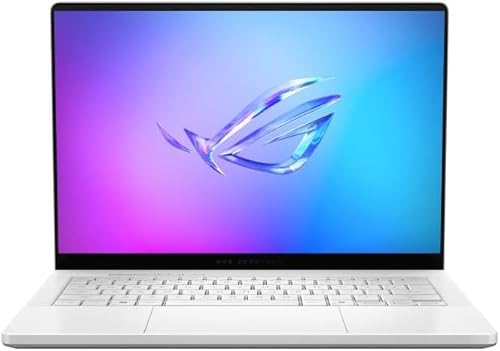
The 6 Best Gaming Laptops under $1500 in 2027
Two laptops can both say RTX 5060 yet run it at 80W or 115W. We compared 15 expert reviews to rank the best gaming laptops under $1500. Find your fit.

Affiliate disclosure: As an Amazon Associate, TechFloe earns from qualifying purchases.
Our picks at a glance
Best Gaming Laptop Under $1500 Overall
Alienware 16 Aurora (2025, AC16250, Core 7 240H, RTX 5060)
Our top pick for most buyers under the cap. The Aurora pairs a sharp 2560 x 1600 screen with standout battery life, 9h41m in Tom's Hardware's mixed test, and stays cool for hours. Write essays at the library all afternoon, then game at home before you reach for the charger. The catch: an 80W RTX 5060 and a slow panel that smears shooters. The 16GB, 1TB RTX 5060 version fits under the cap.
10.0/10Score

$1,339.99 $1,442.10 Save 7%
as of Nov 28, 2026, 06:32 UTC
Black Friday Deal
Best Lightweight Gaming Laptop for Students
Acer Nitro V 16S AI (2025, RTX 5060)
The one to carry. At about 4.5 lb it's the lightest 16-inch laptop here, its bright matte 180Hz screen beats most rivals, and RTINGS saw about 11 hours of web browsing. Three lectures, a study group and a few matches of Valorant later, it's still in your bag without a brick. The catch: in Turbo mode its small charger can't keep up. Check that the listing says Ryzen AI 7 350 with 1TB.
9.5/10Score
$1,428.52
as of Nov 28, 2026, 06:32 UTC
Best Full-Power RTX 5060 Laptop
Asus TUF Gaming A16 (2025, FA608UMI, Ryzen 7 260, RTX 5060)
The frame-rate pick. ASUS runs the RTX 5060 at up to 115W, and Crimson Tech's unit beat last year's RTX 4070 laptops in games. It's 4.85 lb with USB4, HDMI 2.1 and Ethernet, plus ASUS's MIL-STD-810H testing claim. Late-night matches in a shared apartment mean headphones, though, because the fans get loud. This 16GB, 512GB, 144Hz version is the one under the cap.
9.2/10Score
$1,399.99
as of Nov 28, 2026, 06:32 UTC
Best Slim Gaming Laptop for Battery Life
Acer Nitro 16S AI (AN16S-61, Ryzen AI 7 350, RTX 5060)
Slim, about 4.8 lb, and still able to run its RTX 5060 at up to 115W, so it pairs strong 1080p play with a battery that lasted 9 hours in Trusted Reviews' office test. Work all day on a client visit, then game in the hotel room over 2.5Gb Ethernet. The catch: reviewers tested a sharper 1600p screen than this listing's 1200p panel. Amazon sells the 16GB, 1TB version itself.
9.2/10Score
$1,419.98 $1,499.99 Save 5%
as of Nov 28, 2026, 06:32 UTC
Best Intel HX Gaming Laptop under $1500
Asus ROG Strix G16 (2025, G615JMR, Core i7-14650HX, RTX 5060)
The desk-bound pick with the strongest processor here: a 16-core Core i7-14650HX, ROG tri-fan cooling, a 90Wh battery and two Thunderbolt 4 ports. Dock it to a monitor after work and Marvel Rivals runs at 116 fps on medium. The catch: only one light hands-on review covers this exact model, and its 1200p screen is dim. The G615JMR version with 16GB and 1TB fits under the cap.
9.1/10Score
$1,489.00 $1,586.67 Save 6%
as of Nov 28, 2026, 06:32 UTC
Best 18-Inch Gaming Laptop under $1500
Asus TUF Gaming A18 (2025, FA808UM, Ryzen 7 260, RTX 5060)
The big-screen pick. An 18-inch 144Hz panel and a full-power RTX 5060 in a body that lasted 13h10m in Notebookcheck's Wi-Fi test. On a dorm desk with no room for a monitor, it's your screen, and Performance mode stays quiet at 43 dB. The catch: 1920 x 1200 looks soft at 18 inches, and it's nearly 6 lb. The 16GB, 1TB RTX 5060 version fits under the cap.
9.1/10Score
$1,499.00
as of Nov 28, 2026, 06:32 UTC
Product prices and availability are accurate as of the date/time indicated and are subject to change. Any price and availability information displayed on Amazon.com at the time of purchase will apply to the purchase of this product.
How we rank best gaming laptops under $1500 for you?
We weigh gaming performance first, because GPU wattage and cooling decide whether a new game runs at high settings or needs to be turned down. Screen quality comes next, since sharpness, brightness and motion clarity shape every hour you play. Battery and portability follow, for anyone carrying it to class or work. Value matters because this tier should beat a budget laptop where you can see it. Design and build round it out: keyboard, ports, upgrade slots and noise. That puts the Alienware 16 Aurora first.
Gaming Performance30%
GPU power limits and cooling decide whether new games run at high settings at 1080p or need cutting back.
Screen Quality20%
Resolution, brightness and response time decide how sharp and smooth every game and film looks on the panel you can't swap.
Battery and Portability20%
Weight and unplugged hours decide whether the laptop can follow you to class, work or a trip without its charger.
Value15%
Spending more than a budget laptop should buy gains you notice, like more frames, a better screen or longer battery.
Design and Build15%
Keyboard feel, ports, fan noise and upgrade slots shape how the laptop holds up over years of daily use.
Best gaming laptops under $1500 compared
Swipe sideways to see every spec.
| Product | Score | Display | Processor | Graphics | Memory |
|---|---|---|---|---|---|
| 10.0 | 16-inch 2560 x 1600 IPS, 120Hz, 100% sRGB | Intel Core 7 240H (10 cores) | Nvidia GeForce RTX 5060 8GB, 80W max | 16GB DDR5 with 1TB SSD (two RAM slots, two M.2 slots) | |
| 9.5 | 16-inch 1920x1200 IPS, 180Hz, matte | AMD Ryzen AI 7 350 (8 cores) | Nvidia RTX 5060, 8GB, about 85W | 16GB DDR5, 2 slots, replaceable | |
| 9.2 | 16-inch 1920 x 1200 IPS, 144Hz, 100% sRGB, G-Sync | AMD Ryzen 7 260 (8 cores) | Nvidia GeForce RTX 5060 8GB, up to 115W | 16GB DDR5-5600 with 512GB SSD (two RAM, two M.2 slots) | |
| 9.2 | 16-inch 1920 x 1200 IPS, 180Hz (reviewed units were 2560 x 1600) | AMD Ryzen AI 7 350 (8 cores) | Nvidia GeForce RTX 5060 8GB, up to 115W | 16GB DDR5 with 1TB PCIe 4.0 SSD | |
| 9.1 | 16-inch 1920 x 1200 IPS, 165Hz, 3ms, 100% sRGB | Intel Core i7-14650HX (16 cores) | Nvidia GeForce RTX 5060 8GB | 16GB DDR5 with 1TB PCIe 4.0 SSD | |
| 9.1 | 18-inch 1920 x 1200 IPS, 144Hz, 100% sRGB, G-Sync | AMD Ryzen 7 260 (8 cores) | Nvidia GeForce RTX 5060 8GB, up to 115W | 16GB DDR5-5600 with 1TB SSD (two RAM, two M.2 slots) |
1. Alienware 16 Aurora (2025, AC16250, Core 7 240H, RTX 5060): Best Gaming Laptop Under $1500 Overall

$1,339.99 $1,442.10 Save 7%
as of Nov 28, 2026, 06:32 UTC
Black Friday Deal
Our top pick is the Alienware because it's the most complete laptop here, not the fastest. You get a sharp 2560 x 1600 screen with rich color, a metal lid on a low-flex body, and battery life few gaming laptops match: 9 hours 41 minutes in Tom's Hardware's mixed-use test, plus almost 3 hours of unplugged gaming for Jarrod'sTech. It runs cool too, so your hands stay comfortable through a long evening.
Say you spend an afternoon at the library on coursework, then fire up Cyberpunk 2077 back home before you've even unpacked the charger. At 1080p ultra it holds around 80 fps on the RTX 5060. Inside, two RAM slots and two M.2 slots make upgrades easy, it ships with a 180W barrel charger, and Amazon sells it directly rather than a reseller.
The catch is speed in two places. Dell limits the RTX 5060 to 80W, so full-power rivals pull ahead, and the slow panel smears fast motion in shooters. At about 5.6 lb, it's heavy. So would we buy it? For story games and one laptop that does everything, yes. Chasing frames? The Asus TUF A16 (#3) runs its GPU at full power.
Best for: Gamers who play story and open-world games and want one laptop for coursework, films and play, with battery to spare.
Skip it if: You play fast competitive shooters. The Asus TUF A16 (#3) runs a full 115W RTX 5060 for more frames.
Pros
- Outstanding battery life for a gaming laptop
- Sharp 2560 x 1600 screen with good color
- Runs cool under load
- Solid build with little keyboard flex
- Two RAM and two SSD slots for upgrades
- Sold by Amazon itself, not a reseller config
Cons
- Very slow screen response causes motion blur
- RTX 5060 capped at 80W, slower than rivals
- About 5.6 lb, heavy to carry
- 720p webcam, no Thunderbolt
- Control software takes about 2 minutes to load
Hands-on reviews behind this pick
Notebookcheck
Show the verdict
A thinner, longer-lasting, well-built starter Alienware for 1080p gaming, held back by slow black-white response with visible ghosting, a hot CPU and lost extras.
Tom's Hardware
Show the verdict
An attractive laptop with a colorful screen that lasts remarkably long on battery, but the 80W RTX 5060 keeps gaming frame rates behind similarly priced rivals.
Jarrod'sTech
Show the verdict
Huge battery life, cool thermals and decent build, but the slowest screen response he had measured in five years; worth it on sale, not at full price.
2. Acer Nitro V 16S AI (2025, RTX 5060): Best Lightweight Gaming Laptop for Students

$1,428.52
as of Nov 28, 2026, 06:32 UTC
If this laptop will live in a backpack, get the Nitro V 16S AI. At about 4.5 lb it's the lightest 16-inch model here, and its matte 180Hz screen is brighter and cleaner than most budget panels. RTINGS measured about 11 hours of web browsing, so a full day of lectures is realistic.
Picture a Saturday raid that runs three hours. On the units reviewers tested, the 135W charger couldn't keep up in Turbo mode: Jarrod'sTech got about 2 hours of Alan Wake 2 before the battery fell to 30% and the laptop dropped to Balanced, even while plugged in. Switch to Performance mode and the drain stopped in his games, for a small frame-rate cost. Upgrades are easy, with two RAM slots and two M.2 slots.
The weak spots are real, though. The RTX 5060 runs at about 85W, the keyboard gets hot under load, the build flexes a little and the stock Wi-Fi card is poor. So would we buy it? For class by day and games by night, yes. If you want the same idea with a stronger GPU and charger, the Acer Nitro 16S AI (#4) is the step up.
Best for: Students who carry a laptop to class every day and game in the evenings at 1080p.
Skip it if: You want maximum frames in long Turbo sessions. The Asus TUF A16 (#3) runs a full-power RTX 5060.
Pros
- Light for a 16-inch gaming laptop at about 4.5 lb
- Long battery life: about 8-11 hours of light use
- Bright, matte 180Hz screen that beats rivals
- Two RAM slots and two M.2 slots
- Steady performance in Balanced and Performance modes
- Quiet fans in light use
Cons
- Small 135W charger drains the battery in Turbo gaming
- RTX 5060 limited to about 85W, slower than rivals
- Keyboard gets hot under load
- Mushy keyboard and weak trackpad (some reviewers)
- Some lid and deck flex
- Poor stock Wi-Fi card
Hands-on reviews behind this pick
RTINGS
Show the verdict
Tested the Ryzen AI 7 350/RTX 5060/16GB/1TB unit: good for gaming at native 1200p with a bright 180Hz screen, steady performance and easy upgrades, but a hot keyboard, loud fans and a weak charger.
Show the verdict
Light, with a better screen and battery than rivals, but its tiny 135W charger can't keep up in Turbo mode, so the battery drains mid-game; fine in Performance mode, hard to recommend at full price.
Show the verdict
Tested a Ryzen 7 260/RTX 5060 unit: thin, very upgradeable, with a nice matte 180Hz screen and 8+ hours of light use, but the low-power GPU and plugged-in battery drain make it hard to recommend.
3. Asus TUF Gaming A16 (2025, FA608UMI, Ryzen 7 260, RTX 5060): Best Full-Power RTX 5060 Laptop

$1,399.99
as of Nov 28, 2026, 06:32 UTC
Want the most frames for the money under the cap? This is it. ASUS lets the RTX 5060 run at up to 115W, the full rating, and Crimson Tech's RTX 5060 unit beat last year's RTX 4070 laptops in games. It also kept the palm rest cool, with a CPU peak of 87C.
Here's the trade. Play at midnight in an apartment with thin walls and your roommate will hear the fans, so plan on a headset. The ports are a highlight: USB4, HDMI 2.1 and Ethernet, plus a 180-degree hinge. ASUS says TUF laptops pass MIL-STD-810H drop and vibration tests, which is reassuring for a laptop that gets tossed in a bag. The box also includes an Xbox Game Pass Premium trial that bills once the free months end.
The screen is the weak link: it's dim and a bit washed out. This 144Hz version ships with 512GB and, per ASUS, a 70Wh battery, so expect shorter unplugged sessions than the 90Wh units some reviews measured. So would we buy it? If frames matter most, yes. Want a brighter screen and longer battery? The Acer Nitro 16S AI (#4) fits that.
Best for: Gamers who want the strongest RTX 5060 performance under the cap and will wear headphones.
Skip it if: You need a bright screen or a long unplugged day. The Alienware 16 Aurora (#1) lasts far longer.
Pros
- MIL-STD-810H testing claimed by ASUS
- RTX 5060 runs at up to the full 115W
- Fairly thin and 4.85 lb
- G-Sync, MUX switch and Advanced Optimus
- Good ports incl. USB4, HDMI 2.1, Ethernet
- Easy RAM and SSD upgrades
Cons
- Fans are loud under gaming load
- Screen is dim and a bit washed out
- Cramped keyboard with numpad
- This SKU has the smaller 70Wh battery
- Only 512GB of storage
Hands-on reviews behind this pick
Show the verdict
Ryzen 7 and 115W RTX 5060 unit: beats last year's RTX 4070 laptops in games, with good speakers, keyboard and webcam; weak battery and only 8GB of VRAM. Recommended.
4. Acer Nitro 16S AI (AN16S-61, Ryzen AI 7 350, RTX 5060): Best Slim Gaming Laptop for Battery Life

$1,419.98 $1,499.99 Save 5%
as of Nov 28, 2026, 06:32 UTC
The Nitro 16S AI is our pick for anyone who needs one laptop for a workday and a gaming night. It runs the RTX 5060 at up to 115W, so Expert Reviews saw 102 fps in Cyberpunk 2077 at 1080p High, yet it's under 20 mm thick and lasted 9 hours in Trusted Reviews' office test.
Say you're on a two-day work trip. You answer email and edit slides all day without a charger, then plug into the hotel's wired network over 2.5Gb Ethernet for a few hours of play. Turbo mode is loud, but Expert Reviews found Performance mode just as fast and quieter, so that's the setting to live in. It ships with a 230W charger, and Amazon sells this version itself.
One honest warning about the screen. The reviewed units had a 2560 x 1600 panel at about 470 to 480 nits, and this listing has a 1920 x 1200 one, so don't count on those results. The deck flexes a little, and ThinkView's unit had a creaky hinge. So would we buy it? For work plus play, yes. Want more frames for less? The Asus TUF A16 (#3) is the pick.
Best for: Workers and students who need a slim laptop with all-day battery that still games well at 1080p.
Skip it if: You want a sharper 1600p screen on the exact model you buy. The Alienware 16 Aurora (#1) has one.
Pros
- Long battery for a gaming laptop
- Slim (under 20 mm) and about 4.8 lb
- Bright IPS screen, about 470-480 nits
- Advanced Optimus GPU switching
- USB4, microSD and 2.5Gb Ethernet
- Sold by Amazon.com
Cons
- Fans loud in Turbo mode
- Keyboard deck flexes a little
- Ryzen AI 7 350 slower in heavy CPU work
- Hinge creaks on one reviewer's unit
- Amazon SKU has a lower-res panel than reviewed
Hands-on reviews behind this pick
Expert Reviews
Show the verdict
Tested Ryzen AI 7 350 / RTX 5060 / 32GB: a well-balanced, slim gaming laptop with strong performance and nearly eight hours of battery; the display and slight keyboard bounce are minor flaws.
Trusted Reviews
Show the verdict
A capable mid-range gaming laptop with solid 1080p and 1440p performance, surprisingly strong battery life, a comfortable keyboard and excellent ports; the IPS screen lacks OLED punch.
Show the verdict
Ryzen AI 7 350 / RTX 5060 / 32GB unit: quiet in everyday use, under 90C in games, about 7 hours of real-world productivity battery; a strong value pick.
5. Asus ROG Strix G16 (2025, G615JMR, Core i7-14650HX, RTX 5060): Best Intel HX Gaming Laptop under $1500

$1,489.00 $1,586.67 Save 6%
as of Nov 28, 2026, 06:32 UTC
Buy the Strix G16 if your laptop mostly sits on a desk and you want the strongest processor under the cap. Its 16-core Core i7-14650HX leaves room for streaming or Discord in the background, and ROG's tri-fan cooling kept this exact config in control in Racimbio's hands-on.
Imagine getting home, plugging one cable into a Thunderbolt 4 dock, and having your monitor, keyboard and wired network ready. That's what the two Thunderbolt 4 ports and 2.5Gb Ethernet are for. On medium settings, Racimbio saw 84 fps in Arc Raiders without frame generation and 116 fps in Marvel Rivals. The satin deck feels nice, and the 90Wh battery is big; Jarrod'sTech found Intel Strix units outlasted AMD ones.
The evidence is the weak spot. Only one light video covers this RTX 5060 model, and the bright screen reviewers praised belongs to a pricier 1600p version. This one's 1200p panel is rated about 300 nits, the fans are audible and the speakers are flat. A third-party seller handles the Amazon listing. So would we buy it? For a desk setup, yes. Want proven results? The Alienware 16 Aurora (#1) has more.
Best for: Desk-first gamers who want a strong HX processor and Thunderbolt for a dock and monitor.
Skip it if: You want lab-measured proof before buying. The Alienware 16 Aurora (#1) has three hands-on reviews.
Pros
- Tri-fan cooling stays in control (Racimbio)
- Strong HX processor for the price
- Large 90Wh battery
- Two Thunderbolt 4 ports, 2.5Gb Ethernet
- Smooth satin deck and RGB light bar
- Good keyboard with M1-M5 macro keys
Cons
- No in-depth review of the RTX 5060 config
- Fans clearly audible in games
- Flat, lifeless speakers
- Base 1200p panel is only about 300 nits
- Amazon listing sold by a third party
Hands-on reviews behind this pick
Show the verdict
Hands-on with the G615J i7-14650HX / RTX 5060: plays Arc Raiders and Marvel Rivals well on medium, cooling is good but fans are audible; good value at its sale price.
6. Asus TUF Gaming A18 (2025, FA808UM, Ryzen 7 260, RTX 5060): Best 18-Inch Gaming Laptop under $1500

$1,499.00
as of Nov 28, 2026, 06:32 UTC
Want the biggest screen your money can buy without stepping up to a flagship? Get the TUF A18. It pairs an 18-inch 144Hz panel with an RTX 5060 at up to 115W, and Notebookcheck measured 13 hours 10 minutes on Wi-Fi, which is exceptional for an 18-inch laptop.
Think of a dorm desk with no space for a monitor. This becomes your screen for games, lectures and late-night films, and its Performance mode ran Cyberpunk 2077 at 86 fps at 1080p Ultra while staying at 43 dB, quiet enough not to wake a roommate. Turbo adds about 10 fps but hits 55 dB. The touchpad is huge, there's a full numpad, and ASUS claims MIL-STD-810H testing.
The screen is the compromise. At 1920 x 1200 and about 320 nits, it looks soft and plain for its size. It weighed 5.91 lb, plus a 700 g charger. This Amazon listing is a reseller bundle that adds a USB hub, so check the seller and warranty terms before you buy. So would we buy it? For a desk that needs a big screen, yes. Need to carry it? The Acer Nitro V 16S AI (#2) is far lighter.
Best for: Students and gamers at a desk with no monitor who want an 18-inch screen and long battery.
Skip it if: You'll carry it daily. The Acer Nitro V 16S AI (#2) is about 1.4 lb lighter.
Pros
- Huge 18-inch screen at a mid price
- Excellent battery life for its size
- MIL-STD-810H testing claimed by ASUS
- Quiet in Performance mode
- Very large touchpad, full numpad
- Lighter than most 18-inch rivals
Cons
- Only 1920 x 1200 on an 18-inch panel
- Screen limited to sRGB, about 320 nits
- Turbo mode gets loud (55 dB)
- No card reader
- Amazon listing is a reseller bundle
Hands-on reviews behind this pick
Show the verdict
The RTX 5060 FA808UM is a well-rounded, fairly priced 18-inch laptop with excellent battery life and a huge touchpad; the 1200p panel feels modest for its size.
Best gaming laptops under $1500 buying guide for 2027
Is a gaming laptop under $1500 worth it over a budget RTX 5050 model?
Yes, if you want high settings at 1080p rather than medium. Every pick here has an RTX 5060, and the best of them run it at up to 115W, which let the Asus TUF A16 beat last year's RTX 4070 laptops in games. The extra money also buys better screens and batteries: the Alienware 16 Aurora's 2560 x 1600 panel, the Acer Nitro V 16S AI's bright 180Hz screen, and the 13-hour Wi-Fi result of the Asus TUF A18.
What it doesn't buy is more VRAM. The RTX 5060 still has 8GB, which Crimson Tech counted as a weakness, so the most demanding new games may need lower texture settings. If you mostly play esports titles at medium, the step up matters less, and cheaper RTX 5050 laptops for tighter budgets may suit you better.
Why does GPU wattage matter more than the GPU name in a gaming laptop?
Because the same RTX 5060 can run at very different power levels, and the frame rates follow. The Asus TUF A16, Asus TUF A18 and Acer Nitro 16S AI all allow up to 115W. The Acer Nitro V 16S AI runs at about 85W, and the Alienware 16 Aurora is capped at 80W, which left it behind an older RTX 4070 laptop in Tom's Hardware's Far Cry 6 run.
Lower wattage isn't all bad. It's part of why the Alienware runs cool and lasts so long on battery. But if frames are your priority, look for the wattage on the spec sheet before you look at anything else, and favor the TUF A16 or the Nitro 16S AI.
What screen should you expect on a gaming laptop at this price?
Expect a 16-inch IPS panel at 1920 x 1200 or better, with 120Hz to 180Hz, but check brightness and response time too. The Alienware 16 Aurora has the sharpest panel here at 2560 x 1600, but its slow response blurs fast shooters. The Acer Nitro V 16S AI has the cleanest all-round screen, bright and matte at 180Hz.
Watch for listings that differ from reviews. The Acer Nitro 16S AI's reviewed units had a 1600p panel near 480 nits, while the Amazon version is 1920 x 1200. The Asus ROG Strix G16's base 1200p screen is rated about 300 nits, and the TUF A16's looks dim. For competitive play, a faster screen matters more than resolution.
How long does a gaming laptop battery last away from the charger?
Far longer for school or office work than for gaming, and it varies a lot by model. For light use, the Asus TUF A18 lasted 13h10m in Notebookcheck's Wi-Fi test, the Acer Nitro V 16S AI about 11 hours of browsing for RTINGS, and the Alienware 16 Aurora 9h41m in Tom's Hardware's mixed test. Gaming unplugged is a different story: most laptops manage an hour or two, and the Alienware's almost 3 hours was a standout for Jarrod'sTech.
The Asus TUF A16 is the one to watch. ASUS lists a 70Wh battery for this version, and Crimson Tech saw under 4.5 hours of video at full brightness. Pick the Alienware or either Acer if a full class day matters.
Should you buy a 16-inch or 18-inch gaming laptop?
Buy 16 inches if it ever leaves your desk, and 18 inches only if it replaces a monitor. The Acer Nitro V 16S AI weighs about 4.5 lb and the Nitro 16S AI about 4.8 lb, both easy to carry. The Asus TUF A18 weighed 5.91 lb plus a 700 g charger, which is a lot for a daily backpack.
The 18-inch screen is lovely on a small desk, but at 1920 x 1200 it isn't any sharper than the 16-inch picks, just bigger. If you want more screen for gaming at home, a 16-inch laptop with a separate monitor is often the better plan. For flagship screens and more power above this budget, see our top gaming laptop picks.
What should you check on a gaming laptop listing before you buy?
Check the exact model number, the seller and the warranty first. Some gaming laptops are sold new as reseller customized configs with added memory or storage, which can void the maker warranty. The Alienware 16 Aurora and Acer Nitro 16S AI are sold by Amazon itself, the Asus ROG Strix G16 by a third-party seller, and the Asus TUF A18 listing is a reseller bundle with a USB hub, so read its warranty terms.
Then check memory and storage. Every pick ships with 16GB, which is fine for gaming today, and most have two RAM slots for an upgrade later. The TUF A16 ships with 512GB, so plan on a second SSD. Loyal to one brand? Compare Acer gaming laptops at every budget.
Best gaming laptops under $1500: frequently asked questions
What is the best gaming laptop under $1500?
The Alienware 16 Aurora is our pick for most buyers. It pairs a sharp 2560 x 1600 screen with standout battery life, 9h41m in Tom's Hardware's mixed test, and runs cool. If raw frame rates matter more, the Asus TUF A16 runs its RTX 5060 at a full 115W.
Can you get an RTX 5070 gaming laptop under $1500?
Rarely right now. RTX 5070 models such as the RTX 5070 version of the Acer Nitro V 16S AI sit just over the cap, which is why every pick here has an RTX 5060. A full-power RTX 5060, like the one in the Asus TUF A16, beat last year's RTX 4070 laptops in games.
Is 16GB of RAM enough for a gaming laptop?
Yes, for gaming today, and every pick on this list ships with 16GB. Most also have two RAM slots, including the Alienware 16 Aurora, Acer Nitro V 16S AI, Asus TUF A16 and Asus TUF A18, so you can add more later if you start streaming or running heavy apps.
Can a gaming laptop under $1500 run games at 1440p?
Some games, yes, but expect to lean on upscaling. On a 1600p unit, the Acer Nitro 16S AI ran Cyberpunk 2077 at 52 fps at 1440p for Trusted Reviews, versus 85 fps at 1080p. The Alienware 16 Aurora is the only pick here with a 2560 x 1600 screen on the exact listed model.
Should I buy a 16-inch or 18-inch gaming laptop?
Choose 16 inches if you carry it, and 18 inches only for a desk with no monitor. The Asus TUF A18 is our 18-inch pick, with 13 hours of light-use battery, but it weighed 5.91 lb. The Acer Nitro V 16S AI is about 4.5 lb and far easier to carry.