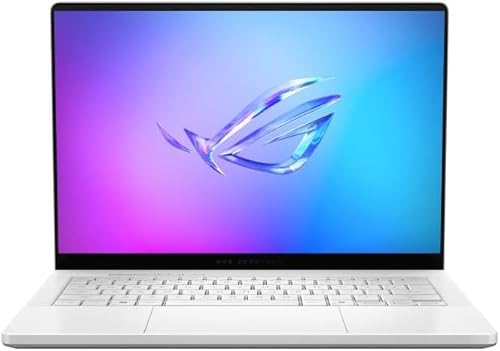
The 10 Best Acer Gaming Laptops in 2027
Same RTX 5070 Ti, two Acers, one a pound heavier. We compared 26 expert reviews of the best Acer gaming laptops to decode Nitro vs Predator. Pick a tier.

Affiliate disclosure: As an Amazon Associate, TechFloe earns from qualifying purchases.
Our picks at a glance
Best Acer Gaming Laptop Overall
Acer Predator Helios Neo 16 AI (PHN16-73, RTX 5070 Ti)
Most Acer gamers who play at a desk will want this one. It runs the RTX 5070 Ti at the full 140W, about 10 to 15% quicker than Acer's slimmer 16S, and PC Gamer measured its 240Hz IPS screen at 635 nits. A sunny Saturday of Forza by the window? The panel shrugs off the glare. The catch is bulk, heat and roughly four hours of battery. Check the listing shows the RTX 5070 Ti.
10.0/10Score

$2,199.99
as of Nov 28, 2026, 06:32 UTC
Best Lightweight Acer Gaming Laptop
Acer Nitro V 16S AI (2025, RTX 5060)
The light, long-lasting Acer for students and casual players. It weighs about 4.5 lb, RTINGS measured around 11 hours of web browsing, and the matte 180Hz screen beats most budget panels. Lectures by day and 1200p games at night work well. But in a long Turbo session the 135W charger can't keep up, so the battery drains while plugged in. Check the listing says RTX 5060, not RTX 5050.
9.4/10Score
$1,428.52
as of Nov 28, 2026, 06:32 UTC
Best Acer OLED Gaming Laptop
Acer Predator Helios Neo 16S AI (PHN16S-71, RTX 5070 Ti)
Acer's OLED pick for gamers who move between desk and couch. You get an RTX 5070 Ti with 12GB of VRAM, a 240Hz OLED and 32GB of RAM in a body under 0.8 inch thick. Dark story games look rich on the sofa at night, though the glossy screen mirrors lamps. Battery lands around four to five hours, and the GPU runs below full power. Check the listing shows the OLED and 32GB.
9.4/10Score
$2,599.99
as of Nov 28, 2026, 06:32 UTC
Best Flagship Acer Gaming Laptop for 4K
Acer Predator Helios 18 AI (PH18-I72, 2026, RTX 5090)
The most powerful Acer you can buy, made for a fixed desk. An RTX 5090 at up to 175W drives an 18-inch 4K Mini LED that hit about 1,050 nits in HDR. Play a slow, gorgeous RPG in 4K at 120Hz, then switch to the 1920 x 1200 240Hz mode for shooters. The catch: 7.7 lb, a 400W brick, loud fans and a CPU near 103C. Check the listing shows the RTX 5090 and 290HX Plus.
9.0/10Score
$4,999.99
as of Nov 28, 2026, 06:32 UTC
Best 18-Inch Acer Gaming Laptop for Value
Acer Predator Helios Neo 18 AI (PHN18-72, RTX 5070 Ti)
For players who want a huge 240Hz screen without flagship pricing. The 18-inch matte IPS sits over a full 140W RTX 5070 Ti, and the full number pad suits strategy games and sims. Picture a long Civilization night with the map spread edge to edge on your desk. The catch: 7.3 lb plus a 330W brick of over 1 kg. Check it's the PHN18-72-92Y3 with the IPS panel and RTX 5070 Ti.
8.8/10Score
$1,999.99
as of Nov 28, 2026, 06:32 UTC
Best Mid-Range Acer Gaming Laptop
Acer Nitro 16S AI (AN16S-61, Ryzen AI 7 350, RTX 5060)
The Nitro for gamers who need a laptop that also lasts a workday. Its RTX 5060 runs up to 115W with a 230W adapter, far more headroom than the Nitro V 16S, and Trusted Reviews got 9 hours in an office battery test. Work from a cafe all morning, then play Cyberpunk at 1080p at home. The catch: this listing has a 1920 x 1200 screen, not the sharper panel reviewed. It ships from Amazon.com.
8.7/10Score
$1,419.98 $1,499.99 Save 5%
as of Nov 28, 2026, 06:32 UTC
Best Compact Acer Gaming Laptop
Acer Predator Helios Neo 14 AI (PHN14-71, RTX 5060)
Acer's smallest Predator, for gamers who want a 14.5-inch footprint with a full 115W RTX 5060. The matte 1600p 165Hz screen fits a cramped dorm desk better than any 16-inch here, and it charges over USB-C. The catch: it weighs about 4.2 lb, battery gave about 4 to 5 hours of real use for PCWorld, and the 16GB of RAM is soldered. Check it's the Core Ultra 7 255H model with the IPS screen.
8.5/10Score
$1,599.99
as of Nov 28, 2026, 06:32 UTC
Best Cheap Acer Gaming Laptop
Acer Nitro V 16 AI (ANV16-42, Ryzen 5 240, RTX 5050)
The cheapest Acer here that still plays new games well, and a smart first gaming laptop. PCMag's exact config played AAA games at well over 60 fps and lasted about 12 hours in a video test. A teen can finish homework after school and jump into Call of Duty on the 180Hz screen at night. The catch: dull colors and a 512GB SSD that fills fast. Check it's the Ryzen 5 240 and RTX 5050 listing.
8.2/10Score
$1,170.00
as of Nov 28, 2026, 06:32 UTC
Best Budget Acer Laptop for 1080p Gaming
Acer Nitro V 15 (2025, Core i5-13420H, RTX 5050)
A plain 15.6-inch route into RTX gaming for 1080p players who mostly sit at a desk. The 165Hz screen, HDMI 2.1, Thunderbolt 4 and Ethernet make a monitor and wired internet easy to add, so a night of Valorant on a second screen just works. The catch: loud fans, heat near the space bar and under two hours of gaming on battery. Check whether the listing has the i5 and RTX 5050 or the RTX 5060.
7.8/10Score
$1,040.00
as of Nov 28, 2026, 06:16 UTC
Best Thin Acer Gaming Laptop With RTX 5070
Acer Nitro V 16S AI (2025, RTX 5070)
The RTX 5070 version of the light Nitro V 16S, with a sharper 2560 x 1600 180Hz screen on this listing. It suits players who want a thin 16-inch, long light-use battery and a crisper picture. Thirty minutes of gaming between lectures is its sweet spot. But the RTX 5070 is capped at 85W like the 5060, and the 135W charger drains the battery in Turbo. Check the GPU and screen on the listing.
7.6/10Score
$1,519.99
as of Nov 28, 2026, 06:32 UTC
Product prices and availability are accurate as of the date/time indicated and are subject to change. Any price and availability information displayed on Amazon.com at the time of purchase will apply to the purchase of this product.
How we rank best Acer gaming laptops for you?
We rank gaming performance first, because the GPU's power limit, not just its name, decides your frame rates, and Acer runs the same chip at very different wattages. The display comes next, since resolution, refresh rate and brightness are what you stare at every session. Value follows, because a Nitro and a Predator can share a GPU name and sit a tier apart. Portability and battery matter once the laptop leaves your desk, and design and build covers heat, noise, keyboards, ports and upgrade slots. That puts the Helios Neo 16 AI first.
Gaming Performance30%
Acer runs the same GPU at very different wattages, and that power limit decides the frame rates you actually see in a long session.
Display20%
Resolution, refresh rate, brightness and finish shape every match, and Acer's panels range from dull budget IPS to 4K Mini LED.
Value20%
A Nitro and a Predator can share a GPU name and sit a full tier apart in price, so the extra money has to buy frames or a better screen.
Portability and Battery15%
Weight, brick size and unplugged runtime decide whether the laptop can leave your desk for class, work or the couch.
Design and Build15%
Heat, fan noise, keyboards, ports and free RAM and SSD slots decide how the laptop feels to live with for years.
Best Acer gaming laptops compared
Swipe sideways to see every spec.
| Product | Score | Display | Processor | Graphics | Memory |
|---|---|---|---|---|---|
| 10.0 | 16-inch 2560x1600 IPS, 240Hz, G-Sync | Intel Core Ultra 9 275HX (24 cores) | Nvidia RTX 5070 Ti (12GB), up to 140W | 16GB DDR5, two slots | |
| 9.4 | 16-inch 1920x1200 IPS, 180Hz, matte | AMD Ryzen AI 7 350 (8 cores) | Nvidia RTX 5060, 8GB, about 85W | 16GB DDR5, 2 slots, replaceable | |
| 9.4 | 16-inch 2560x1600 OLED, 240Hz, 500 nits, glossy | Intel Core Ultra 9 275HX (24 cores) | Nvidia RTX 5070 Ti (12GB), about 100-115W | 32GB DDR5-6400, two slots | |
| 9.0 | 18-inch 3840x2400 Mini LED, 120Hz (or 1920x1200 at 240Hz) | Intel Core Ultra 9 290HX Plus (24 cores) | Nvidia RTX 5090 Laptop GPU, 24GB, 175W max | 32GB DDR5, four SO-DIMM slots, three M.2 slots | |
| 8.8 | 18-inch 2560x1600 IPS, 240Hz, matte, G-Sync | Intel Core Ultra 9 275HX (24 cores) | Nvidia RTX 5070 Ti (12GB), up to 140W | 16GB DDR5, two slots | |
| 8.7 | 16-inch 1920 x 1200 IPS, 180Hz (reviewed units were 2560 x 1600) | AMD Ryzen AI 7 350 (8 cores) | Nvidia GeForce RTX 5060 8GB, up to 115W | 16GB DDR5 with 1TB PCIe 4.0 SSD | |
| 8.5 | 14.5-inch 2560x1600 IPS, 165Hz, matte, G-Sync | Intel Core Ultra 7 255H (16 cores) | Nvidia RTX 5060 (8GB), up to 115W | 16GB LPDDR5X, soldered | |
| 8.2 | 16-inch 1920 x 1200 IPS, 180Hz | AMD Ryzen 5 240 (6 cores, 12 threads) | Nvidia GeForce RTX 5050 8GB GDDR7 | 16GB DDR5, 512GB SSD; two RAM and two M.2 slots | |
| 7.8 | 15.6-inch 1920 x 1080 IPS, 165Hz | Intel Core i5-13420H (Core i7-13620H option) | Nvidia GeForce RTX 5050 8GB (RTX 5060 option) | 16GB DDR4 with 512GB NVMe SSD | |
| 7.6 | 16-inch 2560x1600 IPS, 180Hz (1920x1200 on cheaper SKUs) | AMD Ryzen 7 260 per Amazon title (8-core Zen 4) | Nvidia RTX 5070 8GB, capped at 85W like the RTX 5060 | 16GB DDR5, upgradeable; 512GB SSD |
1. Acer Predator Helios Neo 16 AI (PHN16-73, RTX 5070 Ti): Best Acer Gaming Laptop Overall

$2,199.99
as of Nov 28, 2026, 06:32 UTC
The Helios Neo 16 AI suits most Acer shoppers better than anything else here. The Helios Neo 16 AI feeds its RTX 5070 Ti the full 140W, and Crimson Tech saw it touch 160W at times, so it lands among the quickest laptops with that chip. PC Gamer measured its 240Hz IPS panel at 635 nits, which is very bright for a gaming screen.
A Saturday racing session on a desk by the window. Forza Horizon 5 on Extreme reached up to 112 fps on Tom's Guide's 32GB review unit, and the window glare barely dents the panel. This listing pairs a Core Ultra 9 275HX with 16GB and 1TB, and two RAM slots plus two M.2 slots let you add more later. Ethernet at 2.5Gb and HDMI make a wired monitor setup easy.
The downside is everything about carrying it. It weighs about 5.95 lb, runs hot and loud under load, and Tom's Guide got 4h11m of battery. So would we buy it? For a desk, yes. If it has to ride in a backpack, the Helios Neo 16S AI (#3) is far slimmer.
Best for: Desk gamers who want full-power RTX 5070 Ti frame rates and a bright 1600p screen without flagship pricing.
Skip it if: You carry your laptop every day. The Predator Helios Neo 16S AI (#3) has the same GPU in a much thinner body.
Pros
- Full 140W RTX 5070 Ti, among the fastest for the GPU
- Very bright 240Hz IPS (PC Gamer measured 635 nits)
- Priced below most RTX 5070 Ti rivals
- Two M.2 slots, 2.5Gb Ethernet, plenty of ports
Cons
- Heavy and thick: about 5.95 lb, 1.05 inch
- Short battery life (Tom's Guide 4h11m)
- Runs hot and loud under load
- Lots of preinstalled bloatware
- Only 16GB RAM in this listing
Hands-on reviews behind this pick
PC Gamer
Show the verdict
A relative bargain among top-end gaming laptops, with solid RTX 5070 Ti performance and an exceptionally bright IPS screen, but it runs hot and has almost no battery life.
Tom's Guide
Show the verdict
A beautiful, bright 240Hz screen and smooth gaming, but ineffective cooling, a slow SSD hurt by bloatware, short battery life and a bulky body make it hard to recommend outright.
LaptopMedia
Show the verdict
Tested the OLED version with a 140W RTX 5070 Ti: powerful and well balanced for the price and 10-15% faster than the slimmer 16S, but its OLED screen brings notable drawbacks.
2. Acer Nitro V 16S AI (2025, RTX 5060): Best Lightweight Acer Gaming Laptop

$1,428.52
as of Nov 28, 2026, 06:32 UTC
A student who games will carry this Acer everywhere. The Nitro V 16S AI weighs about 4.5 lb, RTINGS measured around 11 hours of web browsing, and its matte 180Hz screen beats most panels at this tier. RTINGS tested this exact Ryzen AI 7 350 and RTX 5060 setup and found it runs demanding games at native 1200p.
Here's the known issue. The bundled 135W charger can't supply Turbo mode. On Jarrod'sTech's RTX 5060 unit, Alan Wake 2 in Turbo drained the battery for about two hours while plugged in, until it hit 30% and dropped to Balanced. Performance mode showed no drain in his games, so that's the setting to live in. The stock Wi-Fi card is weak, too.
Is it worth it over the Nitro 16S AI (#6)? That one ships with a 230W adapter and a 115W GPU, so it's the better choice for marathon sessions. Pick the V 16S if weight and battery matter more to you than peak frames, and you'll be happy with it.
Best for: Students and casual gamers who want a light 16-inch with long battery and will game in Performance mode.
Skip it if: You play long sessions at full power. The Nitro 16S AI (#6) ships with a 230W adapter and a faster 115W GPU.
Pros
- Light for a 16-inch gaming laptop at about 4.5 lb
- Long battery life: about 8-11 hours of light use
- Bright, matte 180Hz screen that beats rivals
- Two RAM slots and two M.2 slots
- Steady performance in Balanced and Performance modes
- Quiet fans in light use
Cons
- Small 135W charger drains the battery in Turbo gaming
- RTX 5060 limited to about 85W, slower than rivals
- Keyboard gets hot under load
- Mushy keyboard and weak trackpad (some reviewers)
- Some lid and deck flex
- Poor stock Wi-Fi card
Hands-on reviews behind this pick
RTINGS
Show the verdict
Tested the Ryzen AI 7 350/RTX 5060/16GB/1TB unit: good for gaming at native 1200p with a bright 180Hz screen, steady performance and easy upgrades, but a hot keyboard, loud fans and a weak charger.
Jarrod'sTech
Show the verdict
Light, with a better screen and battery than rivals, but its tiny 135W charger can't keep up in Turbo mode, so the battery drains mid-game; fine in Performance mode, hard to recommend at full price.
Show the verdict
Tested a Ryzen 7 260/RTX 5060 unit: thin, very upgradeable, with a nice matte 180Hz screen and 8+ hours of light use, but the low-power GPU and plugged-in battery drain make it hard to recommend.
3. Acer Predator Helios Neo 16S AI (PHN16S-71, RTX 5070 Ti): Best Acer OLED Gaming Laptop

$2,599.99
as of Nov 28, 2026, 06:32 UTC
Want Predator power you can actually carry? This is the slim one. The Helios Neo 16S AI fits an RTX 5070 Ti, 32GB of RAM and a 240Hz OLED into a body about 0.74 to 0.79 inch thick, and Notebookcheck and Jarrod'sTech both tested this exact configuration.
Say you finish a shift and want a few chapters of a story game in bed. The OLED's deep blacks make night scenes look rich, and the keyboard and touchpad are comfortable. It weighs about 4.8 to 4.9 lb, and the 230W brick adds roughly 1.6 lb to the bag. Thunderbolt 4 handles a dock when you get home.
The trade-off is power and stamina. Jarrod saw the GPU run near 100W in Turbo, and LaptopMedia puts it 10 to 15% behind the thicker Helios Neo 16 AI. Battery runs about four to five hours because the screen can't drop below 240Hz, and fans hit 52 dB in Notebookcheck's Cyberpunk run. So would we buy it? Yes, on sale, if thin matters. For cheaper frames, the Helios Neo 16 AI (#1) wins.
Best for: Gamers who want RTX 5070 Ti power and an OLED in a 16-inch slim enough for a daily bag.
Skip it if: You want every frame for your money. The Helios Neo 16 AI (#1) runs the same GPU at the full 140W.
Pros
- RTX 5070 Ti and 12GB VRAM in a 0.74-0.79 inch chassis
- Vivid 240Hz OLED with G-Sync
- Two RAM slots and two SSD slots
- Thunderbolt 4 and a broad port selection
- Comfortable keyboard and touchpad (most reviewers)
Cons
- Short battery life: about 4-5 hours in tests
- Screen can't drop to 60Hz or use variable refresh
- Gets loud (about 52 dB) and warm when gaming
- GPU and CPU power limited versus thicker laptops
- About 4.8-4.9 lb, heavier than a Zephyrus G16
- Glossy OLED is very reflective
Hands-on reviews behind this pick
Notebookcheck
Show the verdict
One of the thinner gaming laptops, with a colorful OLED, Thunderbolt 4 and two RAM and SSD slots, but battery life and performance could be better and the SSD throttles over time.
Tom's Hardware
Show the verdict
Mostly succeeds as a thin-and-light gamer with solid RTX 5070 Ti performance, a beautiful 240Hz OLED and good inputs, but its battery life falls short of what a portable laptop needs.
Show the verdict
Thin, premium-feeling RTX 5070 Ti laptop with an OLED for a good price, but the GPU and CPU are power-limited, fans get louder than the Legion 7i and there is no Thunderbolt 5.
4. Acer Predator Helios 18 AI (PH18-I72, 2026, RTX 5090): Best Flagship Acer Gaming Laptop for 4K

$4,999.99
as of Nov 28, 2026, 06:32 UTC
The top chip and the biggest, sharpest screen both live in this Acer. The Helios 18 AI pairs an RTX 5090 with a Core Ultra 9 290HX Plus, and LaptopMedia's retail 2026 unit held the GPU near 170W in long sessions. It ran Black Myth: Wukong at 85 fps at 2400p.
Get one thing straight before you buy: Amazon's title says 4K at 250Hz, but this panel runs 4K at 120Hz. Its second mode drops to 1920 x 1200 at 240Hz, so a cinematic RPG in 4K can give way to fast shooters at high refresh on the same night. Four RAM slots, three M.2 slots and Thunderbolt 5 make it the most expandable pick here.
But it's a desk machine. It weighs 7.7 lb before the 400W brick, the CPU sat near 103C in LaptopMedia's all-core test, and the Mini LED uses PWM dimming that can bother sensitive eyes. Jarrod'sTech's 2025 unit, with the older 275HX and 192GB of slow RAM, had the loudest fans he tested that year. For most of the gaming at far less cost, the Helios Neo 18 AI (#5) is smarter.
Best for: Desktop-replacement gamers who want RTX 5090 power, a 4K Mini LED and maximum upgrade room.
Skip it if: Value matters to you. The Helios Neo 18 AI (#5) gives you a full-power RTX 5070 Ti on an 18-inch screen for far less.
Pros
- RTX 5090 runs near full power with stable GPU temps
- Very bright 18-inch 4K Mini LED, about 1,050 nits HDR
- Four RAM slots and three M.2 slots for upgrades
- Thunderbolt 5, 5Gb Ethernet, Wi-Fi 7 and an SD reader
- Deep 2mm keyboard with per-key RGB and swappable keys
Cons
- CPU averages about 103C under long all-core loads
- Mini LED uses low-duty-cycle PWM flicker
- Fans audible at idle and very loud in Turbo
- 7.7 lb plus a roughly 2 lb 400W power brick
- Very expensive for the performance
Hands-on reviews behind this pick
Show the verdict
Retail 2026 unit (290HX Plus, RTX 5090, 4K Mini LED): brutally powerful and very upgradeable with a gorgeous screen, but the CPU runs near 104C, fans hum at idle and the panel flickers.
TechRadar
Show the verdict
On the 2025 version (Ultra 9 275HX, RTX 5090, 4K panel): unbeatable performance, a fantastic display and great build, but far too expensive and barely portable; about 3 hours of movie playback.
Show the verdict
On the 2025 275HX / RTX 5090 / 192GB unit he likes the upgrades and Mini LED, but it runs hot, throttles, has the loudest fans he tested that year and trails rivals with the same chips.
5. Acer Predator Helios Neo 18 AI (PHN18-72, RTX 5070 Ti): Best 18-Inch Acer Gaming Laptop for Value

$1,999.99
as of Nov 28, 2026, 06:32 UTC
A big 18-inch screen and real power, without the flagship bill. The Helios Neo 18 AI runs its RTX 5070 Ti at the full 140W, and LaptopMedia tested the same 240Hz IPS panel and GPU found in this listing. It managed 189 fps in Counter-Strike 2 on Very High and 90 fps in Metro Exodus Enhanced at native 1600p.
Your desk is both a gaming station and a home office. The 18-inch matte panel has room for a strategy map and a chat window side by side, and the full number pad helps in sims. Fans can stop completely in light use, and LaptopMedia got 5h47m of battery at low brightness. Two RAM and two M.2 slots let you grow past 16GB and 1TB.
The cost is size: 7.3 lb plus a 330W brick that Root-Nation found weighs over 1 kg. GPU clocks also run lower than in thicker 18-inch rivals. Is it worth stepping up to the Helios 18 AI (#4)? For most of you, no. Want 16 inches instead? The Helios Neo 16 AI (#1) has the same GPU.
Best for: Desk gamers who want an 18-inch 240Hz screen and a full-power RTX 5070 Ti at a mid-range price.
Skip it if: You want a laptop you can move around the house. The Helios Neo 16 AI (#1) has the same power in a 16-inch.
Pros
- Big 18-inch 240Hz screen at an RTX 5070 Ti mid price
- Full 140W RTX 5070 Ti in a slimmer-than-usual 18-inch
- Full-size number pad and arrow keys
- Two RAM and two M.2 slots
- About 4-6 hours of light use, good for an 18-inch
Cons
- 7.3 lb plus a heavy 330W brick
- GPU clocks lower than thicker 18-inch rivals
- Plastic body with some flex
- No webcam shutter or fingerprint reader
- Only 16GB RAM in this listing
Hands-on reviews behind this pick
Show the verdict
Surprisingly slim for an 18-inch, with an accurate 240Hz IPS, a 140W RTX 5070 Ti, great upgradeability and good battery; the trade-off is lower GPU clocks than thicker rivals.
Root-Nation
Show the verdict
Tested a Mini LED, 64GB version: extremely powerful and stable in games with a bright, high-contrast screen, but large, heavy with a 1 kg brick, best left on a desk, and pricey.
Show the verdict
Brief early hands-on: essentially the Helios 18 AI with minor design tweaks and a lower entry price, and a strong desktop replacement that offers plenty of bang for the buck.
6. Acer Nitro 16S AI (AN16S-61, Ryzen AI 7 350, RTX 5060): Best Mid-Range Acer Gaming Laptop

$1,419.98 $1,499.99 Save 5%
as of Nov 28, 2026, 06:32 UTC
Long gaming sessions on a Nitro budget get easier with the Nitro 16S AI. It's a different laptop from the Nitro V 16S, despite the near-identical name: this one runs its RTX 5060 at up to 115W and ships with a 230W adapter. Trusted Reviews saw 85 fps in Cyberpunk 2077 at 1080p.
Here's where it shines. Work from a coffee shop until mid-afternoon, and Trusted Reviews' 9 hours in PCMark 10's office test suggests you won't hunt for a socket. Expert Reviews found Performance mode just as fast as Turbo and quieter, which is the mode for evenings when someone's asleep next door. USB4, microSD and 2.5Gb Ethernet cover the ports.
The catch is the panel. Both written reviews tested a 2560 x 1600 screen with 32GB, while this Amazon listing has a 1920 x 1200 panel and 16GB, so their brightness figures may not carry over. ThinkView also found the hinge loose and creaky. Want a sharper screen in a smaller body? The Helios Neo 14 AI (#7) has a 1600p panel.
Best for: Gamers who also work or study on the go and want an RTX 5060 that lasts a full day unplugged.
Skip it if: You want a sharp 1600p screen. The Predator Helios Neo 14 AI (#7) has a 2560 x 1600 matte panel.
Pros
- Long battery for a gaming laptop
- Slim (under 20 mm) and about 4.8 lb
- Bright IPS screen, about 470-480 nits
- Advanced Optimus GPU switching
- USB4, microSD and 2.5Gb Ethernet
- Sold by Amazon.com
Cons
- Fans loud in Turbo mode
- Keyboard deck flexes a little
- Ryzen AI 7 350 slower in heavy CPU work
- Hinge creaks on one reviewer's unit
- Amazon SKU has a lower-res panel than reviewed
Hands-on reviews behind this pick
Expert Reviews
Show the verdict
Tested Ryzen AI 7 350 / RTX 5060 / 32GB: a well-balanced, slim gaming laptop with strong performance and nearly eight hours of battery; the display and slight keyboard bounce are minor flaws.
Trusted Reviews
Show the verdict
A capable mid-range gaming laptop with solid 1080p and 1440p performance, surprisingly strong battery life, a comfortable keyboard and excellent ports; the IPS screen lacks OLED punch.
Show the verdict
Ryzen AI 7 350 / RTX 5060 / 32GB unit: quiet in everyday use, under 90C in games, about 7 hours of real-world productivity battery; a strong value pick.
7. Acer Predator Helios Neo 14 AI (PHN14-71, RTX 5060): Best Compact Acer Gaming Laptop

$1,599.99
as of Nov 28, 2026, 06:32 UTC
Pick the Helios Neo 14 AI if desk space is tight but you still want a proper GPU. It fits a 115W RTX 5060 into a 14.5-inch body with a matte 2560 x 1600 165Hz screen and an Intel Core Ultra 7 255H.
A small dorm desk already holds a monitor and a stack of textbooks. This laptop takes up less room than any 16-inch here, it charges over USB-C, and HDMI 2.1 sends games to a TV. One caution on the evidence: no review covers this exact IPS and Core Ultra 7 model. PCWorld tested an RTX 5060 unit with a Core Ultra 9 285H and an OLED, and Cyberpunk ran well above 60 fps. Trusted Reviews tested an RTX 5070 OLED version.
Small doesn't mean light, though. It's about 4.2 lb, PCWorld got about 4 to 5 hours of real use against Acer's 13-hour claim, and the 16GB of RAM is soldered. So would we buy it? Only if size matters most. Otherwise, the Nitro 16S AI (#6) lasts much longer away from the wall.
Best for: Gamers with a small desk or a cramped commute who want a 14-inch-class laptop with a matte screen.
Skip it if: You need long battery life. The Nitro 16S AI (#6) lasted 9 hours in an office battery test.
Pros
- Compact 14.5-inch body with a 115W RTX 5060
- Strong CPU performance from Intel H-series chips
- Good port mix including HDMI 2.1 and microSD
- Can charge over USB-C away from the desk
Cons
- About 4.2 lb, heavy for a 14-inch
- Short battery life in every review test
- RAM is soldered (16GB here)
- Keyboard divides reviewers
- Bulky 230W power brick
Hands-on reviews behind this pick
PCWorld
Show the verdict
Tested the RTX 5060 model (Core Ultra 9 285H, OLED): competent with an excellent display, but too big and heavy to be truly portable, slower than cheaper 15-inch rivals and short on battery.
Show the verdict
Tested the RTX 5070 / Core Ultra 9 285H OLED model: a capable, compact gaming laptop with solid performance and a dazzling screen, let down by meagre battery life and a high UK price.
8. Acer Nitro V 16 AI (ANV16-42, Ryzen 5 240, RTX 5050): Best Cheap Acer Gaming Laptop

$1,170.00
as of Nov 28, 2026, 06:32 UTC
Gamers on the tightest budget get the most Acer for the money here. PCMag tested this exact Ryzen 5 240 and RTX 5050 configuration and found it plays AAA games at well over 60 fps, nears 180 fps in Call of Duty at minimum settings, and lasts about 12 hours in a video test.
A first gaming laptop for a teenager has to handle homework too. It handles essays after school and Call of Duty at night on the 180Hz screen. LaptopMedia, testing a Ryzen 7 260 version of the same chassis, found Acer's cautious tuning kept the CPU near 75C, so it stays fairly quiet. The keyboard has a number pad, and two RAM and two M.2 slots make upgrades cheap. Budget for a mouse, because the touchpad drags.
But the screen is the weak point. LaptopMedia measured about 50% sRGB on this 1200p panel, so colors look flat and photo editing is out. The 512GB SSD fills after a few big installs, and it's heavy at about 5.4 lb. Want a lighter Nitro with a nicer screen? The Nitro V 16S AI (#2) costs more but fixes both.
Best for: First-time PC gamers and teens on a tight budget who want long battery and solid 1080p-class gaming.
Skip it if: You edit photos or want a vivid screen. The Nitro V 16S AI (#2) has a brighter, more colorful 180Hz panel.
Pros
- Plays AAA games at high settings for a low price
- Fast 180Hz 16-inch screen
- Long battery life for a gaming laptop
- Comfortable keyboard with number pad
- Runs cool and fairly quiet under load
- Easy RAM and SSD upgrades, USB4 port
Cons
- Washed-out colors: about 50% sRGB on the base panel
- 512GB SSD fills up fast
- Touchpad has too much drag
- Heavy at about 5.4 lb
- Weak 720p webcam with no privacy shutter
Hands-on reviews behind this pick
PCMag
Show the verdict
A compelling value for first-time gamers: AAA games at well over 60fps, a fast 180Hz screen and long battery life, held back by poor color range, a draggy touchpad and a small SSD.
Show the verdict
Tested the Ryzen 7 260 / RTX 5060 config with the same 1200p 180Hz panel: sturdy, cool and easy to upgrade, but that panel covers only about 50% sRGB.
9. Acer Nitro V 15 (2025, Core i5-13420H, RTX 5050): Best Budget Acer Laptop for 1080p Gaming

$1,040.00
as of Nov 28, 2026, 06:16 UTC
Plain and sensible describes the Nitro V 15 well. It's a 15.6-inch laptop with a 165Hz 1080p screen, an Intel Core i5-13420H and an RTX 5050, and it suits players who mostly game at a desk. Hubwood's RTX 5050 unit, with a Core i7 and single-channel RAM, averaged 68 fps in Cyberpunk 2077 at 1080p Ultra.
A desk with a second monitor and a wired connection suits Valorant nights. HDMI 2.1, Thunderbolt 4 and Ethernet handle that, and TechRadar found the 2025 model's screen surprisingly vibrant. Two SSD slots mean the 512GB drive is easy to add to, and the keyboard is comfortable for long chat sessions.
Noise and heat are the catch. TechRadar's RTX 5060 unit got warm around the space bar, gaming on battery lasted 1h37m, and Tom's Hardware could hear the previous model's fans across a room. It also uses older DDR4 memory. So would we buy it? Only when it costs less than the Nitro V 16 AI (#8), which lasts far longer unplugged.
Best for: 1080p gamers who play at a desk with a monitor and want Thunderbolt 4 and Ethernet on a budget.
Skip it if: You want a quieter, longer-lasting budget Acer. The Nitro V 16 AI (#8) ran about 12 hours in a video test.
Pros
- Solid 1080p gaming at high settings
- Fast 165Hz display
- Good ports: HDMI 2.1, Thunderbolt 4, Ethernet
- Easy RAM and SSD upgrades, two SSD slots
- Comfortable keyboard for typing
- Muted look that won't stand out in class
Cons
- Loud fans, even in light use on some units
- Gets hot around the space bar when gaming
- About 4.65 lb, heavy to carry around campus
- Webcam and speakers are weak
- Short battery when gaming
Hands-on reviews behind this pick
Show the verdict
A capable 1080p gaming laptop with a surprisingly vibrant display; heat and some budget-grade materials hold it back, but it holds its own against strong budget rivals.
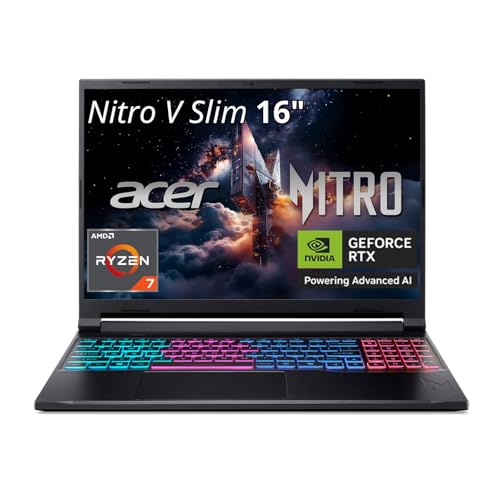
10. Acer Nitro V 16S AI (2025, RTX 5070): Best Thin Acer Gaming Laptop With RTX 5070
$1,519.99
as of Nov 28, 2026, 06:32 UTC
Only consider this one if you want the Nitro V 16S's thin body with a sharper screen. Amazon's listing pairs an RTX 5070 with a 2560 x 1600 180Hz display, 16GB of RAM and a 512GB SSD, in a laptop of about 4.6 lb.
Stepping up to the RTX 5070 has a problem. Jarrod'sTech found the RTX 5070 and RTX 5060 versions both max out at 85W, so you pay for a bigger GPU name without a big jump in frames. Just Josh's RTX 5070 unit showed the worst plugged-in drain they had measured: more than 2% in a six-minute Monster Hunter Wilds run in Turbo on the 135W charger, and Acer's 230W Predator charger drew no extra power. No reviewer tested this exact configuration.
The upside stays the same: light weight, a bright and accurate screen, and long battery for light use. Thirty minutes of gaming between lectures works fine in Performance mode. For long sessions, the Nitro 16S AI (#6) has a 230W adapter, and for a real jump in frames, the Helios Neo 16 AI (#1) is far faster.
Best for: Light-laptop fans who want a 1600p screen and play short sessions in Performance mode.
Skip it if: You want a real jump in frames. The Predator Helios Neo 16 AI (#1) runs its RTX 5070 Ti at the full 140W.
Pros
- Thin and light for a 16-inch: about 4.6 lb
- Bright, color-accurate screen (400+ nits measured)
- Long battery life for a gaming laptop
- RAM and SSD are user-upgradeable
- Full-size keyboard with numpad
Cons
- 135W charger drains battery while gaming in Turbo
- GPU limited to 85W, below full-power RTX 5070s
- Keyboard gets warm; fans loud under load
- Lid and keyboard deck flex
- Slow Wi-Fi and microSD reader (Jarrod)
Hands-on reviews behind this pick
Show the verdict
Lab-tested a Ryzen AI 7 350 / RTX 5060 unit: good native-res gaming, excellent battery life and color accuracy in a thin chassis, but a hot keyboard, loud fans, an underpowered 135W charger and 8GB VRAM.
Show the verdict
His Core 7 240H / RTX 5060 unit has a great screen and 9+ hours of video, but the 135W charger can't sustain Turbo gaming and drains the battery; he can't broadly recommend it at current prices.
Show the verdict
Abandoned the full review of his Intel RTX 5070 unit after it drained its battery while plugged in during gaming with the 135W charger, and recommends Lenovo's Legion 5 or Gigabyte's Aero X16 instead.
Best Acer gaming laptops buying guide for 2027
What's the difference between Acer Nitro V, Nitro and Predator gaming laptops?
Think of Acer's gaming range as four steps. Nitro V is the entry tier: the Nitro V 15, Nitro V 16 AI and the slim Nitro V 16S AI, with RTX 5050 to RTX 5070 chips and plain plastic builds. The Nitro 16S AI is the slimmer step up, with a stronger 115W RTX 5060 and a bigger charger. Predator Helios Neo is the value performance range in 14, 16, 16S and 18-inch sizes, where you get RTX 5060 to RTX 5070 Ti power, better screens and more ports. Predator Helios is the flagship, here the Helios 18 AI with an RTX 5090.
What about the Predator Triton? No current RTX 50-series Triton is sold new on Amazon US, only older RTX 40 models, so it isn't on this list. Not sure Acer is the right brand at all? See how Acer compares with the best gaming laptops overall.
Why does the same GPU run faster in some Acer gaming laptops than others?
Because Acer sets a different power limit for each chassis, and wattage drives frame rates. The RTX 5070 Ti gets the full 140W in the Helios Neo 16 AI and Helios Neo 18 AI, but about 100 to 115W in the thinner Helios Neo 16S AI, which leaves it 10 to 15% behind the Neo 16. The RTX 5060 runs up to 115W in the Nitro 16S AI and Helios Neo 14 AI, but only about 85W in the Nitro V 16S AI. And the RTX 5070 in the Nitro V 16S is capped at that same 85W.
So read past the GPU name on the listing. If frames per dollar matter most, the thicker Helios Neo 16 AI and Neo 18 AI are the safe picks.
Does the 135W charger on Acer's Nitro V 16S gaming laptop matter?
Yes, if you game hard for long stretches. The Nitro V 16S AI ships with a 135W charger that can't power Turbo mode, so the battery drains even while plugged in. Jarrod'sTech's RTX 5060 unit lasted about two hours of Alan Wake 2 in Turbo before it fell to 30% and dropped to Balanced, and Just Josh measured an even faster drain on an RTX 5070 unit.
The fix is mostly in your settings. Performance mode avoided the drain in Jarrod's games for a small frame-rate cost. Crimson Tech says a higher-wattage Acer charger fixed it on his RTX 5060 unit, but Just Josh's RTX 5070 unit drew no extra power from a 230W Predator charger, so don't count on that. If you want to plug in and forget it, buy the Nitro 16S AI with its 230W adapter.
Which screen should you pick on an Acer gaming laptop?
Match the panel to where you play. For a bright room, the Helios Neo 16 AI's 240Hz IPS measured 635 nits. For rich dark scenes, the Helios Neo 16S AI's OLED looks best, but it's glossy and locked at 240Hz, which costs battery. The Helios 18 AI's Mini LED is the showpiece, but it runs 4K at 120Hz, not the 250Hz Amazon's title claims; its 240Hz mode drops to 1920 x 1200.
Check the exact listing, because each Acer model is sold in several configs. The Nitro V 16 AI's base 1200p panel covers only about 50% sRGB, and the Nitro 16S AI listing has a 1920 x 1200 screen while reviewers praised a 2560 x 1600 one. The Nitro V 16S AI RTX 5070 listing is the sharper 1600p version.
Can you upgrade the RAM and storage in an Acer gaming laptop?
On almost every pick, yes. The Helios Neo 16 AI, Neo 16S AI and Neo 18 AI, the Nitro V 16 AI and the Nitro V 16S AI all have two RAM slots and two M.2 slots, so a 16GB, 512GB or 1TB listing is easy to grow. The Nitro V 15 also takes more RAM and has two SSD slots, though it uses older DDR4. The Helios 18 AI goes furthest, with four RAM slots and three M.2 slots.
The exception is the Helios Neo 14 AI, whose 16GB of RAM is soldered, so buy the memory you need on day one. Several listings here ship with 16GB; if you play big open-world games, adding a second stick is a cheap, easy upgrade.
Which Acer gaming laptop fits your budget and how you play?
Start with where the laptop lives. On a tight budget, the Nitro V 16 AI is the one to beat, and the Nitro V 15 is worth it only when it costs less. To compare cheaper options from other makers, see low-cost gaming laptops from every brand.
In the middle, the Nitro V 16S AI suits light carry and long battery, the Nitro 16S AI suits long sessions on the go, and the Helios Neo 14 AI suits small desks. For desk gaming, the Helios Neo 16 AI is our pick, the Neo 18 AI adds screen size and the Helios 18 AI is for buyers who want RTX 5090 power regardless of cost. If thin and light is the priority, the Helios Neo 16S AI is Acer's best, and you can weigh it against thin gaming laptops from Asus, Razer and HP.
Best Acer gaming laptops: frequently asked questions
What is the best Acer gaming laptop?
The Predator Helios Neo 16 AI with an RTX 5070 Ti is our pick for most buyers. It runs the GPU at the full 140W, has a very bright 240Hz IPS screen and costs less than most rivals with that chip. It's heavy and short on battery, so if you carry your laptop daily, get the slimmer Helios Neo 16S AI.
What's the difference between Acer Nitro and Predator laptops?
Nitro is Acer's budget and mid-range line, with RTX 5050 to RTX 5070 chips, simpler builds and lighter options like the Nitro V 16S AI. Predator is the performance line: the Helios Neo models bring full-power RTX 5070 Ti options and better screens, and the Helios 18 AI is the RTX 5090 flagship.
Is the Acer Nitro V good for gaming?
Yes, for 1080p-class gaming. The Nitro V 16 AI with an RTX 5050 played AAA games at well over 60 fps and lasted about 12 hours in a video test. The lighter Nitro V 16S AI runs games at native 1200p, but its 135W charger drains the battery in Turbo mode, so game in Performance mode.
Which Acer Predator Helios Neo should I buy?
Get the Helios Neo 16 AI for the most frames per dollar at a desk, the Neo 16S AI if you want an OLED in a thin body, the Neo 18 AI for a big 18-inch screen with the same full-power RTX 5070 Ti, and the Neo 14 AI if you need the smallest footprint.
Can you upgrade the RAM and SSD in Acer gaming laptops?
In most models, yes. The Helios Neo 16, 16S and 18 and the Nitro V 16 and 16S have two RAM slots and two M.2 slots, and the Helios 18 AI has four RAM slots and three M.2 slots. The Helios Neo 14 AI is the exception, with soldered 16GB of RAM.