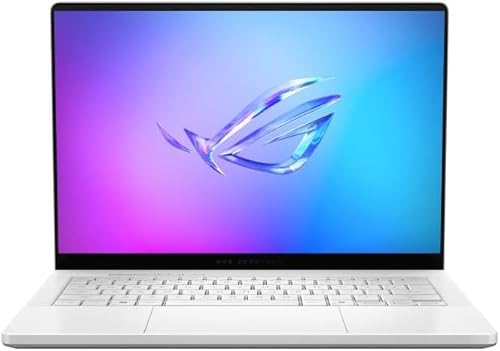
The 8 Best Gaming Laptops for Kids in 2027
A 5 lb laptop plus charger is a lot for a 12-year-old's backpack. We compared 20 expert reviews to pick the best gaming laptops for kids. Find their fit.

Affiliate disclosure: As an Amazon Associate, TechFloe earns from qualifying purchases.
Our picks at a glance
Best Gaming Laptop for Kids Overall
Asus TUF Gaming A16 (2025, FA608UMI, Ryzen 7 260, RTX 5060)
Our top pick for most parents. Asus says TUF laptops must pass MIL-STD-810H drop, vibration and temperature tests, and this one pairs that claim with a full 115W RTX 5060 at 4.85 lb. When the backpack gets dumped by the front door at 3:30, this is the chassis we'd want inside it. The catch is loud fans. Check the listing says FA608UMI, the 144Hz version.
10.0/10Score

$1,399.99
as of Nov 28, 2026, 06:32 UTC
Best First Gaming Laptop for a Child
Acer Nitro V 16 AI (ANV16-42, Ryzen 5 240, RTX 5050)
The best way to start without overspending. PCMag calls it a fine first gaming laptop for a child, and it ran Cyberpunk 2077 at Ultra and lasted about 12 hours in PCMag's video test. That's an essay at the kitchen table with the charger left upstairs. The catches: dull colors and a 5.4 lb weight. Look for the Ryzen 5 240, RTX 5050 version on the listing.
10.0/10Score
$1,170.00
as of Nov 28, 2026, 06:32 UTC
Best Long-Battery Gaming Laptop for School
Alienware 16 Aurora (2025, AC16250, Core 7 240H, RTX 5060)
The pick for a kid who does as much homework as gaming. Its 96Wh battery ran 9h41m in Tom's Hardware's test, and Jarrod'sTech got almost 3 hours of gaming unplugged. Picture a whole library afternoon with no outlet hunting. It's well built and runs cool, but the 80W RTX 5060 is slower than rivals and the screen blurs in motion. This listing is sold by Amazon itself.
9.7/10Score
$1,339.99 $1,442.10 Save 7%
as of Nov 28, 2026, 06:32 UTC
Black Friday Deal
Best Lightweight Gaming Laptop for Kids
Asus TUF Gaming A14 (2026, FA401EA, Ryzen AI Max+ 392)
The one to get if your child carries it every day. At 3.26 lb it's about 2 lb lighter than most picks here, and PCMag measured 12h52m of video. Think of a sixth-grader's bag that already holds books and a lunchbox. The catch: it has integrated Radeon graphics, so it's slower in games than cheaper RTX laptops. Only one config is sold in the US, so choosing is simple.
9.2/10Score
$1,799.99 $2,199.99 Save 18%
as of Nov 28, 2026, 06:32 UTC
Best Sturdy Budget Gaming Laptop for Teens
Asus TUF Gaming F16 (2025, FX608, Core i5-13450HX, RTX 5050)
A tough-feeling TUF for a lower budget. Asus claims MIL-STD-810H testing, the lid is metal, and its RTX 5050 runs at a full 115W, keeping pace with low-power RTX 5060s. Imagine a teen who flips it open on a desk after every practice. The catch is average battery for a 90Wh pack. This listing has the Core i5-13450HX, 16GB and 512GB, sold by Amazon.
9.1/10Score
$1,256.01
as of Nov 28, 2026, 06:32 UTC
Best Gaming Laptop for Shared Family Use
Alienware 15 (2026, DA15265, RTX 5050)
A sturdy, plain-looking machine that suits a laptop the whole family borrows. Two outlets tested this exact Ryzen 7 260 and RTX 5050 setup, and it delivers strong frame rates for the money, with Ethernet for a solid wired connection. Picture it parked on the family desk between homework shifts. The catch is a dim, washed-out screen. Check the listing says 2026 and RTX 5050.
8.6/10Score
$1,239.99
as of Nov 28, 2026, 06:32 UTC
Best Thin Gaming Laptop for a School Bag
Acer Nitro V 16S AI (2025, RTX 5060)
A thin 16-inch with an RTX 5060 that's easy to carry. RTINGS weighed this exact config at about 4.5 lb and measured about 11 hours of web browsing, and the matte 180Hz screen is brighter than most budget panels. Think of a teen sliding it in beside binders. The catch is a small 135W charger that can't keep up in Turbo mode. Check for Ryzen AI 7 350 and 1TB.
8.6/10Score
$1,428.52
as of Nov 28, 2026, 06:32 UTC
Best Cheap Gaming Laptop for Kids
MSI Cyborg 15 (B13WEKG, Core i5-13420H, RTX 5050)
A light, cool-running entry laptop for esports and older games. MSI lists 4.6 lb, the deck stayed at 46C for Notebookcheck, and the webcam has a privacy shutter. Imagine a 10-year-old playing Minecraft on the sofa without hot knees. The catch: a 45W RTX 5050, a dim screen and short battery. This listing has the Core i5-13420H and adds a Belkin dock.
8.3/10Score
$964.99
as of Nov 28, 2026, 06:32 UTC
Product prices and availability are accurate as of the date/time indicated and are subject to change. Any price and availability information displayed on Amazon.com at the time of purchase will apply to the purchase of this product.
How we rank best gaming laptops for kids?
We start with design and build, because a kid's laptop gets dropped into bags, knocked off desks and opened a thousand times. Weight and battery come next, since your child carries it and does homework on it away from a socket. Gaming performance follows, so today's games run smoothly at 1080p and keep up as they get heavier. Value matters because a first gaming PC shouldn't cost so much that a scuff hurts. Heat and noise round it out: hot keyboards and loud fans wear thin in a shared room. That puts the Asus TUF Gaming A16 first.
Design and Build30%
A sturdy lid, hinge and chassis decide whether the laptop survives school bags, couch drops and years of daily use.
Weight and Battery25%
Kids carry it to school and do homework unplugged, so every pound and every hour of battery shows up in their day.
Gaming Performance20%
Popular games should run smoothly at 1080p now and still run well in a couple of years as games get heavier.
Value15%
A first gaming laptop should give real performance without a price that makes every scratch or spill painful.
Heat and Noise10%
Warm keys and roaring fans annoy a child on their lap and everyone else sharing the room or the kitchen table.
Best gaming laptops for kids compared
Swipe sideways to see every spec.
| Product | Score | Display | Processor | Graphics | Memory |
|---|---|---|---|---|---|
| 10.0 | 16-inch 1920 x 1200 IPS, 144Hz, 100% sRGB, G-Sync | AMD Ryzen 7 260 (8 cores) | Nvidia GeForce RTX 5060 8GB, up to 115W | 16GB DDR5-5600 with 512GB SSD (two RAM, two M.2 slots) | |
| 10.0 | 16-inch 1920 x 1200 IPS, 180Hz | AMD Ryzen 5 240 (6 cores, 12 threads) | Nvidia GeForce RTX 5050 8GB GDDR7 | 16GB DDR5, 512GB SSD; two RAM and two M.2 slots | |
| 9.7 | 16-inch 2560 x 1600 IPS, 120Hz, 100% sRGB | Intel Core 7 240H (10 cores) | Nvidia GeForce RTX 5060 8GB, 80W max | 16GB DDR5 with 1TB SSD (two RAM slots, two M.2 slots) | |
| 9.2 | 14-inch 2560x1600 IPS, 165Hz, anti-glare | AMD Ryzen AI Max+ 392 (12 cores) | AMD Radeon 8060S integrated (no discrete GPU) | 32GB LPDDR5X-8533, soldered (shared with GPU) | |
| 9.1 | 16-inch 1920 x 1200 IPS-level, 165Hz, 100% sRGB | Intel Core i5-13450HX (10 cores) | Nvidia GeForce RTX 5050 8GB GDDR7, up to 115W | 16GB DDR5 with 512GB PCIe 4.0 SSD; second M.2 slot | |
| 8.6 | 15.3-inch 1920x1200 IPS, 165Hz, 300 nits, 62.5% sRGB | AMD Ryzen 7 260 (8 cores, 16 threads) | Nvidia RTX 5050, 8GB, about 85W | 16GB DDR5-5600, single stick, 2 slots | |
| 8.6 | 16-inch 1920x1200 IPS, 180Hz, matte | AMD Ryzen AI 7 350 (8 cores) | Nvidia RTX 5060, 8GB, about 85W | 16GB DDR5, 2 slots, replaceable | |
| 8.3 | 15.6-inch 1920 x 1080 IPS-level, 144Hz | Intel Core i5-13420H (8 cores) | Nvidia GeForce RTX 5050 8GB, 45W | 16GB DDR5 with 512GB NVMe SSD (one M.2 slot) |
1. Asus TUF Gaming A16 (2025, FA608UMI, Ryzen 7 260, RTX 5060): Best Gaming Laptop for Kids Overall

$1,399.99
as of Nov 28, 2026, 06:32 UTC
For most families, this is the one to buy. Asus says every TUF laptop has to pass MIL-STD-810H tests for drops, vibration, humidity and extreme temperatures. That's the maker's own lab claim, not an independent test, and no non-TUF pick here makes one. Inside, the RTX 5060 runs at the full 115W, and Crimson Tech saw it beat last year's RTX 4070 laptops in games.
Picture a 13-year-old who drops the bag by the door, then plays Fortnite until dinner. The 180-degree hinge forgives a lid shoved too far back, the palm rest stays cool, and at 4.85 lb it isn't the heaviest here. It charges over USB-C as well as the main adapter, and it bundles trial subscriptions, including Xbox Game Pass Premium, that bill after the free period.
Here's the trade-off. The fans are loud under load, the screen is dim, and ASUS's spec sheet lists a 70Wh battery for this version, while Crimson Tech's 90Wh RTX 5060 unit managed about 4.5 hours of YouTube at full brightness. So would we buy it? For a hard-wearing first gaming laptop, yes. Need the lowest cost instead? The Acer Nitro V 16 AI (#2) is cheaper.
Best for: Parents of a 10 to 16-year-old who want a sturdy, upgradeable laptop that plays new games well for years.
Skip it if: You need all-day battery for school. The Alienware 16 Aurora (#3) lasts far longer unplugged.
Pros
- MIL-STD-810H testing claimed by ASUS
- RTX 5060 runs at up to the full 115W
- Fairly thin and 4.85 lb
- G-Sync, MUX switch and Advanced Optimus
- Good ports incl. USB4, HDMI 2.1, Ethernet
- Easy RAM and SSD upgrades
Cons
- Fans are loud under gaming load
- Screen is dim and a bit washed out
- Cramped keyboard with numpad
- This SKU has the smaller 70Wh battery
- Only 512GB of storage
Hands-on reviews behind this pick
Crimson Tech
Show the verdict
Ryzen 7 and 115W RTX 5060 unit: beats last year's RTX 4070 laptops in games, with good speakers, keyboard and webcam; weak battery and only 8GB of VRAM. Recommended.
2. Acer Nitro V 16 AI (ANV16-42, Ryzen 5 240, RTX 5050): Best First Gaming Laptop for a Child

$1,170.00
as of Nov 28, 2026, 06:32 UTC
If you're not sure your child will still be gaming next year, start here. PCMag tested this exact config and calls it a fine first gaming laptop for a child: Cyberpunk 2077 ran at a solid rate on Ultra, Call of Duty neared 180fps at minimum settings, and the battery lasted about 12 hours in its video test. LaptopMedia found Acer's tuning keeps it cool under long loads.
Say your 11-year-old finishes a book report at the kitchen table, then jumps into Roblox with friends. The 180Hz screen keeps motion smooth, the keyboard is comfortable and has a number pad for math homework, and the USB4 port takes up to 65W USB-C charging when the main brick is in another room. Plan on a mouse, since the touchpad drags.
The downsides are real but survivable. It weighs about 5.4 lb, the 720p webcam has no privacy shutter, colors are dull and 512GB fills fast. So would we buy it? For a first gaming laptop on a tight budget, yes. Want a sturdier claimed build? The Asus TUF Gaming A16 (#1) is the step up.
Best for: Parents buying a first gaming laptop who want real performance and long battery without a big price.
Skip it if: Your child walks to school with it. The Asus TUF Gaming A14 (#4) is about 2 lb lighter.
Pros
- Plays AAA games at high settings for a low price
- Fast 180Hz 16-inch screen
- Long battery life for a gaming laptop
- Comfortable keyboard with number pad
- Runs cool and fairly quiet under load
- Easy RAM and SSD upgrades, USB4 port
Cons
- Washed-out colors: about 50% sRGB on the base panel
- 512GB SSD fills up fast
- Touchpad has too much drag
- Heavy at about 5.4 lb
- Weak 720p webcam with no privacy shutter
Hands-on reviews behind this pick
PCMag
Show the verdict
A compelling value for first-time gamers: AAA games at well over 60fps, a fast 180Hz screen and long battery life, held back by poor color range, a draggy touchpad and a small SSD.
LaptopMedia
Show the verdict
Tested the Ryzen 7 260 / RTX 5060 config with the same 1200p 180Hz panel: sturdy, cool and easy to upgrade, but that panel covers only about 50% sRGB.
3. Alienware 16 Aurora (2025, AC16250, Core 7 240H, RTX 5060): Best Long-Battery Gaming Laptop for School

$1,339.99 $1,442.10 Save 7%
as of Nov 28, 2026, 06:32 UTC
Black Friday Deal
Battery is the reason to buy this one. All three reviewers tested this Core 7 240H and RTX 5060 setup, and it lasted 9h41m in Tom's Hardware's mixed test and almost 3 hours of gaming for Jarrod'sTech, the longest gaming runtime he'd recorded. Dell doesn't claim a MIL-STD rating, but reviewers found a solid, low-flex build with a metal lid.
Say your teen has a study hall, a library block and a bus ride home. The charger can stay at home, and the sharp 1600p screen is easy to read during a long essay. It also runs cool, so the keyboard doesn't get uncomfortable. Two RAM and two M.2 slots leave room to upgrade, and this listing ships from and is sold by Amazon.com.
The trade-offs are speed and weight. The RTX 5060 is capped at 80W, so frame rates trail full-power rivals, and the panel's slow response makes fast games look smeared. At about 5.6 lb, it's a heavy bag. So would we buy it? For a schoolwork-first kid who games casually, yes. Competitive shooter fan? The Asus TUF Gaming A16 (#1) is faster.
Best for: Teens who need a full day of battery for schoolwork and play casual or story games after.
Skip it if: Your child plays fast competitive shooters. The Asus TUF Gaming A16 (#1) has more GPU power.
Pros
- Outstanding battery life for a gaming laptop
- Sharp 2560 x 1600 screen with good color
- Runs cool under load
- Solid build with little keyboard flex
- Two RAM and two SSD slots for upgrades
- Sold by Amazon itself, not a reseller config
Cons
- Very slow screen response causes motion blur
- RTX 5060 capped at 80W, slower than rivals
- About 5.6 lb, heavy to carry
- 720p webcam, no Thunderbolt
- Control software takes about 2 minutes to load
Hands-on reviews behind this pick
Notebookcheck
Show the verdict
A thinner, longer-lasting, well-built starter Alienware for 1080p gaming, held back by slow black-white response with visible ghosting, a hot CPU and lost extras.
Tom's Hardware
Show the verdict
An attractive laptop with a colorful screen that lasts remarkably long on battery, but the 80W RTX 5060 keeps gaming frame rates behind similarly priced rivals.
Show the verdict
Huge battery life, cool thermals and decent build, but the slowest screen response he had measured in five years; worth it on sale, not at full price.
4. Asus TUF Gaming A14 (2026, FA401EA, Ryzen AI Max+ 392): Best Lightweight Gaming Laptop for Kids

$1,799.99 $2,199.99 Save 18%
as of Nov 28, 2026, 06:32 UTC
This is the featherweight of the list, and for a younger child that matters most. It weighs 3.26 lb, lasted 12h52m in PCMag's video test and 9h07m in Tom's Hardware's mixed use, and its 12-core Ryzen AI Max+ 392 flies through schoolwork. The trade-off is graphics: there's no Nvidia GPU, only AMD's integrated Radeon 8060S.
So how does it game? No reviewer ran Fortnite or Roblox. It did manage about 90fps in Cyberpunk 2077 at low settings for Just Josh and 67fps in Shadow of the Tomb Raider at 1080p Highest for Tom's Hardware, so we'd expect lighter games to run well. Picture a 12-year-old with books, a lunchbox and this laptop in one bag, with no aching shoulders by third period.
The catch is value. Cheaper RTX 5060 laptops are faster in games, Turbo mode hits about 55 dB, and the RAM can't be upgraded. So would we buy it? If weight beats frame rates for your child, yes. Want more gaming for less? The Acer Nitro V 16 AI (#2) costs less and plays harder.
Best for: Younger kids who carry a laptop to school daily and mostly play lighter games like Minecraft and Roblox.
Skip it if: Your teen wants high settings in new AAA games. The Asus TUF Gaming A16 (#1) has an RTX 5060.
Pros
- Light 3.26 lb, 0.67-inch 14-inch body
- About 9-13 hours of light-use battery in lab tests
- Very strong CPU and creator-app performance
- Two M.2 2280 SSD slots
- Quieter Performance mode with a small fps loss
Cons
- Integrated GPU trails RTX 5060 and even RTX 4060 laptops
- Cyberpunk RT Ultra only 16 fps at 1080p (Tom's Hardware)
- Expensive for a gaming laptop with no discrete GPU
- RAM soldered; display a bit dim and dull to PCMag
- Very loud (about 55 dB) in Turbo mode
Hands-on reviews behind this pick
Show the verdict
Travel-friendly with impressive integrated Radeon graphics, punchy CPU performance and long battery life, but a lackluster display and premium price make it a hard sell for serious gamers.
Show the verdict
An impressively powerful compact laptop with standout CPU performance and good battery life, but its integrated Radeon GPU at this price makes it poor value for gamers.
IGN
Show the verdict
Keeps the light chassis, crisp screen and long battery life of earlier A14s with solid gaming power, but it no longer counts as a budget laptop at its price.
5. Asus TUF Gaming F16 (2025, FX608, Core i5-13450HX, RTX 5050): Best Sturdy Budget Gaming Laptop for Teens

$1,256.01
as of Nov 28, 2026, 06:32 UTC
Think of this as the TUF A16's tougher-feeling budget cousin. Asus claims MIL-STD-810H testing for the line, the lid is metal, and reviewers agree the chassis and cooling are strong. The RTX 5050 runs at the full 115W, and in Tom's Hardware's games it matched or beat 80W to 85W RTX 5060 laptops.
One note on configs: Tom's Hardware tested a Core i7-14650HX with the same 115W RTX 5050, while this listing has the Core i5-13450HX, so expect slightly lower CPU results. Say your 15-year-old games after practice and streams music while doing homework. The 165Hz screen is colorful, the speakers are loud and clear, and there's a free M.2 slot for more games.
The weak spots are battery and heat. Tom's Hardware got 6h57m from the 90Wh pack, the keyboard reached 96F and the strip above it 112F under stress, and the fans are clearly audible. It weighs about 4.95 lb, 6.9 lb with the 280W charger. So would we buy it? On sale, for a teen who games at a desk, yes. Need longer battery? The Acer Nitro V 16 AI (#2) lasts far longer.
Best for: Parents of a teen who games mostly at a desk and wants a sturdy, full-power budget laptop.
Skip it if: Your child does homework away from an outlet. The Alienware 16 Aurora (#3) lasts much longer.
Pros
- 115W RTX 5050 keeps up with low-power RTX 5060s
- Colorful 16:10 165Hz screen
- Sturdy chassis with metal lid, MIL-STD-810H tested
- Loud, clear speakers
- Two RAM slots and a free M.2 slot
- Big 90Wh battery
Cons
- 512GB SSD is small and slow
- Battery life only average despite 90Wh
- Fans clearly audible when gaming
- Pricier than rivals with more RAM and storage
- Thick at the back, about 4.9 to 5 lb
Hands-on reviews behind this pick
Show the verdict
Tested the FX608J with Core i7-14650HX and a 115W RTX 5050: a great display and excellent gaming for the money, but 16GB, a slow 512GB SSD and average battery hold it back.
Show the verdict
Tested the FX608JMR (RTX 5060): built to survive daily use, with excellent cooling and a surprisingly good, flicker-free screen, but the AMD TUF A16 gets far more battery life.
6. Alienware 15 (2026, DA15265, RTX 5050): Best Gaming Laptop for Shared Family Use

$1,239.99
as of Nov 28, 2026, 06:32 UTC
Buy this one for build and simplicity, not the screen. TechRadar used this exact Ryzen 7 260 and RTX 5050 config as a daily driver for three weeks and found strong frame rates for the money, like 134fps in Total War: Warhammer 3. RTINGS praised the build and steady performance in long sessions on a lower-spec unit.
Imagine a laptop that stays on the family desk: one kid's Minecraft after school, another's slideshow after dinner. The Ethernet port keeps games steady when the Wi-Fi is busy, and HDMI lets it play on the living room TV. Dell includes a 12-month base warranty with mail-in service and a 12-month McAfee+ trial.
The compromises are the screen, battery and noise. The 300-nit panel looks dull, TechRadar measured just 89 minutes of gaming unplugged, and Windows Central found loud fans and a warm keyboard around WASD. RAM ships as a single stick, which holds back speed until you add a second. So would we buy it? On sale, for a shared desk, yes. Want a better screen? The Alienware 16 Aurora (#3) is sharper.
Best for: Families sharing one gaming laptop at a desk, close to an outlet and a router.
Skip it if: Your child takes it to school unplugged. The Acer Nitro V 16 AI (#2) lasts about 12 hours in video.
Pros
- Sturdy, well-built chassis for the price
- RTX 5050 plays modern games well with DLSS
- 165Hz screen and steady performance in long sessions
- Replaceable RAM and SSD; second RAM slot free
- Comfortable keyboard (RTINGS)
- Plenty of ports, including Ethernet
Cons
- Dim, washed-out screen: only 62.5% sRGB
- Single-channel RAM out of the box
- 512GB SSD leaves little room for games
- Loud fans with a high-pitched whine
- Keyboard gets warm in games
- Only one M.2 slot; no MUX switch
Hands-on reviews behind this pick
TechRadar
Show the verdict
Tested the exact Ryzen 7 260/RTX 5050/16GB/512GB unit for three weeks: impressive frame rates for little money in the US, but a dim, washed-out panel, single-channel RAM and a cramped SSD.
Windows Central
Show the verdict
Tested the exact Ryzen 7 260/RTX 5050 unit: the RTX 5050 runs plenty of modern games with DLSS help, but the 512GB SSD is too small, the fans are extremely loud and the keyboard gets warm.
RTINGS
Show the verdict
Tested a Ryzen 5 220/RTX 4050 unit: decent for 1080p gaming with excellent build, steady performance and replaceable parts, but loud whiny fans and a narrow-gamut screen; RTX 5050 models do better.
7. Acer Nitro V 16S AI (2025, RTX 5060): Best Thin Gaming Laptop for a School Bag

$1,428.52
as of Nov 28, 2026, 06:32 UTC
This is the light 16-inch for a teen who wants a big screen without a heavy bag. RTINGS tested this exact Ryzen AI 7 350, RTX 5060 and 1TB setup, weighed it at about 4.5 lb and measured about 11 hours of web browsing. The matte 180Hz screen is also brighter and easier to read than most budget panels.
Picture a 14-year-old who carries it to class, takes notes all morning and plays a match with friends after school. The 1TB SSD holds more games than the 512GB picks, and USB-C charging up to 100W works with a spare charger. Leave it in Performance mode: Jarrod'sTech found the battery drained while plugged in under Turbo, dropping to 30% after about 2 hours of Alan Wake 2, but saw no drain in Performance mode.
The other downsides are a hot keyboard, some flex and poor Wi-Fi. The RTX 5060 runs at about 85W, so it's slower than the TUF A16. So would we buy it? For a teen who values carrying weight, yes. Want more gaming power? The Asus TUF Gaming A16 (#1) runs its RTX 5060 at 115W.
Best for: Teens who carry a 16-inch laptop to school and want an RTX 5060 for games after class.
Skip it if: You don't want to manage power modes. The Asus TUF Gaming A16 (#1) is simpler to live with.
Pros
- Light for a 16-inch gaming laptop at about 4.5 lb
- Long battery life: about 8-11 hours of light use
- Bright, matte 180Hz screen that beats rivals
- Two RAM slots and two M.2 slots
- Steady performance in Balanced and Performance modes
- Quiet fans in light use
Cons
- Small 135W charger drains the battery in Turbo gaming
- RTX 5060 limited to about 85W, slower than rivals
- Keyboard gets hot under load
- Mushy keyboard and weak trackpad (some reviewers)
- Some lid and deck flex
- Poor stock Wi-Fi card
Hands-on reviews behind this pick
Show the verdict
Tested the Ryzen AI 7 350/RTX 5060/16GB/1TB unit: good for gaming at native 1200p with a bright 180Hz screen, steady performance and easy upgrades, but a hot keyboard, loud fans and a weak charger.
Show the verdict
Light, with a better screen and battery than rivals, but its tiny 135W charger can't keep up in Turbo mode, so the battery drains mid-game; fine in Performance mode, hard to recommend at full price.
Show the verdict
Tested a Ryzen 7 260/RTX 5060 unit: thin, very upgradeable, with a nice matte 180Hz screen and 8+ hours of light use, but the low-power GPU and plugged-in battery drain make it hard to recommend.
8. MSI Cyborg 15 (B13WEKG, Core i5-13420H, RTX 5050): Best Cheap Gaming Laptop for Kids

$964.99
as of Nov 28, 2026, 06:32 UTC
This is the budget pick for a younger child whose games aren't demanding yet. Reviewers tested the Core 7 240H version with the same 45W RTX 5050 as this Core i5-13420H listing, so CPU results will differ slightly. Notebookcheck measured a 46C peak on the deck, and UFD Tech saw no throttling over 3 hours of gaming. Most games run well at 1080p medium.
Say your 10-year-old plays Minecraft and older favorites on the couch. The deck stays cool, the lid opens a full 180 degrees, and the webcam has a privacy shutter you can close between video calls. This listing also includes a Belkin 6-in-1 dock for a desk setup.
The catch is how MSI caps the GPU at 45W, about 20% behind other RTX 5050 laptops in Notebookcheck's results. Battery is short at about 5.5 hours of browsing, the screen is dim and pale, and there's only one SSD slot. So would we buy it? On sale, for a light gamer, yes. Want much more battery for school? The Acer Nitro V 16 AI (#2) lasted about 12 hours in PCMag's video test.
Best for: Parents of a younger child who plays Minecraft, Roblox and esports games and needs a lighter, cooler laptop.
Skip it if: Your child wants new AAA games at high settings. The Asus TUF Gaming A16 (#1) is much faster.
Pros
- Light for a gaming laptop at about 4.6 to 4.9 lb
- Cool and quiet, no throttling in long sessions
- Understated look, lid opens to 180 degrees
- Webcam has a privacy shutter
- Often priced in the budget tier
Cons
- RTX 5050 limited to 45W, slower than rivals
- Dim, washed-out screen (about 270 nits, 65% sRGB)
- Short battery life
- Hollow, rattly touchpad clicks
- Single SSD slot, 512GB fills fast
Hands-on reviews behind this pick
Show the verdict
Tested the B2RWEKG (Core 7 240H, 45W RTX 5050): a striking, solidly built budget gamer with mid-range performance, let down by a pale 65% sRGB panel and a meager GPU power limit.
Stuff (South Africa)
Show the verdict
Tested the Core 7 240H / RTX 5050 B2RWEKG: smart corner-cutting makes it a stylish, affordable gateway to PC gaming if you tweak settings in newer AAA games; 512GB fills fast.
Best gaming laptops for kids buying guide for 2027
Are gaming laptops durable enough for kids?
Some are built tougher than others, so check the chassis before the graphics card. Asus says its TUF laptops must pass MIL-STD-810H tests for drops, vibration, humidity and extreme temperatures. That's a maker claim from its own lab, made for the Asus TUF Gaming A16 and TUF Gaming F16; for the TUF Gaming A14, Asus only says MIL-STD-810 testing applies to selected products. Dell makes no such claim for the Alienware 16 Aurora, yet reviewers found its metal lid and low-flex deck among the sturdiest here, and the Alienware 15 also earns praise for its build.
No laptop is drop-proof, though. A hard case or padded sleeve, a rule about not eating over the keyboard and a desk spot away from drinks do more than any rating. Check what the maker's warranty covers, too: Dell gives the Alienware 15 a 12-month base warranty with mail-in service.
How heavy is too heavy for a kid's gaming laptop?
If your child carries it daily, aim for under 5 lb and count the charger too. Here's how the picks weigh in: the Asus TUF Gaming A14 at 3.26 lb, the Acer Nitro V 16S AI at about 4.5 lb, the MSI Cyborg 15 at about 4.6 lb, the TUF Gaming A16 at 4.85 lb, the Alienware 15 at about 4.9 lb, the TUF Gaming F16 at about 4.95 lb, the Acer Nitro V 16 AI at about 5.4 lb and the Alienware 16 Aurora at about 5.6 lb.
Chargers add up fast. Jarrod'sTech weighed the Aurora at 7.1 lb with its charger and the TUF F16 at 6.9 lb with its 280W brick. Several picks also charge over USB-C, which lets a small phone-style charger live in the school bag. For more options built to travel, see our lighter gaming laptops for a school bag.
How do you set up parental controls on a kid's gaming laptop?
Set up Microsoft Family Safety on day one, before your child signs in. Give them their own child Microsoft account in your family group (you start at account.microsoft.com/family), and avoid letting them use yours. Microsoft Family Safety lets you set screen time limits on Windows 10 and 11 and on Xbox, add limits for single apps and games, block inappropriate apps and games, and filter mature sites and searches in Microsoft Edge, which means other common browsers get blocked. When time runs out, your child can ask for more and you decide.
Then lock down spending. On the child's Spending page, Microsoft says purchases above their age limit need approval, and a Require approval for every purchase toggle sits under Manage spending when a card is on the account. Requests arrive on your phone. You can also add a set amount of money to their account instead of linking a card. Those controls cover the Microsoft and Xbox stores, so check the parental settings in any other game launcher your child installs.
How much battery does a kid's gaming laptop need for homework?
For a full school day unplugged, look for a laptop that lasted 9 hours or more in reviewers' light-use tests. The Alienware 16 Aurora ran 9h41m in Tom's Hardware's test, the Asus TUF Gaming A14 lasted 12h52m in PCMag's video test, the Acer Nitro V 16 AI about 12 hours, and the Acer Nitro V 16S AI about 11 hours of web browsing.
Gaming on battery is a different story. Even the long-lasting Aurora managed only about 3 hours of play unplugged, and most gaming laptops drop to an hour or two, so games belong near an outlet. The Alienware 15 and MSI Cyborg 15 have the shortest light-use runtimes here, which is fine for a desk at home but tight for a day of classes.
How much should you spend on a kid's first gaming laptop?
Spend enough for a real Nvidia RTX GPU, but don't jump to premium models for a first PC. A budget RTX 5050 laptop like the Acer Nitro V 16 AI handles AAA games at high settings in PCMag's results and leaves room in the budget for a mouse, headset and bigger SSD. Stepping up to the Asus TUF Gaming A16 gets you a full-power RTX 5060 and the TUF durability claim, which we think is worth it for a child who'll keep gaming for years.
Avoid paying extra for top-tier graphics a child won't use yet. If you want to compare more models on a tight budget, see our cheap gaming laptops worth buying. For an older teen who wants more power, browse the best gaming laptops at every price.
Best gaming laptops for kids: frequently asked questions
What is the best gaming laptop for kids?
The Asus TUF Gaming A16 is our pick for most families. Asus claims it passed MIL-STD-810H drop and temperature tests, it runs a full 115W RTX 5060, and it weighs 4.85 lb. If you want the lowest-cost real gaming laptop, get the Acer Nitro V 16 AI, which PCMag calls a fine first gaming laptop for a child.
Are gaming laptops durable enough for kids?
Some are sturdier than others. Asus says its TUF laptops, including the TUF Gaming A16 and F16, must pass MIL-STD-810H tests, though that's the maker's own claim. The Alienware 16 Aurora has no rating but a solid metal-lid build. Add a padded sleeve and keep drinks away from the keyboard either way.
How do I set parental controls on a Windows gaming laptop?
Create a child Microsoft account in your family group and use Microsoft Family Safety. It sets screen time limits on Windows and Xbox, limits single apps and games, blocks inappropriate apps and filters mature sites in Microsoft Edge. Turn on Require approval for every purchase so store buys need your OK. It works on Windows 10 and 11.
Can a gaming laptop be used for school work too?
Yes, and some are great at it. The Alienware 16 Aurora lasted 9h41m in Tom's Hardware's battery test, and the Asus TUF Gaming A14 ran 12h52m in PCMag's video test while weighing just 3.26 lb. Both handle essays, research and video calls as easily as games.
How much should I spend on a kid's gaming laptop?
A budget RTX 5050 laptop is enough for most kids' games at 1080p. The Acer Nitro V 16 AI is the best low-cost choice, with about 12 hours of video battery. Spend more on the Asus TUF Gaming A16 if you want a full-power RTX 5060 and Asus's MIL-STD-810H durability claim.