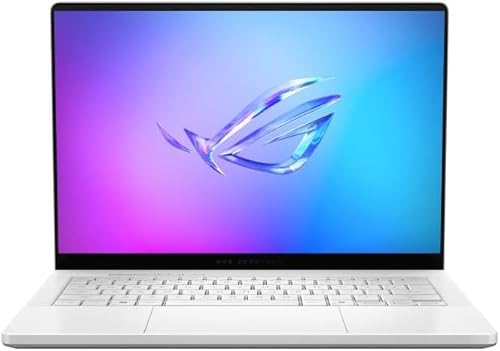
The 7 Best Affordable Gaming Laptops in 2027
A 512GB drive can fill up after three big games. We compared 16 expert reviews to find the best affordable gaming laptops for 1080p play. Pick yours.

Affiliate disclosure: As an Amazon Associate, TechFloe earns from qualifying purchases.
Our picks at a glance
Best Affordable Gaming Laptop Overall
Acer Nitro V 16 AI (ANV16-42, Ryzen 5 240, RTX 5050)
Acer's Nitro V 16 AI makes a good first gaming laptop on a budget. The RTX 5050 runs Cyberpunk 2077 on Ultra at a solid rate, the 16-inch screen hits 180Hz, and it lasted about 12 hours of video in PCMag's run. Watch a lecture replay on the bus, then game that evening without hunting for an outlet. The catch: pale colors and a 512GB drive. Check the listing says Ryzen 5 240 and RTX 5050.
10.0/10Score

$1,170.00
as of Nov 28, 2026, 06:32 UTC
Best Budget Gaming Laptop for Students
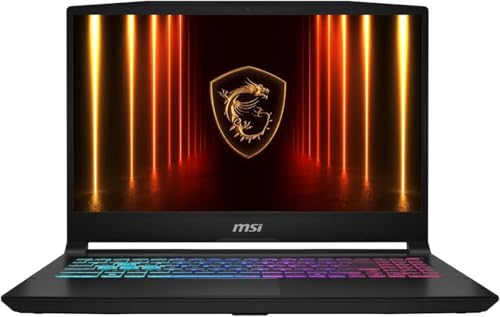
MSI Katana 15 HX (B14W, RTX 5050)
For the student who games and also needs real processor muscle. The 16-core Core i7-14650HX gives you the most processor cores on this list, and the RTX 5050 ran Cyberpunk 2077 at 75 fps on Ultra in PCMag's run. Plug in Ethernet in a dorm with bad Wi-Fi and play ranked matches lag-free. The catch: a dim 1080p screen and only one M.2 slot. Check the listing for the RTX 5050 and 512GB version.
9.1/10Score
$1,233.18
as of Nov 28, 2026, 06:32 UTC
Best Durable Cheap Gaming Laptop
Alienware 15 (2026, DA15265, RTX 5050)
A gaming laptop that feels solid in your hands, not only fast. The Alienware 15 has the sturdiest chassis here, and two reviewers tested this exact Ryzen 7 260 and RTX 5050 build with strong 1080p results. Drop a second RAM stick in the free slot on a Saturday and you unlock more speed. The catch: a dim, pale screen and loud fans. Check the listing names the Ryzen 7 260 and RTX 5050.
9.1/10Score
$1,239.99
as of Nov 28, 2026, 06:32 UTC
Best Affordable Gaming Laptop for Color
Asus TUF Gaming F16 (2025, FX608, Core i5-13450HX, RTX 5050)
Tired of grey, washed-out gaming screens? Asus rates this 16:10 165Hz screen at 100% sRGB, and its RTX 5050 runs at the full 115W, so it can match some RTX 5060 laptops. Load a dark horror game at midnight and the shadows still show color. The catch: it costs the most here and the 512GB drive is slow. Check the listing for the Core i5-13450HX with 16GB, since some markets got 8GB.
9.0/10Score
$1,256.01
as of Nov 28, 2026, 06:32 UTC
Best Upgradeable Gaming Laptop on a Budget
Acer Nitro V 15 (2025, Core i5-13420H, RTX 5050)
Plan to swap in more RAM and storage on day one? The Nitro V 15 has two SSD slots, Thunderbolt 4, HDMI 2.1 and Ethernet, and its RTX 5050 plays 1080p games at high settings. Add a 1TB drive before your next big download and you'll never juggle installs again. The catch: loud fans, heat near the space bar and slower DDR4 memory. Check the listing says Core i5-13420H with RTX 5050.
8.7/10Score
$1,040.00
as of Nov 28, 2026, 06:16 UTC
Best Lightweight Cheap Gaming Laptop
MSI Cyborg 15 (B13WEKG, Core i5-13420H, RTX 5050)
Your backpack sees more of this laptop than your desk does. The Cyborg 15 weighs about 4.6 to 4.9 lb, runs cool and quiet, and its webcam has a privacy shutter. Toss it in a backpack for a weekend LAN at a friend's place without sore shoulders. The catch: MSI caps the RTX 5050 at 45W, so it's slower than rivals. This listing bundles a Belkin 6-in-1 dock, so check that's included.
7.5/10Score
$964.99
as of Nov 28, 2026, 06:32 UTC
Best Big-Screen Affordable Gaming Laptop
Acer Nitro V 17 (ANV17-41-R8ML, Ryzen 5 240, RTX 5060)
The biggest screen for the least money, if your laptop stays on a desk. This Nitro V 17 pairs a 17.3-inch 180Hz panel with RTX 5060 graphics, and the chassis was among the quietest in Notebookcheck's run. Leave it on a dorm desk as a stand-in for a gaming PC. The catch: reviews only cover the RTX 5070 version. Check the listing names the ANV17-41-R8ML with Ryzen 5 240.
7.5/10Score
$1,049.99 $1,199.99 Save 13%
as of Nov 28, 2026, 06:32 UTC
Product prices and availability are accurate as of the date/time indicated and are subject to change. Any price and availability information displayed on Amazon.com at the time of purchase will apply to the purchase of this product.
How we rank best affordable gaming laptops for you?
Gaming performance comes first: you want modern games to hold a steady 60 fps or better at 1080p, so we look at real frame rates and how much power each RTX 5050 is allowed to draw. Value is next, because every extra dollar here should buy speed you can feel. Storage and upgrades follow, since a 512GB drive fills fast and a spare slot makes the fix cheap. Screen quality matters for dark levels and daylight. Design and build round it out: weight, heat, fan noise and how the chassis holds up.
Gaming Performance30%
Smooth 1080p frame rates in the games you actually play are the whole point of buying a gaming laptop over a cheaper one.
Value25%
On a tight budget, each step up in cost has to buy real speed or a better screen, not a fancier logo or RGB lights.
Storage and Upgrades20%
Budget laptops ship with 16GB and 512GB, so free RAM and SSD slots decide how cheaply you can fix that later.
Screen Quality15%
A dim, pale panel makes dark game levels look grey and struggles near a window, and you can't swap it out later.
Design and Build10%
Weight, heat under your palms, fan noise and a sturdy lid matter every day you carry or game on the laptop.
Best affordable gaming laptops compared
Swipe sideways to see every spec.
| Product | Score | Display | Processor | Graphics | Memory |
|---|---|---|---|---|---|
| 10.0 | 16-inch 1920 x 1200 IPS, 180Hz | AMD Ryzen 5 240 (6 cores, 12 threads) | Nvidia GeForce RTX 5050 8GB GDDR7 | 16GB DDR5, 512GB SSD; two RAM and two M.2 slots | |
| 9.1 | 15.6-inch 1920x1080 IPS-level, 144Hz | Intel Core i7-14650HX (16 cores, 24 threads) | Nvidia RTX 5050, 8GB GDDR7, up to 115W | 16GB DDR5, 2 slots, up to 96GB | |
| 9.1 | 15.3-inch 1920x1200 IPS, 165Hz, 300 nits, 62.5% sRGB | AMD Ryzen 7 260 (8 cores, 16 threads) | Nvidia RTX 5050, 8GB, about 85W | 16GB DDR5-5600, single stick, 2 slots | |
| 9.0 | 16-inch 1920 x 1200 IPS-level, 165Hz, 100% sRGB | Intel Core i5-13450HX (10 cores) | Nvidia GeForce RTX 5050 8GB GDDR7, up to 115W | 16GB DDR5 with 512GB PCIe 4.0 SSD; second M.2 slot | |
| 8.7 | 15.6-inch 1920 x 1080 IPS, 165Hz | Intel Core i5-13420H (Core i7-13620H option) | Nvidia GeForce RTX 5050 8GB (RTX 5060 option) | 16GB DDR4 with 512GB NVMe SSD | |
| 7.5 | 15.6-inch 1920 x 1080 IPS-level, 144Hz | Intel Core i5-13420H (8 cores) | Nvidia GeForce RTX 5050 8GB, 45W | 16GB DDR5 with 512GB NVMe SSD (one M.2 slot) | |
| 7.5 | 17.3-inch 1920 x 1080 IPS, 180Hz (per Amazon listing) | AMD Ryzen 5 240 (6 cores, 12 threads) | Nvidia GeForce RTX 5060 8GB | 16GB with 512GB SSD |
1. Acer Nitro V 16 AI (ANV16-42, Ryzen 5 240, RTX 5050): Best Affordable Gaming Laptop Overall

$1,170.00
as of Nov 28, 2026, 06:32 UTC
A first-time gaming PC buyer will be happy with this Nitro V 16. PCMag tested this exact Ryzen 5 240 and RTX 5050 build, and it ran Cyberpunk 2077 on Ultra at a solid frame rate while Call of Duty neared 180 fps at minimum settings. The 180Hz screen keeps shooters looking smooth, and Acer's cool, conservative tuning held the CPU near 75C on LaptopMedia's Ryzen 7 sibling under long load.
The surprise is battery: about 12 hours in PCMag's video test. So a student can stream lecture replays on a two-hour train ride home and still have charge for a match. Inside, two RAM slots and two M.2 slots make a bigger drive an easy job, and the keyboard has a number pad.
Now the trade-offs. The base panel covers about 50% sRGB, so dark levels look a little grey, the touchpad drags and it weighs about 5.4 lb. So would we buy it? For 1080p gaming on a budget, yes, plus a second SSD. Want a faster processor for coding or rendering? The MSI Katana 15 HX (#2) is the better fit.
Best for: First-time PC gamers and students who want strong 1080p gaming, long battery and easy upgrades for the least money.
Skip it if: You edit photos or care about vivid color. The Asus TUF Gaming F16 (#4) has a far more colorful screen.
Pros
- Plays AAA games at high settings for a low price
- Fast 180Hz 16-inch screen
- Long battery life for a gaming laptop
- Comfortable keyboard with number pad
- Runs cool and fairly quiet under load
- Easy RAM and SSD upgrades, USB4 port
Cons
- Washed-out colors: about 50% sRGB on the base panel
- 512GB SSD fills up fast
- Touchpad has too much drag
- Heavy at about 5.4 lb
- Weak 720p webcam with no privacy shutter
Hands-on reviews behind this pick
PCMag
Show the verdict
A compelling value for first-time gamers: AAA games at well over 60fps, a fast 180Hz screen and long battery life, held back by poor color range, a draggy touchpad and a small SSD.
LaptopMedia
Show the verdict
Tested the Ryzen 7 260 / RTX 5060 config with the same 1200p 180Hz panel: sturdy, cool and easy to upgrade, but that panel covers only about 50% sRGB.
2. MSI Katana 15 HX (B14W, RTX 5050): Best Budget Gaming Laptop for Students
$1,233.18
as of Nov 28, 2026, 06:32 UTC
Pick the Katana if your laptop has to earn its keep in class as well as in games. PCMag tested this exact Core i7-14650HX and RTX 5050 build and got 75 fps in Cyberpunk 2077 on Ultra without ray tracing, 57 fps in F1 2024 before DLSS, and far more once DLSS 4 frame generation kicks in. That 16-core chip is also the most cores you'll get on this list for heavy school and work apps.
Dorm Wi-Fi that drops every few minutes is a gaming problem. You run a cable to the Ethernet port, plug a monitor into HDMI 2.1, and the three USB-A ports take your mouse, headset and a flash drive. The keyboard is comfortable, the plastic shell feels sturdy, and two RAM slots take up to 96GB.
The screen is the price you pay: it's dim and pale, and RTINGS calls the FHD panel much duller than the QHD one on pricier models. Only one M.2 slot holds the 512GB drive, and fans get loud under load. So would we buy it? For a student who codes or edits, yes. Prefer a tougher shell? The Alienware 15 (#3) is built better.
Best for: Students who need a fast processor for coursework plus 1080p gaming, especially on a wired dorm connection.
Skip it if: You want the longest battery life and two SSD slots. The Acer Nitro V 16 AI (#1) has both.
Pros
- RTX 50-series gaming near the bottom of the price range
- Fast 16-core HX processor for the money
- Comfortable keyboard with 4-zone RGB
- Plenty of ports, including Ethernet and HDMI 2.1
- RAM is upgradeable (2 slots)
- Sturdy, plain plastic build
Cons
- Dim, dull 1080p 144Hz screen
- 512GB SSD fills up after a few big games
- Chunky and heavy for a 15-inch laptop
- Only one M.2 slot
- No VRR; fans loud and keyboard hot under load
- Only 8GB of video memory
Hands-on reviews behind this pick
Show the verdict
Editors' Choice: the RTX 5050 delivers smooth 60fps gaming with or without DLSS 4 at a budget price, with good inputs, ports and battery, though the screen is dim and 512GB of storage is tight.
RTINGS
Show the verdict
Tested the Core i9/RTX 5070 QHD config: decent for gaming and easy to upgrade, but the RTX 5050 suits lighter games at 1080p, the FHD panel looks dull, and fans get loud and the keyboard hot.
3. Alienware 15 (2026, DA15265, RTX 5050): Best Durable Cheap Gaming Laptop

$1,239.99
as of Nov 28, 2026, 06:32 UTC
Buyers who care about build quality over color accuracy will like the Alienware 15. TechRadar used this exact Ryzen 7 260 and RTX 5050 unit as a daily machine for three weeks and saw 134 fps in Total War: Warhammer 3, while Windows Central found DLSS keeps plenty of modern games smooth. RTINGS adds that performance stays steady across long sessions.
It ships with one 16GB stick, so the memory runs single-channel. Slide a matching stick into the free slot on a weekend and you get more of the speed you paid for. It weighs about 4.9 lb, has Ethernet, and feels tough enough for a family laptop that gets passed around, which also makes it a strong choice if you're shopping for a first gaming laptop for your child.
The downsides are real. The 300-nit screen looks dull, Windows Central measured about 58 dBA of fan noise, the WASD area gets warm, and gaming battery lasted 89 minutes for TechRadar. So would we buy it? On sale, yes. Want a brighter, richer screen? The Asus TUF Gaming F16 (#4) wins there.
Best for: Families and first-time gamers who want a sturdy, plain-looking laptop with Ethernet and room to upgrade the RAM.
Skip it if: You want a quiet laptop when gaming. The Acer Nitro V 17 (#7) is built around quiet cooling.
Pros
- Sturdy, well-built chassis for the price
- RTX 5050 plays modern games well with DLSS
- 165Hz screen and steady performance in long sessions
- Replaceable RAM and SSD; second RAM slot free
- Comfortable keyboard (RTINGS)
- Plenty of ports, including Ethernet
Cons
- Dim, washed-out screen: only 62.5% sRGB
- Single-channel RAM out of the box
- 512GB SSD leaves little room for games
- Loud fans with a high-pitched whine
- Keyboard gets warm in games
- Only one M.2 slot; no MUX switch
Hands-on reviews behind this pick
TechRadar
Show the verdict
Tested the exact Ryzen 7 260/RTX 5050/16GB/512GB unit for three weeks: impressive frame rates for little money in the US, but a dim, washed-out panel, single-channel RAM and a cramped SSD.
Windows Central
Show the verdict
Tested the exact Ryzen 7 260/RTX 5050 unit: the RTX 5050 runs plenty of modern games with DLSS help, but the 512GB SSD is too small, the fans are extremely loud and the keyboard gets warm.
Show the verdict
Tested a Ryzen 5 220/RTX 4050 unit: decent for 1080p gaming with excellent build, steady performance and replaceable parts, but loud whiny fans and a narrow-gamut screen; RTX 5050 models do better.
4. Asus TUF Gaming F16 (2025, FX608, Core i5-13450HX, RTX 5050): Best Affordable Gaming Laptop for Color

$1,256.01
as of Nov 28, 2026, 06:32 UTC
Buy the TUF if the screen matters as much as the frame rate. Asus rates this 16:10 panel at 100% sRGB, and Tom's Hardware's RTX 5050 unit measured 86.8% DCI-P3, far richer than the budget norm. LaptopMedia's RTX 5060 version hit 382 nits and 99% sRGB with no flicker. The RTX 5050 runs at the full 115W, which helped Tom's Hardware's unit hit about 90 fps in Indiana Jones at 1200p Ultra.
One caveat on that evidence: no reviewer tested this exact Core i5-13450HX build. Tom's Hardware used a Core i7-14650HX with the same 115W GPU, so expect similar gaming and slightly slower heavy CPU work. Asus says MIL-STD-810H testing applies to selected models, and the chassis feels tough. A free M.2 slot makes a second drive easy.
The catches: it costs the most of our RTX 5050 picks, the 512GB SSD is slow, fans are clearly audible, and Tom's Hardware got 6h57m of battery from a 90Wh pack. So would we buy it? Yes, on sale. Need the longest battery? The Acer Nitro V 16 AI (#1) lasts far longer.
Best for: Gamers who want the most colorful screen and full-power RTX 5050 in a tough chassis, and will wait for a sale.
Skip it if: You want the lowest cost for 1080p gaming. The Acer Nitro V 16 AI (#1) gives you more for less.
Pros
- 115W RTX 5050 keeps up with low-power RTX 5060s
- Colorful 16:10 165Hz screen
- Sturdy chassis with metal lid, MIL-STD-810H tested
- Loud, clear speakers
- Two RAM slots and a free M.2 slot
- Big 90Wh battery
Cons
- 512GB SSD is small and slow
- Battery life only average despite 90Wh
- Fans clearly audible when gaming
- Pricier than rivals with more RAM and storage
- Thick at the back, about 4.9 to 5 lb
Hands-on reviews behind this pick
Tom's Hardware
Show the verdict
Tested the FX608J with Core i7-14650HX and a 115W RTX 5050: a great display and excellent gaming for the money, but 16GB, a slow 512GB SSD and average battery hold it back.
Show the verdict
Tested the FX608JMR (RTX 5060): built to survive daily use, with excellent cooling and a surprisingly good, flicker-free screen, but the AMD TUF A16 gets far more battery life.
5. Acer Nitro V 15 (2025, Core i5-13420H, RTX 5050): Best Upgradeable Gaming Laptop on a Budget

$1,040.00
as of Nov 28, 2026, 06:16 UTC
Choose the Nitro V 15 if you'd rather upgrade over time than pay more up front. It has two M.2 slots, Thunderbolt 4, HDMI 2.1 and Ethernet, which is more room to grow than anything else at this level. TechRadar called the 2025 model's 165Hz screen surprisingly vibrant, though its review unit had a Core i7 and RTX 5060.
No reviewer tested this exact Core i5-13420H and RTX 5050 build, so here's what fits. Hubwood bought an RTX 5050 Nitro V 15 with a Core i7-13620H and got about 68 fps in Cyberpunk 2077 at 1080p Ultra, roughly level with a 75W RTX 4060. But his GPU was capped at 75W and held back by single-channel DDR4, and this listing's i5 is a step slower again.
Say you game in a shared apartment: the fans stay audible, heat reaches the space bar, and TechRadar's unit lasted just 1h37m gaming on battery. So would we buy it? If you'll add RAM and a second SSD, yes. Want better battery and a newer CPU? The Acer Nitro V 16 AI (#1) is worth the step.
Best for: Buyers who plan to add a second SSD or more RAM and want Thunderbolt 4 and Ethernet on a 15-inch laptop.
Skip it if: You need a quiet laptop for a library or shared room. The Alienware 15 (#3) is sturdier, and the Acer Nitro V 17 (#7) runs quieter.
Pros
- Solid 1080p gaming at high settings
- Fast 165Hz display
- Good ports: HDMI 2.1, Thunderbolt 4, Ethernet
- Easy RAM and SSD upgrades, two SSD slots
- Comfortable keyboard for typing
- Muted look that won't stand out in class
Cons
- Loud fans, even in light use on some units
- Gets hot around the space bar when gaming
- About 4.65 lb, heavy to carry around campus
- Webcam and speakers are weak
- Short battery when gaming
Hands-on reviews behind this pick
Show the verdict
A capable 1080p gaming laptop with a surprisingly vibrant display; heat and some budget-grade materials hold it back, but it holds its own against strong budget rivals.
6. MSI Cyborg 15 (B13WEKG, Core i5-13420H, RTX 5050): Best Lightweight Cheap Gaming Laptop

$964.99
as of Nov 28, 2026, 06:32 UTC
The Cyborg 15 is the pick for carrying, not for maxing out settings. MSI quotes 2.1 kg, about 4.6 lb, and Notebookcheck weighed its unit at just under 2.2 kg. It also runs cool: Notebookcheck saw 46C peak on the deck, and UFD Tech lost under 0.25% performance across a three-hour gaming session.
A quick note on the evidence: every reviewer tested the Core 7 240H version, not this Core i5-13420H build, but both use the same 45W RTX 5050 in the same chassis. That 45W cap is the story. Notebookcheck's GPU results ran about 20% behind other RTX 5050 laptops, and heavy AAA games need DLSS for 60 fps. Esports titles at 1080p medium run fine.
It has one SSD slot, and MSI says to see a service center for upgrades. The screen is dim, the touchpad clicks feel hollow, and UFD Tech saw about 2 hours of mixed battery. So would we buy it? Only on sale and for lighter games. Want full RTX 5050 speed? The MSI Katana 15 HX (#2) runs its GPU far harder.
Best for: Budget gamers who carry their laptop often and mostly play esports or older games at 1080p.
Skip it if: You want full RTX 5050 performance in new AAA games. The Asus TUF Gaming F16 (#4) runs it at 115W.
Pros
- Light for a gaming laptop at about 4.6 to 4.9 lb
- Cool and quiet, no throttling in long sessions
- Understated look, lid opens to 180 degrees
- Webcam has a privacy shutter
- Often priced in the budget tier
Cons
- RTX 5050 limited to 45W, slower than rivals
- Dim, washed-out screen (about 270 nits, 65% sRGB)
- Short battery life
- Hollow, rattly touchpad clicks
- Single SSD slot, 512GB fills fast
Hands-on reviews behind this pick
Notebookcheck
Show the verdict
Tested the B2RWEKG (Core 7 240H, 45W RTX 5050): a striking, solidly built budget gamer with mid-range performance, let down by a pale 65% sRGB panel and a meager GPU power limit.
Stuff (South Africa)
Show the verdict
Tested the Core 7 240H / RTX 5050 B2RWEKG: smart corner-cutting makes it a stylish, affordable gateway to PC gaming if you tweak settings in newer AAA games; 512GB fills fast.
7. Acer Nitro V 17 (ANV17-41-R8ML, Ryzen 5 240, RTX 5060): Best Big-Screen Affordable Gaming Laptop

$1,049.99 $1,199.99 Save 13%
as of Nov 28, 2026, 06:32 UTC
The Nitro V 17 is the big-screen value pick, ranked last for one reason: no review covers this exact build. Notebookcheck and Hi-Tech.ua both tested Nitro V 17 units with a Ryzen 7 260 and an RTX 5070. That tells you a lot about the chassis and cooling. It doesn't tell you this config's frame rates, its battery, or how the 180Hz FHD panel on this listing looks.
What carries over is the good part. Notebookcheck found it among the quietest gaming laptops it has measured, with palm rests peaking at 27C, so a three-hour session at a dorm desk stays comfortable. Rear USB4 and HDMI keep monitor cables tidy. Expect fewer frames than those reviews show, since the RTX 5060 is a step below the 5070 and the Ryzen 5 240 has only six cores.
Screen brightness is the risk, since the FHD panel Notebookcheck tested hit just 238 nits. So would we buy it? If a big, quiet screen matters most, yes. Want proven results on the exact model? The Acer Nitro V 16 AI (#1) has them.
Best for: Budget gamers who play at a desk, want a 17-inch screen and value a quiet laptop over the highest frame rates.
Skip it if: You want results from a review of the exact model you're buying. The Acer Nitro V 16 AI (#1) was tested in this config.
Pros
- Cheapest RTX 5060 laptop seen on Amazon US
- Big 17.3-inch screen
- One of the quietest gaming laptops in its class
- Cool palm rests and keyboard deck
- USB4, HDMI 2.1 and Wi-Fi 6E (reviewed config)
Cons
- Dim, washed-out FHD panel on the reviewed unit
- GPU power is capped low (85-95W on reviewed units)
- Weak 720p webcam and thin speakers
- Only a 6-core Ryzen 5 in this config
- Fans pulse in sleep mode
Hands-on reviews behind this pick
Show the verdict
Tested the ANV17-41-R4CJ (Ryzen 7 260, RTX 5070, FHD 144Hz): a large gaming laptop at a low price that favors quiet, efficient gaming over maximum fps, let down by a dim panel without full sRGB.
Hi-Tech.ua
Show the verdict
Tested an ANV17-41 with Ryzen 7 260, an 85W RTX 5070 and a 1440p 165Hz matte screen: a versatile, understated big-screen laptop with good performance for medium-high settings.
Best affordable gaming laptops buying guide for 2027
Is an RTX 5050 gaming laptop good enough for new games?
Yes, for 1080p play, as long as you lean on DLSS in the heaviest games. The Katana 15 HX ran Cyberpunk 2077 at 75 fps on Ultra in PCMag's run, and the Nitro V 16 AI held a solid rate there too. Competitive shooters run far faster: Call of Duty neared 180 fps at low settings on the Nitro.
But the GPU name alone doesn't tell you the speed. Laptop makers set how much power the chip can draw: the Asus TUF Gaming F16 runs its RTX 5050 at 115W, the Alienware 15 at about 85W, and the MSI Cyborg 15 at 45W, which left it about 20% behind other RTX 5050 laptops. Check that number before you buy.
All of these chips have 8GB of video memory, which limits texture settings in some new releases. If you want high settings at 1440p, look at our mid-range picks with RTX 5060 and 5070 graphics instead.
What do you give up on a cheap gaming laptop, and what can you upgrade later?
You give up screen quality, storage and polish, but storage and memory are cheap to fix. Here's the split.
You can't change the screen. Several panels here cover only 50 to 65% sRGB, so colors look pale; only the Asus TUF Gaming F16 is rated for full sRGB. You can't change the GPU, its power limit or the 8GB of video memory either, and you're stuck with the chassis and fans it ships with.
You can add an SSD or more RAM. The Acer Nitro V 16 AI, Asus TUF Gaming F16 and Acer Nitro V 15 have a second M.2 slot for a new drive. The MSI Katana 15 HX and Alienware 15 have one M.2 slot, so you swap the drive instead, but both have a spare RAM slot. The Alienware ships single-channel, so a second stick is the first upgrade we'd make. The MSI Cyborg 15 is the hardest to upgrade.
How much storage does a budget gaming laptop need?
Plan on 1TB or more, even though every pick here ships with 512GB. After Windows, the Katana's drive leaves about 447GB, and big shooters and open-world games can each take a large chunk of that. Three AAA installs and you're deleting games to make room.
The cheapest fix is a second drive. On the Nitro V 16 AI, TUF Gaming F16 and Nitro V 15, you add a 1TB stick next to the original and keep Windows where it is. On single-slot laptops you'll clone the old drive to a bigger one. Either way, the cost of a drive is far less than stepping up a tier just to get 1TB. Check the warranty terms first, and keep the original drive in case you need service.
How long does a cheap gaming laptop battery last?
Expect a few hours of browsing or video and under two hours of gaming, with one standout. The Acer Nitro V 16 AI lasted about 12 hours of video in PCMag's test, which makes it the pick for a long day of classes. The Asus TUF Gaming F16 managed 6h57m for Tom's Hardware, and the Acer Nitro V 15 about 6.5 hours of movies for TechRadar.
Gaming unplugged is a different story. The Alienware 15 lasted 89 minutes and the Nitro V 15 1h37m in gaming tests, so treat any of these as a plug-in machine for play and carry the charger. The MSI Cyborg 15 is the lightest to haul, but its battery is small.
Which budget gaming laptops work well for school and family use?
The best budget gaming laptops for school pair a fast CPU with a decent keyboard and enough battery to get through class. The MSI Katana 15 HX has the most processor cores here for heavy coursework, and the Nitro V 16 AI has the battery and a number pad for spreadsheets. Both have plain looks that won't stand out in a lecture hall.
For a family machine, toughness matters more. The Alienware 15 and Asus TUF Gaming F16 have the sturdiest builds on this list. Fan noise is the common catch: the Alienware, Katana and Nitro V 15 all get loud under load, so headphones help in a shared room. For more choices at every budget, see our full gaming laptop rankings.
Best affordable gaming laptops: frequently asked questions
What is the best affordable gaming laptop?
The Acer Nitro V 16 AI with a Ryzen 5 240 and RTX 5050 is our pick. It runs Cyberpunk 2077 on Ultra at a solid frame rate, has a 180Hz 16-inch screen, lasted about 12 hours of video in PCMag's test, and has two RAM and two SSD slots. Its pale screen is the trade-off.
Is an RTX 5050 good enough for gaming?
Yes, at 1080p. The MSI Katana 15 HX hit 75 fps in Cyberpunk 2077 on Ultra without ray tracing, and DLSS 4 pushes frame rates higher. Esports games run far faster. Check the GPU power limit, though: the MSI Cyborg 15's 45W chip runs about 20% behind other RTX 5050 laptops.
Can I upgrade the RAM and SSD in a cheap gaming laptop later?
On most of these, yes. The Acer Nitro V 16 AI, Asus TUF Gaming F16 and Acer Nitro V 15 have a second SSD slot. The MSI Katana 15 HX and Alienware 15 have a free RAM slot but one SSD slot. The MSI Cyborg 15 has one SSD slot, and MSI says to use a service center.
Which of the best cheap gaming laptops has the best screen?
The Asus TUF Gaming F16. Asus rates its 16-inch 165Hz panel at 100% sRGB, and Tom's Hardware's RTX 5050 unit measured 86.8% DCI-P3. Several other picks cover just 50 to 65% sRGB, so colors look pale. It also has G-Sync and a MUX switch, though it costs the most of our RTX 5050 picks.
Are cheap gaming laptops good for school too?
Yes, if you pick for battery and CPU. The Acer Nitro V 16 AI lasted about 12 hours of video in PCMag's test, enough for a full day of classes. The MSI Katana 15 HX has a 16-core processor for heavy coursework, but plan to plug it in. Both are heavy, about 5.3 to 5.4 lb.